
EnchantWithMob
add Enchanter and Mob enchant From Minecraft Dungeons
Screenshots
Über diese Mod
Enchant With Mob
Forge version requires Bagus Lib for 9.4.0 and above!
This mod adds the Enchanter from Minecraft Dungeons. Enchanted Mobs bring new difficulty to fights...
Discuss my mods here on discord!
Features:
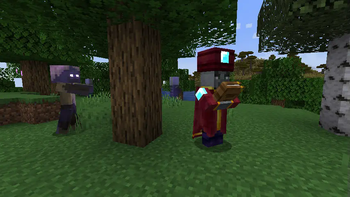
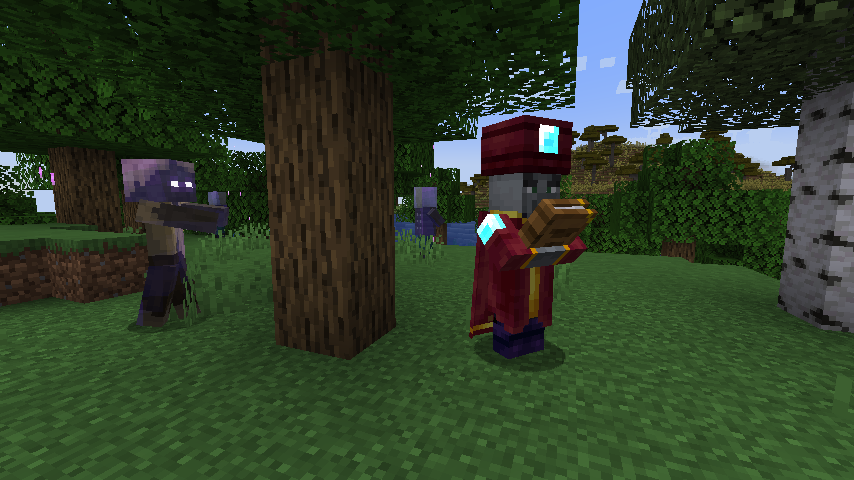
Adds the Enchanter from Minecraft Dungeons. This mob can "Enchant" other hostile mobs to make them more powerful. When killed it may drop a mob enchanting book for the player to use! Enchanters will also join village raids.
Hostile mobs may spawn pre-enchanted based on the difficulty. This can be changed using the config file. Ancient mobs from Minecraft Dungeons can also be found!
Many configurable options for modpack developers. In version 1.21.1 and above, datapacks can change mob enchantments. Epic Fight's armor rendering is supported natively, as are the raids from Faction Craft.
Customize with Datapack
You can customizable EnchantWithMob visual with Datapack!
https://github.com/baguchi/EnchantWithMob-Forge/wiki/Customizable-Glow-Eye-Texture-For-Enchanted
Credit:
Edmord - texture artist
Evo - documented the CF page
BaguChan - Active Coder
TruffleHistorian - glowing enchanted eye texture making
Infamous Misadventures Teams - they made EnchantWithMob home!
and Bumble bee zone Original work based on MobEnchant's beam - https://www.curseforge.com/minecraft/mc-mods/the-bumblezone-forge
Warning: backport and fabric port not planned and do not ask port
Verfügbare Versionen
EnchantWithMob auf dem Server installieren
Server bestellen
Bestelle einen Minecraft Java Server mit mindestens 3 GB RAM (4 GB empfohlen).
forge Loader setzen
Wähle im Panel unter "Egg" den forge-Loader und die passende Minecraft-Version (26.3).
Mod installieren
Öffne den Mod-Browser im Dashboard und suche nach "EnchantWithMob". Klicke "Installieren" – fertig! Alternativ: Lade die .jar via SFTP in den /mods Ordner.
Kompatibilität
Mod-Loader
Minecraft-Versionen
26.3, 26.2, 26.1.2 (+28 weitere)
Server-seitig
✓ ErforderlichEmpfohlener RAM
4 GB(min. 3 GB)Häufige Fragen
EnchantWithMob Server crasht beim Start – was tun?
Häufigste Ursache: falsche forge-Version oder zu wenig RAM. Prüfe im Server-Log (latest.log), ob ein "OutOfMemoryError" oder "Mixin"-Fehler auftritt. Bei Mado Hosting: Stelle sicher, dass mindestens 3 GB RAM zugewiesen sind und der Loader zur Mod-Version passt (26.3). Über das Panel kannst du den Loader mit einem Klick wechseln.
Ist EnchantWithMob mit forge und neoforge kompatibel?
EnchantWithMob unterstützt offiziell forge, neoforge für Minecraft 26.3, 26.2, 26.1.2. Im Mado Dashboard werden inkompatible Loader-Kombinationen automatisch erkannt.
Server laggt mit EnchantWithMob – wie optimiere ich die Performance?
Empfohlener RAM: 4 GB (+1 GB pro 8 Spieler). Prüfe mit /spark profiler, ob EnchantWithMob den meisten Tick-Time verbraucht. Häufige Fixes: Server-View-Distance auf 8-10 reduzieren, bei Forge "performant" oder "starlight" als Zusatz-Mod installieren. Bei Mado Hosting läuft dein Server auf NVMe-SSDs mit dedizierten CPU-Kernen für minimale Latenz.
Ähnliche Mods





Modded Server mieten
Installiere EnchantWithMob mit nur einem Klick auf deinem Server.
Details
- Lizenz
- GNU Lesser General Public License v3.0 only
- Server-seitig
- Erforderlich