
The End of Herobrine
Herobrine is slowly corrupting your world... defeat him before It's too late!
Screenshots

Über diese Mod
WORK IN PROGRESS
Join the Discord to be notified of the updates!

Ever wondered what a lore-accurate Herobrine would be like?
📄 About:
Unlike other Herobrine mods, you don’t have to spend hours gathering resources to build a totem for him to start haunting you. He's already in your world before you join it, and only your actions will determine how aggressive he becomes.

⚙️ Features:
- Herobrine Variants
Herobrine's behavior has been divided into the following variants:
- Lurker
Actively stalks players, occasionally finding new positions to observe them.
- Builder
Places structures (letters of his name, traps, and signs).
...and 4 more in development!
- Possessed Mobs
During gameplay, you will encounter mobs gifted with a fraction of Herobrine's power. Watch out!

- Possessed Animals
Each has unique abilities and won't attack unless provoked. Consider carefully what you will do around them.
- Possessed Monsters
Each may have higher health, armor, attack damage, attack range, or debuff duration. Prepare for a fight or run away while you still can!
- Enchantment
Having trouble fighting the possessed mobs? Enchant your weapons!
- Notch’s Blessing
Deals extra damage to all creatures, especially the possessed ones.
Prevents Herobrine's wrath from rising after each kill.
- Totems
The totems are the key to weakening Herobrine and making him viable to fight.
WARNING: The current boss fights are just placeholders, they are not final in any way.
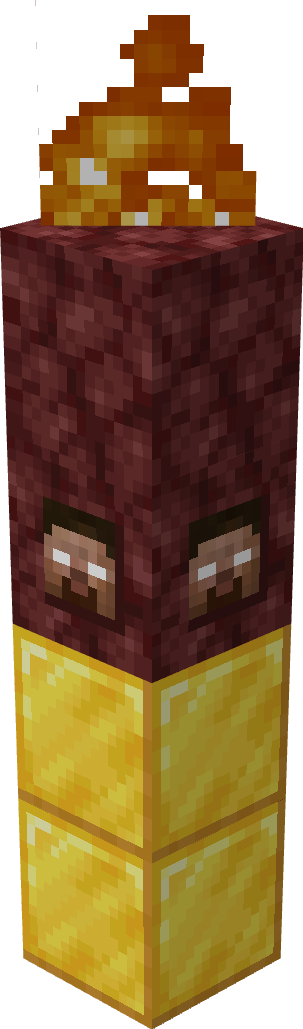
- Netherrack Totem
Weakens Herobrine and lures him into battle.
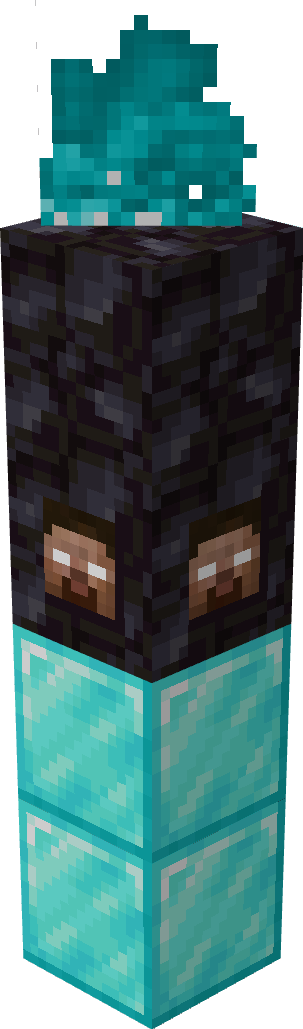
- Blackstone Totem
Makes Herobrine mortal and forces him to fight to the death.
Right-click while holding a wither star to activate It.
- Paintings
Want to build a spooky gallery? Be my guest!
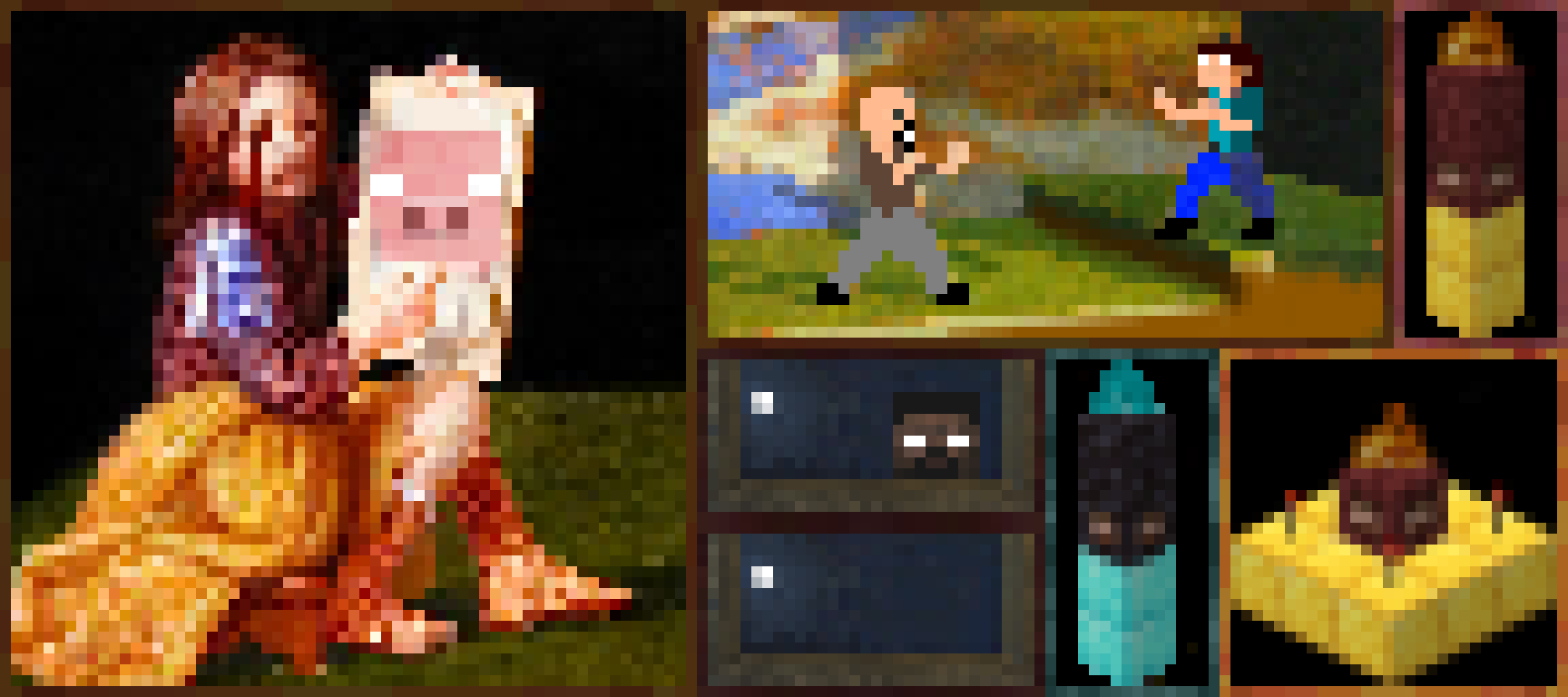
Cry(4×4); Fight(2x4); Netherrack(1x2); Blackstone(1x2); Altar(2×2); Lurker(1×2); Empty(1x2);
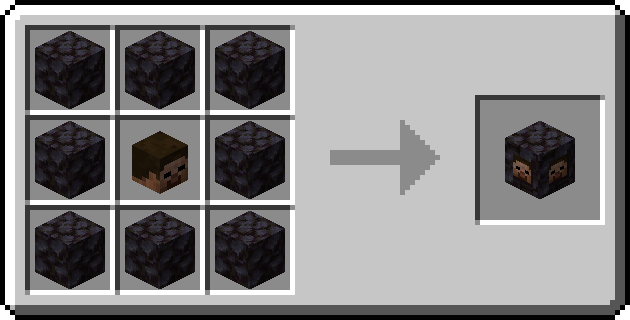
- Recipes
- Cursed Head
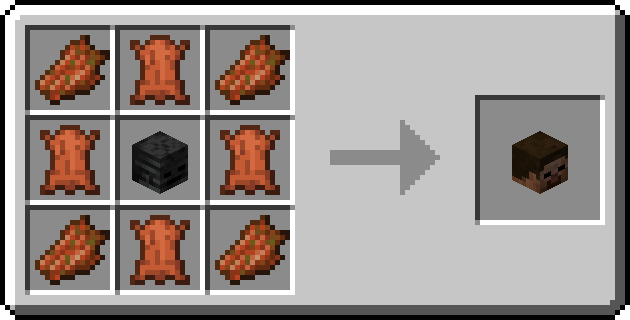
- Netherrack Totem Block

- Blackstone Totem Block
🏅Special Thanks:
Possessed Villager Textures based on: TheBartman's - Uncrossed Villager Arms (Jappa).
Verfügbare Versionen
The End of Herobrine auf dem Server installieren
Server bestellen
Bestelle einen Minecraft Java Server mit mindestens 3 GB RAM (4 GB empfohlen).
forge Loader setzen
Wähle im Panel unter "Egg" den forge-Loader und die passende Minecraft-Version (1.20.1).
Mod installieren
Öffne den Mod-Browser im Dashboard und suche nach "The End of Herobrine". Klicke "Installieren" – fertig! Alternativ: Lade die .jar via SFTP in den /mods Ordner.
Kompatibilität
Mod-Loader
Minecraft-Versionen
1.20.1, 1.19.4, 1.19.3 (+2 weitere)
Server-seitig
✓ ErforderlichEmpfohlener RAM
4 GB(min. 3 GB)Häufige Fragen
The End of Herobrine Server crasht beim Start – was tun?
Häufigste Ursache: falsche forge-Version oder zu wenig RAM. Prüfe im Server-Log (latest.log), ob ein "OutOfMemoryError" oder "Mixin"-Fehler auftritt. Bei Mado Hosting: Stelle sicher, dass mindestens 3 GB RAM zugewiesen sind und der Loader zur Mod-Version passt (1.20.1). Über das Panel kannst du den Loader mit einem Klick wechseln.
Ist The End of Herobrine mit forge kompatibel?
The End of Herobrine unterstützt offiziell forge für Minecraft 1.20.1, 1.19.4, 1.19.3. Im Mado Dashboard werden inkompatible Loader-Kombinationen automatisch erkannt.
Server laggt mit The End of Herobrine – wie optimiere ich die Performance?
Empfohlener RAM: 4 GB (+1 GB pro 8 Spieler). Prüfe mit /spark profiler, ob The End of Herobrine den meisten Tick-Time verbraucht. Häufige Fixes: Server-View-Distance auf 8-10 reduzieren, bei Forge "performant" oder "starlight" als Zusatz-Mod installieren. Bei Mado Hosting läuft dein Server auf NVMe-SSDs mit dedizierten CPU-Kernen für minimale Latenz.
Ähnliche Mods




Modded Server mieten
Installiere The End of Herobrine mit nur einem Klick auf deinem Server.