
Epoch Stages
A data-driven progression framework that gates any content behind configurable "ages", with physical ore remapping and an in-game visual editor.
Screenshots
Über diese Mod
EpochStages - Work is still ongoing
KUBEJS INTEGRATION WIKI
Turn your modpack into a journey through the ages.
EpochStages is a data-driven, server-authoritative progression framework that lets pack creators lock anything — items, recipes, ores, mobs, dimensions, even whole mods — behind configurable stages that players unlock over time. No coding required.
✨ What you can gate
🔓 Item stages — items stay uncraftable/unusable until their stage unlocks (locked items are even ejected from the inventory).
📜 Recipe stages — gate individual recipes, or pull a single recipe out of an otherwise-locked mod.
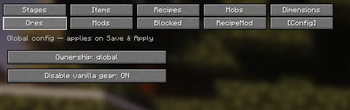
⛏️ Ore stages with REMAP — locked ores are physically swapped for a substitute (e.g. iron ore shows up and drops as coal) and snap back to the real ore the instant the stage unlocks. WAILA/Jade reads the real block — no fake render tricks, fully reversible.
👹 Mob stages — gated mobs simply don't spawn.
🌍 Dimension stages — block dimensions until they're unlocked.
🧩 Mod stages — lock an entire mod by namespace, with per-item / per-recipe exceptions, and it stays hidden in JEI/EMI while locked.
🚫 Blocked items — permanently disable items (perfect for removing all vanilla tools & armor except netherite, leaving gear to Silent Gear / Tetra).
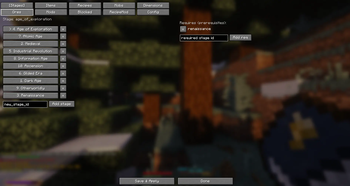
🔗 Prerequisites — build real progression trees: you can't reach the Bronze Age without the Iron Age first.
🔨 Recipe tools
Remove any recipe entirely (gone from JEI and uncraftable).
Add custom shaped / shapeless recipes.
Swap an existing recipe's output.
🖥️ In-game visual editor
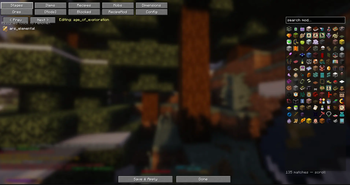
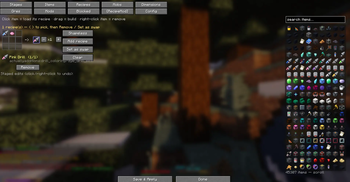
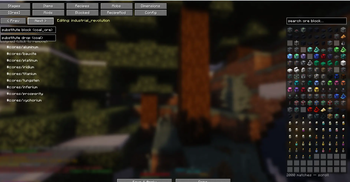
/epochstages editor opens a full GUI — searchable icon pickers, drag-and-drop recipe building, per-stage assignment, prerequisites, ore remaps, mod locks, blocked items and a config tab. Everything saves to a portable world datapack you can drop straight into your pack.
⚙️ Ownership modes
Progress per player, per FTB Team, or globally across the server — your call.
🔌 Integrations (all optional)
FTB Teams · KubeJS · JEI · EMI · Jade — works perfectly fine without any of them.
📦 For pack creators
Server-authoritative and multiplayer-safe. Configure via the in-game editor, JSON datapacks, the server config (epochstages-server.toml), or KubeJS — nothing is hardcoded.
· Authored by Yoofe
Verfügbare Versionen
Epoch Stages auf dem Server installieren
Server bestellen
Bestelle einen Minecraft Java Server mit mindestens 3 GB RAM (4 GB empfohlen).
neoforge Loader setzen
Wähle im Panel unter "Egg" den neoforge-Loader und die passende Minecraft-Version (1.21.1).
Mod installieren
Öffne den Mod-Browser im Dashboard und suche nach "Epoch Stages". Klicke "Installieren" – fertig! Alternativ: Lade die .jar via SFTP in den /mods Ordner.
Kompatibilität
Mod-Loader
Minecraft-Versionen
1.21.1
Server-seitig
✓ ErforderlichEmpfohlener RAM
4 GB(min. 3 GB)Häufige Fragen
Epoch Stages Server crasht beim Start – was tun?
Häufigste Ursache: falsche neoforge-Version oder zu wenig RAM. Prüfe im Server-Log (latest.log), ob ein "OutOfMemoryError" oder "Mixin"-Fehler auftritt. Bei Mado Hosting: Stelle sicher, dass mindestens 3 GB RAM zugewiesen sind und der Loader zur Mod-Version passt (1.21.1). Über das Panel kannst du den Loader mit einem Klick wechseln.
Ist Epoch Stages mit neoforge kompatibel?
Epoch Stages unterstützt offiziell neoforge für Minecraft 1.21.1. Im Mado Dashboard werden inkompatible Loader-Kombinationen automatisch erkannt.
Server laggt mit Epoch Stages – wie optimiere ich die Performance?
Empfohlener RAM: 4 GB (+1 GB pro 8 Spieler). Prüfe mit /spark profiler, ob Epoch Stages den meisten Tick-Time verbraucht. Häufige Fixes: Server-View-Distance auf 8-10 reduzieren, bei Forge "performant" oder "starlight" als Zusatz-Mod installieren. Bei Mado Hosting läuft dein Server auf NVMe-SSDs mit dedizierten CPU-Kernen für minimale Latenz.
Ähnliche Mods






Modded Server mieten
Installiere Epoch Stages mit nur einem Klick auf deinem Server.