
Even Better Nether
A Remake of the Popular Nether Overhaul Mod, Better Nether; Modernized
Screenshots
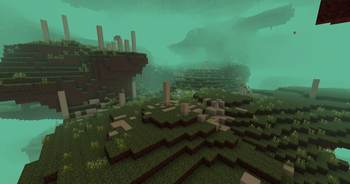
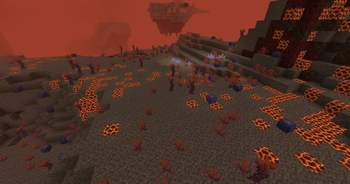
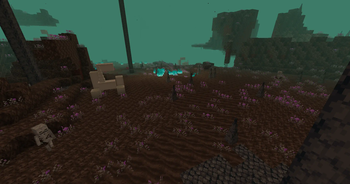
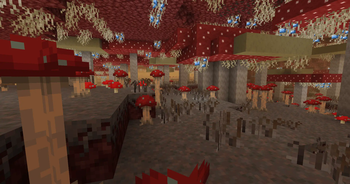
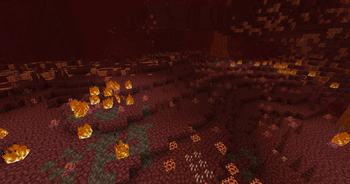
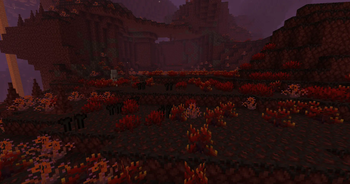
Über diese Mod
WARNING:
This mod is currently undergoing a major rewrite. 2.0+ versions of the mod will be Incompatible with existing worlds, but the update will fix a LOT of bugs and add some new content.
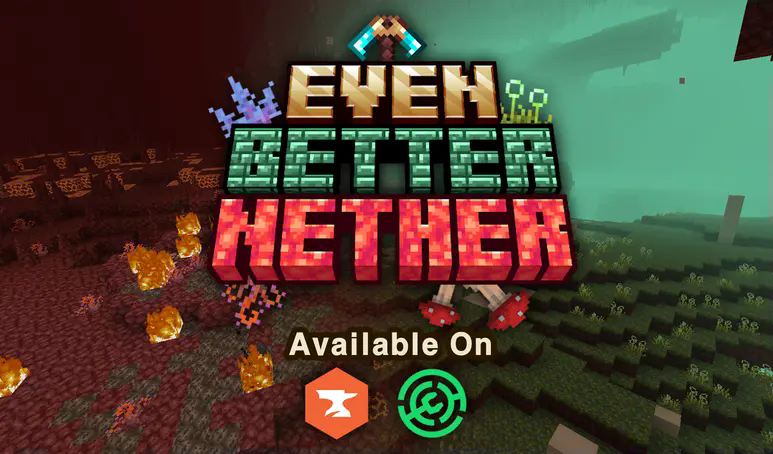
Description:
Even Better Nether is a "Soft-Remake" of the popular Nether-Overhaul Mod Better Nether; "Soft-Remake" meaning it keeps a lot of the major ideas and features, but is a total rewrite which overhauls, changes, and adds content, in this case bringing it up to a more Vanilla+ Standard.
Why Did I Make EBN?
I created Even Better Nether for one main reason; Better Nether is just too cluttered. All the 3D Modeled Blocks, Differently Styled Textures, and Overshaped Objects break the style of the game, and that's not even touching on the fact that the mod just adds too much varying content. So, I wanted to simplify it!
I've kept many of the biomes (Or at least kept them as inspiration), and overhauled a few others, but in a more modern style. You'll still have these vibrant, lively, and unique biomes, but it has a modern modding touch to it!
What's the differences between EBN and Better Nether?
At the moment, this mod is missing some bits of content from Better Nether, mainly a handful of Biomes, Mobs, and Structures, but a handful of the most iconic biomes, along with many tools and items you might find familiar. Regardless, it's more than enough content to spice up your Nether. Additionally, Even Better Nether replaces or adds entirely new content not seen in the original Better Nether, providing a completely unique experience.
Credits to the Original Mod for some of the base textures used (Although almost all textures are modified or original), as well as the concepts! Better Nether's Page
Incompatabilities:
- BClib
- Better Nether
- Better End
Even Better Nether MAY also be incompatible with other Worldgen mods or mods that modify the nether's biome map, this is due to Even Better Nether currently using the "vanilla" method of adding Nether Biomes. In the future I'm looking to move over to Terrablender, but in the meantime, here be dragons!
If you want to donate to support my work, I have a Ko-Fi account! Donations allow me to keep developing these projects!
Verfügbare Versionen
Even Better Nether auf dem Server installieren
Server bestellen
Bestelle einen Minecraft Java Server mit mindestens 4 GB RAM (6 GB empfohlen).
forge Loader setzen
Wähle im Panel unter "Egg" den forge-Loader und die passende Minecraft-Version (1.21.1).
Mod installieren
Öffne den Mod-Browser im Dashboard und suche nach "Even Better Nether". Klicke "Installieren" – fertig! Alternativ: Lade die .jar via SFTP in den /mods Ordner.
Kompatibilität
Mod-Loader
Minecraft-Versionen
1.21.1, 1.20.1
Server-seitig
✓ ErforderlichEmpfohlener RAM
6 GB(min. 4 GB)Häufige Fragen
Even Better Nether Server crasht beim Start – was tun?
Häufigste Ursache: falsche forge-Version oder zu wenig RAM. Prüfe im Server-Log (latest.log), ob ein "OutOfMemoryError" oder "Mixin"-Fehler auftritt. Bei Mado Hosting: Stelle sicher, dass mindestens 4 GB RAM zugewiesen sind und der Loader zur Mod-Version passt (1.21.1). Über das Panel kannst du den Loader mit einem Klick wechseln.
Ist Even Better Nether mit forge und neoforge kompatibel?
Even Better Nether unterstützt offiziell forge, neoforge für Minecraft 1.21.1, 1.20.1. Im Mado Dashboard werden inkompatible Loader-Kombinationen automatisch erkannt.
Server laggt mit Even Better Nether – wie optimiere ich die Performance?
Empfohlener RAM: 6 GB (+1 GB pro 5 Spieler). Prüfe mit /spark profiler, ob Even Better Nether den meisten Tick-Time verbraucht. Häufige Fixes: Server-View-Distance auf 8-10 reduzieren, bei Forge "performant" oder "starlight" als Zusatz-Mod installieren. Bei Mado Hosting läuft dein Server auf NVMe-SSDs mit dedizierten CPU-Kernen für minimale Latenz.
Ähnliche Mods




Modded Server mieten
Installiere Even Better Nether mit nur einem Klick auf deinem Server.