
Modrinth · Fabric, Forge · Client-Mod
EvergreenHUD (FPS / CPS / Keystrokes HUD)
EvergreenHUD (FPS / CPS / Keystrokes HUD) ist eine clientseitige Mod. Du installierst sie auf deinem Rechner, auf dem Server ist sie nicht nötig.
Improves your heads up display. By Polyfrost, best with OneClient.
- Downloads
- 1.3M
- Autor
- Empa_
- Loader
- Fabric, Forge
- Minecraft
- 1.12.2 – 26.3
- Aktualisiert
- –
Screenshots
So sieht EvergreenHUD (FPS / CPS / Keystrokes HUD) aus


Bilder: EvergreenHUD (FPS / CPS / Keystrokes HUD) auf Modrinth, vom Projektteam veröffentlicht.
Einrichtung
EvergreenHUD (FPS / CPS / Keystrokes HUD) auf deinem Client installieren
Clientseitige Mods laufen nur auf deinem Rechner. Mehr Server-RAM ändert an ihrer Leistung nichts.
- 01
Loader lokal installieren
Installiere Fabric oder Forge für deine Minecraft-Version in deinem Launcher.
- 02
Datei herunterladen
Lade die EvergreenHUD (FPS / CPS / Keystrokes HUD)-Datei für deinen Loader und exakt deine Minecraft-Version herunter, zum Beispiel 26.3.
- 03
In den Mods-Ordner legen
Lege die .jar-Datei in den lokalen Ordner .minecraft/mods und entferne ältere Duplikate.
- 04
Starten
Starte Minecraft mit dem Loader-Profil. Auf dem Server musst du nichts ändern.
- Auf dem Server
- Nicht nötig
- Auf dem Client
- Erforderlich
- Loader
- Fabric, Forge
- Minecraft
- 26.3, 26.2, 26.1.2 +11 weitere
- Lizenz
- LicenseRef-GPL-3.0-with-Minecraft-Linking-Exception
Versionen
Veröffentlichte Versionen
Nimm die Datei, die zu Loader und Minecraft-Version deines Servers passt. Server und Spieler brauchen dieselbe Version.
EvergreenHUD (FPS / CPS / Keystrokes HUD) · Modrinth- 3.10.123. November 2026Minecraft 26.3 · Fabric
- 3.10.123. November 2026Minecraft 26.2 · Fabric
- 3.10.123. November 2026Minecraft 26.1, 26.1.1, 26.1.2 · Fabric
- 3.10.123. November 2026Minecraft 1.21.11 · Fabric
- 3.10.123. November 2026Minecraft 1.21.10 · Fabric
Originalbeschreibung des Projektautors
EvergreenHUD


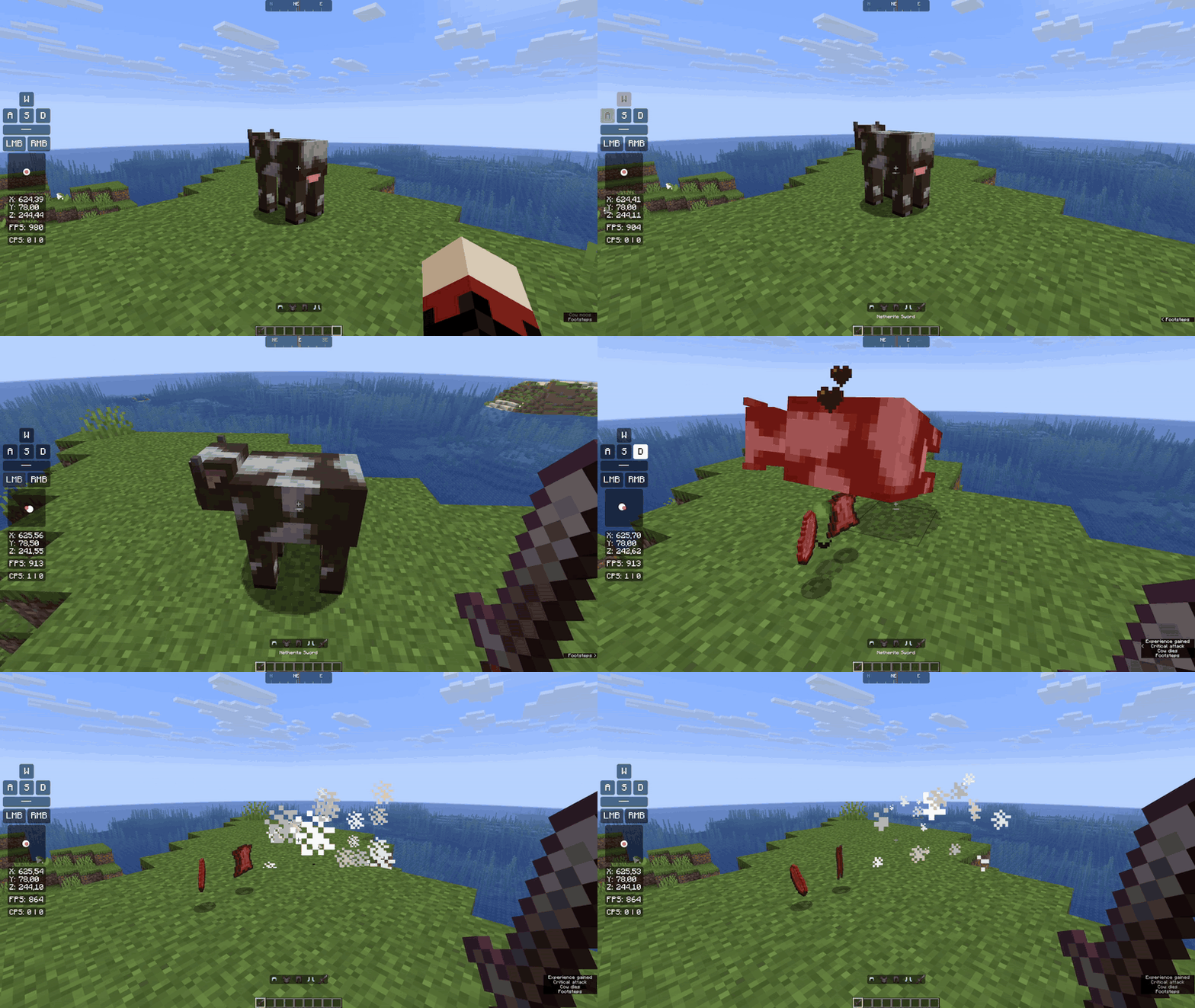
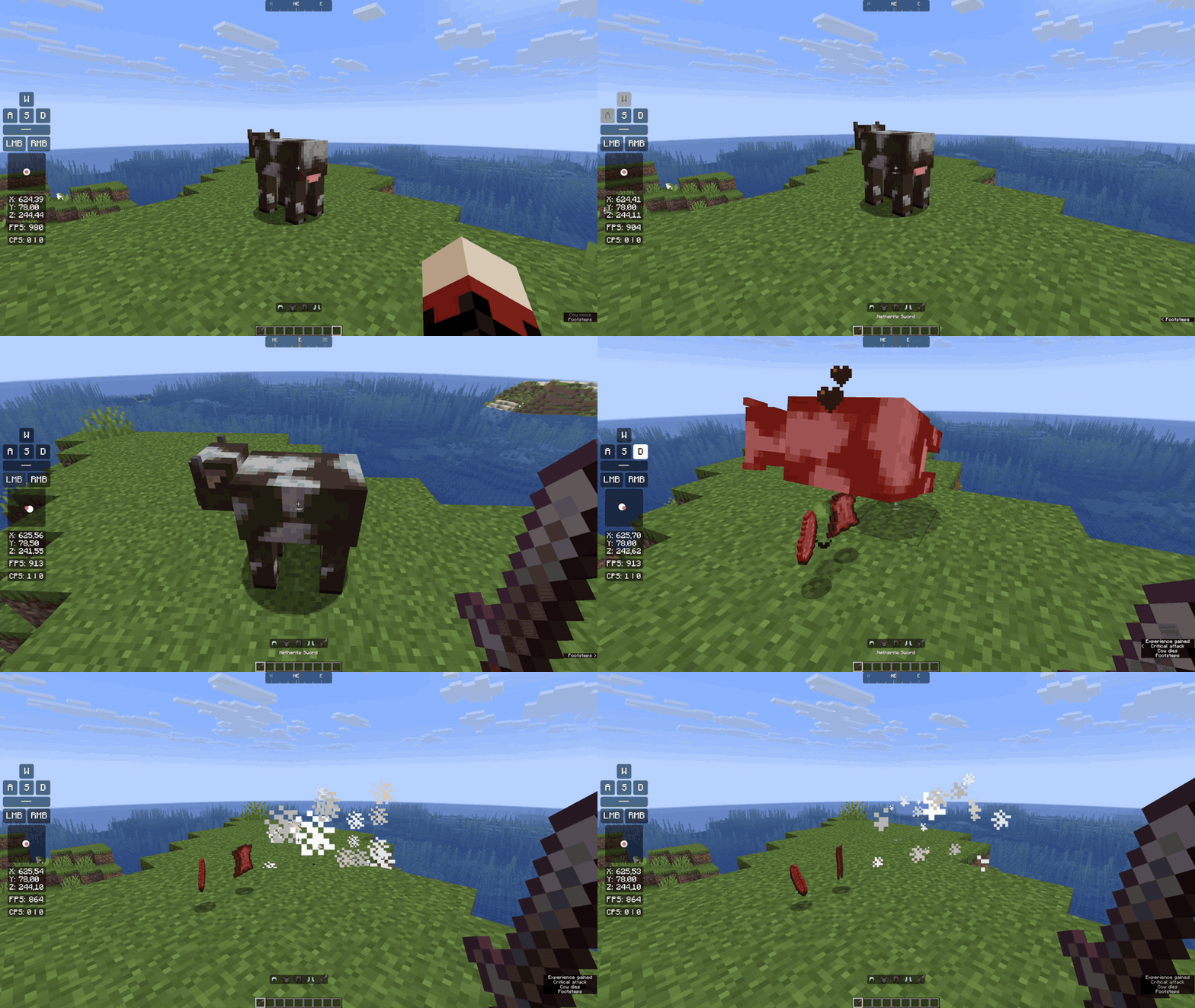
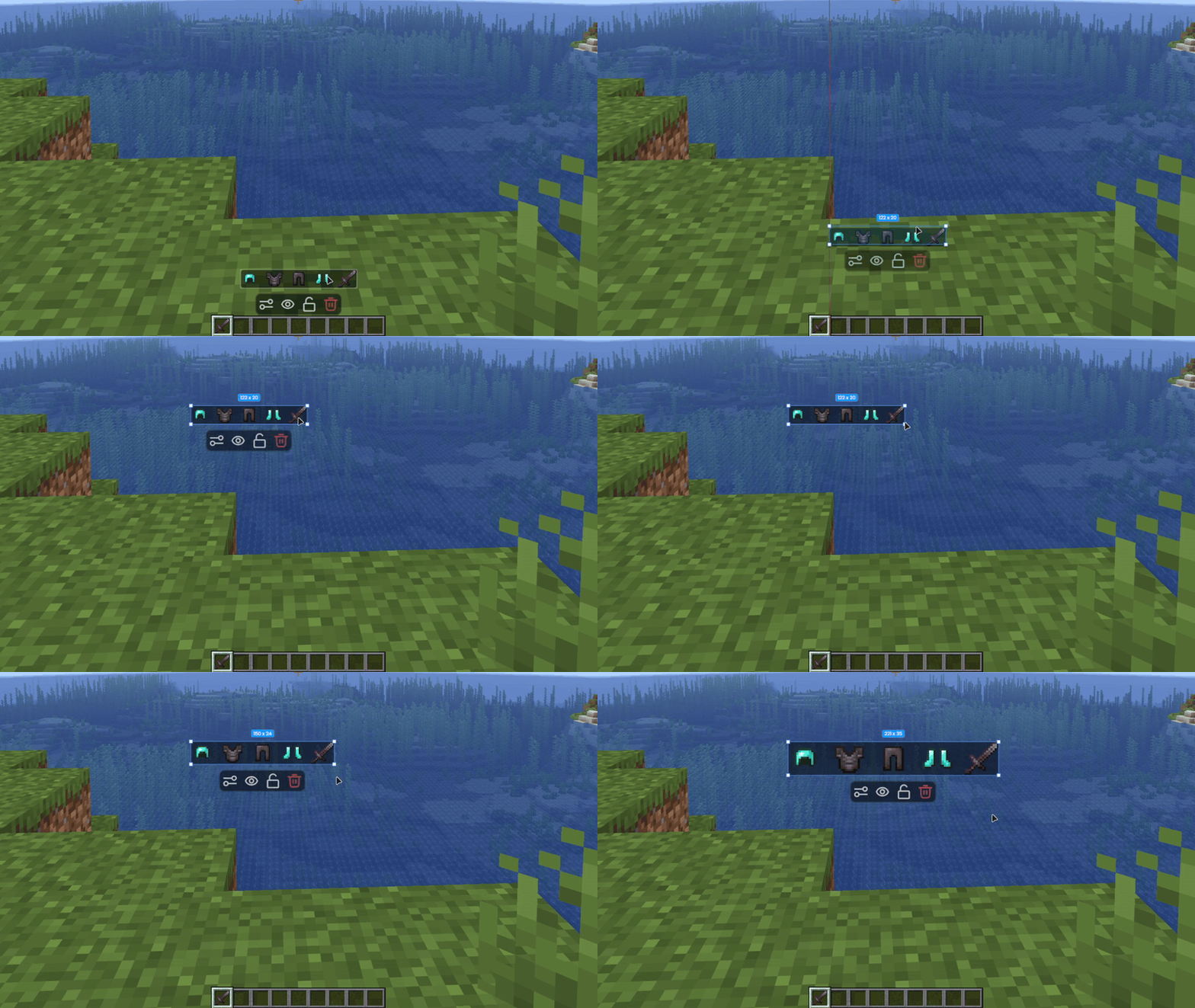
EvergreenHUD adds around 40 HUD elements to the OneConfig HUD editor. Place, scale and style whichever ones you want.
Elements
- Combat: CPS, Keystrokes, Mouse Strokes, Combo, Reach, Block Place Count
- Player: Armor Status, Potion Effects, Inventory, Item Counter, Item Tracker, Item Lore, Saturation, Player Preview, Player Head
- World: Position, Facing, Direction, Speed, Biome, Block Above, Day, In Game Time, Entity Counter
- Performance: FPS, Ping, TPS, Memory, Server Address, Play Time, Resource Pack
- Clocks: Clock, Digital Clock
- Custom: Custom Text, Custom Image, Shape
- Online: Weather, Social Media Stats
- Battery (Windows laptops) and Shaders (with Iris)
Some highlights
- Keystrokes with custom rows, colors and fade times, plus a trail for your mouse movement
- Armor Status with durability, percentage, item name or count next to each piece
- Inventory can show your ender chest, or the shulker box you're holding
- FPS with average, median and percentile values
- Combo and Reach for your last hits
- A compass strip that scrolls as you turn
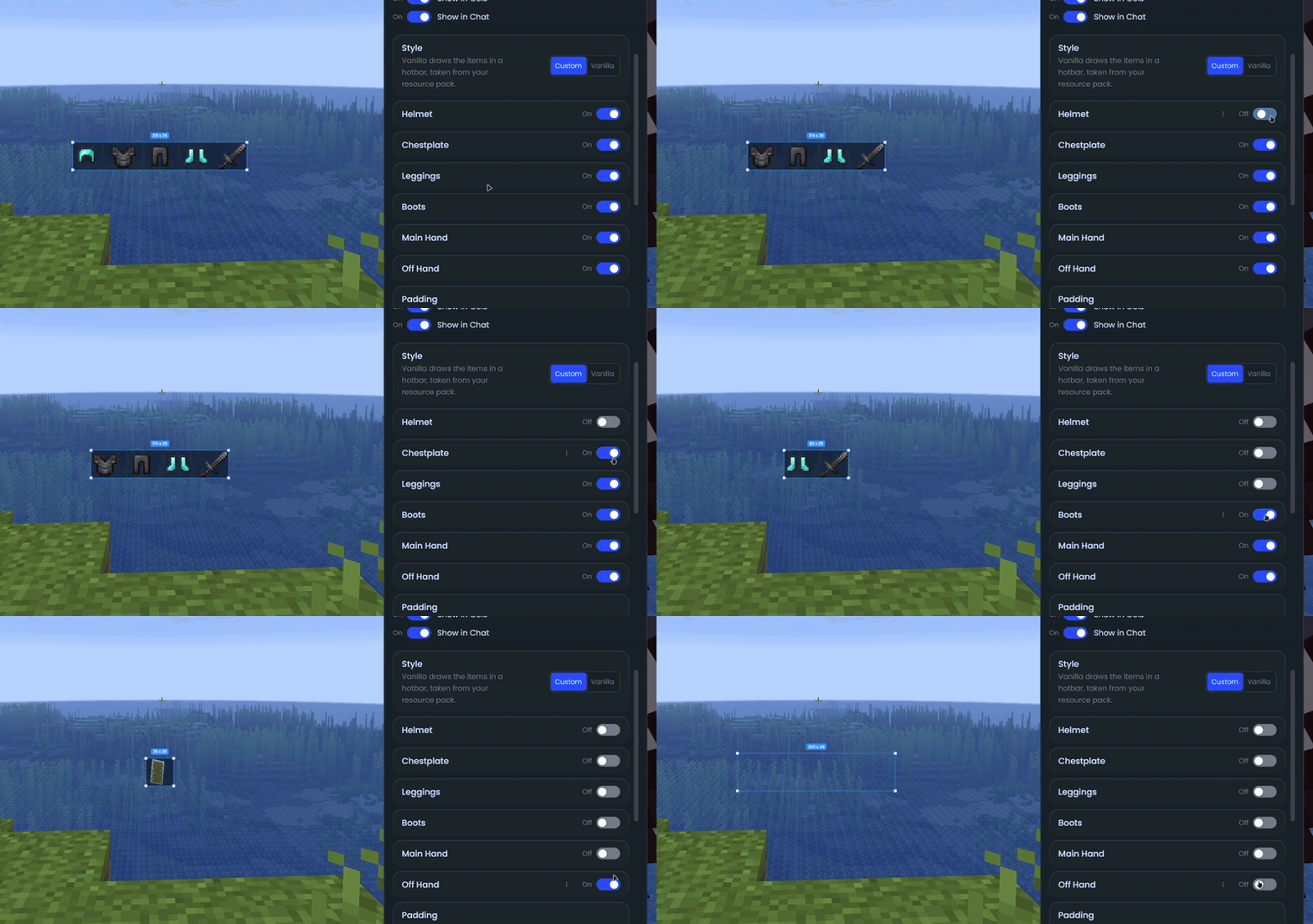
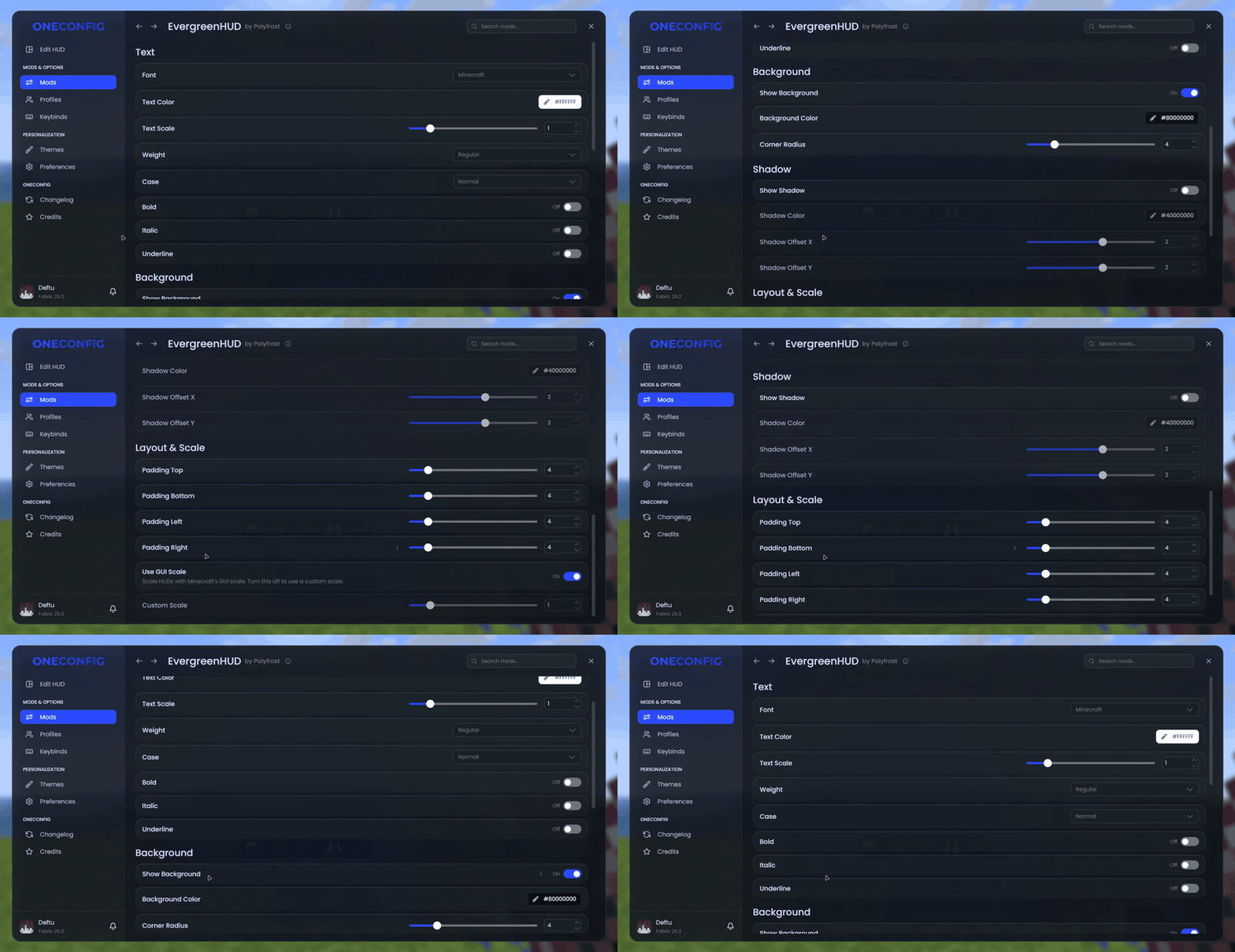
Font, colors, background, corner radius, shadow and padding can be set for every element at once from the EvergreenHUD settings page.
Compatibility
If you also use VanillaHUD, the Potion Effects element can hide VanillaHUD's status effects so the two do not overlap.
Supported versions
- Minecraft 1.8.9 on Ornithe.
- Minecraft 1.21.1-26.3 on Fabric.
EvergreenHUD needs OneConfig and Fabric Language Kotlin. The Fabric builds also need Fabric API.
Support
- Report bugs and ask questions on the Polyfrost Discord.
- Check Polyfrost Status if a Polyfrost service is down.
Muss EvergreenHUD (FPS / CPS / Keystrokes HUD) auf dem Minecraft Server installiert werden?
Nein. Modrinth kennzeichnet EvergreenHUD (FPS / CPS / Keystrokes HUD) serverseitig als nicht unterstützt. Installiere die Mod nur im lokalen Mods-Ordner. Dein Server kann unverändert bleiben, sofern die Projektseite keine zusätzliche Abhängigkeit nennt.
Welche Version und welchen Loader braucht EvergreenHUD (FPS / CPS / Keystrokes HUD)?
Nutze eine Datei für Fabric, Forge und exakt deine Minecraft-Version. Unterstützt werden unter anderem 26.3, 26.2, 26.1.2. Dateien für verschiedene Loader sind nicht austauschbar.
EvergreenHUD (FPS / CPS / Keystrokes HUD) funktioniert nicht – was kann ich prüfen?
Prüfe zuerst Minecraft-Version, Loader-Version und erforderliche Abhängigkeiten. Da die Mod clientseitig ist, löst mehr Server-RAM das Problem nicht.
Ähnliche Mods
Beliebte Mods aus derselben Kategorie
 Server-fähig

FerriteCore
von malte0811
Memory usage optimizations
 Nur Client

Mod Menu
von Prospector
Adds a mod menu to view the list of mods you have installed.
 Server-fähig

YetAnotherConfigLib (YACL)
von isxander
A builder-based configuration library for Minecraft!
 Server-fähig

Xaero's Minimap
von thexaero
Displays a map of the nearby world terrain, players, mobs, entities in the corner of your screen. Lets you create waypoints which help you find the locations you've marked.
Mods für deinen eigenen Server gesucht?
Im Katalog findest du Mods, die auf Minecraft Servern laufen.