
Evil Hunter
A new monster has appeared in your world and interrupted the ritual... you need to banish it!
Screenshots


Über diese Mod

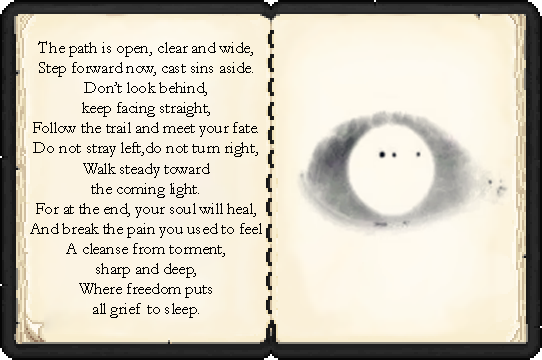
A Path Forced Upon You
Mod Trailer


Story mode can corrupt or destroy your world and inventory. That is intentional. You can turn off story phases in
evilhriver-server.toml(enablePhases = false) and tune how often events fire.18+ content: loud sounds, jumpscares, body horror, and themes that can cause anxiety or discomfort. Do not play if that is not for you. By downloading and playing, you confirm you are 18+ and accept this content.
What It Is
improved. Version 3.0 is a complete overhaul: less blood, more atmosphere, mechanics, and a story that unfolds as you progress through the game, along with custom music and assets.
Story Mode (default)
Spoiler
The full campaign - phases, hunts, bosses, and an ending.
- A branching storyline - lore reveals itself over time, not all at once
- Three endings in one world - replay different paths without starting a new save
- Two boss fights - the ritual battle against Pg-00Z5 and the final confrontation
- Custom dimensions and set-pieces - the church chase, interlayer, the dark forest, the OMEGA terminal, and more
- Hunts - run, fog, silence, giant, and other pursuit modes
- 23 atmospheric events - paranoia, glitches, entities, fake houses, whispers
- Silver - ore, armor, ritual items
- 15 advancements with full localization
Sandbox Mode (RNG / horror pack)
Spoiler
The same mod with story phases disabled - set enablePhases = false.
- Events and entities spawn without story progression
- Fits horror modpacks and “just scare me” playthroughs
- Same 20+ events and hunts, frequency adjustable in config

!Requires: Minecraft 1.20.1, Forge 47.3.0, GeckoLib recommended!
Soundtrack
An official album is in the works. Announcements and previews on Discord
This mod was commissioned by the YouTuber Vivilly and I recommend subscribing to his channel!
On video 1.0 version!
Verfügbare Versionen
Evil Hunter auf dem Server installieren
Server bestellen
Bestelle einen Minecraft Java Server mit mindestens 3 GB RAM (4 GB empfohlen).
forge Loader setzen
Wähle im Panel unter "Egg" den forge-Loader und die passende Minecraft-Version (1.20.1).
Mod installieren
Öffne den Mod-Browser im Dashboard und suche nach "Evil Hunter". Klicke "Installieren" – fertig! Alternativ: Lade die .jar via SFTP in den /mods Ordner.
Kompatibilität
Mod-Loader
Minecraft-Versionen
1.20.1
Server-seitig
✓ ErforderlichEmpfohlener RAM
4 GB(min. 3 GB)Häufige Fragen
Evil Hunter Server crasht beim Start – was tun?
Häufigste Ursache: falsche forge-Version oder zu wenig RAM. Prüfe im Server-Log (latest.log), ob ein "OutOfMemoryError" oder "Mixin"-Fehler auftritt. Bei Mado Hosting: Stelle sicher, dass mindestens 3 GB RAM zugewiesen sind und der Loader zur Mod-Version passt (1.20.1). Über das Panel kannst du den Loader mit einem Klick wechseln.
Ist Evil Hunter mit forge kompatibel?
Evil Hunter unterstützt offiziell forge für Minecraft 1.20.1. Im Mado Dashboard werden inkompatible Loader-Kombinationen automatisch erkannt.
Server laggt mit Evil Hunter – wie optimiere ich die Performance?
Empfohlener RAM: 4 GB (+1 GB pro 8 Spieler). Prüfe mit /spark profiler, ob Evil Hunter den meisten Tick-Time verbraucht. Häufige Fixes: Server-View-Distance auf 8-10 reduzieren, bei Forge "performant" oder "starlight" als Zusatz-Mod installieren. Bei Mado Hosting läuft dein Server auf NVMe-SSDs mit dedizierten CPU-Kernen für minimale Latenz.
Ähnliche Mods




Modded Server mieten
Installiere Evil Hunter mit nur einem Klick auf deinem Server.