
ExodusVisual
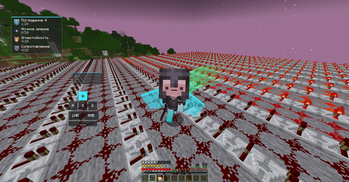
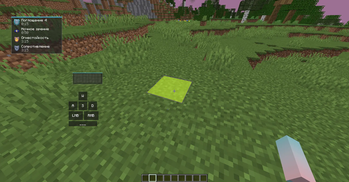
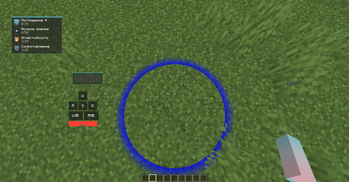
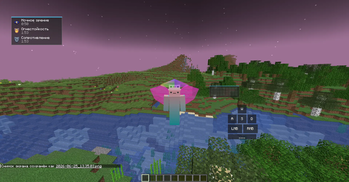
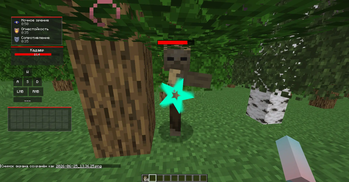
Beautiful visuals for your Minecraft add many useful features.
Screenshots
Über diese Mod
✨ ExodusVisual — Ultimate Utility & Automation Client
Welcome to ExodusVisual, a feature-rich utility mod designed to streamline your gameplay, enhance your user interface, and automate tedious tasks like inventory management. Whether you want to clean up your visual experience, boost your chat capabilities, or automate your chest organization, this client has you covered.
🚀 Key Features
🛠️ Interactive Client Menu
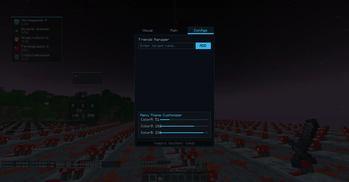
Access everything you need in one place. Simply press Right Shift to open the main menu, which is divided into three intuitive tabs:
Visual: Customize and toggle various visual tweaks to perfect your game's appearance.
Main: Essential quality-of-life features, including built-in zoom, chat enhancements, and MouseTweaks.
Config: Personalize your experience by managing your friends list and customizing the client's theme.
🤖 Advanced Auto-Sort System
Tired of messy storage rooms? The built-in Auto-Sorter automates chest organization with powerful keyword filtering:
Define the Area: Select your storage area using point-to-point selection. Hover over the first corner and press P1, then hover over the opposite corner and press P2.
Configure Chests: Hover over a specific chest, type a keyword or part of an item ID into the ItemID field (e.g., typing gol will target everything containing "gold"), and click Add Target.
Multi-Item Filtering: You can assign multiple item types to a single chest using a slash (e.g., diamond/ender_pearl or diamo/ende).
Run the Sorter: Click Start Sorter. Your character will automatically move items from the general selection into the correctly designated chests and double-check the placement.
Need a reset? Use ClearTargets to wipe all current chest configurations instantly.
⌨️ Powerful Macro System
Automate your repetitive chat commands with ease using simple chat syntax:
\macro
\list — View all of your currently active macros.
\unmacro
📊 Customizable HUD & Controls
Moveable HUD elements: Easily rearrange various HUD modules on your screen simply by opening the chat and dragging them wherever you like.
Intuitive UI Controls: Inside the client menus, use Left-Click (LMB) to instantly toggle functions on/off, and Right-Click (RMB) to dive deep into specific settings for that feature.
❓ Why choose ExodusVisual?
Instead of installing dozens of separate mods for zoom, sorting, macros, and UI customization, this project combines them all into one highly optimized, cohesive package. It respects your time by eliminating storage management chores and gives you full control over your interface.
Verfügbare Versionen
ExodusVisual auf dem Server installieren
Server bestellen
Bestelle einen Minecraft Java Server mit mindestens 3 GB RAM (4 GB empfohlen).
forge Loader setzen
Wähle im Panel unter "Egg" den forge-Loader und die passende Minecraft-Version (1.20.1).
Mod installieren
Öffne den Mod-Browser im Dashboard und suche nach "ExodusVisual". Klicke "Installieren" – fertig! Alternativ: Lade die .jar via SFTP in den /mods Ordner.
Kompatibilität
Mod-Loader
Minecraft-Versionen
1.20.1
Server-seitig
✗ Nicht unterstütztEmpfohlener RAM
4 GB(min. 3 GB)Häufige Fragen
ExodusVisual Server crasht beim Start – was tun?
Häufigste Ursache: falsche forge-Version oder zu wenig RAM. Prüfe im Server-Log (latest.log), ob ein "OutOfMemoryError" oder "Mixin"-Fehler auftritt. Bei Mado Hosting: Stelle sicher, dass mindestens 3 GB RAM zugewiesen sind und der Loader zur Mod-Version passt (1.20.1). Über das Panel kannst du den Loader mit einem Klick wechseln.
Ist ExodusVisual mit forge kompatibel?
ExodusVisual unterstützt offiziell forge für Minecraft 1.20.1. Im Mado Dashboard werden inkompatible Loader-Kombinationen automatisch erkannt.
Server laggt mit ExodusVisual – wie optimiere ich die Performance?
Empfohlener RAM: 4 GB (+1 GB pro 8 Spieler). Prüfe mit /spark profiler, ob ExodusVisual den meisten Tick-Time verbraucht. Häufige Fixes: Server-View-Distance auf 8-10 reduzieren, bei Forge "performant" oder "starlight" als Zusatz-Mod installieren. Bei Mado Hosting läuft dein Server auf NVMe-SSDs mit dedizierten CPU-Kernen für minimale Latenz.
Ähnliche Mods






Modded Server mieten
Installiere ExodusVisual mit nur einem Klick auf deinem Server.