
Field Guide
Discover Plants, Animals and Monsters with a Spyglass. Collect them all and take notes in your personal Field Guide!
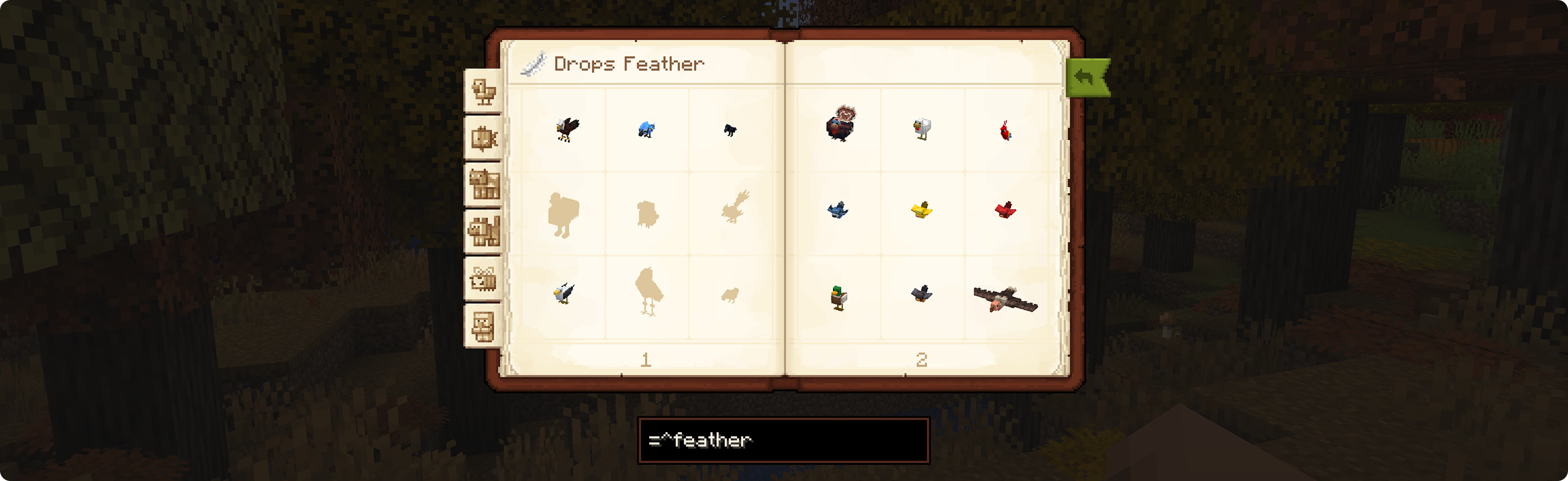
Screenshots


Über diese Mod



Ever wondered what makes a Creeper tick? Or what that weird glowing block deep in the caves is? Grab your spyglass,
adventurer: it's time to start taking notes!
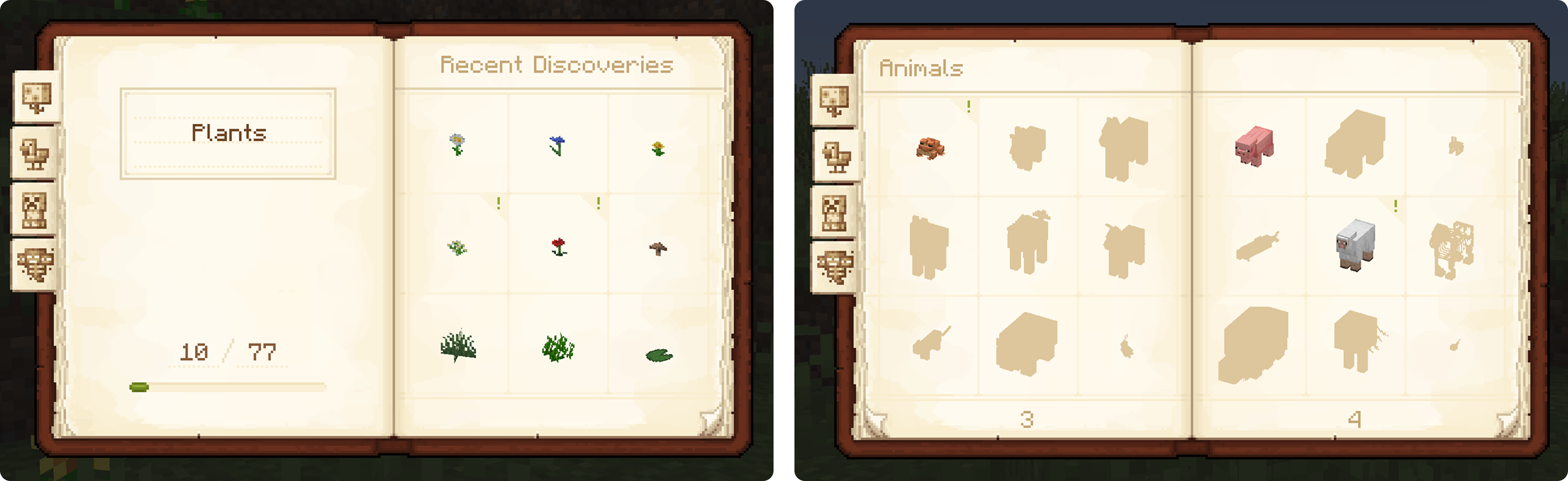
Field Guide is an exploration-focused mod that lets you scan and discover monsters, animals and plants with your trusty spyglass to unlock them in your own in-game Field Guide!
Features
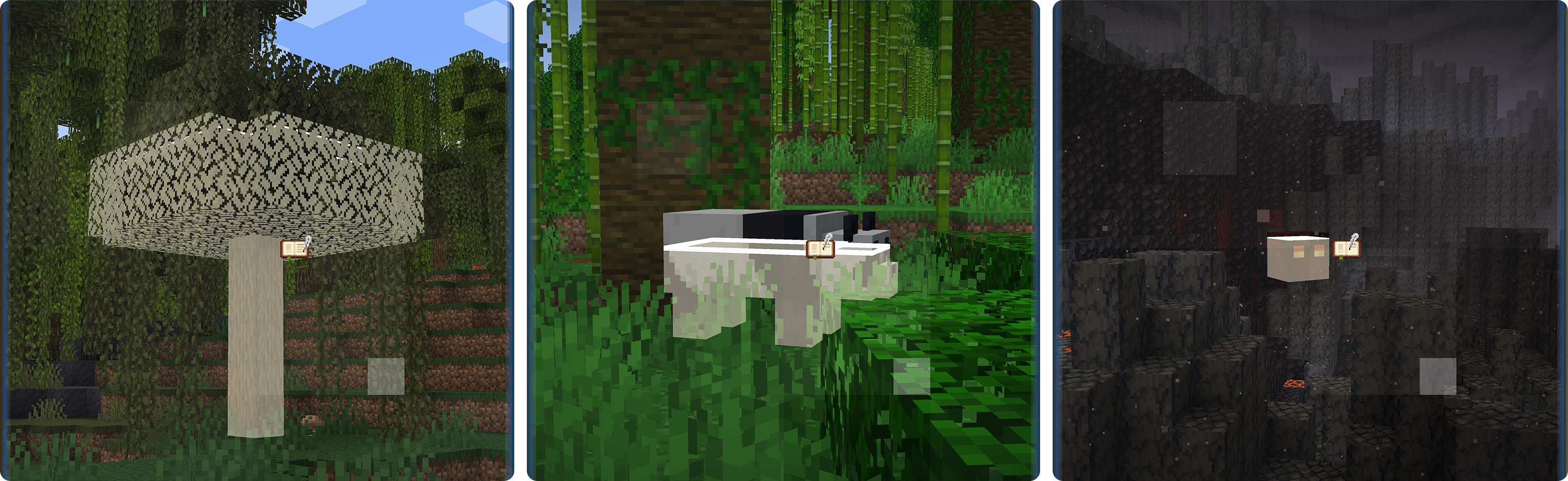
- Finally, Spyglasses have a use! Scan plants and critters at a distance using a spyglass.
- Your own personal encyclopedia! Every successful scan unlocks a brand-new entry in your Field Guide.
- Reward your curiosity! Gives true explorers a reason to seek out every rare creature and biome.
- Gotta scan 'em all! Works seamlessly with almost every modded entity, no configuration necessary!
- Multiplayer-friendly! Your progress is saved on a per-server basis. Build your Field Guide with friends!
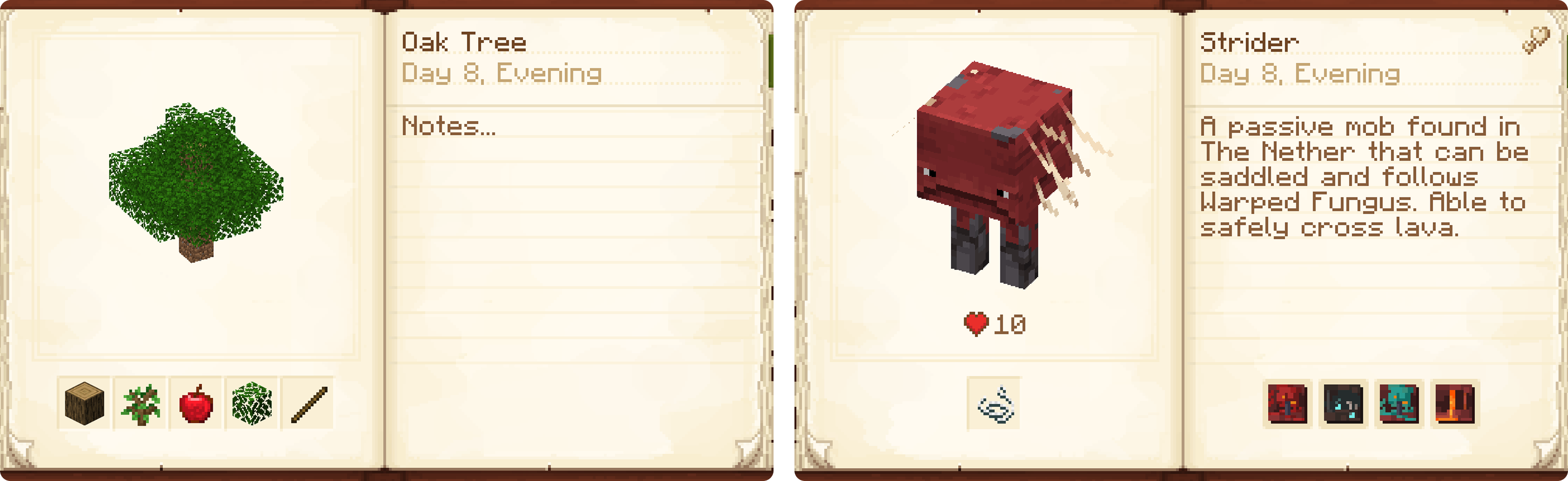
- Take notes! Write your own notes for each entry, or add Item Descriptions to prefill them with useful information!
Easily Configurable. Made for modpacks!
Whether you are using it for your personal game or designing a modpack, Field Guide can be configured how you want it!
- Categories and their contents are fully controlled by datapacks, and can contain any entity, block or even multiblock structures like trees!
- Allow scanning without a spyglass or require players to defeat a monster to discover it.
- Grant XP or run commands when a player makes a discovery.
- Add your own descriptions to provide players with clues and lore.
- Hide names, entries or whole categories until they are discovered.
- And much more...
For full information, tutorials, and examples, please refer to the Field Guide Wiki.
Recommended Mods
Field Guide stands on the shoulders of giants! To get the full, feature-complete experience, you'll want the following
mods:
| Icon | Link | Feature Added |
|---|---|---|
 |
Immersive Overlays | Biome Displays — Shows beautiful spawn details for entities. |
 |
Item Descriptions | Entry Descriptions — Automatically fills in entry lore. |
 |
Mod Descriptions | Modded Support — Adds automatic descriptions for modded entries. |
Future Plans
Expanded integration with other mods
We've got exciting features planned for integrations with mods like Jade/WAILA, EMI, and Scholar - Stay tuned!
More features...
More configuration options, logbook, more multiplayer features - We've got a lot of ideas!
License


If you are thinking about using the code or assets from Field Guide, please note the mod's licensing. All assets of
Field Guide are all rights reserved by their respective creators, unless specified otherwise. The source code of
the mod is available under the MIT license.
Credits
This mod was created as a collaboration between evanbones
and Kobber. Assets were made by Kobber and evanbones, with additional contributions
from Nekomaster.
The book texture is modified from mortuusar's Scholar, with permission, which also
works well when used alongside Field Guide!
The banner image uses textures from the Bare Bones texture pack.


Verfügbare Versionen
Field Guide auf dem Server installieren
Server bestellen
Bestelle einen Minecraft Java Server mit mindestens 3 GB RAM (4 GB empfohlen).
fabric Loader setzen
Wähle im Panel unter "Egg" den fabric-Loader und die passende Minecraft-Version (26.3).
Mod installieren
Öffne den Mod-Browser im Dashboard und suche nach "Field Guide". Klicke "Installieren" – fertig! Alternativ: Lade die .jar via SFTP in den /mods Ordner.
Kompatibilität
Mod-Loader
Minecraft-Versionen
26.3, 26.2, 26.1.2 (+5 weitere)
Server-seitig
✓ ErforderlichEmpfohlener RAM
4 GB(min. 3 GB)Häufige Fragen
Field Guide Server crasht beim Start – was tun?
Häufigste Ursache: falsche fabric-Version oder zu wenig RAM. Prüfe im Server-Log (latest.log), ob ein "OutOfMemoryError" oder "Mixin"-Fehler auftritt. Bei Mado Hosting: Stelle sicher, dass mindestens 3 GB RAM zugewiesen sind und der Loader zur Mod-Version passt (26.3). Über das Panel kannst du den Loader mit einem Klick wechseln.
Ist Field Guide mit fabric und forge und neoforge kompatibel?
Field Guide unterstützt offiziell fabric, forge, neoforge für Minecraft 26.3, 26.2, 26.1.2. Achtung: Forge- und Fabric-Mods sind NICHT untereinander kompatibel – wähle einen Loader und bleibe dabei. Im Mado Dashboard werden inkompatible Loader-Kombinationen automatisch erkannt.
Server laggt mit Field Guide – wie optimiere ich die Performance?
Empfohlener RAM: 4 GB (+1 GB pro 8 Spieler). Prüfe mit /spark profiler, ob Field Guide den meisten Tick-Time verbraucht. Häufige Fixes: Server-View-Distance auf 8-10 reduzieren, bei Forge "performant" oder "starlight" als Zusatz-Mod installieren. Bei Mado Hosting läuft dein Server auf NVMe-SSDs mit dedizierten CPU-Kernen für minimale Latenz.
Ähnliche Mods




![[ETF] Entity Texture Features](https://cdn.modrinth.com/data/BVzZfTc1/af683d206d50b05258d865b0d6e4aa2f2cee12f2_96.webp)

Modded Server mieten
Installiere Field Guide mit nur einem Klick auf deinem Server.