
First Person Model Compat
Fix First-Person Model mod issues when using mods like Better Combat, Curios, accessories, and more!
Screenshots
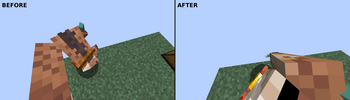
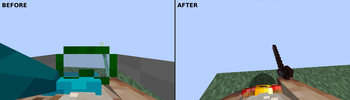
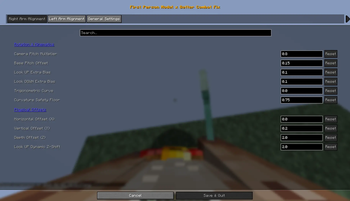
Über diese Mod
FPModel x Compat
A technical compatibility layer for First Person Model (FPM) that keeps first-person body rendering stable when used with combat, animation, spellcasting, roll, accessory, and cosmetic mods.
The goal is simple: your first-person body should stay aligned with the camera, avoid visual clipping, and hide obstructive head/accessory cosmetics only for you, while keeping them visible in third-person and for other players.
Compatibility Recommendation
If you use Better Combat with EMF-based player animation/resource packs such as Fresh Animations Player or Fresh Moves, installing Entity Player Compat is recommended to fix animation conflicts.
Compatibility & Integrations
Combat & Gameplay
-
- Synchronizes arm rotations and body offsets with camera pitch during attack animations.
- Detects active combat animation phases for smoother first-person rendering.
-
- Extends first-person alignment fixes to spell-casting poses.
- Helps hands, weapons, and staves follow the player’s view more naturally.
-
- Stabilizes first-person body rendering during rolls.
- Prevents camera clipping and visual jitter during movement transitions.
-
- First Person Model Priority: Prevents Punchy's FPM integration from blocking First Person Model body rendering when Punchy is disabled or when its FPM hide angle is set to
never. - Animation State Restoration: Restores Better Combat and Spell Engine first-person animation settings after Punchy's runtime hooks disable them.
- First Person Model Priority: Prevents Punchy's FPM integration from blocking First Person Model body rendering when Punchy is disabled or when its FPM hide angle is set to
Accessories, Equipment & Cosmetics
-
- Hides head-related accessory slots in first-person, such as head, hat, face, mask, and goggles.
- Keeps accessories visible in third-person and for other players.
Curios API (NeoForge)
- Applies the same first-person head-slot hiding behavior to Curios-based equipment.
-
- Hides head-related Essential cosmetics in first-person when FPM renders the local player body.
- Keeps Essential cosmetics visible in third-person and for other players.
- Supported on both Fabric and NeoForge.
Relics (NeoForge)
- Adds custom renderer fixes for Relics items such as the Piglin Mask and Chef’s Hat.
-
- Hides scarf-style renderers in first-person while allowing other artifacts to render normally.
Configuration
The mod includes an ignoredAccessorySlots option that controls which accessory/cosmetic slot names are hidden in first-person.
Project Goal
FPModel x Compat started as a bridge between First Person Model and Better Combat, but it is growing into a broader compatibility hub for first-person rendering.
Have a mod you want to see integrated?
Please open an Issue and tell us which mod integration you're looking for! We will evaluate and work on bringing it to life.
Verfügbare Versionen
First Person Model Compat auf deinem Client installieren
Mod-Loader lokal installieren
Installiere fabric für deine lokale Minecraft-Version.
Passende Datei herunterladen
Wähle die First Person Model Compat-Datei für fabric und Minecraft 1.21.1.
Mod installieren
Lege die .jar-Datei in deinem lokalen .minecraft/mods-Ordner ab und starte Minecraft neu. Eine Installation auf dem Server ist nicht nötig.
Kompatibilität
Mod-Loader
Minecraft-Versionen
1.21.1
Server-seitig
✗ Nicht unterstütztEmpfohlener RAM
4 GB(min. 3 GB)Häufige Fragen
Muss First Person Model Compat auf dem Minecraft Server installiert werden?
Nein. Modrinth kennzeichnet First Person Model Compat serverseitig als nicht unterstützt. Installiere die Mod nur im lokalen Minecraft-Mods-Ordner. Dein Server kann unverändert bleiben, sofern die Mod-Seite keine zusätzliche Abhängigkeit nennt.
Welche Version und welchen Loader braucht First Person Model Compat?
Nutze eine Datei für fabric, neoforge und exakt deine Minecraft-Version. Unterstützte Versionen sind unter anderem 1.21.1. Loader-Dateien sind nicht untereinander austauschbar.
First Person Model Compat funktioniert nicht – was kann ich prüfen?
Prüfe zuerst Minecraft-Version, Loader-Version und erforderliche Abhängigkeiten. Lege die .jar-Datei im lokalen .minecraft/mods-Ordner ab und entferne ältere Duplikate. Da die Mod clientseitig ist, löst mehr Server-RAM dieses Problem nicht.
Ähnliche Mods


Minecraft Server für deine Gruppe
First Person Model Compat bleibt auf deinem Client. Hoste dazu eine kompatible Welt für deine Mitspieler.