
Fps Booster Command
This mod adds 1 simple command /fps max which increases your fps by a ton
Screenshots


Über diese Mod
FPS Max Command Mod
This mod introduces a single, simple command: /fps max. When executed, it drastically increases your frames per second (FPS) by unloading all the elements that aren't ABSOLUTELY REQUIRED FOR THE GAME TO RUN.
Performance Boost
In my personal experience, this command boosted my FPS from 280 FPS to an astonishing 1500 FPS! Frame increases may be different in other cases. Just take a look at the screenshots below:
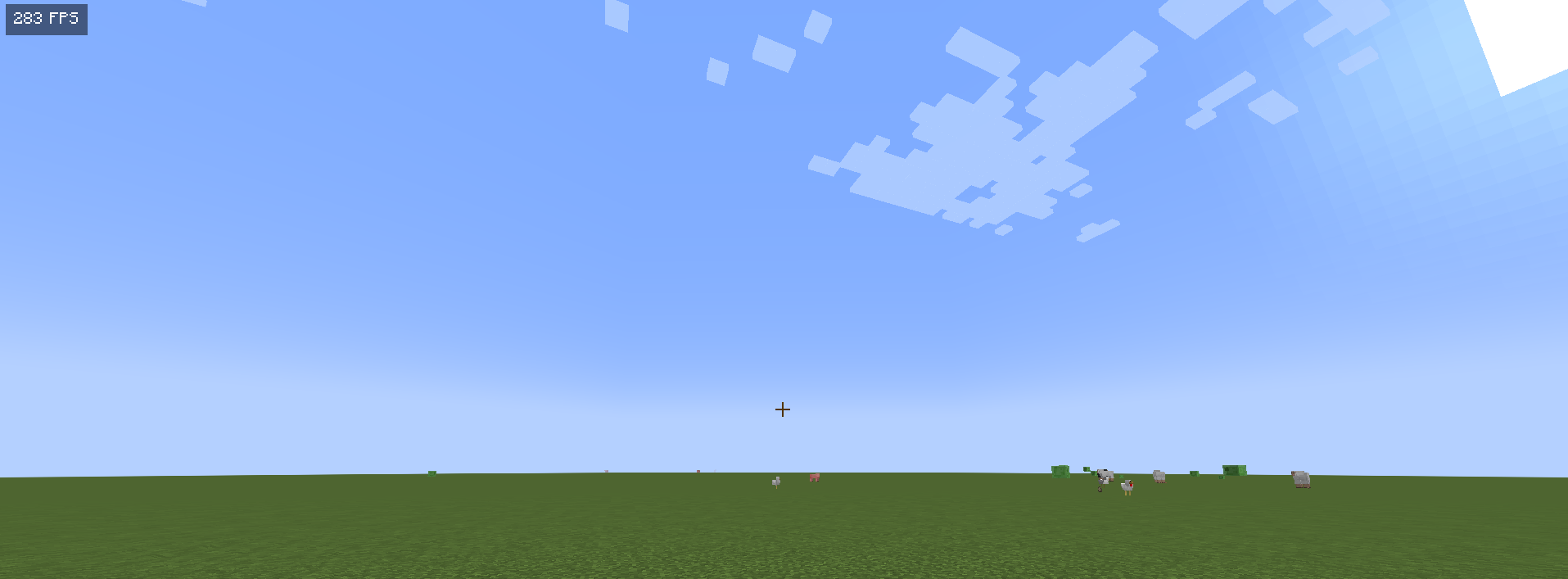
Before using /fps max

After using /fps max
DISCLAIMER: THIS IS A JOKE
It’s important to note that this mod is a joke. While it does increase your FPS it does it by unloading everything except the GUI the screenshot doesnt show it for some reason but the screen goes black normally, it’s not meant to be taken seriously. The drastic increase in FPS is just because everything isn't rendered rather than a practical solution.
Conclusion
If you’re looking for a fun way to experience a "performance boost" in your game, give the /fps max command a try! Just remember, it’s all in good fun!
FULL TRANSPARENCY
This mod is JUST A JOKE AND FOR ENTERTAINMENT PURPOSES ONLY THIS DOES NOT INCREASES FPS MAGICALLY AND DOES JUST MAKE YOUR SCREEN BLACK.
Verfügbare Versionen
Fps Booster Command auf deinem Client installieren
Mod-Loader lokal installieren
Installiere fabric für deine lokale Minecraft-Version.
Passende Datei herunterladen
Wähle die Fps Booster Command-Datei für fabric und Minecraft 26.1.2.
Mod installieren
Lege die .jar-Datei in deinem lokalen .minecraft/mods-Ordner ab und starte Minecraft neu. Eine Installation auf dem Server ist nicht nötig.
Kompatibilität
Mod-Loader
Minecraft-Versionen
26.1.2, 26.1.1, 26.1 (+43 weitere)
Server-seitig
✗ Nicht unterstütztEmpfohlener RAM
4 GB(min. 3 GB)Häufige Fragen
Muss Fps Booster Command auf dem Minecraft Server installiert werden?
Nein. Modrinth kennzeichnet Fps Booster Command serverseitig als nicht unterstützt. Installiere die Mod nur im lokalen Minecraft-Mods-Ordner. Dein Server kann unverändert bleiben, sofern die Mod-Seite keine zusätzliche Abhängigkeit nennt.
Welche Version und welchen Loader braucht Fps Booster Command?
Nutze eine Datei für fabric und exakt deine Minecraft-Version. Unterstützte Versionen sind unter anderem 26.1.2, 26.1.1, 26.1. Loader-Dateien sind nicht untereinander austauschbar.
Fps Booster Command funktioniert nicht – was kann ich prüfen?
Prüfe zuerst Minecraft-Version, Loader-Version und erforderliche Abhängigkeiten. Lege die .jar-Datei im lokalen .minecraft/mods-Ordner ab und entferne ältere Duplikate. Da die Mod clientseitig ist, löst mehr Server-RAM dieses Problem nicht.
Ähnliche Mods





Minecraft Server für deine Gruppe
Fps Booster Command bleibt auf deinem Client. Hoste dazu eine kompatible Welt für deine Mitspieler.