Fubric API
Fubric API lowers your fps :D
Über diese Mod
Fubric API: The World's Most Ineffective Minecraft Mod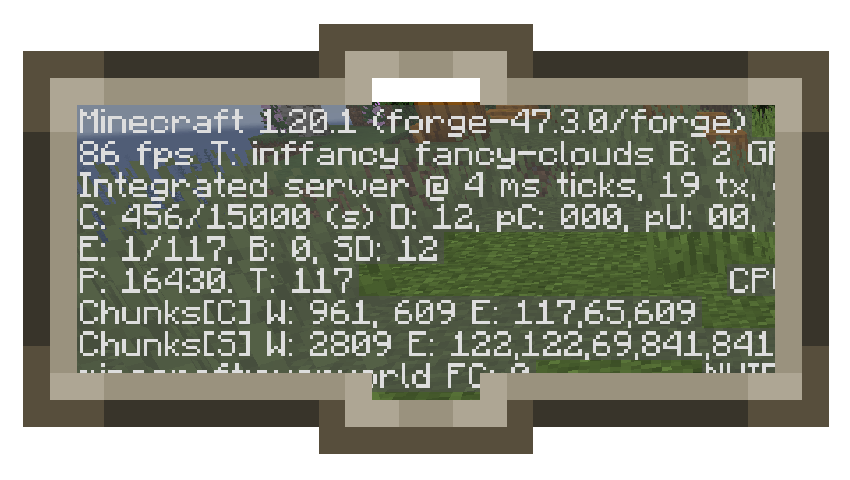
Captured on a rtx 4080
Tired of your Minecraft world running too smoothly? Does your game load too quickly? Are your framerates too high? Fear not, for Fubric API is here to solve all your problems... by doing absolutely nothing!
This revolutionary mod is designed to significantly decrease your Minecraft performance. It's the perfect solution for those who enjoy the thrill of lag spikes, the excitement of loading screens, and the joy of watching their computer struggle.
Key Features:
. Revolutionary Lag Engine: Experience mind-blowing lag, even on the most powerful computers.
. Cutting-Edge Loading Screen Technology: Watch your world load at a snail's pace.
. State-of-the-Art Frame Rate Reduction: Enjoy choppy, stuttering gameplay.
. Advanced Crash Simulator: Crash your game with ease.
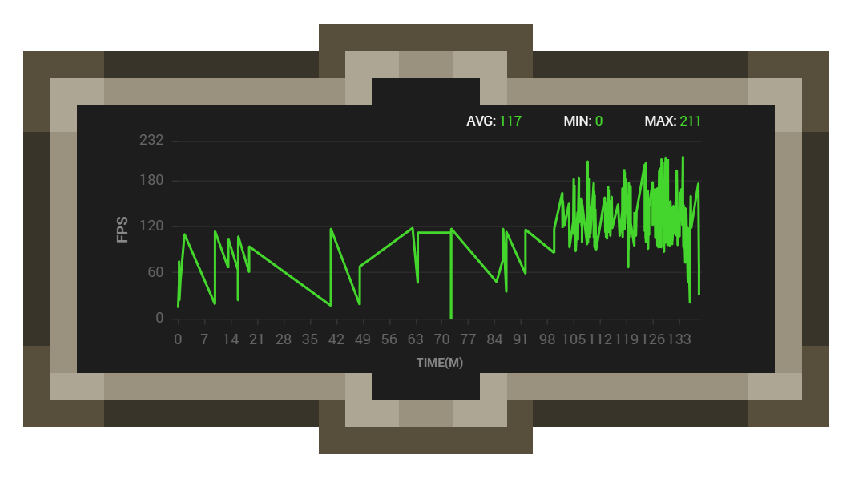
Increase your Fps instability.
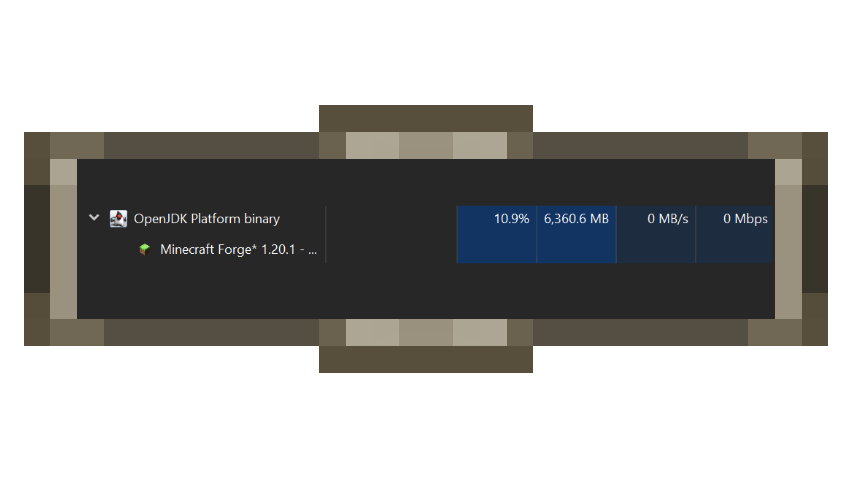
Increase memory usage because the more the better!
Verfügbare Versionen
Fubric API auf deinem Client installieren
Mod-Loader lokal installieren
Installiere forge für deine lokale Minecraft-Version.
Passende Datei herunterladen
Wähle die Fubric API-Datei für forge und Minecraft 1.20.1.
Mod installieren
Lege die .jar-Datei in deinem lokalen .minecraft/mods-Ordner ab und starte Minecraft neu. Eine Installation auf dem Server ist nicht nötig.
Kompatibilität
Mod-Loader
Minecraft-Versionen
1.20.1
Server-seitig
✗ Nicht unterstütztEmpfohlener RAM
4 GB(min. 3 GB)Häufige Fragen
Muss Fubric API auf dem Minecraft Server installiert werden?
Nein. Modrinth kennzeichnet Fubric API serverseitig als nicht unterstützt. Installiere die Mod nur im lokalen Minecraft-Mods-Ordner. Dein Server kann unverändert bleiben, sofern die Mod-Seite keine zusätzliche Abhängigkeit nennt.
Welche Version und welchen Loader braucht Fubric API?
Nutze eine Datei für forge, neoforge und exakt deine Minecraft-Version. Unterstützte Versionen sind unter anderem 1.20.1. Loader-Dateien sind nicht untereinander austauschbar.
Fubric API funktioniert nicht – was kann ich prüfen?
Prüfe zuerst Minecraft-Version, Loader-Version und erforderliche Abhängigkeiten. Lege die .jar-Datei im lokalen .minecraft/mods-Ordner ab und entferne ältere Duplikate. Da die Mod clientseitig ist, löst mehr Server-RAM dieses Problem nicht.
Ähnliche Mods





Minecraft Server für deine Gruppe
Fubric API bleibt auf deinem Client. Hoste dazu eine kompatible Welt für deine Mitspieler.