
Gamma Utils (Fullbright)
Gamma / Brightness / Night Vision mod, making it easy to see in the dark. Basically Fullbright for Fabric and NeoForge.
Screenshots
Über diese Mod


Gamma Utils
This is a fully configurable and client side gamma utility mod, making it much easier to see in the dark.
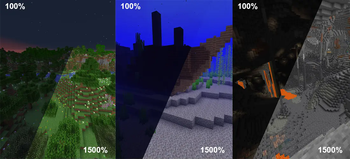
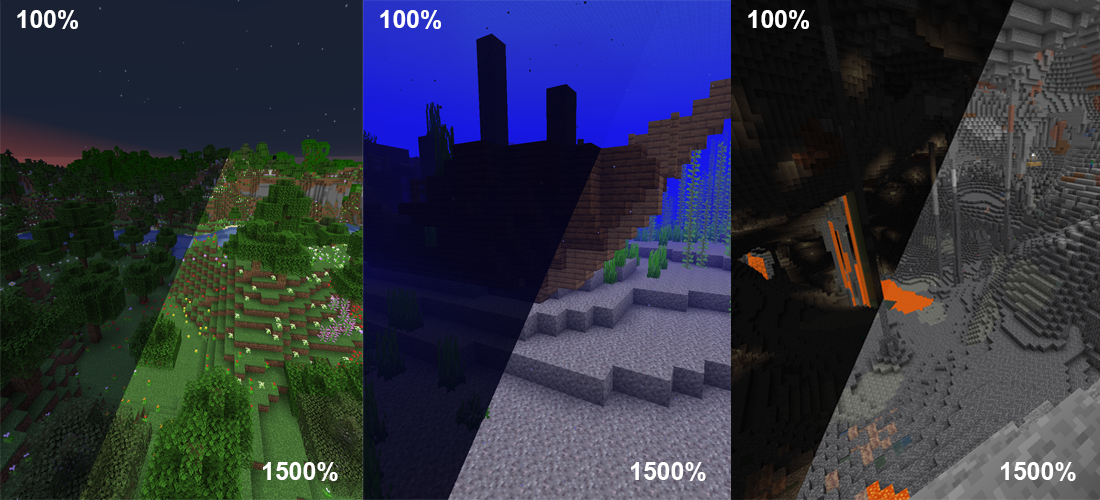
It's a really basic mod that allows you to change the gamma value in game way higher than the in game brightness setting allows. Nights will look like day and caves will look like they're fully lit up.
Basically Fullbright but for Fabric and NeoForge.
Press G to toggle between 100% and 1500% gamma
Press H to toggle client side Night Vision on or off
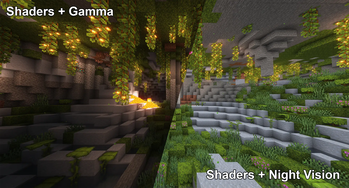
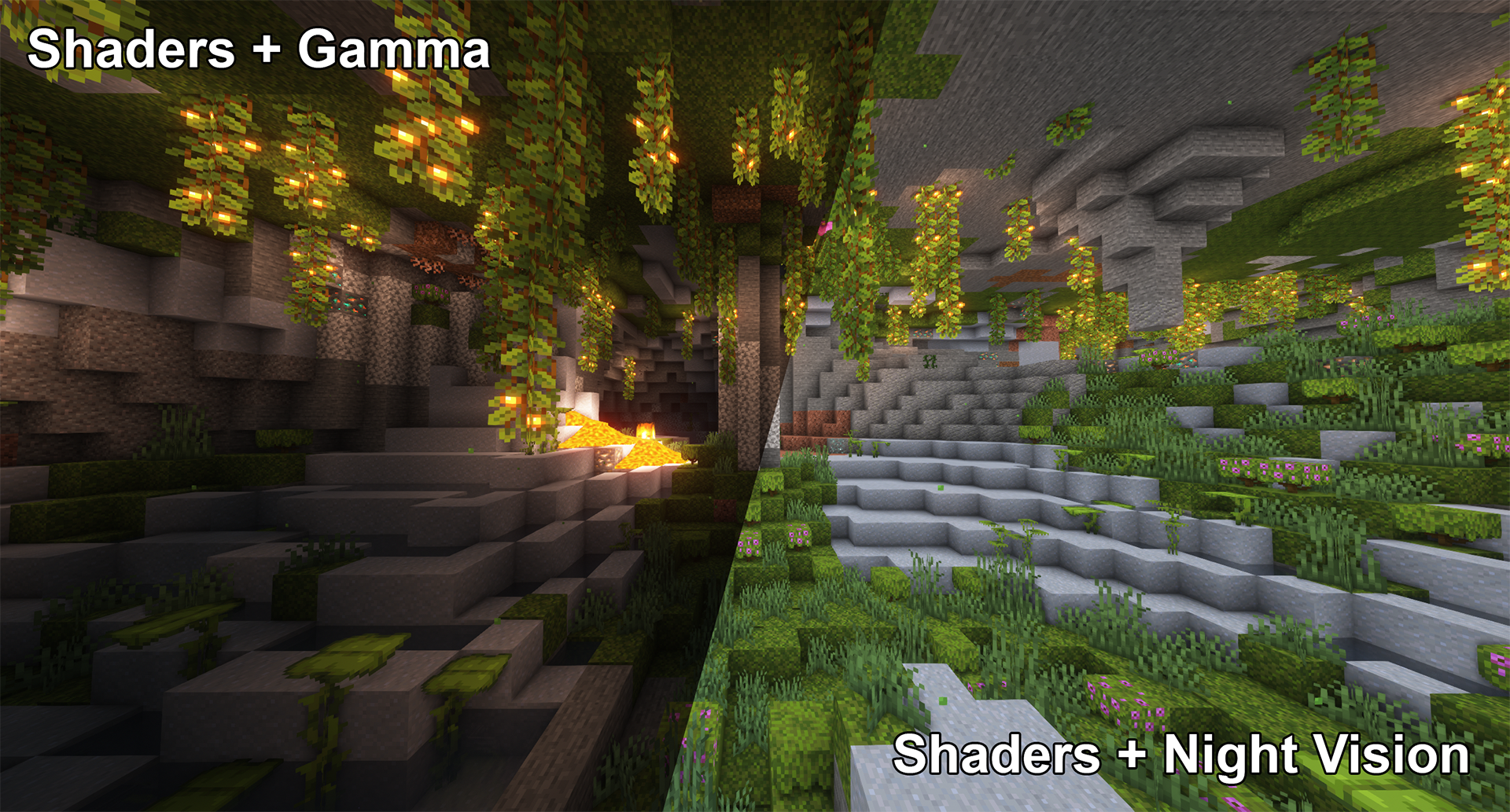
This works better in combination with shaders than gamma
Fully adjustable to your liking
To see everything that can be done and adjusted open the function and configuration spoilers below.
Here are some examples of what's possible though:
Mod overview video from BlackNinja745
Toggle Night Vision
High gamma won't work in combination with shaders,
however, night vision will work with at least some shaders:
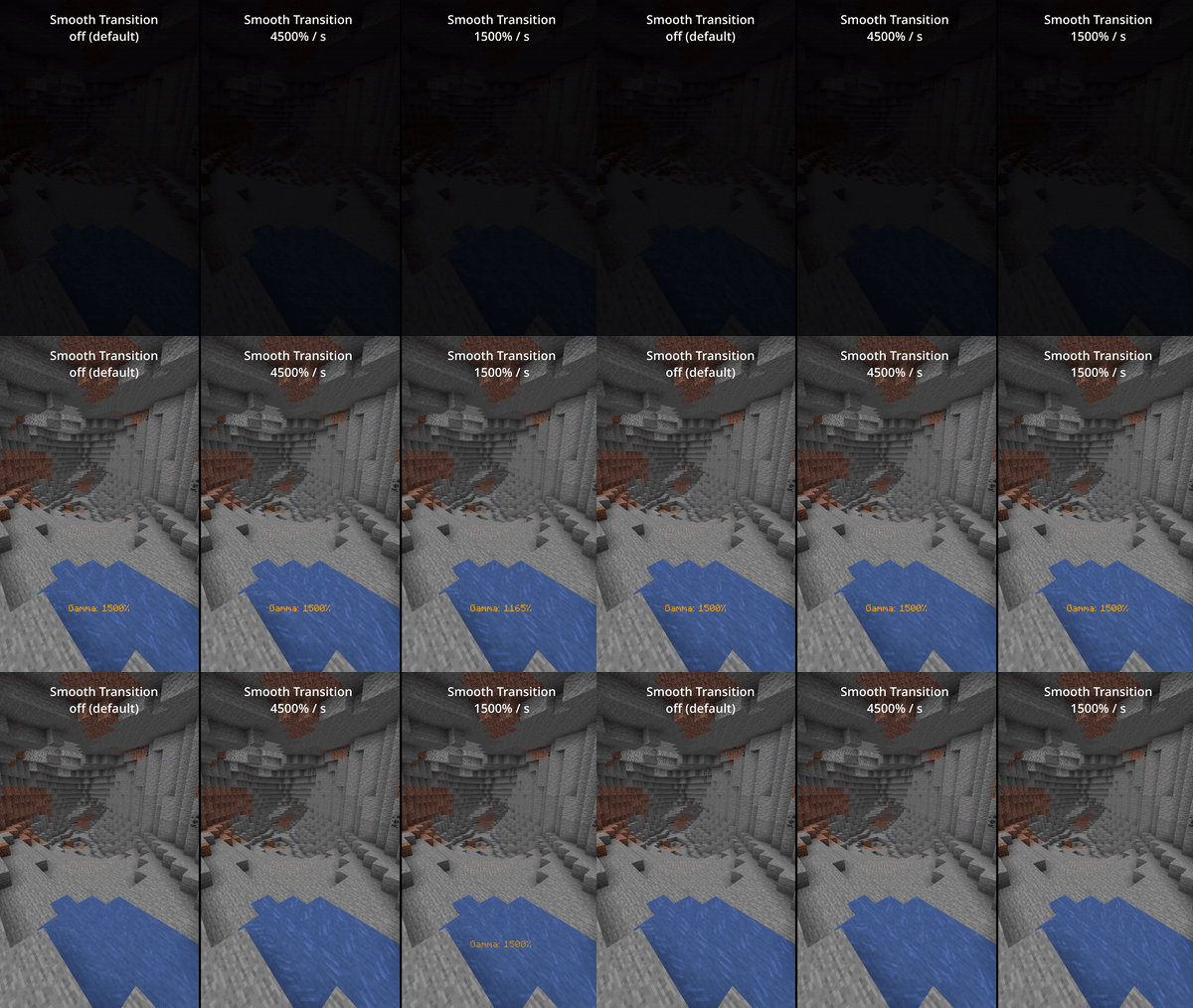
Smooth Transition
Enable smooth transition (off by default) for a less intense transition when toggling gamma:
Status Effects
Enable fully client side status effects (off by default)
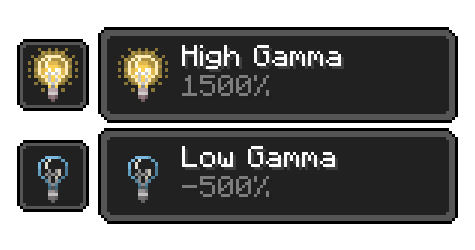
To keep you reminded that you've enabled gamma outside normal values:
All Functions
All functions and commands
Toggle Gamma
Usage: Keybind (default: G) or /gamma toggle
Toggle between the default gamma percentage and the configured toggled percentage.
Increase Gamma
Usage: Keybind (default: arrow up) or /gamma increase <value> (value is optional)
Increase the gamma percentage by the configured step percentage or the given value.
Decrease Gamma
Usage: Keybind (default: arrow down) or /gamma decrease <value> (value is optional)
Decrease the gamma percentage by the configured step percentage or the given value.
Set Gamma
Usage: /gamma set <value>
Set the gamma to a specific percentage.
Min Gamma
Usage: Keybind or /gamma min
Sets the gamma to the configured minimum limit.
Max Gamma
Usage: Keybind or /gamma max
Sets the gamma to the configured maximum limit.
Toggle Night Vision
Usage: Keybind (default: H) or /gamma nightvision
Toggle night vision on or off.
Configuration (File / Mod Menu)
All configuration options
Default Gamma Percentage
Default: 100%
Gamma percentage for when the mod is toggled off.
Toggled Gamma Percentage
Default: 1500%
Gamma percentage for when the mod is toggled on.
Update Toggle Value
Default: false
Enabling this will make the toggle value remember the last non default value you've used.
Smooth Transition
Default: false
Make the transition when toggling gamma smoother.
Transition Speed
Default: 4500
Speed in gamma percentage per second.
Show Status Effect
Default: false
Show a client side status effect when the gamma percentage is outside normal range.
("Low Gamma" below 0% and "High Gamma" above 100%)
Limit Check
Default: true
Should the mod enforce the minimum and maximum gamma limits.
Minimum Gamma Limit
Default: -750%
Minimum gamma percentage the mod will allow if the Limit Check is enabled.
Maximum Gamma Limit
Default: 1500%
Maximum gamma percentage the mod will allow if the Limit Check is enabled.
Gamma Percentage Step
Default: 10%
Gamma percentage change for every increase or decrease.
Show Gamma Message
Default: true
Show a message with the new gamma value.
Reset on Close
Default: false
Reset the gamma value to default when Minecraft closes.
Versions & Dependencies
1.19+
Required:
Fabric API
Cloth Config API (Is needed to make the config work)
Optional:
Mod Menu (This mod allows you to edit the configs in game)
1.16 - 1.18
Required:
Fabric API (0.31.0 or later)
Optional:
Mod Menu (This mod allows you to edit the configs in game)
Already included/embedded:
Cloth Config API (Is needed to make the config work)
1.14 - 1.15
Required:
Fabric API (0.14.0 or later)
Optional:
Mod Menu (This mod allows you to edit the configs in game)
Already included/embedded:
Auto Config Updated API (Is needed to make the config work)
Cloth Config API (Required for Auto Config)
Verfügbare Versionen
Gamma Utils (Fullbright) auf deinem Client installieren
Mod-Loader lokal installieren
Installiere fabric für deine lokale Minecraft-Version.
Passende Datei herunterladen
Wähle die Gamma Utils (Fullbright)-Datei für fabric und Minecraft 26.3.
Mod installieren
Lege die .jar-Datei in deinem lokalen .minecraft/mods-Ordner ab und starte Minecraft neu. Eine Installation auf dem Server ist nicht nötig.
Kompatibilität
Mod-Loader
Minecraft-Versionen
26.3, 26.2, 26.1.2 (+94 weitere)
Server-seitig
✗ Nicht unterstütztEmpfohlener RAM
4 GB(min. 3 GB)Häufige Fragen
Muss Gamma Utils (Fullbright) auf dem Minecraft Server installiert werden?
Nein. Modrinth kennzeichnet Gamma Utils (Fullbright) serverseitig als nicht unterstützt. Installiere die Mod nur im lokalen Minecraft-Mods-Ordner. Dein Server kann unverändert bleiben, sofern die Mod-Seite keine zusätzliche Abhängigkeit nennt.
Welche Version und welchen Loader braucht Gamma Utils (Fullbright)?
Nutze eine Datei für fabric, neoforge, quilt und exakt deine Minecraft-Version. Unterstützte Versionen sind unter anderem 26.3, 26.2, 26.1.2. Loader-Dateien sind nicht untereinander austauschbar.
Gamma Utils (Fullbright) funktioniert nicht – was kann ich prüfen?
Prüfe zuerst Minecraft-Version, Loader-Version und erforderliche Abhängigkeiten. Lege die .jar-Datei im lokalen .minecraft/mods-Ordner ab und entferne ältere Duplikate. Da die Mod clientseitig ist, löst mehr Server-RAM dieses Problem nicht.
Ähnliche Mods




![[ETF] Entity Texture Features](https://cdn.modrinth.com/data/BVzZfTc1/af683d206d50b05258d865b0d6e4aa2f2cee12f2_96.webp)

Minecraft Server für deine Gruppe
Gamma Utils (Fullbright) bleibt auf deinem Client. Hoste dazu eine kompatible Welt für deine Mitspieler.
Details
- Lizenz
- GNU Lesser General Public License v3.0 only
- Server-seitig
- Nicht unterstützt