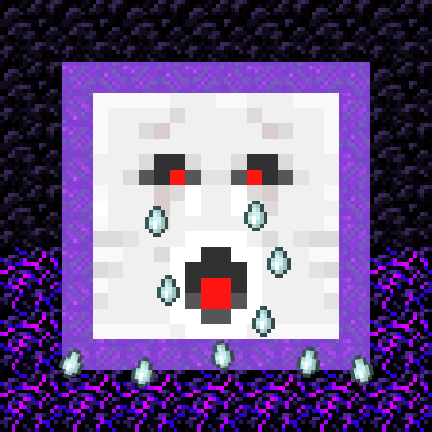
Ghastly Wail
When a ghast dies in a portal, the frame becomes crying obsidian and shatters.
Über diese Mod
Ghastly Wail














When a ghast dies in a nether portal, the frame becomes crying obsidian and shatters.
Works server-side and in single player.
Adds a new mechanic for renewable crying obsidian.
When a ghast dies in a nether portal, all the obsidian blocks that make up the portal frame will be converted to crying
obsidian and then shatter into item form.

Why?
- It thematically connects normal obsidian and crying obsidian
- Ghasts' tears mean it makes 'video game sense' for them to be involved in the conversion to crying obsidian
- "But crying obsidian is already renewable through piglin barters!" I recommend removing crying obsidian from
bartering using the built-in "piglin_bartering_sans_crying_obsidian" datapack (since 1.1.4, default disabled).
Configuration
As of 1.1.4, two game rules allow control over how obsidian is converted:
ghastly_wail:obsidianConversionChance;0to100, default:100chance for nether portal frame obsidian to convert to crying obsidian
ghastly_wail:convertedObsidianBreakChance;0to100, default:100chance for converted crying obsidian blocks to break
Between versions 1.1.0 and 1.1.4:
ghastly_wail:breakConvertedObsidian; default:truecontrols whether crying obsidian is dropped as an item or replaces the portal frame in block form
Translating
As of version 1.1.4, there are several translatable lines.
If you'd like to help translate Ghastly Wail, you can do so on
Crowdin.
This mod is only for Fabric (works on Quilt, too!) and I won't be porting it to Forge. The license is MIT, however,
so anyone else is free to port it.
I'd appreciate links back to this page if you port or otherwise modify this project, but links aren't required.
Verfügbare Versionen
Ghastly Wail auf dem Server installieren
Server bestellen
Bestelle einen Minecraft Java Server mit mindestens 3 GB RAM (4 GB empfohlen).
fabric Loader setzen
Wähle im Panel unter "Egg" den fabric-Loader und die passende Minecraft-Version (26.3).
Mod installieren
Öffne den Mod-Browser im Dashboard und suche nach "Ghastly Wail". Klicke "Installieren" – fertig! Alternativ: Lade die .jar via SFTP in den /mods Ordner.
Kompatibilität
Mod-Loader
Minecraft-Versionen
26.3, 26.2, 26.1.2 (+31 weitere)
Server-seitig
✓ ErforderlichEmpfohlener RAM
4 GB(min. 3 GB)Häufige Fragen
Ghastly Wail Server crasht beim Start – was tun?
Häufigste Ursache: falsche fabric-Version oder zu wenig RAM. Prüfe im Server-Log (latest.log), ob ein "OutOfMemoryError" oder "Mixin"-Fehler auftritt. Bei Mado Hosting: Stelle sicher, dass mindestens 3 GB RAM zugewiesen sind und der Loader zur Mod-Version passt (26.3). Über das Panel kannst du den Loader mit einem Klick wechseln.
Ist Ghastly Wail mit fabric und quilt kompatibel?
Ghastly Wail unterstützt offiziell fabric, quilt für Minecraft 26.3, 26.2, 26.1.2. Im Mado Dashboard werden inkompatible Loader-Kombinationen automatisch erkannt.
Server laggt mit Ghastly Wail – wie optimiere ich die Performance?
Empfohlener RAM: 4 GB (+1 GB pro 8 Spieler). Prüfe mit /spark profiler, ob Ghastly Wail den meisten Tick-Time verbraucht. Häufige Fixes: Server-View-Distance auf 8-10 reduzieren, bei Forge "performant" oder "starlight" als Zusatz-Mod installieren. Bei Mado Hosting läuft dein Server auf NVMe-SSDs mit dedizierten CPU-Kernen für minimale Latenz.
Ähnliche Mods






Modded Server mieten
Installiere Ghastly Wail mit nur einem Klick auf deinem Server.