
Heater
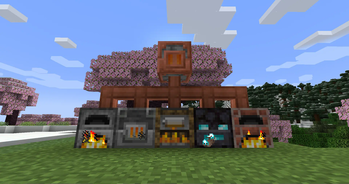
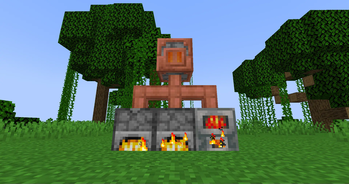
Propagate fuel power from heaters through pipes and thermostats and into furnaces, smokers, and compatible machines.
Screenshots
Über diese Mod
Heater
Heater offers a new way to power Furnaces, Blast Furnaces, Smokers, and every other machine that consumes fuel to do some work, even from other mods.
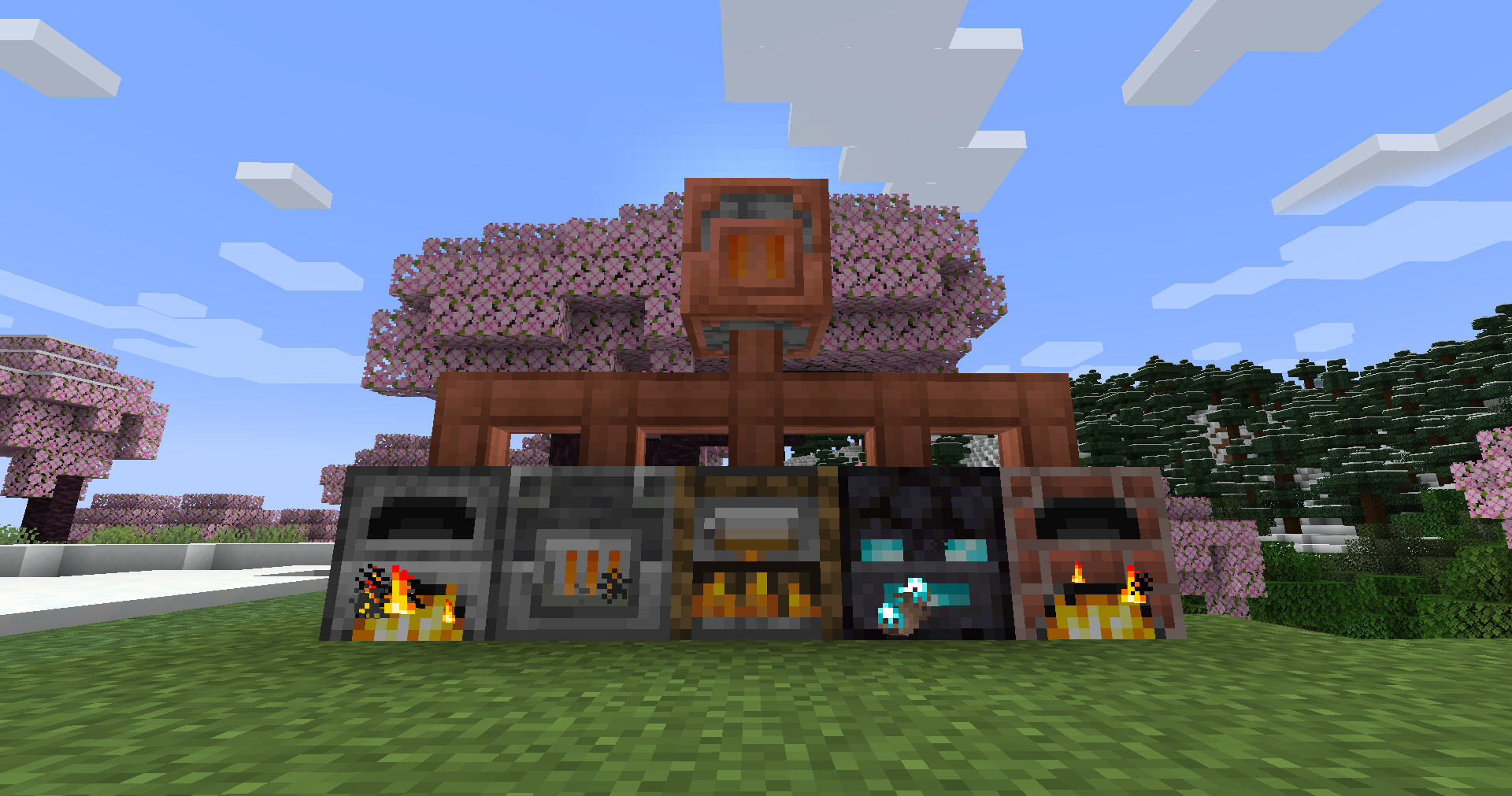
(Credits to StarOcean for the fantastic textures they created!)
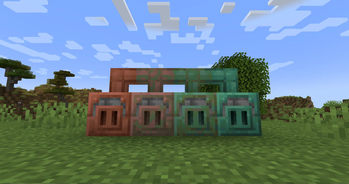
It does this with only three new blocks: the eponymous Heater, the Heat Pipe, and the Thermostat, each with weathered and waxed variants.
Heater

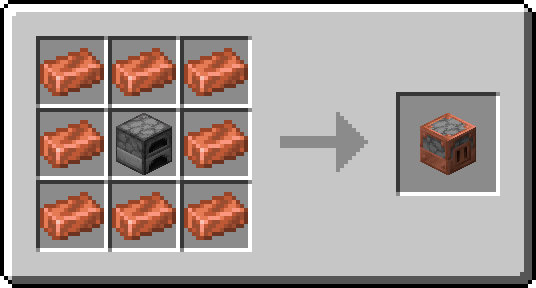
As this mod's namesake block, the Heater is at the core of this mod and is crafted as follows:
Heater Recipe
At first glance, it looks like a normal furnace-like block—even its screen is very similar to one:
Heater Interface
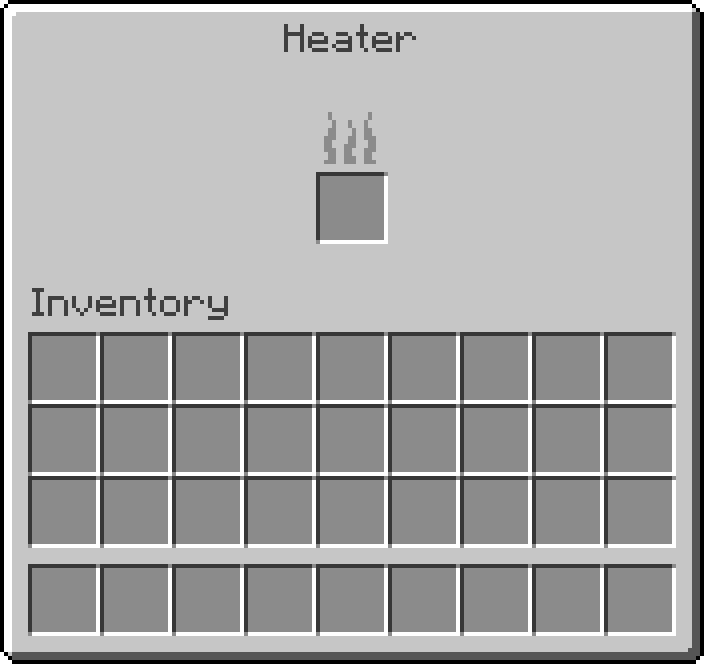
However, instead of processing items within itself (hence the lack of slots other than the fuel one), it propagates the heat produced by the fuel it burns to nearby blocks, powering every furnace-like block it finds.
Heat Pipe

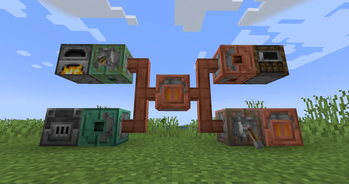
As shown in the showcase above, the Heat Pipe is, unexpectedly, a pipe through which any Heater can propagate the heat it produces, functionally extending that Heater's reach.
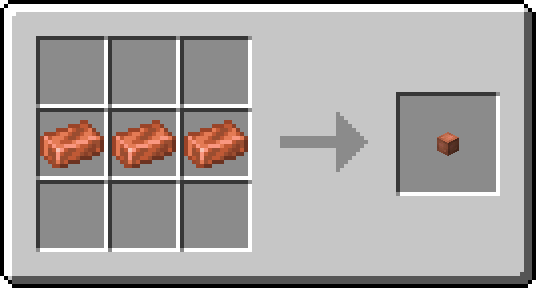
It's crafted very easily as follows:
Heat Pipe Recipe
It's also very efficient because it doesn't have an entity, which means you can place many of these pipes without affecting performance.
Thermostat

Last but not least, the Thermostat offers a degree of control over how heat propagates between Heaters and furnaces, and across Heat Pipes.
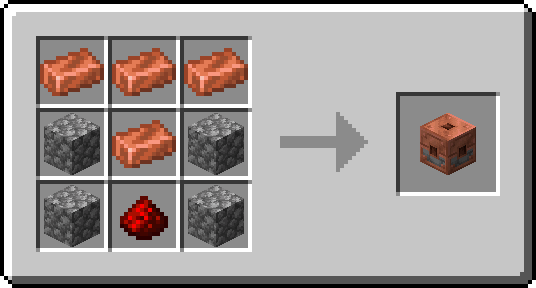
It's crafted as follows:
Thermostat Recipe
By default, a Thermostat lets heat propagate through itself only if it is redstone-powered, and only in the direction it's facing (the full coppery side).
However, right-clicking a Thermostat opens the following screen:
Thermostat Interface
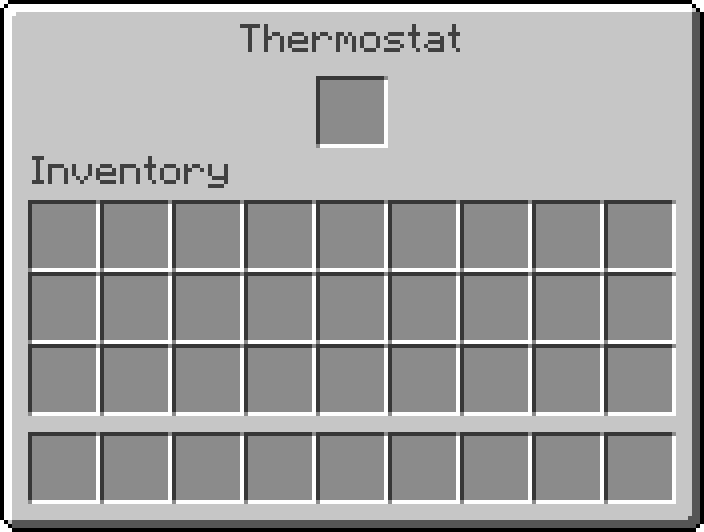
And clicking the central slot with a fuel item sets the Thermostat to filtering mode for that fuel. In this mode, when unpowered, this block only propagates heat generated by the filtering fuel, while when powered, it converts the heat it propagates as if it had been generated by the filtering fuel.
Finally, the Thermostat is the only block that can propagate heat back into a Heater, acting like a heat repeater.
Interoperability
This mod's interoperability, that is, its ability to work with other mods, depends entirely on Burning, so look there for more details and troubleshooting.
Verfügbare Versionen
Heater auf dem Server installieren
Server bestellen
Bestelle einen Minecraft Java Server mit mindestens 3 GB RAM (4 GB empfohlen).
fabric Loader setzen
Wähle im Panel unter "Egg" den fabric-Loader und die passende Minecraft-Version (26.3).
Mod installieren
Öffne den Mod-Browser im Dashboard und suche nach "Heater". Klicke "Installieren" – fertig! Alternativ: Lade die .jar via SFTP in den /mods Ordner.
Kompatibilität
Mod-Loader
Minecraft-Versionen
26.3, 26.2, 26.1.2 (+18 weitere)
Server-seitig
✓ ErforderlichEmpfohlener RAM
4 GB(min. 3 GB)Häufige Fragen
Heater Server crasht beim Start – was tun?
Häufigste Ursache: falsche fabric-Version oder zu wenig RAM. Prüfe im Server-Log (latest.log), ob ein "OutOfMemoryError" oder "Mixin"-Fehler auftritt. Bei Mado Hosting: Stelle sicher, dass mindestens 3 GB RAM zugewiesen sind und der Loader zur Mod-Version passt (26.3). Über das Panel kannst du den Loader mit einem Klick wechseln.
Ist Heater mit fabric kompatibel?
Heater unterstützt offiziell fabric für Minecraft 26.3, 26.2, 26.1.2. Im Mado Dashboard werden inkompatible Loader-Kombinationen automatisch erkannt.
Server laggt mit Heater – wie optimiere ich die Performance?
Empfohlener RAM: 4 GB (+1 GB pro 8 Spieler). Prüfe mit /spark profiler, ob Heater den meisten Tick-Time verbraucht. Häufige Fixes: Server-View-Distance auf 8-10 reduzieren, bei Forge "performant" oder "starlight" als Zusatz-Mod installieren. Bei Mado Hosting läuft dein Server auf NVMe-SSDs mit dedizierten CPU-Kernen für minimale Latenz.
Ähnliche Mods




Modded Server mieten
Installiere Heater mit nur einem Klick auf deinem Server.