
Helium Client
A Custom Client That Customizes Every Aspect Of The Game Whilst Improving Performance.
Screenshots
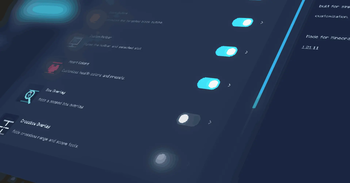

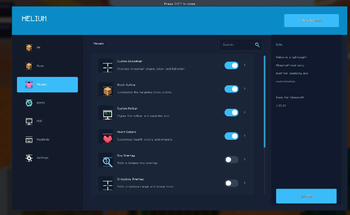

Über diese Mod
Welcome to Helium Client!
Helium client is a client based minecraft mod that allows you to customize the game in real time.
IMPORTANT NOTE:
ALL SETTINGS MUST BE TURNED ON VIA HELIUM CLIENT SETTINGS.

Summary:
Helium client optimizes the game with settings such as
- Adaptive Scaling
- Culling Behind Camera
- Throttle Particles
- Disable Map Rendering.
Helium client also lets players customize the game!
- Custom Block Outlines
- Complete Color Overhaul of UI / GUI
- Custom Inventory Hotbars.
And Much More!
You can see the Helium Settings by either
- Pressing Right Shift / The Selected Keybind
- Options -> Helium Settings

Tips
- Enable Optimizations!
- Visual Effects Increases FPS!
- Customize Your UI!
In helium client, You can use Profiles to share your Minecraft Settings OR By Using Others.
You can save a profile. Then go into the folder. Then send it to someone. They can import it by clicking "Import JSON" or "Import TXT" depending on what format it was exported on.

Texture Pack Editor / Resource Pack Editor

How it works.
- Create A Pack.
- Rename it to whatever you want.
- Search for any texture and edit it!
- You can import textures if you dont want to edit them with the ingame editor
- You can Change Keybinds for tools Via the Minecraft Keybinds menu.
- Save to pack, Then Apply Changes. Then click Done.
Thanks for Using Helium!
Verfügbare Versionen
Helium Client auf deinem Client installieren
Mod-Loader lokal installieren
Installiere fabric für deine lokale Minecraft-Version.
Passende Datei herunterladen
Wähle die Helium Client-Datei für fabric und Minecraft 26.1.2.
Mod installieren
Lege die .jar-Datei in deinem lokalen .minecraft/mods-Ordner ab und starte Minecraft neu. Eine Installation auf dem Server ist nicht nötig.
Kompatibilität
Mod-Loader
Minecraft-Versionen
26.1.2, 1.21.11, 1.21.10
Server-seitig
✗ Nicht unterstütztEmpfohlener RAM
4 GB(min. 3 GB)Häufige Fragen
Muss Helium Client auf dem Minecraft Server installiert werden?
Nein. Modrinth kennzeichnet Helium Client serverseitig als nicht unterstützt. Installiere die Mod nur im lokalen Minecraft-Mods-Ordner. Dein Server kann unverändert bleiben, sofern die Mod-Seite keine zusätzliche Abhängigkeit nennt.
Welche Version und welchen Loader braucht Helium Client?
Nutze eine Datei für fabric und exakt deine Minecraft-Version. Unterstützte Versionen sind unter anderem 26.1.2, 1.21.11, 1.21.10. Loader-Dateien sind nicht untereinander austauschbar.
Helium Client funktioniert nicht – was kann ich prüfen?
Prüfe zuerst Minecraft-Version, Loader-Version und erforderliche Abhängigkeiten. Lege die .jar-Datei im lokalen .minecraft/mods-Ordner ab und entferne ältere Duplikate. Da die Mod clientseitig ist, löst mehr Server-RAM dieses Problem nicht.
Ähnliche Mods






Minecraft Server für deine Gruppe
Helium Client bleibt auf deinem Client. Hoste dazu eine kompatible Welt für deine Mitspieler.