
Half-Life HEV Suit Voice System
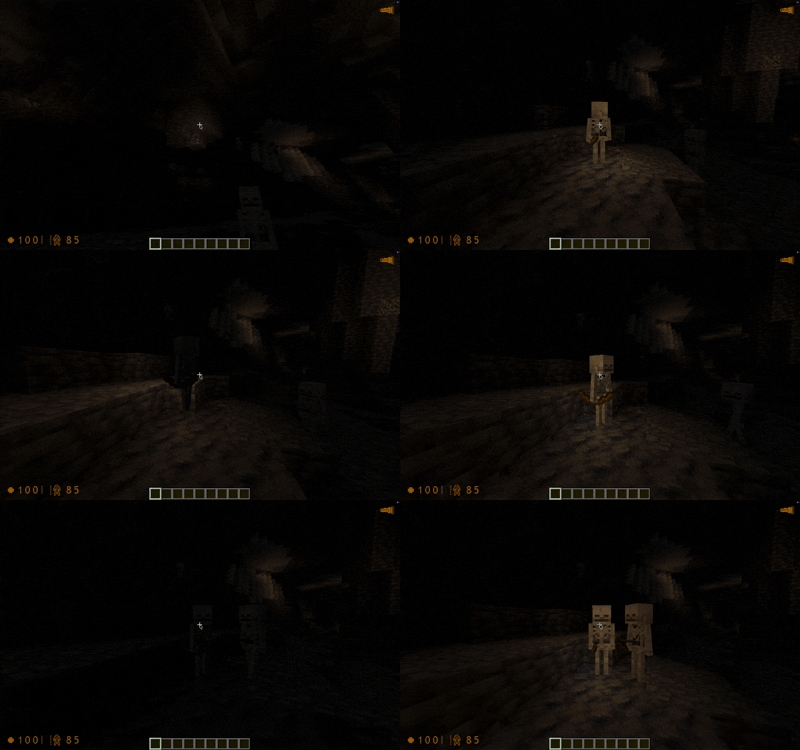
Adds HEV Suit sound effects from Half-Life and a somewhat accurate recreation of the HL1 hud.
Screenshots


Über diese Mod
HEV Suit Sound System
Adds Half-Life 1 hud and full hev suit sound effects to minecraft with a bunch of additional features
Audible Alerts
The suit contains most sound effects and as close of triggers as i could think of for it.
These play whenever a trigger is met and plays the respective sound effect from Half Life.
Here are some of the main ones
- Fractures (when falling)
- Health Alerts (when your health reaches a threshold)
- Blood loss (whenever an arrow hits you instead of bullets)
- Lacerations (general mob attacks)
- Environment
- Geiger counter in basalt biomes
- Poison and Withering
- Lightning strikes
- Heat from fire and lava
and more!
There is additionally a bunch of disabled by default lines that you can enable by opening the config menu with H. These typically are either lines that were unused in the main game or reused to fit a new purpose in minecraft.
HUD
The hud is a somewhat accurate recreation of the hud from GoldSrc. You can toggle specific hud elements and theme it with the config menu (press h!).
Flashlight
There is a built in flashlight, it requires LambDynamicLights to work. You can toggle it with G. There is also a experimental half life 2 style that you can toggle from in the configuration menu.
Copyright
The code is MIT licensed, sound effects and hud elements are owned by Valve Corporation, all rights go to them.
If they wish for this project to be taken down, it will be.
Verfügbare Versionen
Half-Life HEV Suit Voice System auf deinem Client installieren
Mod-Loader lokal installieren
Installiere fabric für deine lokale Minecraft-Version.
Passende Datei herunterladen
Wähle die Half-Life HEV Suit Voice System-Datei für fabric und Minecraft 26.3.
Mod installieren
Lege die .jar-Datei in deinem lokalen .minecraft/mods-Ordner ab und starte Minecraft neu. Eine Installation auf dem Server ist nicht nötig.
Kompatibilität
Mod-Loader
Minecraft-Versionen
26.3, 26.2, 26.1.2 (+62 weitere)
Server-seitig
✗ Nicht unterstütztEmpfohlener RAM
4 GB(min. 3 GB)Häufige Fragen
Muss Half-Life HEV Suit Voice System auf dem Minecraft Server installiert werden?
Nein. Modrinth kennzeichnet Half-Life HEV Suit Voice System serverseitig als nicht unterstützt. Installiere die Mod nur im lokalen Minecraft-Mods-Ordner. Dein Server kann unverändert bleiben, sofern die Mod-Seite keine zusätzliche Abhängigkeit nennt.
Welche Version und welchen Loader braucht Half-Life HEV Suit Voice System?
Nutze eine Datei für fabric, quilt und exakt deine Minecraft-Version. Unterstützte Versionen sind unter anderem 26.3, 26.2, 26.1.2. Loader-Dateien sind nicht untereinander austauschbar.
Half-Life HEV Suit Voice System funktioniert nicht – was kann ich prüfen?
Prüfe zuerst Minecraft-Version, Loader-Version und erforderliche Abhängigkeiten. Lege die .jar-Datei im lokalen .minecraft/mods-Ordner ab und entferne ältere Duplikate. Da die Mod clientseitig ist, löst mehr Server-RAM dieses Problem nicht.
Ähnliche Mods





Minecraft Server für deine Gruppe
Half-Life HEV Suit Voice System bleibt auf deinem Client. Hoste dazu eine kompatible Welt für deine Mitspieler.