
HideChat
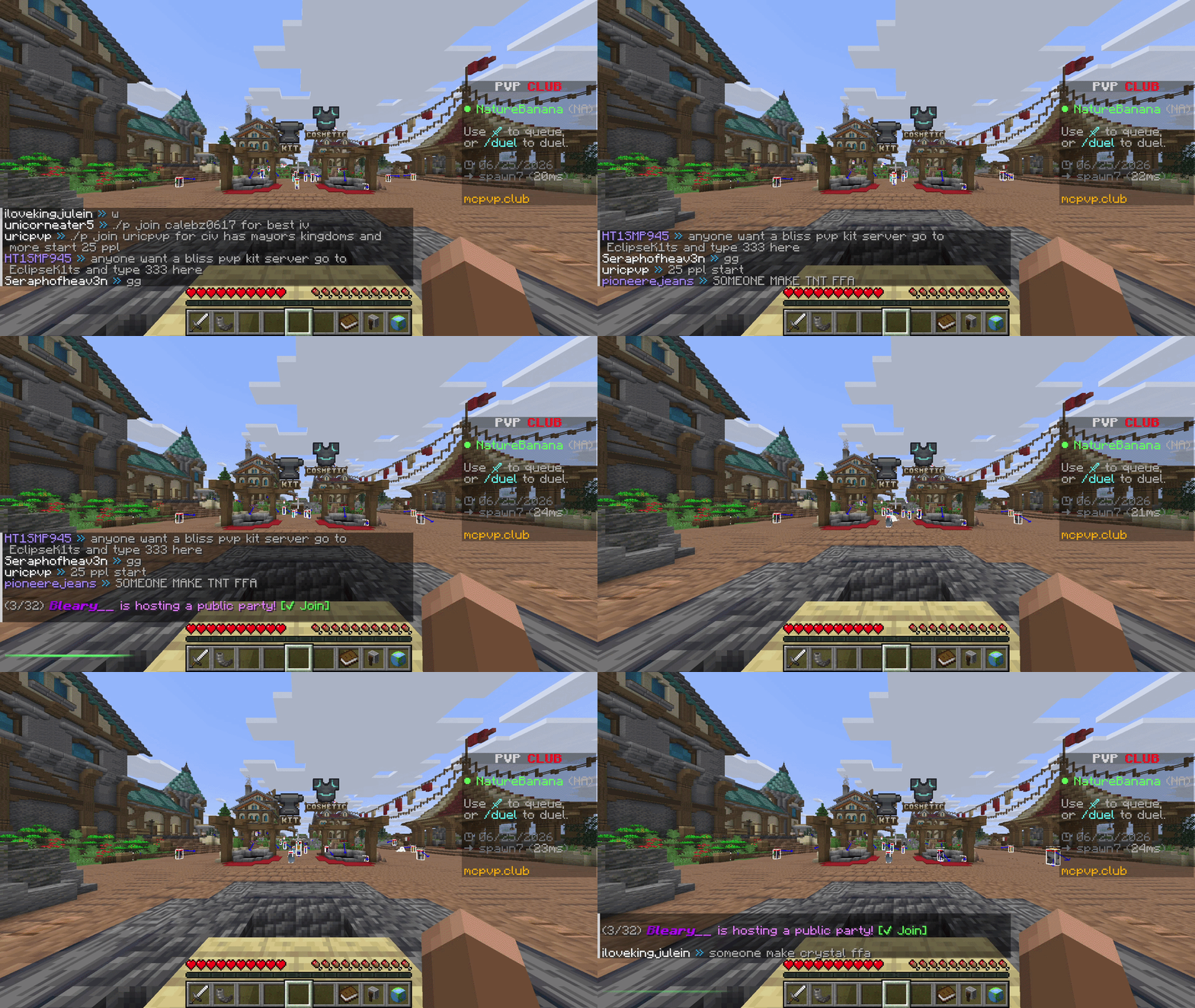
Hide and show your chat instantly with a keybind — a clean, client-side Fabric mod with a quick green/red flash to confirm each toggle. Messages keep arriving in the background, so nothing is lost.
Screenshots
Über diese Mod
Chat Toggle
A lightweight, client-side Fabric mod that hides and shows your chat with a single keypress — with a clean visual confirmation each time.
What it does
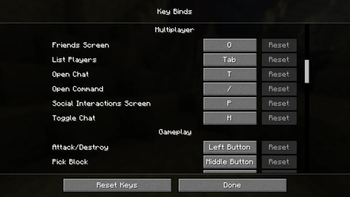
- Press a key (default H, under Controls → Multiplayer) to toggle the chat overlay on or off.
- Hiding is purely visual: messages still arrive and stack up in the background — nothing is dropped, and your vanilla chat settings are untouched.
- You can still open chat to type or run commands while it's hidden; you just won't see the history.
- Each toggle plays a quick 350 ms bar at the chat line: green when chat is shown, red when hidden. It always plays — even with no messages on screen.
Why
Sometimes chat gets in the way — screenshots, cinematic shots, PvP, or just a cleaner HUD. chat toggle gives you an instant, reversible way to clear it without digging through options or losing messages.
Details
- Client-side only — works on any server, nothing needed server-side.
- No config files, no extra menus. Install and bind a key.
- Tiny footprint.
Requirements
- Minecraft 26.2
- Fabric Loader 0.19.3+
- Fabric API
Install
- Install Fabric for 26.2.
- Put Fabric API and chat toggle in your
modsfolder. - Launch, then bind Toggle Chat under Options → Controls → Multiplayer (defaults to H).
Verfügbare Versionen
HideChat auf dem Server installieren
Server bestellen
Bestelle einen Minecraft Java Server mit mindestens 3 GB RAM (4 GB empfohlen).
fabric Loader setzen
Wähle im Panel unter "Egg" den fabric-Loader und die passende Minecraft-Version (26.2).
Mod installieren
Öffne den Mod-Browser im Dashboard und suche nach "HideChat". Klicke "Installieren" – fertig! Alternativ: Lade die .jar via SFTP in den /mods Ordner.
Kompatibilität
Mod-Loader
Minecraft-Versionen
26.2
Server-seitig
✗ Nicht unterstütztEmpfohlener RAM
4 GB(min. 3 GB)Häufige Fragen
HideChat Server crasht beim Start – was tun?
Häufigste Ursache: falsche fabric-Version oder zu wenig RAM. Prüfe im Server-Log (latest.log), ob ein "OutOfMemoryError" oder "Mixin"-Fehler auftritt. Bei Mado Hosting: Stelle sicher, dass mindestens 3 GB RAM zugewiesen sind und der Loader zur Mod-Version passt (26.2). Über das Panel kannst du den Loader mit einem Klick wechseln.
Ist HideChat mit fabric kompatibel?
HideChat unterstützt offiziell fabric für Minecraft 26.2. Im Mado Dashboard werden inkompatible Loader-Kombinationen automatisch erkannt.
Server laggt mit HideChat – wie optimiere ich die Performance?
Empfohlener RAM: 4 GB (+1 GB pro 8 Spieler). Prüfe mit /spark profiler, ob HideChat den meisten Tick-Time verbraucht. Häufige Fixes: Server-View-Distance auf 8-10 reduzieren, bei Forge "performant" oder "starlight" als Zusatz-Mod installieren. Bei Mado Hosting läuft dein Server auf NVMe-SSDs mit dedizierten CPU-Kernen für minimale Latenz.
Ähnliche Mods






Modded Server mieten
Installiere HideChat mit nur einem Klick auf deinem Server.
Details
- Lizenz
- Creative Commons Attribution Non Commercial Share Alike 4.0 International
- Server-seitig
- Nicht unterstützt