
Hole Filler Mod
A simple solution for holes.
Screenshots
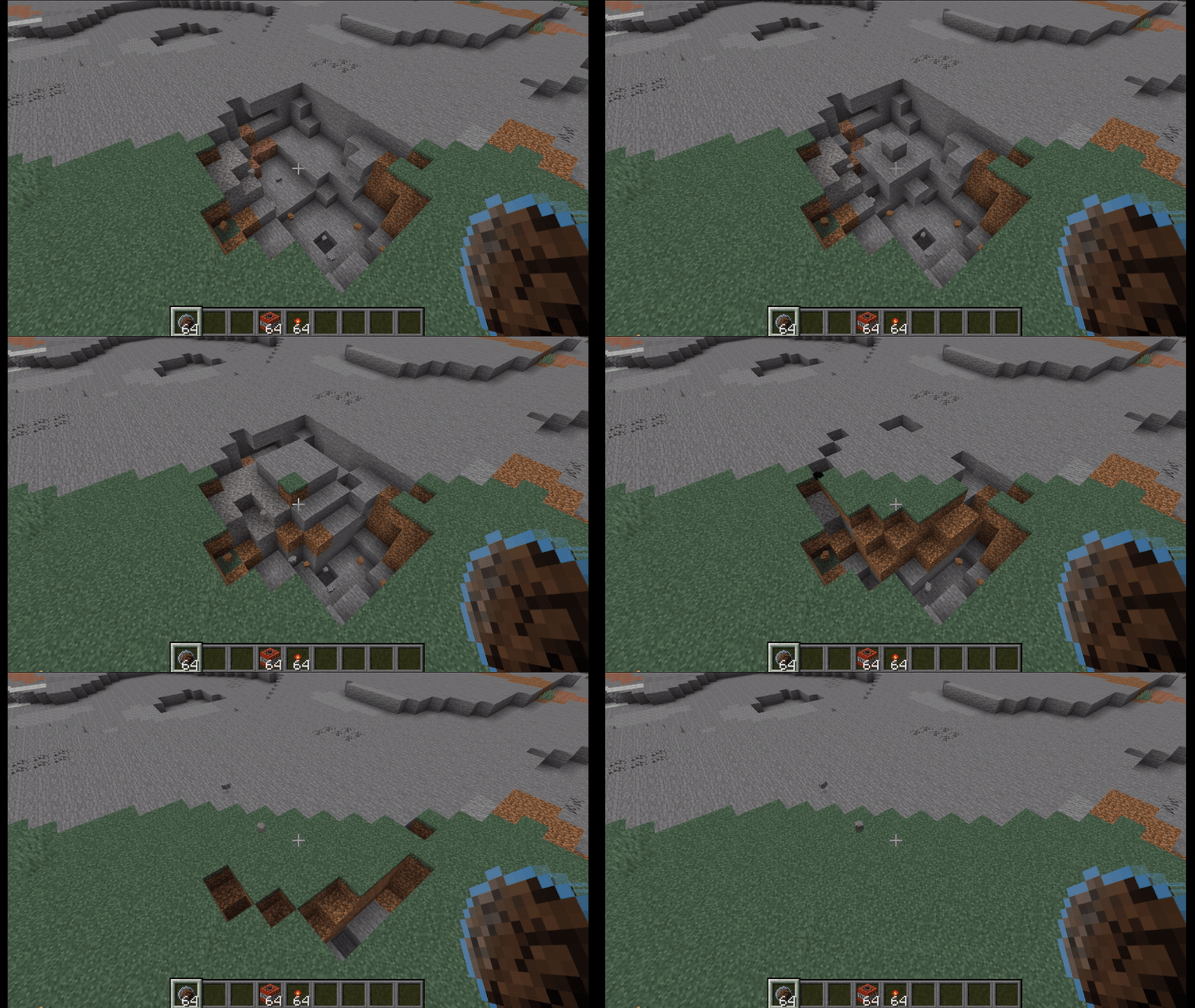
Über diese Mod
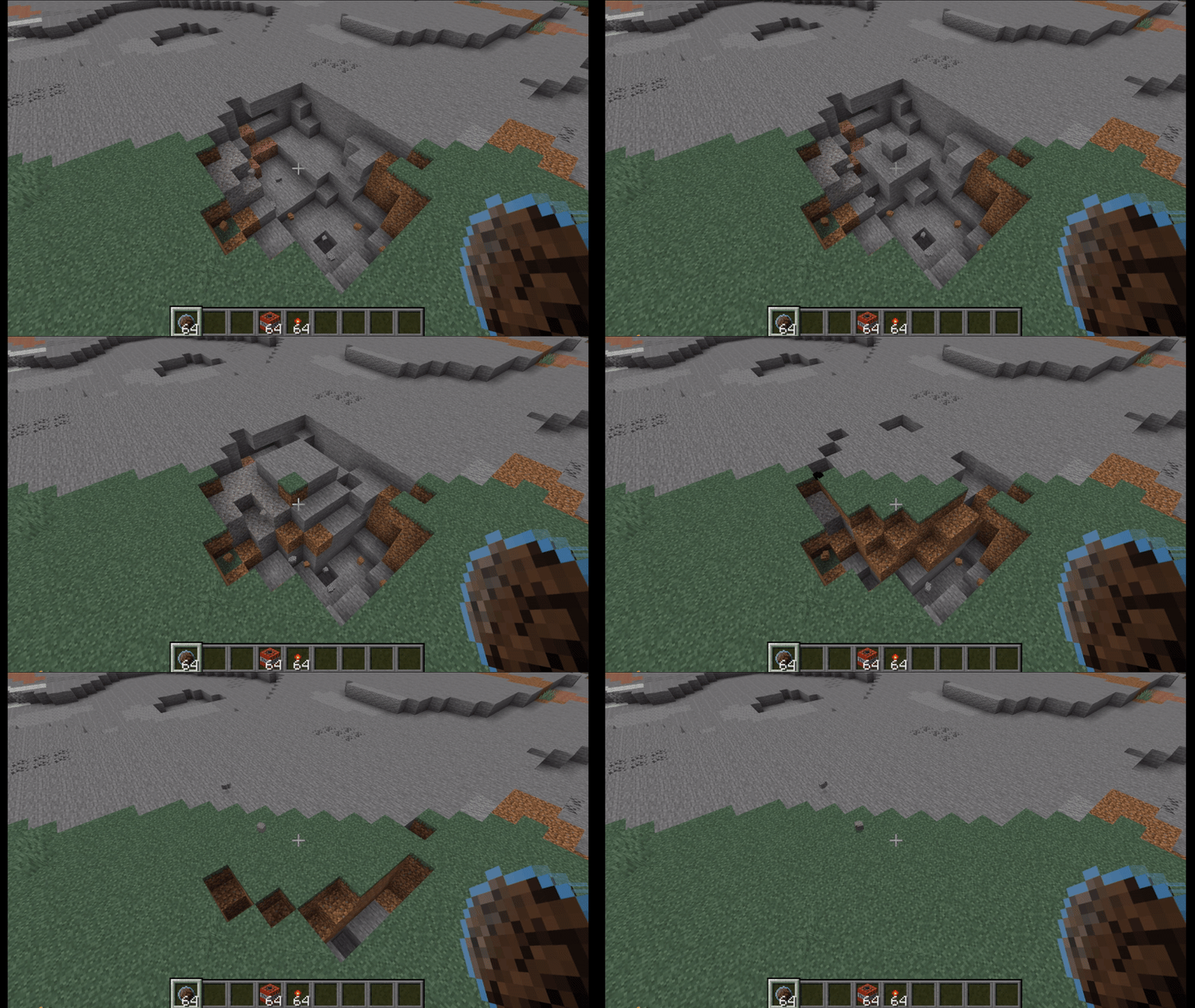
Hole Filler Mod
Reclaim terrain in seconds
Throw it. Keep building. Let HFM remove craters, trenches, and blast damage while you move on.
| Creative | No placement blocks required. |
| Survival | Uses real resources from your inventory or linked storage. |
Why Download HFM
- Fast hole recovery for survival bases and multiplayer servers
- Multiple filler types for terrain, fluids, light control, and precision fills
- Built-in safety limits and configurable behavior
- Item Pack + Inventory Sync reduce inventory clutter
Standout Features
Undo (15 seconds)
Made a mistake or changed your mind?
Break any placed Curing Block within the undo window and the hole is re-emptied, with resources returned.
Smart Hole Filler
Smart HF reads nearby terrain and tries to place matching blocks automatically.
It also includes:
- Preserve Mode: keeps premium blocks for visible surfaces and uses a cheaper preserve block below
- Similar Blocks: substitutes close alternatives when the exact block is missing
- One-Way Blocks: controlled fallback chains for predictable substitutions
Instant Cure
Happy with the result? Use an empty hand and right-click a Curing Block 3 times to cure immediately.
Item Pack + Inventory Sync
Store all Hole Fillers in one pack, switch fillers quickly, and link a container so throws can pull resources from storage instead of your hotbar.
Hole Maker
A charge-based throwable that creates holes on impact. Scale power with Catalyst to control how much terrain is removed.
Quick Start
- Craft a Hole Filler (or Hole Filler Pack).
- Throw into a hole.
- Let Curing Blocks fill and convert.
- Undo or instant-cure based on what you want.
Walkthrough
Recipes and full config options: See the Website.
Links
Verfügbare Versionen
Hole Filler Mod auf dem Server installieren
Server bestellen
Bestelle einen Minecraft Java Server mit mindestens 4 GB RAM (6 GB empfohlen).
fabric Loader setzen
Wähle im Panel unter "Egg" den fabric-Loader und die passende Minecraft-Version (26.3).
Mod installieren
Öffne den Mod-Browser im Dashboard und suche nach "Hole Filler Mod". Klicke "Installieren" – fertig! Alternativ: Lade die .jar via SFTP in den /mods Ordner.
Kompatibilität
Mod-Loader
Minecraft-Versionen
26.3, 26.2, 26.1.2 (+10 weitere)
Server-seitig
✓ ErforderlichEmpfohlener RAM
6 GB(min. 4 GB)Häufige Fragen
Hole Filler Mod Server crasht beim Start – was tun?
Häufigste Ursache: falsche fabric-Version oder zu wenig RAM. Prüfe im Server-Log (latest.log), ob ein "OutOfMemoryError" oder "Mixin"-Fehler auftritt. Bei Mado Hosting: Stelle sicher, dass mindestens 4 GB RAM zugewiesen sind und der Loader zur Mod-Version passt (26.3). Über das Panel kannst du den Loader mit einem Klick wechseln.
Ist Hole Filler Mod mit fabric und forge und neoforge kompatibel?
Hole Filler Mod unterstützt offiziell fabric, forge, neoforge für Minecraft 26.3, 26.2, 26.1.2. Achtung: Forge- und Fabric-Mods sind NICHT untereinander kompatibel – wähle einen Loader und bleibe dabei. Im Mado Dashboard werden inkompatible Loader-Kombinationen automatisch erkannt.
Server laggt mit Hole Filler Mod – wie optimiere ich die Performance?
Empfohlener RAM: 6 GB (+1 GB pro 5 Spieler). Prüfe mit /spark profiler, ob Hole Filler Mod den meisten Tick-Time verbraucht. Häufige Fixes: Server-View-Distance auf 8-10 reduzieren, bei Forge "performant" oder "starlight" als Zusatz-Mod installieren. Bei Mado Hosting läuft dein Server auf NVMe-SSDs mit dedizierten CPU-Kernen für minimale Latenz.
Ähnliche Mods






Modded Server mieten
Installiere Hole Filler Mod mit nur einem Klick auf deinem Server.