
Horse Expert
You want to know what your horses are truly capable of? Check out their statistics!
Screenshots

Über diese Mod




📖 About:
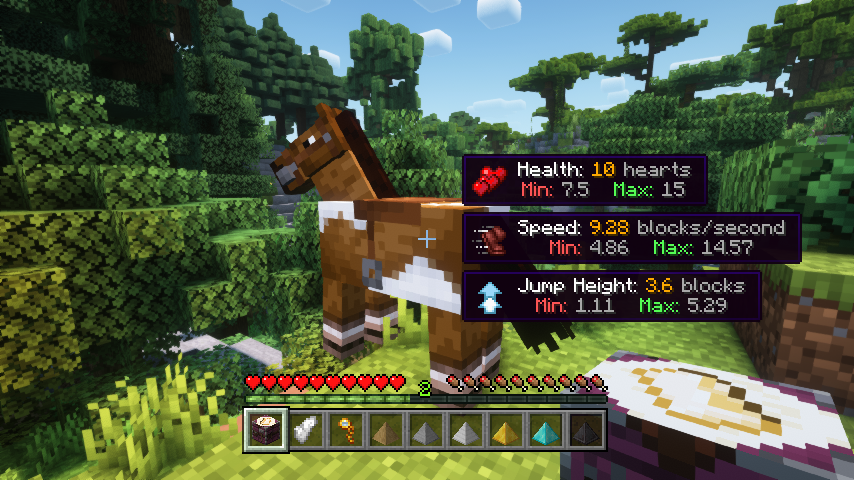
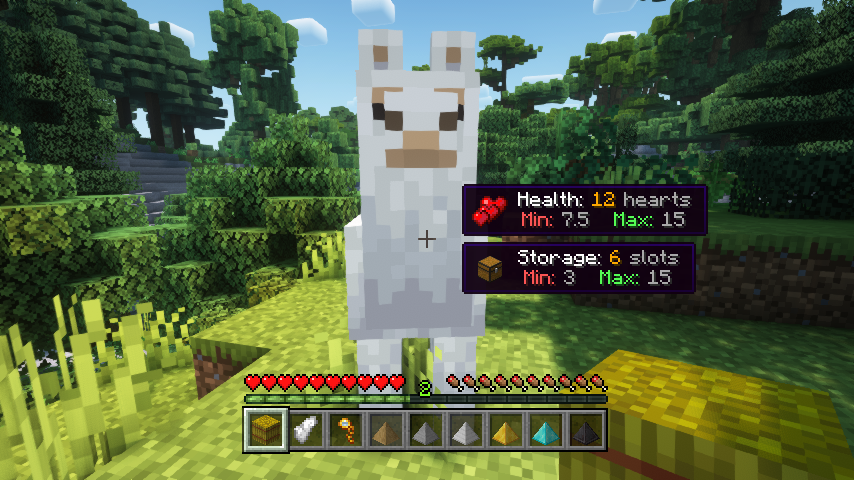
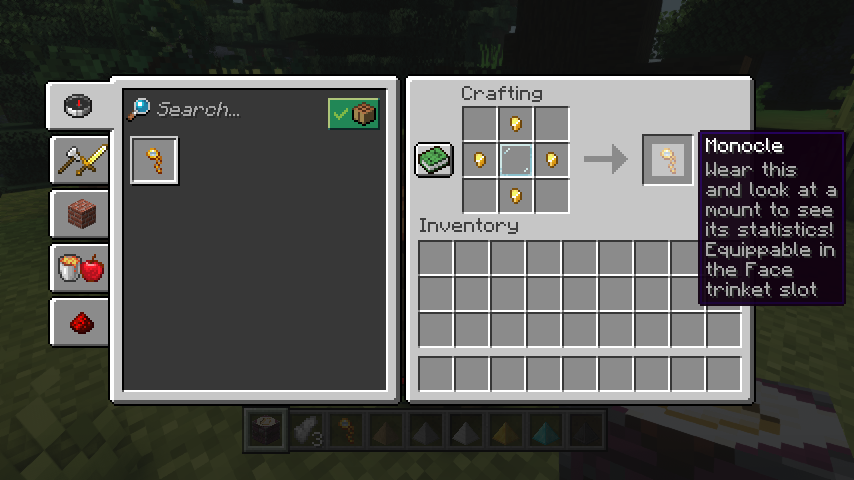
Horse Expert helps you greatly in selecting your trusted steed by showing you all relevant horse statistics. But wait, not just like that! You'll have to craft and equip a monocle first. Then just look at a horse to see what's going on (the horse must be tamed, configurable though). Also works for llamas, with extra information!
📷 Media:
 |
 |
|
| Who would have thought your horse was so skilled? | What an average llama | |
 |
 |
|
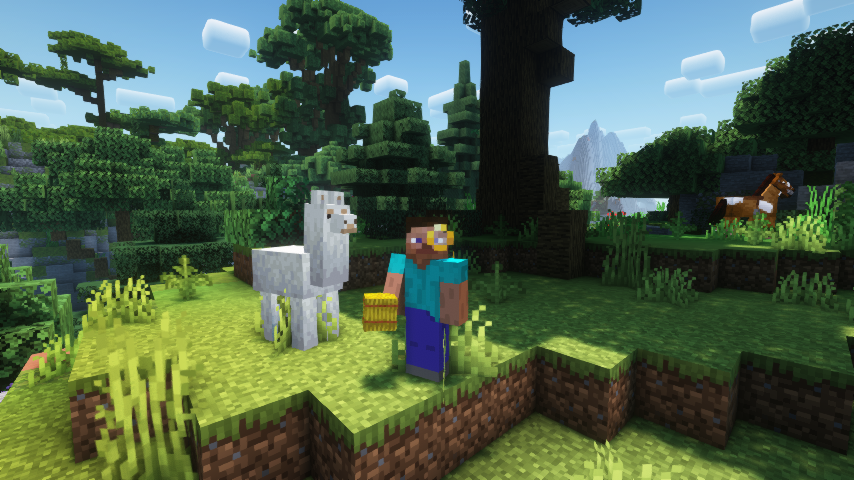
| With great knowledge comes great style | Crafting a monocle item | |
💡 FAQ:
Q: How do I configure this mod on Forge?
A: Install my Config Menus for Forge mod and do it directly in-game!
Q: How do I configure this mod on Fabric?
A: Editing configs directly in-game has not yet been implemented. Instead when in a world run the /config showfile <modid> command by choosing either CLIENT or SERVER (depending on the mod), then click the file name (ending with .toml) that appears in chat to be able to manually edit the config file in a separate editor. After saving the file, the config will automatically reload in-game after a couple of seconds, so no game restart required.
🏆 Credits:
Developing Easy Magic was helped and inspired by:
- TeaJ4y for inspiring this project from their Horse Stats Vanilla mod
- Ron0 for creating those gorgeous monocle textures







 |
 |
|
 |
 |
|
 |
 |
|
 |
 |
|
 |
 |
|
Verfügbare Versionen
Horse Expert auf dem Server installieren
Server bestellen
Bestelle einen Minecraft Java Server mit mindestens 3 GB RAM (4 GB empfohlen).
fabric Loader setzen
Wähle im Panel unter "Egg" den fabric-Loader und die passende Minecraft-Version (26.3).
Mod installieren
Öffne den Mod-Browser im Dashboard und suche nach "Horse Expert". Klicke "Installieren" – fertig! Alternativ: Lade die .jar via SFTP in den /mods Ordner.
Kompatibilität
Mod-Loader
Minecraft-Versionen
26.3, 26.2, 26.1.2 (+19 weitere)
Server-seitig
✓ ErforderlichEmpfohlener RAM
4 GB(min. 3 GB)Häufige Fragen
Horse Expert Server crasht beim Start – was tun?
Häufigste Ursache: falsche fabric-Version oder zu wenig RAM. Prüfe im Server-Log (latest.log), ob ein "OutOfMemoryError" oder "Mixin"-Fehler auftritt. Bei Mado Hosting: Stelle sicher, dass mindestens 3 GB RAM zugewiesen sind und der Loader zur Mod-Version passt (26.3). Über das Panel kannst du den Loader mit einem Klick wechseln.
Ist Horse Expert mit fabric und forge und neoforge kompatibel?
Horse Expert unterstützt offiziell fabric, forge, neoforge für Minecraft 26.3, 26.2, 26.1.2. Achtung: Forge- und Fabric-Mods sind NICHT untereinander kompatibel – wähle einen Loader und bleibe dabei. Im Mado Dashboard werden inkompatible Loader-Kombinationen automatisch erkannt.
Server laggt mit Horse Expert – wie optimiere ich die Performance?
Empfohlener RAM: 4 GB (+1 GB pro 8 Spieler). Prüfe mit /spark profiler, ob Horse Expert den meisten Tick-Time verbraucht. Häufige Fixes: Server-View-Distance auf 8-10 reduzieren, bei Forge "performant" oder "starlight" als Zusatz-Mod installieren. Bei Mado Hosting läuft dein Server auf NVMe-SSDs mit dedizierten CPU-Kernen für minimale Latenz.
Ähnliche Mods



![[TaCZ] Timeless and Classics Zero](https://cdn.modrinth.com/data/SzzJttH8/fd27766d2bb8390d284696b1dbd358f87e081439_96.webp)


Modded Server mieten
Installiere Horse Expert mit nur einem Klick auf deinem Server.