
IC2Classic
IndustrialCraft Classic (IC2 Classic for Short) is an industrial based mod that adds the Industrial Revolution to Minecraft
Screenshots
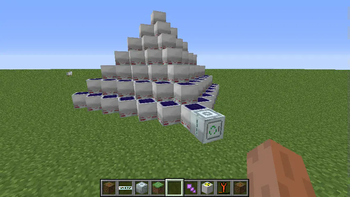
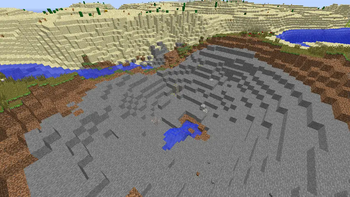
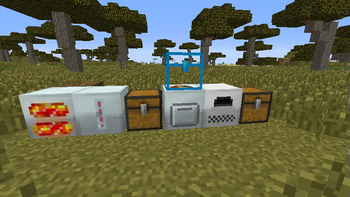
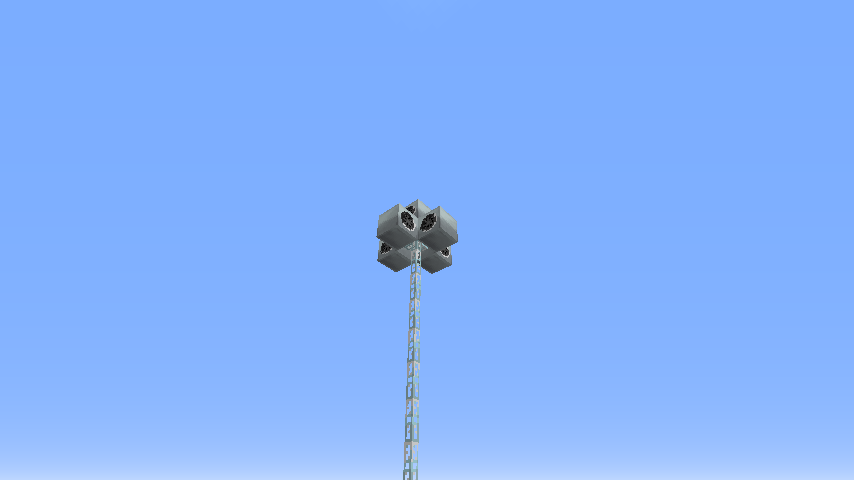
Über diese Mod
Note: IC2 Classic is only Published by Playersf, he has nothing todo with IC2 Classic except publishing.
IndustrialCraft Classic (IC2 Classic for Short) is an industrial based mod that adds the Industrial Revolution to Minecraft:
Part of this is:
Electricity:
- Storing / Producing / Using Power to your advantage.
Ore Processing:
- Get effectively more Ingots out of your Ores.
More Tools:
- Making you a more efficient Person in: Mining, Foresting and building,
More Weapons/Armor:
- Making you a better fighter and let you protect yourself better.
Automation:
- Allow you to get resources and process Items better.
Power Production:
- Allowing you to produce Electricity and use that instead of relying on Solid Fuel
IC2 Classic also implements some IC2 Addons to itself, like Advanced Machines and Compact Solars, with others are planned.
On top of that, it tries to support as many addons as possible, but also native compat to other mods:
Like BuildCraft, NEI (Not Enough Items), Tinkers Construct, Waila and a lot of others.
Compared to IndustrialCraft Experimental, IndustrialCraft Classic is based around the Original Concept and tries to keep to that, whilst also being casual player friendly without losing its main features.
In the 1.10.2 Version the Mod basically doubled in size you get a lot of new things to play with.
But IC2Classic is not a mod that forces the focus on to itself.
Its a mod that assisst you with your minecraft expierience.
How much you want to touch in this mod is up to you.
That doesn't mean that you can't focus around the mod there is a lot to play and get lost with.
Mod Spotlight:
Mischief of Mice made a Bit by bit covering IC2Classic for 1.19.2.
First of 2 Episodes out there!
ToAsgaard made a Spotlight about IC2Classic which will cover the whole mod.
Here is a link to the first Episode.
And here is the Playlist to the whole Spotlights:
ModPack Permission:
Since IC2Classic is on Curseforge/Modrinth you can publish modpacks on CF/Modrinth.
Also Technicpack is fully supported. You do not need to ask but it would be great if you inform me. (Technic Pack Permission)

Verfügbare Versionen
IC2Classic auf dem Server installieren
Server bestellen
Bestelle einen Minecraft Java Server mit mindestens 3 GB RAM (4 GB empfohlen).
forge Loader setzen
Wähle im Panel unter "Egg" den forge-Loader und die passende Minecraft-Version (1.19.2).
Mod installieren
Öffne den Mod-Browser im Dashboard und suche nach "IC2Classic". Klicke "Installieren" – fertig! Alternativ: Lade die .jar via SFTP in den /mods Ordner.
Kompatibilität
Mod-Loader
Minecraft-Versionen
1.19.2, 1.12.2, 1.7.10
Server-seitig
✓ ErforderlichEmpfohlener RAM
4 GB(min. 3 GB)Häufige Fragen
IC2Classic Server crasht beim Start – was tun?
Häufigste Ursache: falsche forge-Version oder zu wenig RAM. Prüfe im Server-Log (latest.log), ob ein "OutOfMemoryError" oder "Mixin"-Fehler auftritt. Bei Mado Hosting: Stelle sicher, dass mindestens 3 GB RAM zugewiesen sind und der Loader zur Mod-Version passt (1.19.2). Über das Panel kannst du den Loader mit einem Klick wechseln.
Ist IC2Classic mit forge kompatibel?
IC2Classic unterstützt offiziell forge für Minecraft 1.19.2, 1.12.2, 1.7.10. Im Mado Dashboard werden inkompatible Loader-Kombinationen automatisch erkannt.
Server laggt mit IC2Classic – wie optimiere ich die Performance?
Empfohlener RAM: 4 GB (+1 GB pro 8 Spieler). Prüfe mit /spark profiler, ob IC2Classic den meisten Tick-Time verbraucht. Häufige Fixes: Server-View-Distance auf 8-10 reduzieren, bei Forge "performant" oder "starlight" als Zusatz-Mod installieren. Bei Mado Hosting läuft dein Server auf NVMe-SSDs mit dedizierten CPU-Kernen für minimale Latenz.
Ähnliche Mods






Modded Server mieten
Installiere IC2Classic mit nur einem Klick auf deinem Server.