
IG: Item Clumps
Item Clumps completely redesigns how dropped item entities behave in the world, combining them into lightweight, virtual mega-stacks to maximize both server performance and client-side frame rates.
Screenshots
Über diese Mod






📦 Item Clumps
"Stop Ground Item Lag. Merge Endless Drops into Ultra-Smooth Clumps."
[!NOTE]
1 Jar 1 Version Policy: I build 1 dedicated JAR for each Minecraft version (e.g. MC 26.2, MC 26.3). Please download the exact build that matches your Minecraft installation.
Dependency Requirement: For modern Minecraft 26.x releases (26.1.2, 26.2, 26.3+), this mod requires both Fabric API and Dasik Library (v1.7.4+).
In vanilla Minecraft, dropped items merge, but they strictly cap out at a standard stack size of 64. When an automated mob farm, quarry, tree harvester, or massive TNT explosion spills thousands of items onto the ground, your game is forced to tick, track, and render dozens—or even hundreds—of individual 3D item entities. The result? Severe client-side frame stuttering, rendering bottlenecks, and catastrophic server TPS drops.
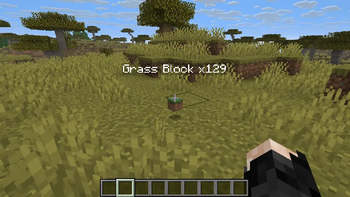
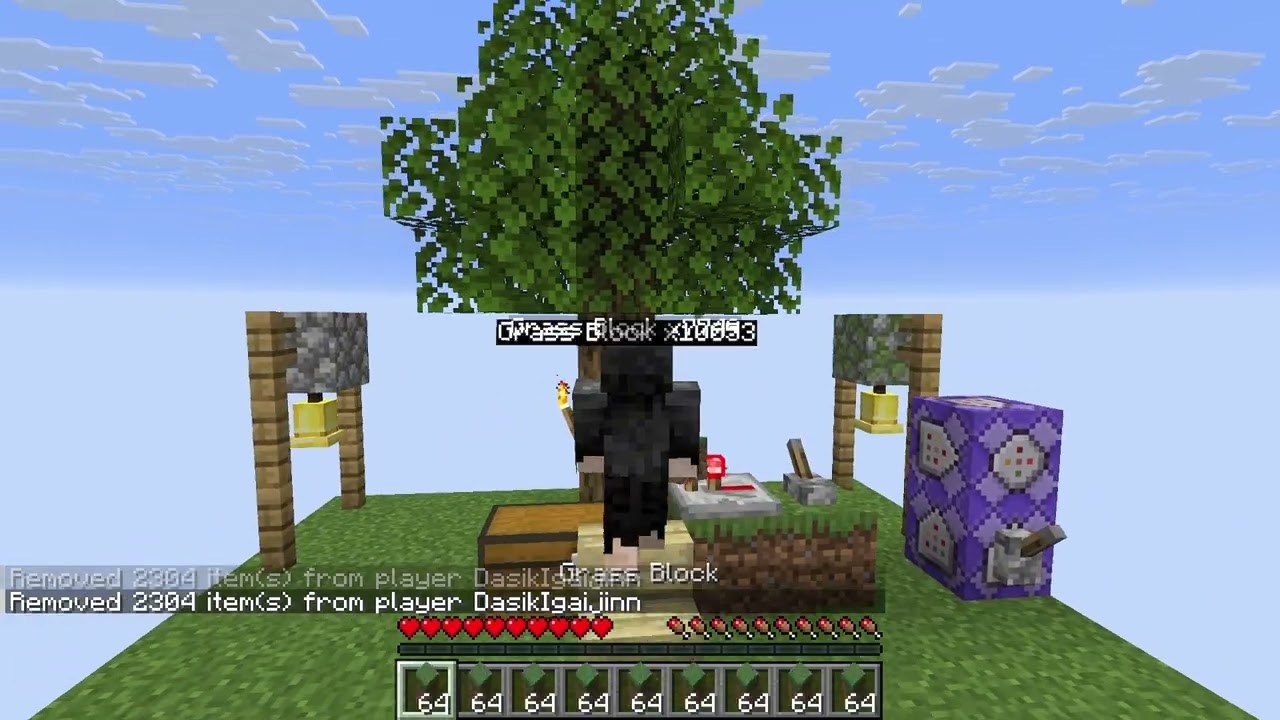
Item Clumps shatters the 64-item ground entity barrier server-side. It aggressively merges identical dropped items into single, ultra-lightweight virtual mega-stacks of up to 9,999 items by default (or up to 2,147,483,647). Floating holographic count labels render cleanly above clumps, hoppers drip-feed items smoothly without jamming, and vanilla clients can connect to servers without installing any client mod!
Part of the Instant Gratification Collection — mods that respect the player's time.
🎬 Video Showcase
🎬 Video Showcase: Item Clumps in Action
Click the video thumbnail or button below to watch the live demonstration on YouTube:

✨ Features
🚀 Server-Side Stack Aggregation & Virtualization
Bypasses the vanilla 64-item ground entity ceiling entirely. Identical dropped items (sharing matching item types, DataComponents, and targeting) merge into single unified entities containing up to 9,999 items by default, fully configurable up to 2,147,483,647 (Integer.MAX_VALUE).
[!NOTE]
Virtual Count Storage: The full virtual item count is stored directly in the standard vanillaItemStackcount. Because modern Minecraft serializes stack counts using dynamic VarInts rather than legacy bytes, vanilla clients natively receive, synchronize, and display these counts on ground entities.
🏷️ Dynamic Holographic Count Labels
Renders a custom floating nameplate (e.g. Cobblestone x1450 or Rotten Flesh x420) above clumps whenever the entity count exceeds a normal stack. Uses Minecraft's native entity nametag rendering (setCustomName and setCustomNameVisible) on the server so that vanilla clients see the label without needing any client-side mod installed.
⏱️ Vanilla Despawn Timer Preservation
To protect your hard-earned resources, merged clumps inherit the age of the youngest constituent item in the merge (Math.min(this.age, other.age)). This ensures combining newly dropped items with older items never causes premature despawning.
📦 Smart Inventory Transfer & Chunked Pickups
Walking over a massive clump never wastes or deletes items. The mod calculates your player inventory's free capacity and transfers only what you can hold in full stack chunks, leaving the remaining items safely on the ground in a smaller clump with immediate visual count updates.
⚙️ Hopper Drip-Feed Protection
Hoppers under an Item Clump extract exactly 1 item per normal vanilla transfer cycle via HopperBlockEntityMixin, decrementing the clump smoothly. Your sorting systems, storage silos, and redstone item elevators continue to function at standard vanilla transfer cadences without stalling or swallowing full mega-stacks.
📐 Horizontal Search Radius & Vertical Layer Guard
Merges identical items within a configurable horizontal radius (item_clumps:merge_radius, default: 1 block). Crucially, the merging algorithm enforces a vertical boundary: items resting 1 block above or below will not merge through ceilings, floors, or platforms.
🧲 Companion Mod Synergy (Stack Size Adjuster & Magnet)
- Stack Size Adjuster Integration: When Stack Size Adjuster is present, Item Clumps automatically defers ground entity caps to your custom configured stack sizes, cleanly hiding the redundant
max_clump_sizeGameRule from the settings menu. - Magnet Flight Compatibility: Built-in reflection hooks detect items actively traveling through the air towards players via Magnet, temporarily exempting them from clumping until flight completes for smooth, fluid motion trajectories.
🧩 Compatibility & HUD Integration
- 100% Server-Side Compatible: Runs entirely on the server. Vanilla clients can join modded dedicated servers without downloading anything.
- YetAnotherConfigLib (YACL) & ModMenu: Optional graphical configuration screen in singleplayer to easily customize world defaults.
- Zero NBT Pollution: In-memory damage and entity interception guarantees your world saves remain 100% vanilla safe.
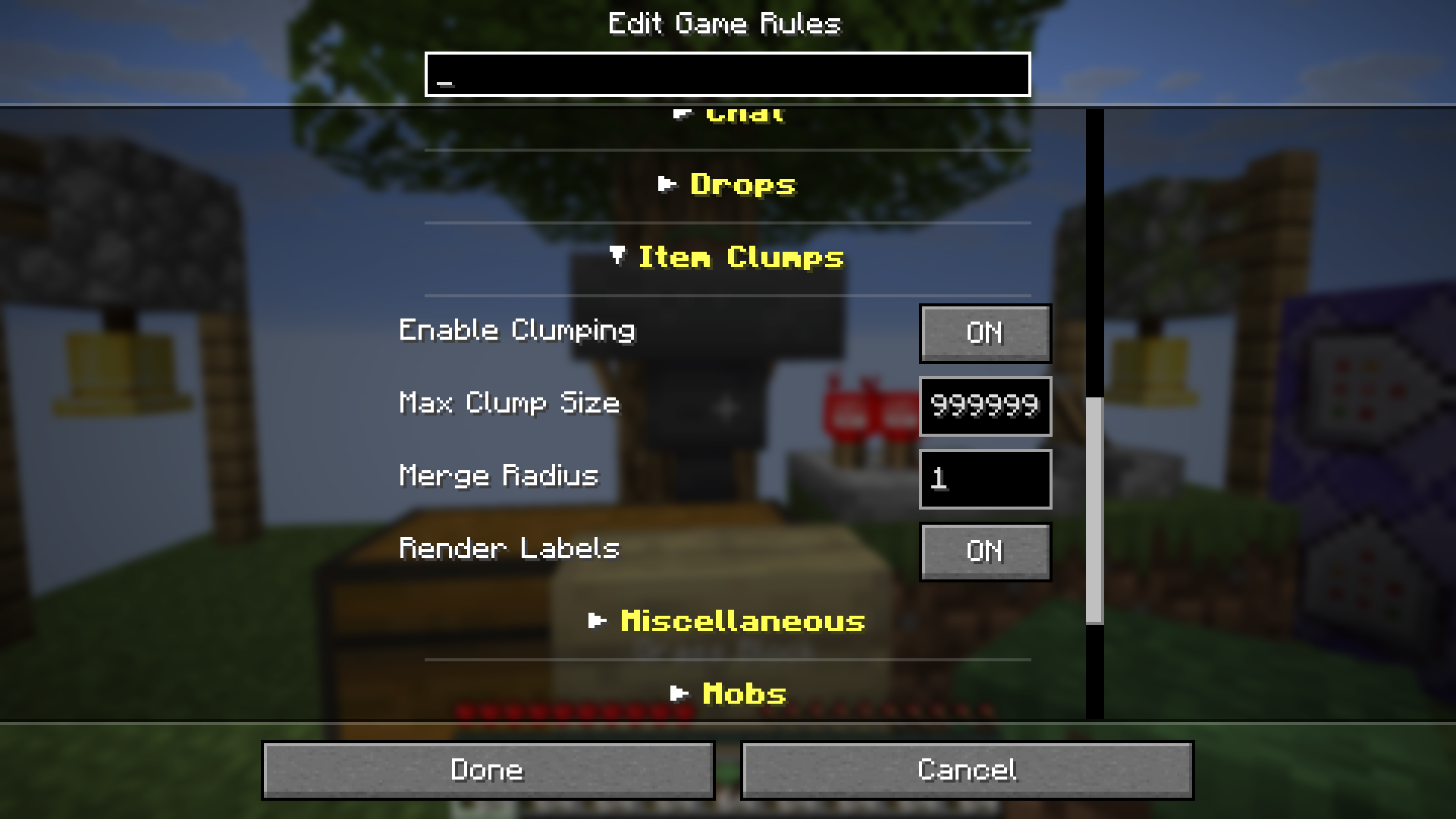
Native in-game Edit Game Rules menu showing the dedicated Item Clumps category
📊 Quick Reference & Mechanics Matrix
| Gameplay Aspect | Vanilla Minecraft | Item Clumps (Modern 26.2+) |
|---|---|---|
| Max Ground Stack Size | 64 items (16 for pearls/eggs, 1 for tools) | 9,999 items (Configurable up to 2.14 Billion) |
| Entity Count for 5,000 Items | 79 separate 3D entity models | 1 single unified entity |
| Frame Rate & Tick Impact | Severe stuttering, FPS drops, TPS decay | Smooth 60 FPS, zero entity tick lag |
| Holographic Count Label | ❌ None (Indistinguishable pile) | ✅ Live 3D nametag (Item Name xCount) |
| Despawn Timer Logic | Merges reset to oldest item age | ✅ Inherits youngest age (Maximum lifespan) |
| Hopper Extraction | 1 item pulled per cycle | ✅ Safe 1-item drip feed (No redstone breakage) |
| Magnet Flight Behavior | Glitchy mid-air merging | ✅ Aerodynamic flight lock (No sudden snapping) |
| Client Requirement | Required on client | ✅ 100% Server-Side (Vanilla clients supported) |
🚀 In-Game Commands & Quick Start
Adjust ground clumping rules live in your active world without restarting using standard Minecraft /gamerule commands:
/gamerule item_clumps:enable_clumping true
/gamerule item_clumps:max_clump_size 9999
/gamerule item_clumps:render_labels true
/gamerule item_clumps:label_min_count -1
/gamerule item_clumps:merge_radius 1
All modifications made via /gamerule take effect immediately and synchronize across all connected players.
⚙️ Configuration (Native GameRules)
[!IMPORTANT]
💡 Config vs. In-Game GameRules: The global configuration file (config/item_clumps.json) only defines default values for newly created worlds. In existing worlds, change settings in-game via the Edit Game Rules UI screen or the/gamerulecommand.
| GameRule Name | Type | Default | Valid Range | Description |
|---|---|---|---|---|
item_clumps:enable_clumping |
Boolean |
true |
true / false |
Toggles the item clumping mechanic on or off. When disabled, vanilla merging applies. |
item_clumps:max_clump_size |
Integer |
9999 |
64 to 2,147,483,647 |
Maximum number of items a single clump can hold. (Hidden when Stack Size Adjuster is loaded). |
item_clumps:render_labels |
Boolean |
true |
true / false |
Renders a 3D holographic count label above clumps larger than a normal stack. |
item_clumps:label_min_count |
Integer |
-1 |
-1 to 2,147,483,647 |
Minimum count required before displaying holographic label. Set to -1 to use vanilla max stack limit. |
item_clumps:merge_radius |
Integer |
1 |
1 to 10 |
Horizontal block radius items will search to find and merge with identical ground items. |
📖 In-Depth How-To & Operational Playbook
1. Drop-In Setup & Baseline Initialization
- Place
item-clumps-*.jaralong with Fabric API and Dasik Library into yourmodsfolder. - Launch Minecraft. The mod will automatically generate
config/item_clumps.jsonpopulated with recommended high-performance defaults.
2. Live In-Game Tuning vs. Global Template
- For New Worlds: Configure your desired settings in
config/item_clumps.jsonor via ModMenu + YACL on the title screen. New worlds copy these values into world GameRules upon creation. - For Existing Worlds: Open the pause menu → Edit Game Rules → scroll to the Item Clumps section, or use
/gamerule item_clumps:<rule> <value>in chat.
3. Industrial Farm Optimization (Mob Farms & Quarries)
- For high-volume automated mob grinders or quarry tunnels, set
item_clumps:merge_radius 2or3. This allows items dropped across multiple hopper channels or water streams to cluster into a single central entity. - If you notice holographic labels causing visual clutter in farm collection pits, raise
item_clumps:label_min_countto256or1000so only massive surplus clumps display floating text.
4. Storage & Hopper Sorting Safeguards
- Item Clumps does not require custom collection filters. Standard hopper sorters and item elevators will ingest items smoothly 1 by 1.
- Because clumps shrink progressively as hoppers pull from them, the floating label updates in real time to show the remaining quantity.
5. Troubleshooting & Crash Prevention
- Classloader Guard: Item Clumps contains Knot ClassLoader startup checks to ensure compatibility across Minecraft versions.
- Overflow Prevention: Clump sum calculations utilize 64-bit arithmetic to ensure total item counts never overflow into negative values.
🧩 Recommended Sister Mods
If you enjoy Item Clumps, these companion mods from the Instant Gratification Collection plug in seamlessly:
- 📦 Stack Size Adjuster: Scale inventory slot and container limits from 64 up to 2.14 Billion, perfectly aligning your storage chests with ground clump thresholds.
- 🧲 Magnet (Let Me Get That!): Automatically vacuum massive item clumps and XP orbs straight into your inventory from up to 64 blocks away.
- ⛏️ Ore Amplifier: Multiply vanilla and modded ore generation in newly generated chunks to feed your high-capacity storage systems.
🌟 Explore the full Instant Gratification Collection for more high-convenience enhancements.
💬 Join the Community & Get Support
Looking for help, want to test early beta builds, or vote on upcoming features? Join our official Discord community!

☕ Support
If you enjoy the Instant Gratification Collection, consider fueling future updates!



[!NOTE]
🇮🇩 Indonesian Users: SocioBuzz and Saweria support local payment methods (Gopay, OVO, Dana, etc.) if you want to support me without using PayPal/Ko-fi!
📜 Credits & Modpack Permissions
| Role / Property | Author / Link |
|---|---|
| Creator / Author | Dasik (Rifaditya) |
| Community | Official Discord |
| Collection | Instant Gratification |
| License | GNU General Public License v3.0 (GPLv3) |
| Source Code | GitHub - Rifaditya/IG-item-clumps |
| Issue Tracker | GitHub Issues |
| Documentation / Wiki | GitHub Wiki |
[!IMPORTANT]
📦 Modpack Permissions & Distribution:
You are fully welcome to include this mod in any modpack on any platform! However, the mod file must be downloaded directly through official distribution channels (Modrinth or CurseForge). Re-uploading, mirroring, or redistributing the original mod JAR to third-party mirror sites, scraper portals, or unauthorized launchers is strictly prohibited.
⚖️ License & Fork Guidelines (No Zero-Change Re-uploads):
This project is open-source under the GNU GPLv3. You are fully encouraged to inspect the code, learn from it, and fork the repository to create genuine modifications, substantial feature expansions, or community ports—provided your project remains open-source under GPLv3 with proper attribution.
However, straight 1:1 re-uploads, clone forks with no meaningful functional changes, or re-publishing identical builds under different project names (e.g. to farm downloads or rewards) are strictly forbidden.
Made with ❤️ for the Minecraft community
Part of the Instant Gratification Collection
Verfügbare Versionen
IG: Item Clumps auf dem Server installieren
Server bestellen
Bestelle einen Minecraft Java Server mit mindestens 3 GB RAM (4 GB empfohlen).
fabric Loader setzen
Wähle im Panel unter "Egg" den fabric-Loader und die passende Minecraft-Version (26.3).
Mod installieren
Öffne den Mod-Browser im Dashboard und suche nach "IG: Item Clumps". Klicke "Installieren" – fertig! Alternativ: Lade die .jar via SFTP in den /mods Ordner.
Kompatibilität
Mod-Loader
Minecraft-Versionen
26.3, 26.2, 26.2-rc-2 (+12 weitere)
Server-seitig
✓ ErforderlichEmpfohlener RAM
4 GB(min. 3 GB)Häufige Fragen
IG: Item Clumps Server crasht beim Start – was tun?
Häufigste Ursache: falsche fabric-Version oder zu wenig RAM. Prüfe im Server-Log (latest.log), ob ein "OutOfMemoryError" oder "Mixin"-Fehler auftritt. Bei Mado Hosting: Stelle sicher, dass mindestens 3 GB RAM zugewiesen sind und der Loader zur Mod-Version passt (26.3). Über das Panel kannst du den Loader mit einem Klick wechseln.
Ist IG: Item Clumps mit fabric kompatibel?
IG: Item Clumps unterstützt offiziell fabric für Minecraft 26.3, 26.2, 26.2-rc-2. Im Mado Dashboard werden inkompatible Loader-Kombinationen automatisch erkannt.
Server laggt mit IG: Item Clumps – wie optimiere ich die Performance?
Empfohlener RAM: 4 GB (+1 GB pro 8 Spieler). Prüfe mit /spark profiler, ob IG: Item Clumps den meisten Tick-Time verbraucht. Häufige Fixes: Server-View-Distance auf 8-10 reduzieren, bei Forge "performant" oder "starlight" als Zusatz-Mod installieren. Bei Mado Hosting läuft dein Server auf NVMe-SSDs mit dedizierten CPU-Kernen für minimale Latenz.
Ähnliche Mods






Modded Server mieten
Installiere IG: Item Clumps mit nur einem Klick auf deinem Server.
Details
- Lizenz
- GNU Lesser General Public License v3.0 or later
- Server-seitig
- Erforderlich