
Iris/Oculus Shader Folder
A mod to hide, recolor, add tooltips, and reorder shaderpacks in the Iris/Oculus shaders menu using flexible patterns. THIS IS NOT A SHADER LOADER
Screenshots
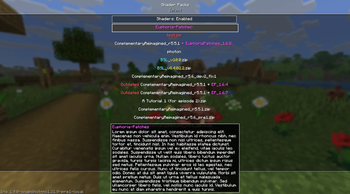
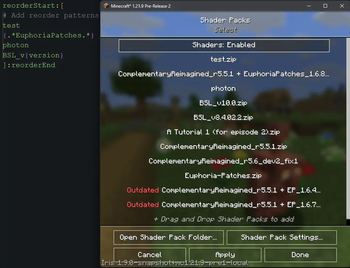
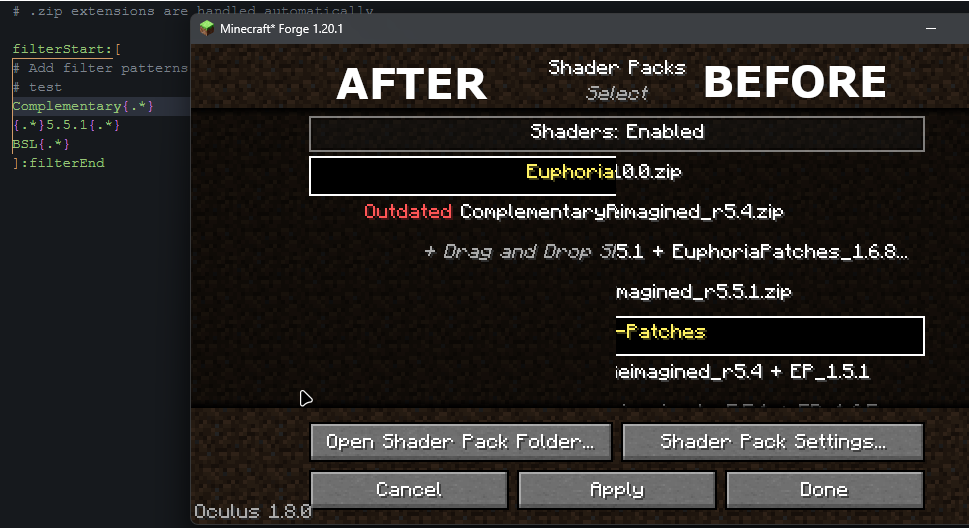
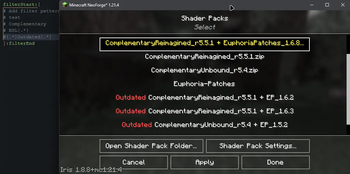
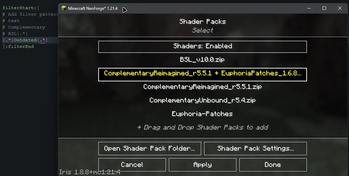
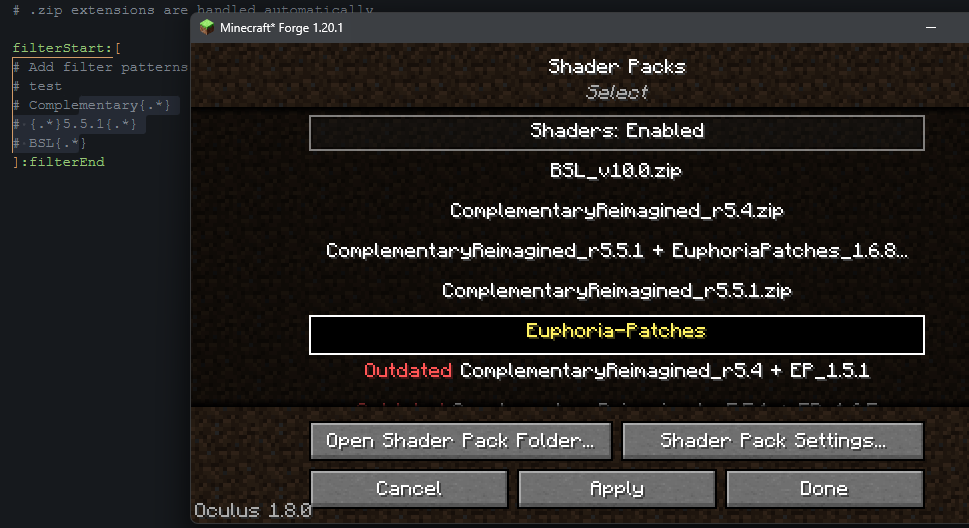
Über diese Mod
IRIS/OCULUS ADD-ON. THIS IS NOT A SHADER LOADER.


A mod that lets you hide, filter, recolor, rename, add tooltips, and reorder specific shader packs in the Iris/Oculus shaders menu using flexible patterns.
This mod does NOT load shaders! It only organizes and customizes the shader selection menu.
📝 Why use this mod?
Tired of scrolling through a messy shader list? Want to hide test packs, old versions, recolor names, add tooltips, or put your favorites at the top? Or maybe even remove all underscores?
Iris Shader Folder Mod lets you filter out unwanted shader packs, organize the menu, recolor names, and add custom tooltips making your shader selection fast, clean, and personal.
Features
- Hide shader packs by name, version, or regex pattern
- Reorder shader packs in the menu using patterns and positions
- Recolor shader pack names or parts of names with Minecraft color codes
- Edit shader names without changing the actual file names.
- Add custom tooltips to shader packs in the menu
- Supports both modern and legacy Iris versions and also Oculus
- Real-time config reloading (no restart required)
- Debug logging to file for troubleshooting
For Shaderpack Developers
Add your own tooltips easily!
Add a shaderDescription=Your Description line to /shaders/lang/en_us.lang (and any other language file to translate it).
Configuration
Edit the config file at:config/iris_shader_folder.properties
Example filter section:
filterStart:[
test
{.*}Outdated{.*}
ComplementaryShaders_r{version}
]:filterEnd
- Each line is a filter pattern.
- Use
{version}as a shortcut for version numbers (e.g., 1.2.3). - Use
{...}to insert raw regex (e.g.,Outdated{.*(shader|Reimagined)}). - Patterns match both folders and .zip shader packs.
Example reorder section:
reorderStart:[
{.*}EuphoriaPatches{.*}
Complementary{.*}_r{version}
BSL{.*}
[!]Outdated{.*}
]:reorderEnd
- The order of lines determines the order in the menu (top line = first position, etc.).
- If a shaderpack matches multiple patterns, the first matching pattern wins and subsequent patterns skip that shader.
- Use the
[!]prefix to force a pattern to match even if the shader was already matched by a previous rule.- Example:
[!]Outdated{.*}will move any shader with "Outdated" in its name to position 4, even if it was already matched by an earlier pattern.
- Example:
- Patterns support
{version}and custom regex in braces. - Patterns match both folders and .zip shader packs.
Example recolor section:
recolorStart:[
Complementary{.*} [|] Comp [->] red [|] {version} [->] §6
{.*}EuphoriaPatches{.*} [|] EuphoriaPatches_{version} [->] light_purple
test [|] {all} [->] red
]:recolorEnd
- Recolor the whole name or just parts using Minecraft color names or codes.
{all}recolors the entire name.- Multiple recolor rules can be combined per line.
Example rename section:
renameStart:[
{all} [|] _ [->] { }
Complementary{.*} [|] Complementary [->] Comp
test [|] {all} [->] Test Shader
]:renameEnd
- Rename shader pack names or just parts using flexible patterns.
{all}renames the entire name.- Use
{ }to insert a whitespace character as a replacement. - Format:
shader_pattern [|] part_pattern [->] replacement [|] part_pattern2 [->] replacement2 .... - Multiple rename rules can be combined per line.
Example tooltip section:
tooltipStart:[
Complementary{.*} [|] Complementary is a shaderpack focused on performance and visual quality.
test [|] This is a test shaderpack.
]:tooltipEnd
- Add custom tooltip text for any shader pack.
- Tooltips appear when hovering over the shader in the menu.
Enable Debug Logging
Set debugLogging=true in the config file to write detailed debug info to config/iris_shader_filter_debug.txt
Verfügbare Versionen
Iris/Oculus Shader Folder auf deinem Client installieren
Mod-Loader lokal installieren
Installiere fabric für deine lokale Minecraft-Version.
Passende Datei herunterladen
Wähle die Iris/Oculus Shader Folder-Datei für fabric und Minecraft 26.3.
Mod installieren
Lege die .jar-Datei in deinem lokalen .minecraft/mods-Ordner ab und starte Minecraft neu. Eine Installation auf dem Server ist nicht nötig.
Kompatibilität
Mod-Loader
Minecraft-Versionen
26.3, 26.2, 26.2-rc-2 (+374 weitere)
Server-seitig
✗ Nicht unterstütztEmpfohlener RAM
4 GB(min. 3 GB)Häufige Fragen
Muss Iris/Oculus Shader Folder auf dem Minecraft Server installiert werden?
Nein. Modrinth kennzeichnet Iris/Oculus Shader Folder serverseitig als nicht unterstützt. Installiere die Mod nur im lokalen Minecraft-Mods-Ordner. Dein Server kann unverändert bleiben, sofern die Mod-Seite keine zusätzliche Abhängigkeit nennt.
Welche Version und welchen Loader braucht Iris/Oculus Shader Folder?
Nutze eine Datei für fabric, forge, neoforge, quilt und exakt deine Minecraft-Version. Unterstützte Versionen sind unter anderem 26.3, 26.2, 26.2-rc-2. Loader-Dateien sind nicht untereinander austauschbar.
Iris/Oculus Shader Folder funktioniert nicht – was kann ich prüfen?
Prüfe zuerst Minecraft-Version, Loader-Version und erforderliche Abhängigkeiten. Lege die .jar-Datei im lokalen .minecraft/mods-Ordner ab und entferne ältere Duplikate. Da die Mod clientseitig ist, löst mehr Server-RAM dieses Problem nicht.
Ähnliche Mods




![[ETF] Entity Texture Features](https://cdn.modrinth.com/data/BVzZfTc1/af683d206d50b05258d865b0d6e4aa2f2cee12f2_96.webp)

Minecraft Server für deine Gruppe
Iris/Oculus Shader Folder bleibt auf deinem Client. Hoste dazu eine kompatible Welt für deine Mitspieler.