
Just Enough Book
Just Enough Book (JEB) – Minecraft Recipe Book Mod
Screenshots
Über diese Mod
| Bugs & News | All Projects | Support Me |
|---|---|---|

|

|

|

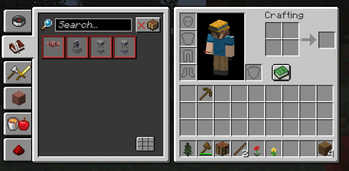
This mod slightly improves the standard Minecraft recipe book. It’s a lightweight alternative to mods like JEI (Just Enough Items).
The new mod by Max Bel.
You can buy me a coffee if you’d like :) — https://ko-fi.com/maxbel
🔔 See major new features and fixes in versions 1.0.6–1.0.11
Special JEB mod version 1.0.11-ATM10 (NeoForge 1.21-1.21.1) has been released for compatibility testing with the "All The Mods 10" modpack.
Please remove the "FastWorkbench" mod before launching.
IN BETA 1.0.5 - 1.20.1,1.21.4,1.21.5!!!
✨ Added some performance optimizations.
🖱️ You can now middle-click (MMB) an item to instantly view its ingredients.
🔍 Or just type ~[item_id] in the search bar to see what it’s made from!
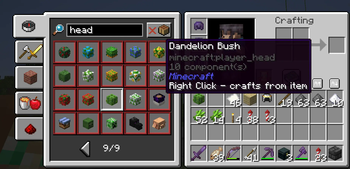
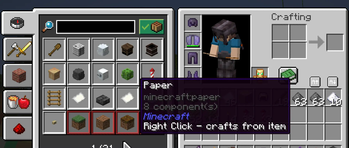
You can view not only craftable items, but all items. By right-clicking any item, you can see what can be crafted from it (or just add # to the beginning of the search string).
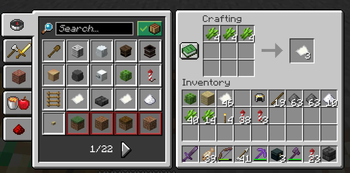
You can search by item name, tag name, or tooltip text. And of course, you can place items to craft the recipe!
Items are ungrouped (displayed as individual animated buttons), which makes browsing them more convenient.
This is a client-side mod. On any pure vanilla server, it will still show all recipes — even the ones normally hidden from you.
If it doesn’t — try pressing the "Load all recipes" button.
It also has a server-side component: if installed on a server, it will send all server's recipes using the standard method, allowing you to see recipes from any mod.
IN BETA 1.0.4!!!
🔍 New Features
Mod Element Search:
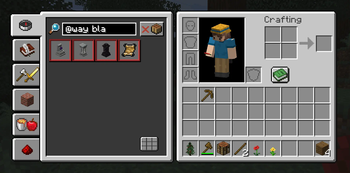
You can now search for items and recipes by mod using the syntax:
@[mod name[ element name]]
Hide 3x3 Recipes:
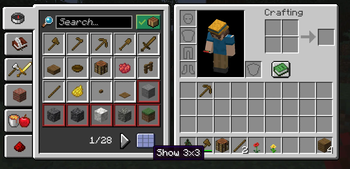
A new toggle button allows you to hide 3x3 crafting recipes in the inventory view.
Favorites System:
Hover over an item and press A to add it to your favorites.
While in the favorites tab, pressing A again removes the item.
Verfügbare Versionen
Just Enough Book auf dem Server installieren
Server bestellen
Bestelle einen Minecraft Java Server mit mindestens 3 GB RAM (4 GB empfohlen).
fabric Loader setzen
Wähle im Panel unter "Egg" den fabric-Loader und die passende Minecraft-Version (26.3).
Mod installieren
Öffne den Mod-Browser im Dashboard und suche nach "Just Enough Book". Klicke "Installieren" – fertig! Alternativ: Lade die .jar via SFTP in den /mods Ordner.
Kompatibilität
Mod-Loader
Minecraft-Versionen
26.3, 26.2, 26.1.2 (+12 weitere)
Server-seitig
~ OptionalEmpfohlener RAM
4 GB(min. 3 GB)Häufige Fragen
Just Enough Book Server crasht beim Start – was tun?
Häufigste Ursache: falsche fabric-Version oder zu wenig RAM. Prüfe im Server-Log (latest.log), ob ein "OutOfMemoryError" oder "Mixin"-Fehler auftritt. Bei Mado Hosting: Stelle sicher, dass mindestens 3 GB RAM zugewiesen sind und der Loader zur Mod-Version passt (26.3). Über das Panel kannst du den Loader mit einem Klick wechseln.
Ist Just Enough Book mit fabric und forge und neoforge kompatibel?
Just Enough Book unterstützt offiziell fabric, forge, neoforge für Minecraft 26.3, 26.2, 26.1.2. Achtung: Forge- und Fabric-Mods sind NICHT untereinander kompatibel – wähle einen Loader und bleibe dabei. Im Mado Dashboard werden inkompatible Loader-Kombinationen automatisch erkannt.
Server laggt mit Just Enough Book – wie optimiere ich die Performance?
Empfohlener RAM: 4 GB (+1 GB pro 8 Spieler). Prüfe mit /spark profiler, ob Just Enough Book den meisten Tick-Time verbraucht. Häufige Fixes: Server-View-Distance auf 8-10 reduzieren, bei Forge "performant" oder "starlight" als Zusatz-Mod installieren. Bei Mado Hosting läuft dein Server auf NVMe-SSDs mit dedizierten CPU-Kernen für minimale Latenz.
Ähnliche Mods


Modded Server mieten
Installiere Just Enough Book mit nur einem Klick auf deinem Server.