

Modrinth · Fabric, Forge, NeoForge · Client-Mod
Konfig
Konfig ist eine clientseitige Mod. Du installierst sie auf deinem Rechner, auf dem Server ist sie nicht nötig.
Ergonomic multiloader configuration library with sync support.
- Downloads
- 347.7K
- Autor
- iamkaf
- Loader
- Fabric, Forge, NeoForge
- Minecraft
- 1.14.4 – 26.3
- Aktualisiert
- –
Einrichtung
Konfig auf deinem Client installieren
Clientseitige Mods laufen nur auf deinem Rechner. Mehr Server-RAM ändert an ihrer Leistung nichts.
- 01
Loader lokal installieren
Installiere Fabric oder Forge oder NeoForge für deine Minecraft-Version in deinem Launcher.
- 02
Datei herunterladen
Lade die Konfig-Datei für deinen Loader und exakt deine Minecraft-Version herunter, zum Beispiel 26.3.
- 03
In den Mods-Ordner legen
Lege die .jar-Datei in den lokalen Ordner .minecraft/mods und entferne ältere Duplikate.
- 04
Starten
Starte Minecraft mit dem Loader-Profil. Auf dem Server musst du nichts ändern.
- Auf dem Server
- Unbekannt
- Auf dem Client
- Unbekannt
- Loader
- Fabric, Forge, NeoForge
- Minecraft
- 26.3, 26.2, 26.1.2 +41 weitere
- Lizenz
- MIT License
Versionen
Veröffentlichte Versionen
Nimm die Datei, die zu Loader und Minecraft-Version deines Servers passt. Server und Spieler brauchen dieselbe Version.
Konfig · Modrinth- konfig-neoforge-0.10.3+1.21.38. November 2026Minecraft 1.21.3 · NeoForge
- konfig-forge-0.10.3+1.21.38. November 2026Minecraft 1.21.3 · Forge
- konfig-fabric-0.10.3+1.21.38. November 2026Minecraft 1.21.3 · Fabric
- konfig-neoforge-0.10.3+1.21.28. November 2026Minecraft 1.21.2 · NeoForge
- konfig-fabric-0.10.3+1.21.28. November 2026Minecraft 1.21.2 · Fabric
Originalbeschreibung des Projektautors
Konfig
Konfig is a multiloader configuration library for Minecraft mods.
It lets mods declare typed config values in common code, save them as commented TOML, sync selected values to clients, and generate config screens for Fabric, Forge, and NeoForge.
Konfig is built for shared common code. Loader-specific integration stays in the loader roots, while config declaration, validation, migration, sync metadata, and screen metadata can live beside the rest of your mod logic.
What You Get
- Typed config values for booleans, numbers, enums, strings, string lists, RGB/ARGB colors, and custom codecs
- Side-aware config scopes:
CLIENT,COMMON, andSERVER - Commented TOML files at
config/<modid>/<name>.toml - Built-in sync modes:
NONE,LOGIN, andLOGIN_AND_RELOAD - Schema versioning and step-by-step migrations
- Generated config screens for registered handles
- Inline screen decorations: headers, images, descriptive text, and clickable URLs
- Explicit tooltips for generated screen rows
- Rich hover info panels for global, category, and value-specific help
- Fabric Mod Menu integration
- Forge and NeoForge config button helpers
Pics
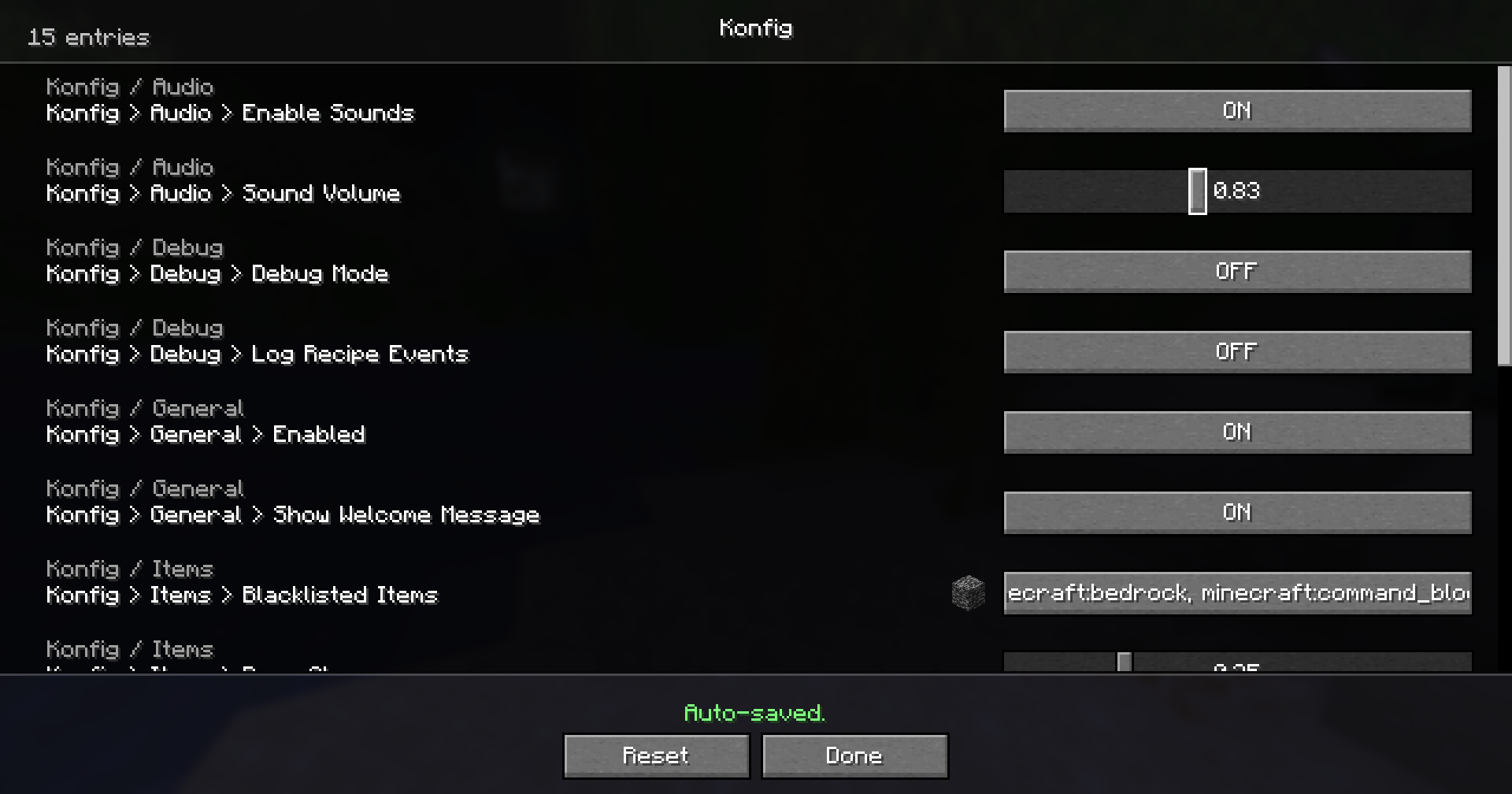
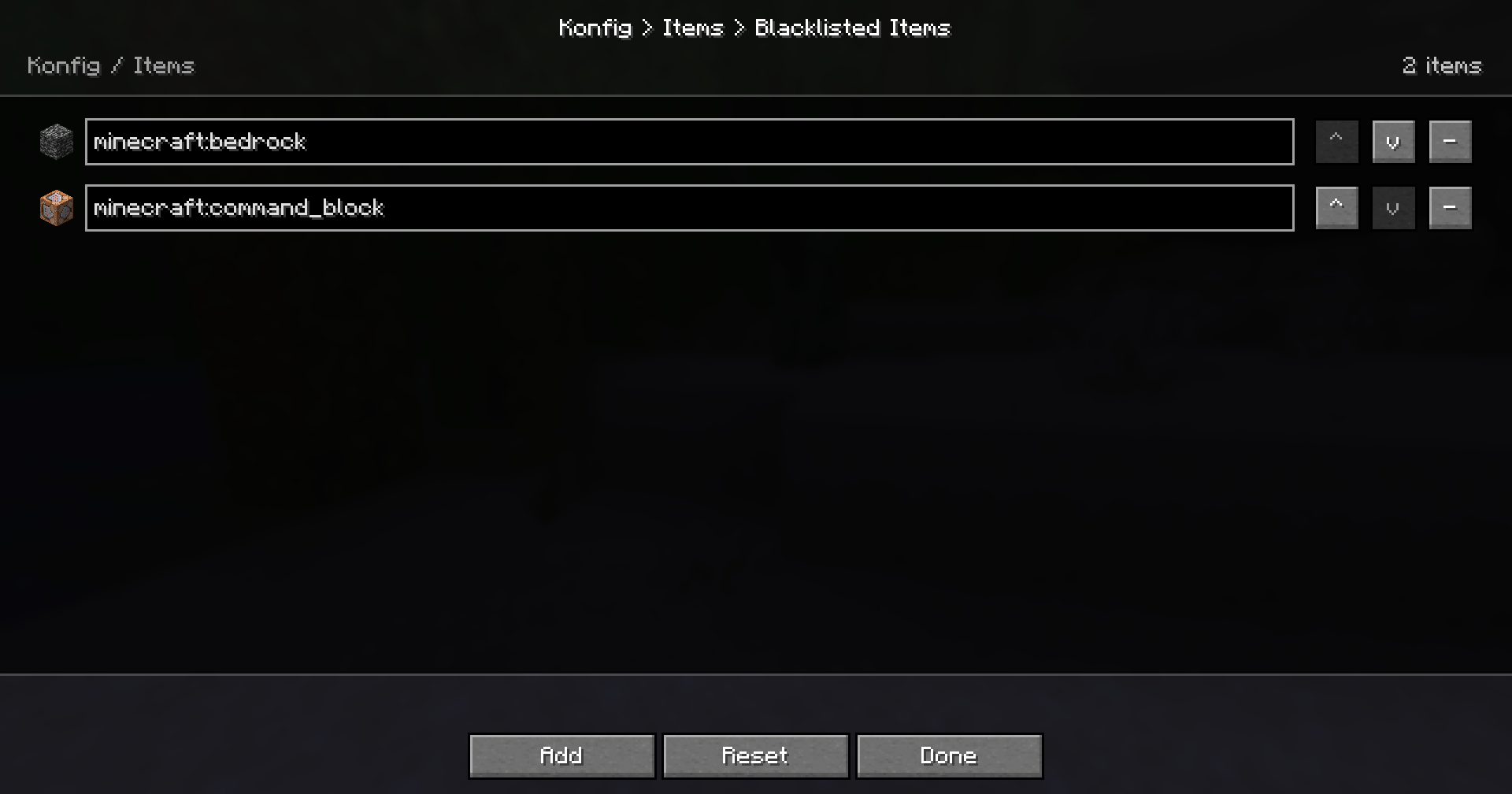
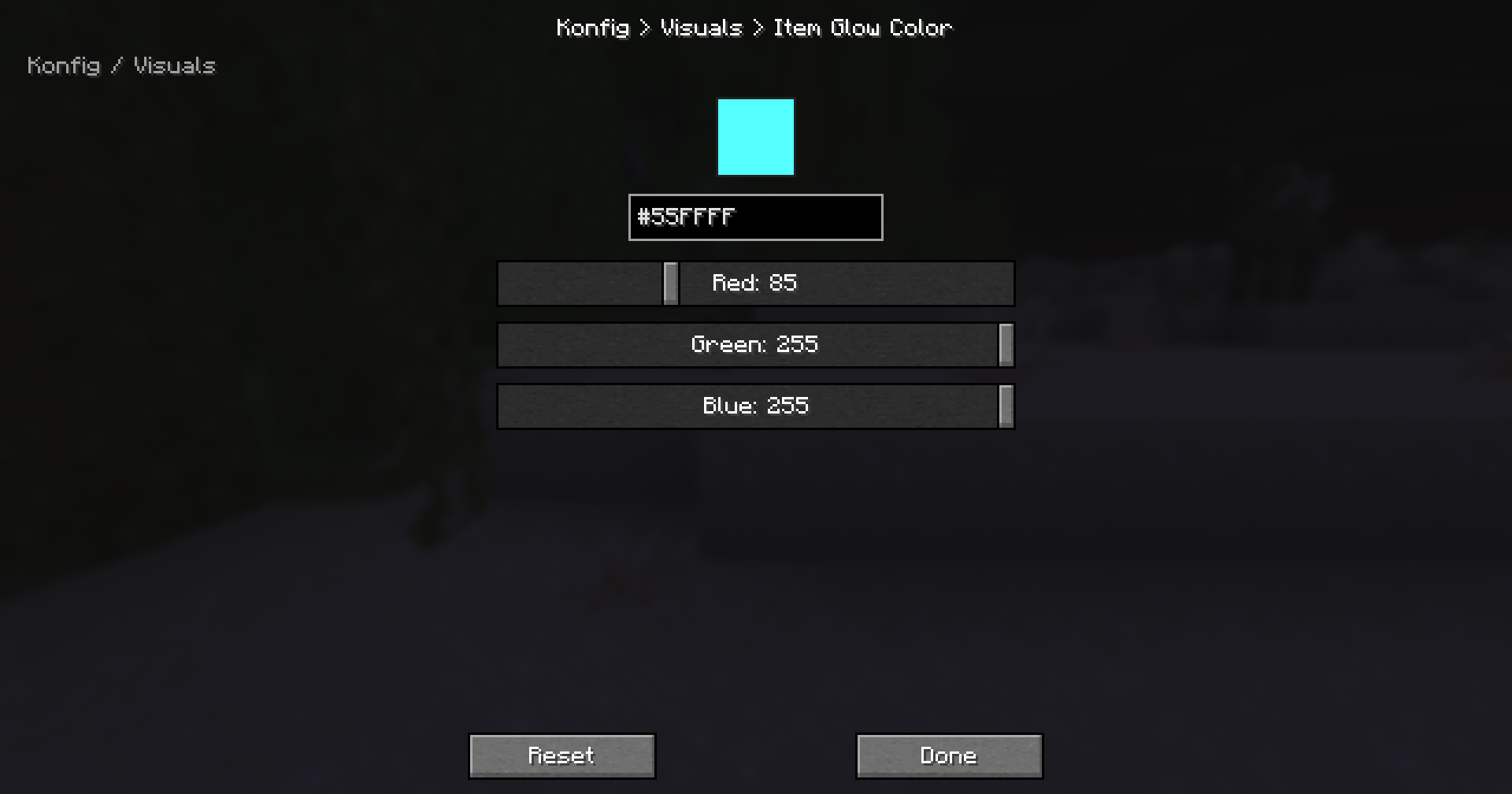
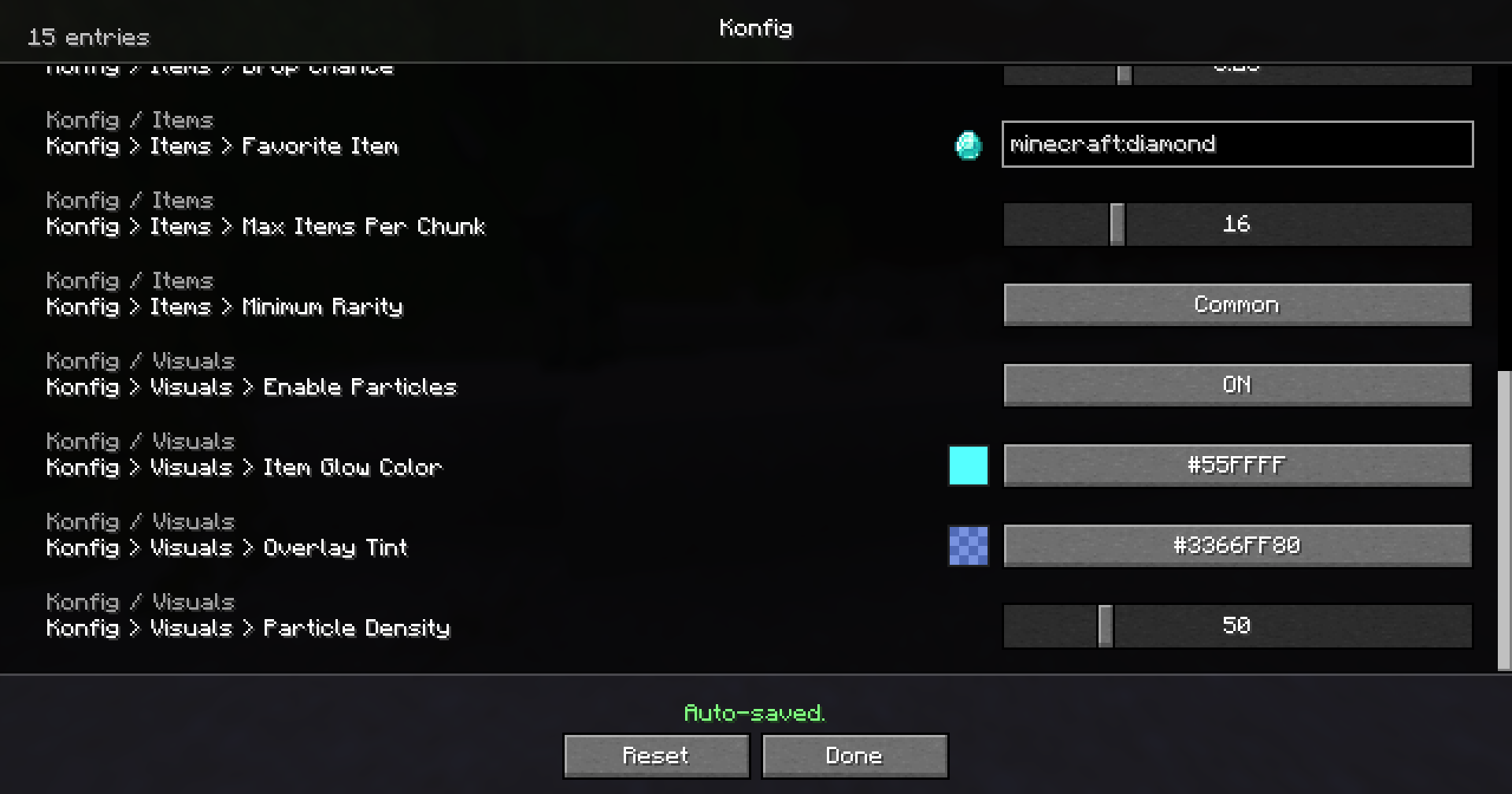
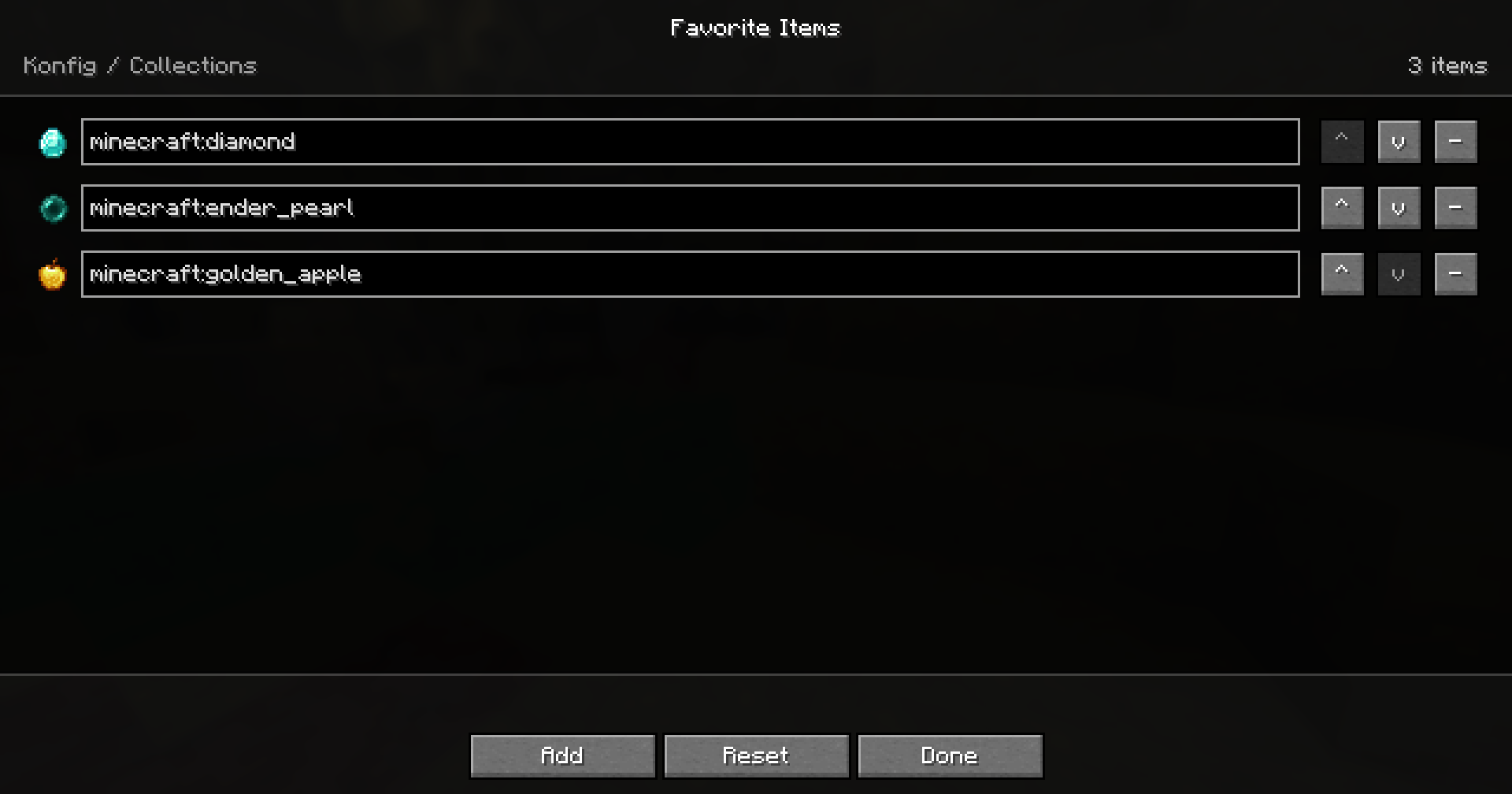
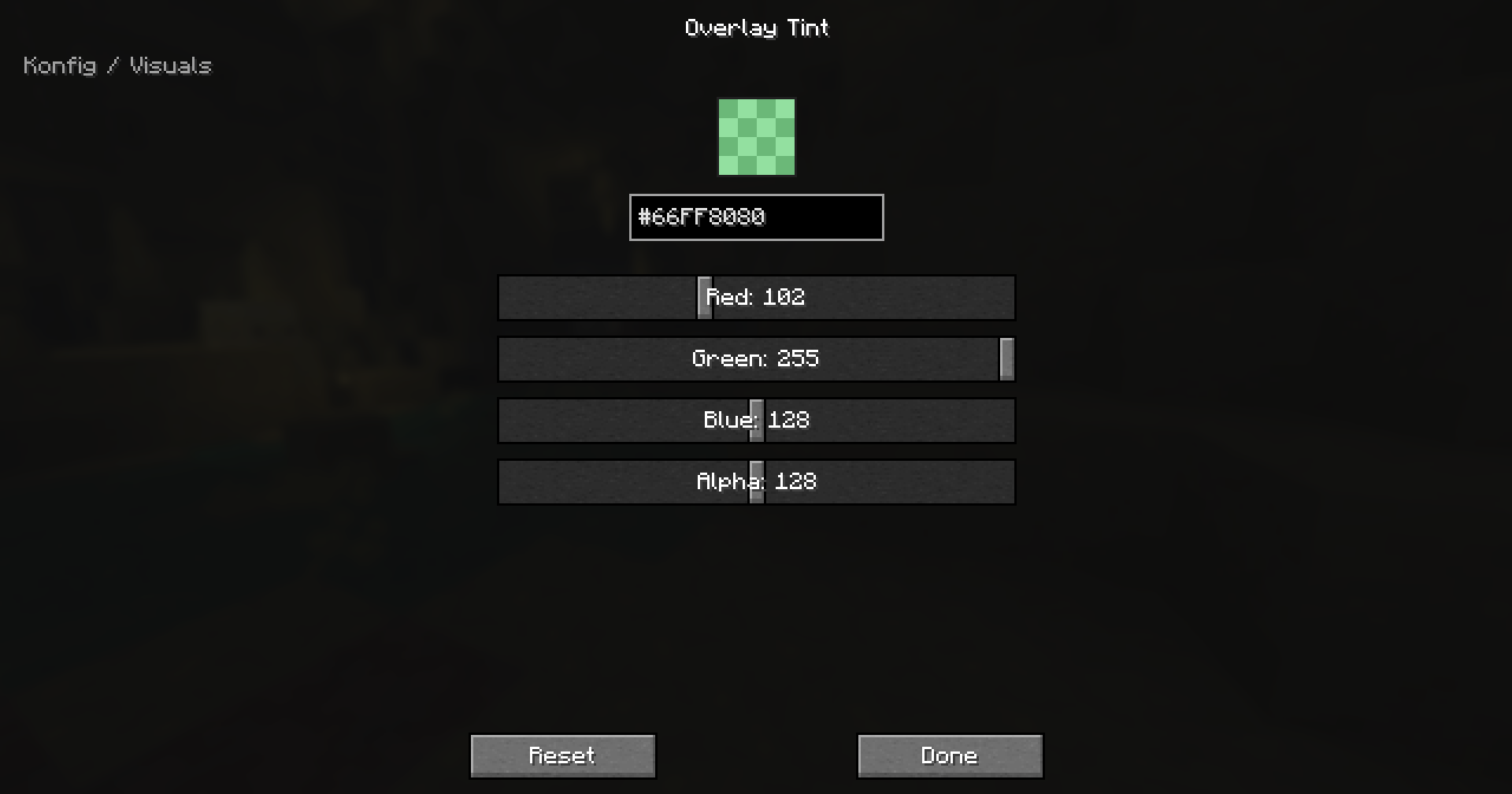
Supported Versions
Konfig 0.4.0 supports every Minecraft line from 1.14.4 through 26.2.
- Fabric starts at
1.14.4 - Forge starts at
1.16.5 - NeoForge starts at
1.21.1
Konfig uses one semantic release across supported Minecraft lines. The +<mc> suffix tells you which Minecraft version the artifact targets, for example 0.4.0+1.21.11 or 0.4.0+26.2.
Quick Example
import com.iamkaf.konfig.api.v1.ConfigBuilder;
import com.iamkaf.konfig.api.v1.ConfigHandle;
import com.iamkaf.konfig.api.v1.ConfigScope;
import com.iamkaf.konfig.api.v1.ConfigValue;
import com.iamkaf.konfig.api.v1.Konfig;
import com.iamkaf.konfig.api.v1.RestartRequirement;
import com.iamkaf.konfig.api.v1.SyncMode;

public final class ExampleConfig {
    public static final ConfigHandle HANDLE;
    public static final ConfigValue<Boolean> ENABLED;
    public static final ConfigValue<Integer> RANGE;

    static {
        ConfigBuilder builder = Konfig.builder("examplemod", "common")
                .scope(ConfigScope.COMMON)
                .syncMode(SyncMode.LOGIN)
                .comment("Example mod config")
                .info(info -> info
                        .header("Example Mod")
                        .inlineText("These settings control shared gameplay behavior.")
                        .url("Documentation", "https://example.invalid/docs"));

        builder.header("Example Mod Settings");
        builder.inlineText("These entries are saved automatically.");
        builder.url("Documentation", "https://example.invalid/docs");

        builder.push("general");
        builder.categoryComment("General gameplay tuning");
        builder.categoryTooltip("General gameplay tuning");
        builder.categoryInfo(info -> info
                .header("General")
                .inlineText("Values in this section affect the whole mod."));

        ENABLED = builder.bool("enabled", true)
                .comment("Master toggle")
                .tooltip("Enable example mod features")
                .sync(true)
                .info(info -> info
                        .header("Master Toggle")
                        .inlineText("Turns the main feature set on or off."))
                .build();

        RANGE = builder.intRange("range", 8, 1, 64)
                .comment("Effect radius")
                .tooltip("Controls the effect radius in blocks")
                .sync(true)
                .restart(RestartRequirement.WORLD)
                .build();

        builder.pop();
        HANDLE = builder.build();
    }
}
Use ConfigValue#get() when reading a value and ConfigValue#set(value) when changing it programmatically.
Comments are written to TOML. Generated-screen hover text is explicit through tooltip(...) and richer info(...) content, so your config files and UI help can say different things when needed.
Dependencies
Add the Kaf Maven repository:
repositories {
    maven { url = "https://maven.kaf.sh" }
}
Use the loader artifact for the Minecraft line you target:
modImplementation "com.iamkaf.konfig:konfig-fabric:<version>"
modImplementation "com.iamkaf.konfig:konfig-forge:<version>"
modImplementation "com.iamkaf.konfig:konfig-neoforge:<version>"
Do not depend on Konfig common directly. Use the loader-specific artifact.
Help Translate Konfig
Want to help translate this mod into your language? Join the community translation project:
🇺🇸 🇪🇸 🇧🇷 🇫🇷 🇩🇪 🇷🇺 🇹🇷 🇯🇵 🇰🇷 🇨🇳
Q&A
Q: Where can I ask something that is not listed here?
A: Make an issue here or join the Discord and shoot me a message.
Q: Can you port it to [MC version/Mod loader]?
A: If enough people request it I'll give it some time, but this really is a 1-man team so it might take a while.
Q: Can I include it in my modpack?
A: Yes, no need to give credit or ask.
More mods by me
 Bonded |
 Kaf's Valentine Special |
 Liteminer |
 Mochila |
 Torch Toss |
Muss Konfig auf dem Minecraft Server installiert werden?
Nein. Modrinth kennzeichnet Konfig serverseitig als nicht unterstützt. Installiere die Mod nur im lokalen Mods-Ordner. Dein Server kann unverändert bleiben, sofern die Projektseite keine zusätzliche Abhängigkeit nennt.
Welche Version und welchen Loader braucht Konfig?
Nutze eine Datei für Fabric, Forge, NeoForge und exakt deine Minecraft-Version. Unterstützt werden unter anderem 26.3, 26.2, 26.1.2. Dateien für verschiedene Loader sind nicht austauschbar.
Konfig funktioniert nicht – was kann ich prüfen?
Prüfe zuerst Minecraft-Version, Loader-Version und erforderliche Abhängigkeiten. Da die Mod clientseitig ist, löst mehr Server-RAM das Problem nicht.
Ähnliche Mods
Beliebte Mods aus derselben Kategorie
 Server-fähig

FerriteCore
von malte0811
Memory usage optimizations
 Nur Client

Mod Menu
von Prospector
Adds a mod menu to view the list of mods you have installed.
 Server-fähig

YetAnotherConfigLib (YACL)
von isxander
A builder-based configuration library for Minecraft!
 Server-fähig

Xaero's Minimap
von thexaero
Displays a map of the nearby world terrain, players, mobs, entities in the corner of your screen. Lets you create waypoints which help you find the locations you've marked.
Mods für deinen eigenen Server gesucht?
Im Katalog findest du Mods, die auf Minecraft Servern laufen.