
kutils
A collection mod of client side qol features and tweaks from older pvp mods but for 1.21+, with unique skyblock and ui features.
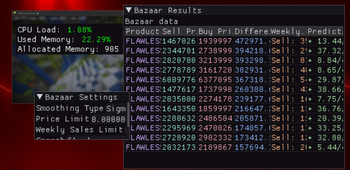
Screenshots



Über diese Mod

kutils
A collection of qol features
and tweaks that I am used to from 1.8.9 but for 1.21+
with some unique features for hypixel skyblock features.
This mod is fully client sided and tries to stay within the bounds of hypixel mod legality.
Usage
Get the mod from releases.
Install it on a fabric 1.21 or 1.21.1 instance.
In game use /kutils or press right shift to open the in game config.
Bazaar UI is by default bound to insert, and the calculator is by default bound to b.
you can of course change these binding in the settings
Features
kutils implements the well known ImGui library for its ui,
features with custom ui are using imgui, and the config screen is using Vigilance.
Huge thanks to imgui-mc for updating the imgui minecraft
bindings to 1.21+
Cross-platform issues are now resolved, and kutils should be usable on any platform
Using imgui in minecraft is quite unconventional, so the experience of kutils resembles
using a separate companion app hosted in minecraft more than a classic mod.
In fact, you can even drag the custom window outside the minecraft window that hosts them,
which could be usefull if you don't play in fullscreen or have more than 1 monitor.
But this is only true for the bazaar ui and performance overlay, every other qol feature
seamlessly integrates with minecraft through an in game config screen and keybinds.
If any other mod provides the same features as kutils, they may be incompatible.
But most of the time, features should not conflict or can be turned off.
Implemented features:
- custom damage tint
- disable damage tint (by setting the opacity to 0)
- time changer (freeze time client side on a specific tick amount)
- always sprint toggle (does not reset on death)
- cpu and ram usage statistics HUD
- custom minecraft window title with in game config
- remove block breaking particles (may boost performance, because it fully disables them instead of hiding them)
- fullbright using high gamma
- remove F5 "selfie" camera
- historical item price graphs like in NotEnoughUpdates,
to open the graph, click on any item in the bazaar ui. - image previews in chat, when hovering over an image
- submit signs by pressing
enter
Since v0.0.3 any imgui windows from kutils, will save their size, position etc. and restore
them on next launch.
Basically done features 🤷:
- in game calculator with simple controls (just some ui adjustments left)
- note-taking in game with pinnable custom text
Features with weird issues 💀:
- in game implementation of Skydriver (my cli bazaar data app)
For anyone more technically interested in reading this, there are issues with the predictions math
which is essentially ported 1 to 1 from Skydriver.
I honestly think there are some wierd edge cases with the kotlinx serialization.
WIP features:
- health/armor/damage hud
- display other useful stats on the hud
- chattriggers like scripting with lua / to see the docs go to kutils docs
Planned features:
- any qol or data display features
- might think of trying something with custom skyblock content
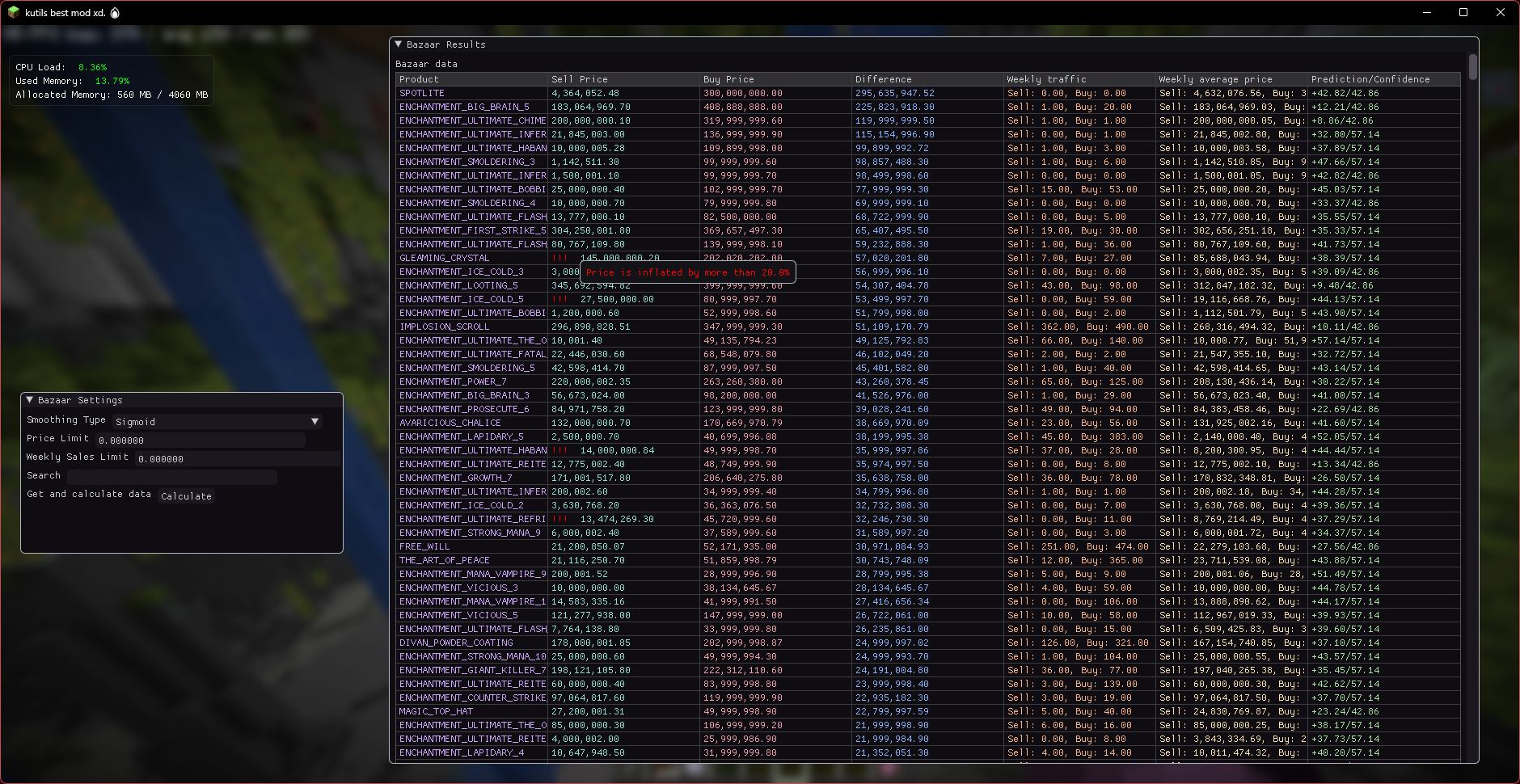
More on Bazaar UI
There is still a weird issue with the predictions here,
which I can't reliably pinpoint. So for the time being just consider
the predictions inaccurate. Any other stats here are 100% straight from
the hypixel api.
This is the biggest part of the mod, and has a lot of extra features that have
never made it into Skydriver.
For example there is inflated item protection - you can set a custom percentage,
and if an items instant sell or buy price is higher than the average price
from the last 7 days + the custom percentage, it will be marked as inflated.
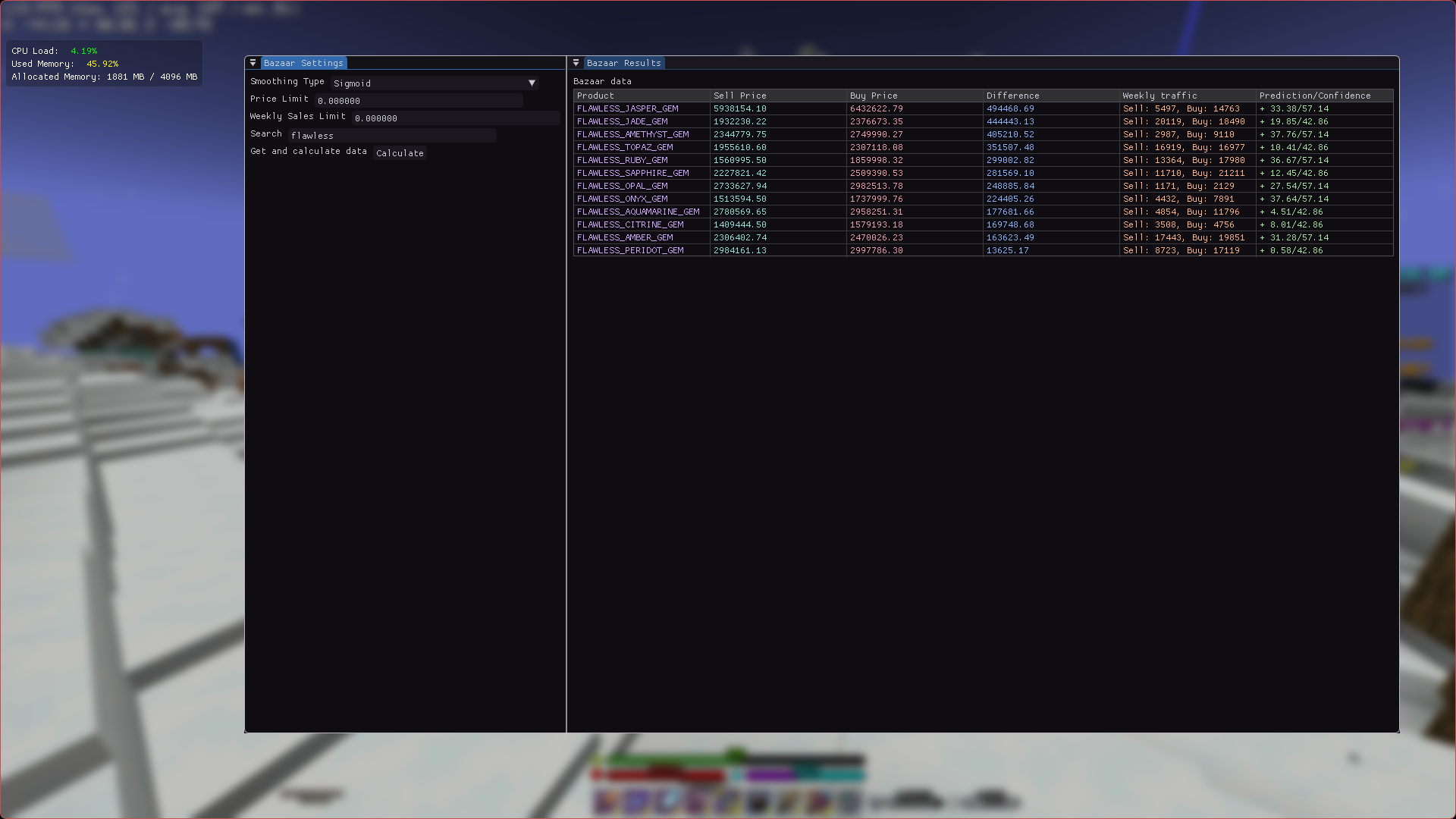
You can also customize the font size of any feature using imgui, which can lead to
some pretty funny looking uis.
Most windows can also be docked to each other and collapsed.
The fonts do get blurry when changing font scales, this is unavoidable,
until I add font loading to the original imgui package.
Bazaar UI Showcase
.png)
.png)
Known issues
- imgui windows are not positioned correctly when not in fullscreen
FAQ
Q: why 1.21+ instead of 1.8.9?
A: because 1.21+ has much better performance than 1.8.9, and while hypixel
will most likely never remove support for joining on 1.8.9, there are already
some gamemodes only accessible on 1.21+, and the same was said to be the case for
skyblock's upcoming foraging update.
Q: why is there no X feature?
A: first of all suggest it in issues,
but aside from that I'm just not really a java or kotlin dev, so maby I don't know how to do it,
or I just didn't think of it.
Verfügbare Versionen
kutils auf deinem Client installieren
Mod-Loader lokal installieren
Installiere fabric für deine lokale Minecraft-Version.
Passende Datei herunterladen
Wähle die kutils-Datei für fabric und Minecraft 1.21.5.
Mod installieren
Lege die .jar-Datei in deinem lokalen .minecraft/mods-Ordner ab und starte Minecraft neu. Eine Installation auf dem Server ist nicht nötig.
Kompatibilität
Mod-Loader
Minecraft-Versionen
1.21.5, 1.21.1
Server-seitig
✗ Nicht unterstütztEmpfohlener RAM
4 GB(min. 3 GB)Häufige Fragen
Muss kutils auf dem Minecraft Server installiert werden?
Nein. Modrinth kennzeichnet kutils serverseitig als nicht unterstützt. Installiere die Mod nur im lokalen Minecraft-Mods-Ordner. Dein Server kann unverändert bleiben, sofern die Mod-Seite keine zusätzliche Abhängigkeit nennt.
Welche Version und welchen Loader braucht kutils?
Nutze eine Datei für fabric und exakt deine Minecraft-Version. Unterstützte Versionen sind unter anderem 1.21.5, 1.21.1. Loader-Dateien sind nicht untereinander austauschbar.
kutils funktioniert nicht – was kann ich prüfen?
Prüfe zuerst Minecraft-Version, Loader-Version und erforderliche Abhängigkeiten. Lege die .jar-Datei im lokalen .minecraft/mods-Ordner ab und entferne ältere Duplikate. Da die Mod clientseitig ist, löst mehr Server-RAM dieses Problem nicht.
Ähnliche Mods






Minecraft Server für deine Gruppe
kutils bleibt auf deinem Client. Hoste dazu eine kompatible Welt für deine Mitspieler.