
Legacy OptiFabric
OptiFabric for Legacy Fabric (1.3.1 to 1.13.2) and Ornithe (b1.7.3 to 1.14.4)
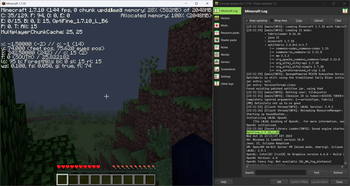
Screenshots
Über diese Mod
for mcsr: use mods.tildejustin.dev
If you're looking for OptiFabric for 1.14 to 1.15.2 for regular Fabric instead of Ornithe, check out OptiFabric Origins
Legacy OptiFabric
OptiFabric for Legacy Fabric (1.3.1-1.13.2) and Ornithe (b1.7.3-1.14.4)
- Legacy Fabric installer and official MultiMC instances: https://legacyfabric.net/downloads.html
- Ornithe installer (can generate MultiMC instances): https://ornithemc.net
- Legal speedrunning MultiMC instances for Ornithe and Legacy Fabric (vanilla LWJGL, no extra libraries or mods): Minecraft-Java-Edition-Speedrunning/legacy-fabric-instance-generator/releases
based on the work of RedLime's OptiFabric-Pre1.14, a fork of hYdos's OptiFabric 1.8.9 which
in turn is a derivative of modmuss' original OptiFabric
installing
this mod requires an optifine jar in the mods folder alongside optifabric. for 1.7.2 and onwards this can be sourced
from OptiFine's official website, and older versions these can be retrieved either
from SpeedyCube64's Pre-1.9 Optifine Archive or on
the OptiFine history thread.
how it works
this mod uses Minecraft-Java-Edition-Speedrunning/fabric-asm, a minor derivative
of Cat Core's Fabric-ASM/no-guava which itself is an updated version
of Chocohead's fabric-asm. fabric asm allows more extreme asm modification and the fork used has no dependency on guava or apache
commons, which older minecraft versions don't provide.
steps
- the mod looks for an optifine installer or mod jar or zip in the current mods folder
- if it finds an installer jar it runs the extract task in its own throwaway classloader
- the optifine mod jar is a set of classes that need to replace the ones that minecraft provides
- optifine's replacement classes change the name of some lambda methods, so it take a good guess at the old name (using the original minecraft jar)
- remap optifine to intermediary
- move the patched classes out as they won't do much good on the classpath twice
- add optifine to the classpath
- register the patching tweaker for every class that needs replacing
- replace the target class with the class that was extracted, also do some more fixes to it, and make it public (due to access issues)
- hope it works
notes
- this mod does not really work in dev or named environments. In Legacy Fabric's case the yarn builds are corrupted in some versions so this cannot work atm, feather is better but still has issues.
- the accessWideners are created based on the output of tiny remapper's checkPackageAccess option, but they are unlikely to ever be 100% complete. if you have a crash that has to do with and invalid access, report it and it may be able to be fixed.
class excluder
this is a kind of hidden feature that is occasionally useful to remove files when remapping the jar. to do this, it reads the optifabric-excluded-classes.json file
in .minecraft/config/ if it exists, and expects the file to contain a mapping of versions (field names) to an array of removable classes (or textures or anything else, it's just
a filename).
an example file contents to revert the removal of the profiler for 1.3.2 light is provided below. if the optifine version you are trying to make an excluder extry for has already
been loaded before in your instance, delete its folder in the .optifine folder in .minecraft to force a recache.
{
  "OptiFine_1.3.2_L_B2": [
    "ik.class"
  ]
}
Verfügbare Versionen
Legacy OptiFabric auf deinem Client installieren
Mod-Loader lokal installieren
Installiere legacy-fabric für deine lokale Minecraft-Version.
Passende Datei herunterladen
Wähle die Legacy OptiFabric-Datei für legacy-fabric und Minecraft 1.14.4.
Mod installieren
Lege die .jar-Datei in deinem lokalen .minecraft/mods-Ordner ab und starte Minecraft neu. Eine Installation auf dem Server ist nicht nötig.
Kompatibilität
Mod-Loader
Minecraft-Versionen
1.14.4, 1.14.3, 1.14.2 (+62 weitere)
Server-seitig
✗ Nicht unterstütztEmpfohlener RAM
4 GB(min. 3 GB)Häufige Fragen
Muss Legacy OptiFabric auf dem Minecraft Server installiert werden?
Nein. Modrinth kennzeichnet Legacy OptiFabric serverseitig als nicht unterstützt. Installiere die Mod nur im lokalen Minecraft-Mods-Ordner. Dein Server kann unverändert bleiben, sofern die Mod-Seite keine zusätzliche Abhängigkeit nennt.
Welche Version und welchen Loader braucht Legacy OptiFabric?
Nutze eine Datei für legacy-fabric, ornithe und exakt deine Minecraft-Version. Unterstützte Versionen sind unter anderem 1.14.4, 1.14.3, 1.14.2. Loader-Dateien sind nicht untereinander austauschbar.
Legacy OptiFabric funktioniert nicht – was kann ich prüfen?
Prüfe zuerst Minecraft-Version, Loader-Version und erforderliche Abhängigkeiten. Lege die .jar-Datei im lokalen .minecraft/mods-Ordner ab und entferne ältere Duplikate. Da die Mod clientseitig ist, löst mehr Server-RAM dieses Problem nicht.
Ähnliche Mods


Minecraft Server für deine Gruppe
Legacy OptiFabric bleibt auf deinem Client. Hoste dazu eine kompatible Welt für deine Mitspieler.