
Freecam (Fair Play)
Fork of Freecam without "banned" features
Screenshots

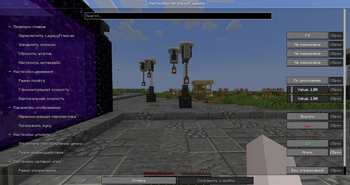
Über diese Mod
Freecam (Fair Play)
A fork of Freecam without "controversial" features
What exactly was removed?
- Flying through blocks in freecam
- Modifying the environment through freecam
- Freezing the player while in freecam
- Interacting with the world through freecam
- Gamma boost in freecam
- Going to unloaded chunks
- Voice Chat spying through a freecam
Mod allows all of the controversial options in your own singleplayer world WITH CHEATS.
For server owners
Version 2.0.0 adds optional server controls (policy) You can choose which features you allow on your server. By default, all of the "controversial" features are considered not allowed. A server can explicitly allow them, or turn individual camera features off. Changing your client settings cannot override the server's policy.
On Spigot or Paper, install one of the Server plugin 2.0.0 downloads in plugins/:
| Server | Download | Minimum Java ver |
|---|---|---|
| Spigot 1.16.5–1.19.4, Paper 1.16.5–1.20.4 | Legacy Bukkit | 16 |
| Spigot 1.20–26.2 | Spigot | 17 |
| Paper 1.20.6–26.2 | Paper | 21 |
Players still need the matching Legacy Freecam client mod to use the camera. Installing the server plugin alone does not add a free camera to vanilla clients. Older versions of Legacy Freecam does not have feature to allow controversial features, they all are not allowed.
Commands
These commands require legacyfreecam.admin, which ops have by default:
/legacyfreecam reload
/legacyfreecam set noclip true
/legacyfreecam set unloaded-chunks false
/legacyfreecam status <player>
/legacyfreecam disable <player>
/legacyfreecam refresh <player>
Bukkit API
The plugin has FreecamApi, docs are in-progress
For questions or bug reports, contact o_orl on Discord
Verfügbare Versionen
Freecam (Fair Play) auf deinem Client installieren
Mod-Loader lokal installieren
Installiere fabric für deine lokale Minecraft-Version.
Passende Datei herunterladen
Wähle die Freecam (Fair Play)-Datei für fabric und Minecraft 26.2.
Mod installieren
Lege die .jar-Datei in deinem lokalen .minecraft/mods-Ordner ab und starte Minecraft neu. Eine Installation auf dem Server ist nicht nötig.
Kompatibilität
Mod-Loader
Minecraft-Versionen
26.2, 26.1.2, 26.1.1 (+31 weitere)
Server-seitig
✗ Nicht unterstütztEmpfohlener RAM
4 GB(min. 3 GB)Häufige Fragen
Muss Freecam (Fair Play) auf dem Minecraft Server installiert werden?
Nein. Modrinth kennzeichnet Freecam (Fair Play) serverseitig als nicht unterstützt. Installiere die Mod nur im lokalen Minecraft-Mods-Ordner. Dein Server kann unverändert bleiben, sofern die Mod-Seite keine zusätzliche Abhängigkeit nennt.
Welche Version und welchen Loader braucht Freecam (Fair Play)?
Nutze eine Datei für fabric, forge, neoforge, paper, spigot und exakt deine Minecraft-Version. Unterstützte Versionen sind unter anderem 26.2, 26.1.2, 26.1.1. Loader-Dateien sind nicht untereinander austauschbar.
Freecam (Fair Play) funktioniert nicht – was kann ich prüfen?
Prüfe zuerst Minecraft-Version, Loader-Version und erforderliche Abhängigkeiten. Lege die .jar-Datei im lokalen .minecraft/mods-Ordner ab und entferne ältere Duplikate. Da die Mod clientseitig ist, löst mehr Server-RAM dieses Problem nicht.
Ähnliche Mods




![[ETF] Entity Texture Features](https://cdn.modrinth.com/data/BVzZfTc1/af683d206d50b05258d865b0d6e4aa2f2cee12f2_96.webp)

Minecraft Server für deine Gruppe
Freecam (Fair Play) bleibt auf deinem Client. Hoste dazu eine kompatible Welt für deine Mitspieler.