
Linear Sensitivity
Make Sensitivity linear.
Screenshots

Über diese Mod
Have you ever
- Wonder "Why is 200% sensitivity not twice as fast as 100%" ?
- Change your DPI and can't find optimal sens ?
- Find Minecraft's sensitivity setting is terrible ?
Then Fear Not!
Linear Sensitivity is for you!
Normally, Minecraft handles mouse sensitivity as a cubic function: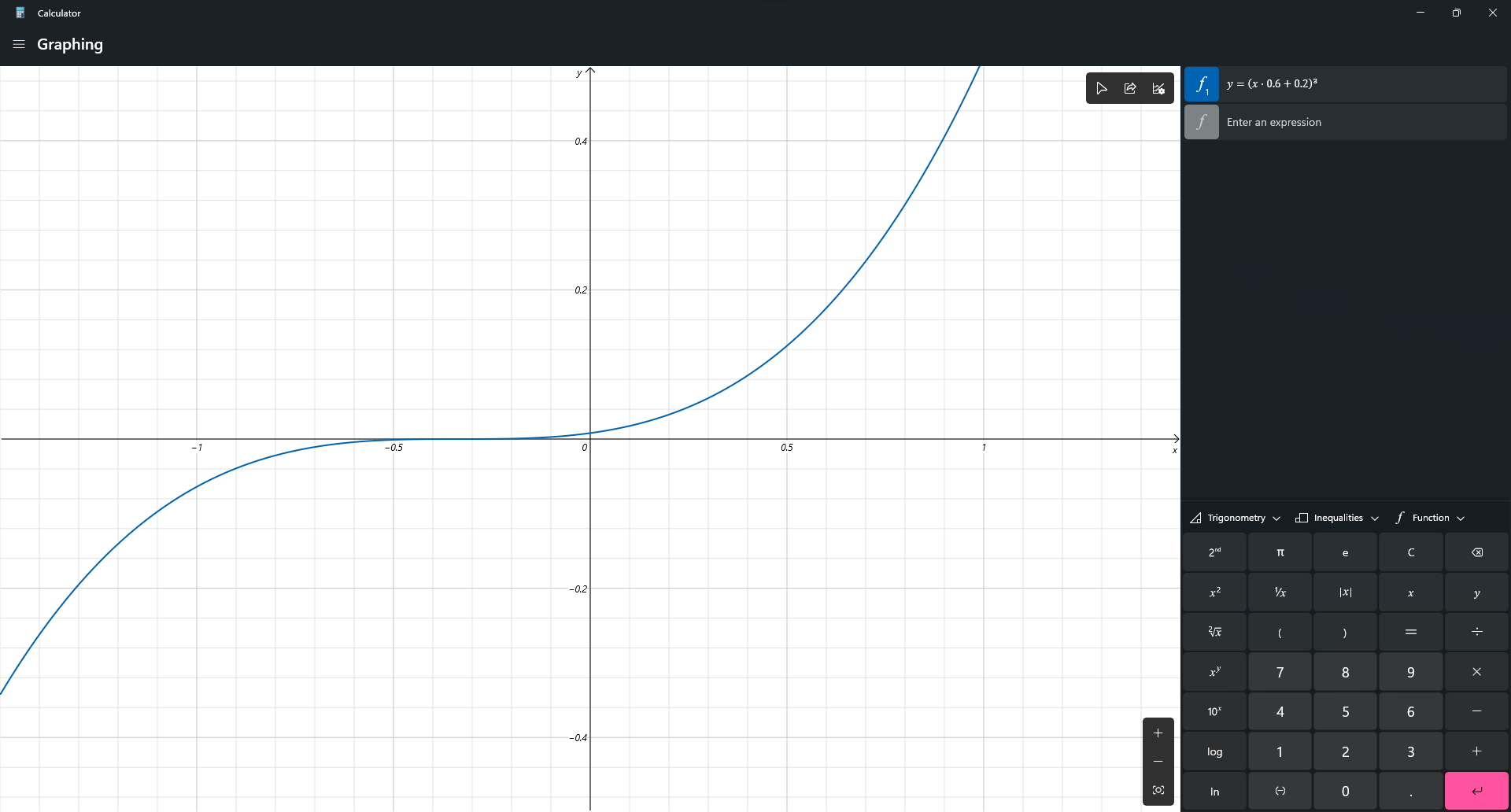
This mod change it. Instead of a cubic function, the sensitivity will be processed in a linear scale. So now, if you change your DPI from 400 up-to 1600, and your sens from 200% down-to 50%, you will feel exactly the same!
Bonus Feature:
/sens to change your sensitivity (Max: 1, Min: 0), based on advSensitivity. It supports Float value so you can make your sens 8 digits, like: 0.0000001 (Why you need so many '0'?)
Why I create this mod?
Long time ago, when I modify Timeless and Classic mod (the original on 1.18.2 one, not TAC:Z), I find zoom sensitivity is so wrong (it's faster than I expect). After 3 hours digging through the code, I found that the way Minecraft process mouse sens is so weird compared to other games. Therefore, I decide to create a mod to change it. After all, I'm a CS player who have fun when creating config files instead of actually playing the game.
Technical detail
I use a single mixin class to change a variable in updateMouse() method.
Planning
- Custom /m_yaw and /m_pitch like CS2, bonus, /fov
Credit
- Feature Image: Mebig
Verfügbare Versionen
Linear Sensitivity auf deinem Client installieren
Mod-Loader lokal installieren
Installiere fabric für deine lokale Minecraft-Version.
Passende Datei herunterladen
Wähle die Linear Sensitivity-Datei für fabric und Minecraft 1.21.11.
Mod installieren
Lege die .jar-Datei in deinem lokalen .minecraft/mods-Ordner ab und starte Minecraft neu. Eine Installation auf dem Server ist nicht nötig.
Kompatibilität
Mod-Loader
Minecraft-Versionen
1.21.11, 1.21.10, 1.21.9 (+16 weitere)
Server-seitig
✗ Nicht unterstütztEmpfohlener RAM
4 GB(min. 3 GB)Häufige Fragen
Muss Linear Sensitivity auf dem Minecraft Server installiert werden?
Nein. Modrinth kennzeichnet Linear Sensitivity serverseitig als nicht unterstützt. Installiere die Mod nur im lokalen Minecraft-Mods-Ordner. Dein Server kann unverändert bleiben, sofern die Mod-Seite keine zusätzliche Abhängigkeit nennt.
Welche Version und welchen Loader braucht Linear Sensitivity?
Nutze eine Datei für fabric, forge und exakt deine Minecraft-Version. Unterstützte Versionen sind unter anderem 1.21.11, 1.21.10, 1.21.9. Loader-Dateien sind nicht untereinander austauschbar.
Linear Sensitivity funktioniert nicht – was kann ich prüfen?
Prüfe zuerst Minecraft-Version, Loader-Version und erforderliche Abhängigkeiten. Lege die .jar-Datei im lokalen .minecraft/mods-Ordner ab und entferne ältere Duplikate. Da die Mod clientseitig ist, löst mehr Server-RAM dieses Problem nicht.
Ähnliche Mods





Minecraft Server für deine Gruppe
Linear Sensitivity bleibt auf deinem Client. Hoste dazu eine kompatible Welt für deine Mitspieler.