
Litematica Printer
This fork adds the missing printing functionality for Litematica
Über diese Mod
Litematica Printer
Litematica printer is a mod that allows players to build big structures more quickly by automatically placing the correct blocks around you.
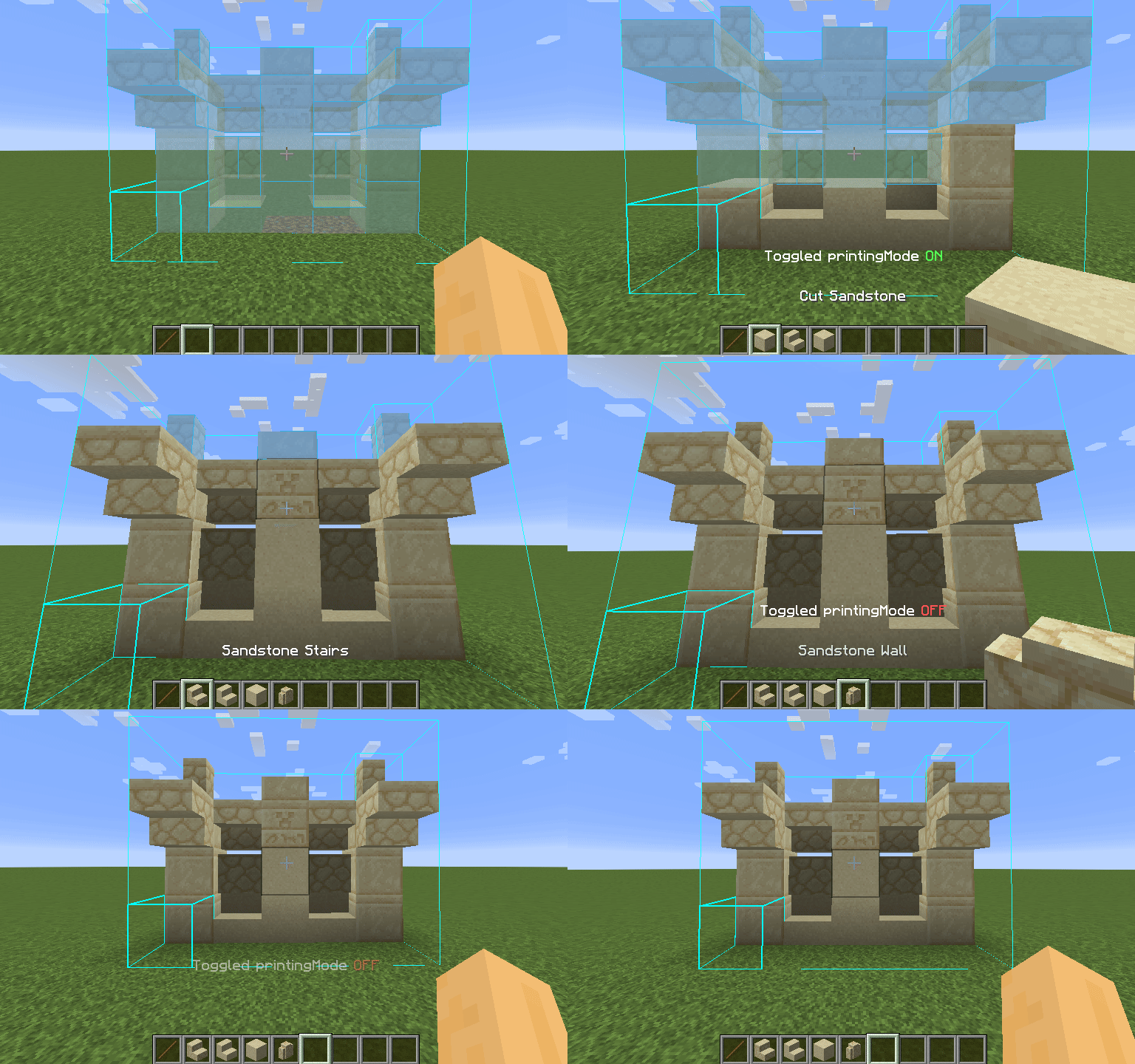
How To Use
Using the printer is straightforward: You can toggle the feature by pressing CAPS_LOCK by default. To configure variables such as
printing speed and range, open Litematica's settings by pressing M + C and navigate to "Generic" tab. Printer's configuration can be
found at the bottom of the page. You can also rebind the printing toggle under "Hotkeys" tab. Holding down V by default will also
print regardless if the printer is toggled on or off.
List of blacklisted blocks
These blocks have not been implemented yet for various reasons and the printer will skip them instead of placing them wrong. If any
other blocks are placed incorrectly, try to lower the printing speed. If certain block is still placed incorrectly, you can create
an issue.
- Grindstones
- Skulls placed on the ground
- Signs
- Glow lichen and vines
- Entities, including item frames and armor stands
Requirements
This mod requires Fabric API, Litematica, and MaLiLib.
Fabric-API is available on Modrinth however litematica and malilib are not and must be downloaded through CurseForge or their respective Githubs.
SERVER USAGE NOTE:
Please be aware, using this mod on a server may be against the rules and could get you banned!
GENERAL PROJECT NOTE:
I am not a developer of this project, but I have been given permission to upload it here and will attempt to keep it updated. Full credits go to aleksilassila for making this mod and maruohon for making Litematica. Please only ping (using a github issue) me if this page is missing a version that has been released on the github.
Sakura also gave me permission to upload their files for litematica printer.
Donate!
If you'd like to support the original author: https://www.paypal.com/paypalme/aleksilassila
If you'd like to support Sakura for keeping the mod updated: https://sakuraryoko.com/ (Bottom of the page)
Verfügbare Versionen
Litematica Printer auf deinem Client installieren
Mod-Loader lokal installieren
Installiere fabric für deine lokale Minecraft-Version.
Passende Datei herunterladen
Wähle die Litematica Printer-Datei für fabric und Minecraft 26.3.
Mod installieren
Lege die .jar-Datei in deinem lokalen .minecraft/mods-Ordner ab und starte Minecraft neu. Eine Installation auf dem Server ist nicht nötig.
Kompatibilität
Mod-Loader
Minecraft-Versionen
26.3, 26.2, 26.1.2 (+28 weitere)
Server-seitig
✗ Nicht unterstütztEmpfohlener RAM
4 GB(min. 3 GB)Häufige Fragen
Muss Litematica Printer auf dem Minecraft Server installiert werden?
Nein. Modrinth kennzeichnet Litematica Printer serverseitig als nicht unterstützt. Installiere die Mod nur im lokalen Minecraft-Mods-Ordner. Dein Server kann unverändert bleiben, sofern die Mod-Seite keine zusätzliche Abhängigkeit nennt.
Welche Version und welchen Loader braucht Litematica Printer?
Nutze eine Datei für fabric und exakt deine Minecraft-Version. Unterstützte Versionen sind unter anderem 26.3, 26.2, 26.1.2. Loader-Dateien sind nicht untereinander austauschbar.
Litematica Printer funktioniert nicht – was kann ich prüfen?
Prüfe zuerst Minecraft-Version, Loader-Version und erforderliche Abhängigkeiten. Lege die .jar-Datei im lokalen .minecraft/mods-Ordner ab und entferne ältere Duplikate. Da die Mod clientseitig ist, löst mehr Server-RAM dieses Problem nicht.
Ähnliche Mods




![[ETF] Entity Texture Features](https://cdn.modrinth.com/data/BVzZfTc1/af683d206d50b05258d865b0d6e4aa2f2cee12f2_96.webp)

Minecraft Server für deine Gruppe
Litematica Printer bleibt auf deinem Client. Hoste dazu eine kompatible Welt für deine Mitspieler.
Details
- Lizenz
- GNU Affero General Public License v3.0 only
- Server-seitig
- Nicht unterstützt