
Loggit
logs your playtime. perfectly.
Screenshots
Über diese Mod
One of Minecraft's largest problems is it's lack of a full, complete timer.
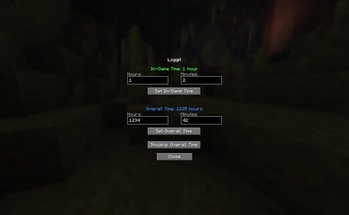
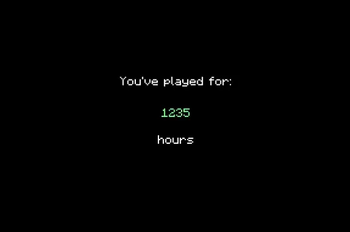
We don't really need words to explain what this mod does, so here's a demo:

My sincere apologies for the lack of visual quality in the above gif, but you understand the point.
Wanted to add those couple thousand hours you already had?
We have a menu for that! Just click the green "Loggit" in the bottom left corner!
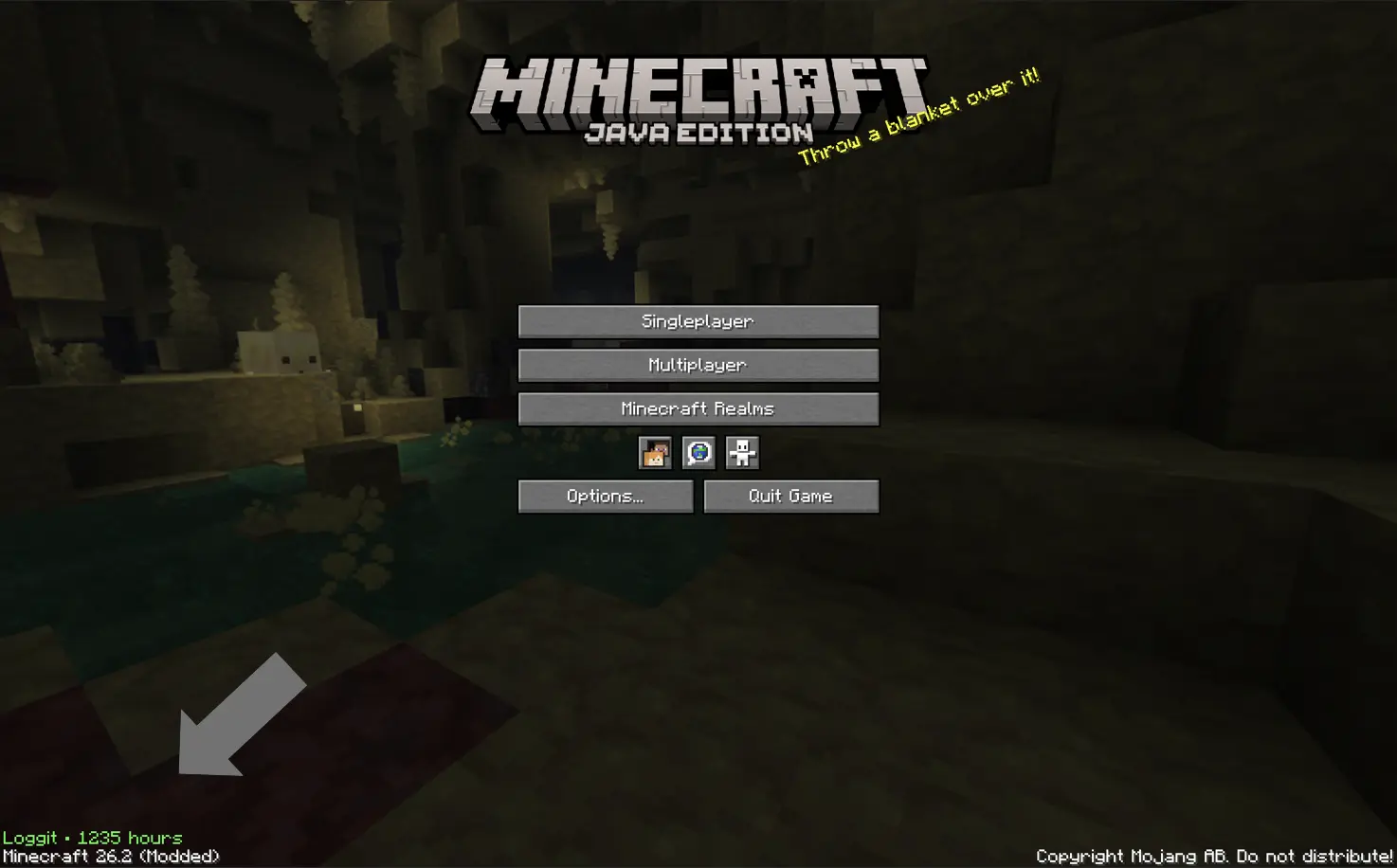
^^ That green text
Commonly asked questions:
Q: How do I transfer times between versions?
A: Just take a look at the in game menu on the older version, and copy paste in the old values into the in game menu on the newer version.
Q: How long is the intro?
A: ~ 4-5 seconds.
Q: Can I use this mod in my modpack?
A: Yeah! *As long as it's on Modrinth, however.
Q: For those who are unable to view the gif, here is alt text:
A: After the loading screen, the screen fades into a black background with the words "You've played for:" typing out in white on a black background. Then underneath, a series of numbers in green switch around before finally arriving at your total playtime. Then, the word "hours" types out at the bottom, the same way as the intital text for you've played for. Then, the screen fades into the normal minecraft home screen. The total time is ~5 seconds.
Verfügbare Versionen
Loggit auf dem Server installieren
Server bestellen
Bestelle einen Minecraft Java Server mit mindestens 3 GB RAM (4 GB empfohlen).
fabric Loader setzen
Wähle im Panel unter "Egg" den fabric-Loader und die passende Minecraft-Version (26.2).
Mod installieren
Öffne den Mod-Browser im Dashboard und suche nach "Loggit". Klicke "Installieren" – fertig! Alternativ: Lade die .jar via SFTP in den /mods Ordner.
Kompatibilität
Mod-Loader
Minecraft-Versionen
26.2
Server-seitig
✗ Nicht unterstütztEmpfohlener RAM
4 GB(min. 3 GB)Häufige Fragen
Loggit Server crasht beim Start – was tun?
Häufigste Ursache: falsche fabric-Version oder zu wenig RAM. Prüfe im Server-Log (latest.log), ob ein "OutOfMemoryError" oder "Mixin"-Fehler auftritt. Bei Mado Hosting: Stelle sicher, dass mindestens 3 GB RAM zugewiesen sind und der Loader zur Mod-Version passt (26.2). Über das Panel kannst du den Loader mit einem Klick wechseln.
Ist Loggit mit fabric kompatibel?
Loggit unterstützt offiziell fabric für Minecraft 26.2. Im Mado Dashboard werden inkompatible Loader-Kombinationen automatisch erkannt.
Server laggt mit Loggit – wie optimiere ich die Performance?
Empfohlener RAM: 4 GB (+1 GB pro 8 Spieler). Prüfe mit /spark profiler, ob Loggit den meisten Tick-Time verbraucht. Häufige Fixes: Server-View-Distance auf 8-10 reduzieren, bei Forge "performant" oder "starlight" als Zusatz-Mod installieren. Bei Mado Hosting läuft dein Server auf NVMe-SSDs mit dedizierten CPU-Kernen für minimale Latenz.
Ähnliche Mods






Modded Server mieten
Installiere Loggit mit nur einem Klick auf deinem Server.