
Modrinth · Fabric, Forge, NeoForge
Lootr auf deinem Minecraft Server
Lootr läuft auf Minecraft Servern mit Fabric oder Forge oder NeoForge. Bestell deinen Server, stell den Loader im Panel ein und installiere die Mod mit einem Klick im Mod-Browser.
A mod that makes it so nobody misses out on Loot! All loot chests are instanced per player and visually unique.
- Downloads
- 24.5M
- Autor
- noobanidus
- Loader
- Fabric, Forge, NeoForge
- Minecraft
- 1.12.2 – 26.3
- Aktualisiert
- –
Screenshots
So sieht Lootr aus
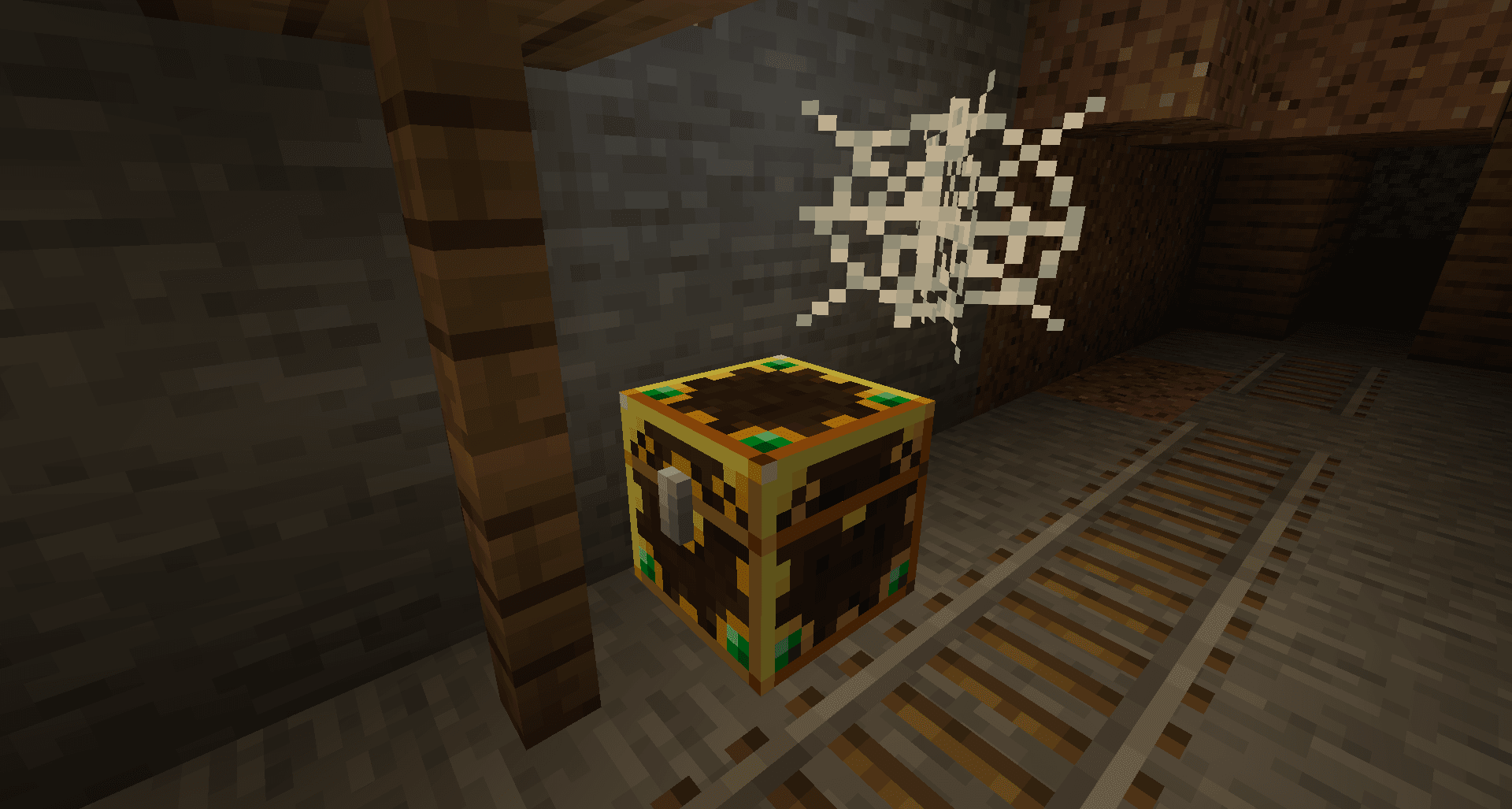
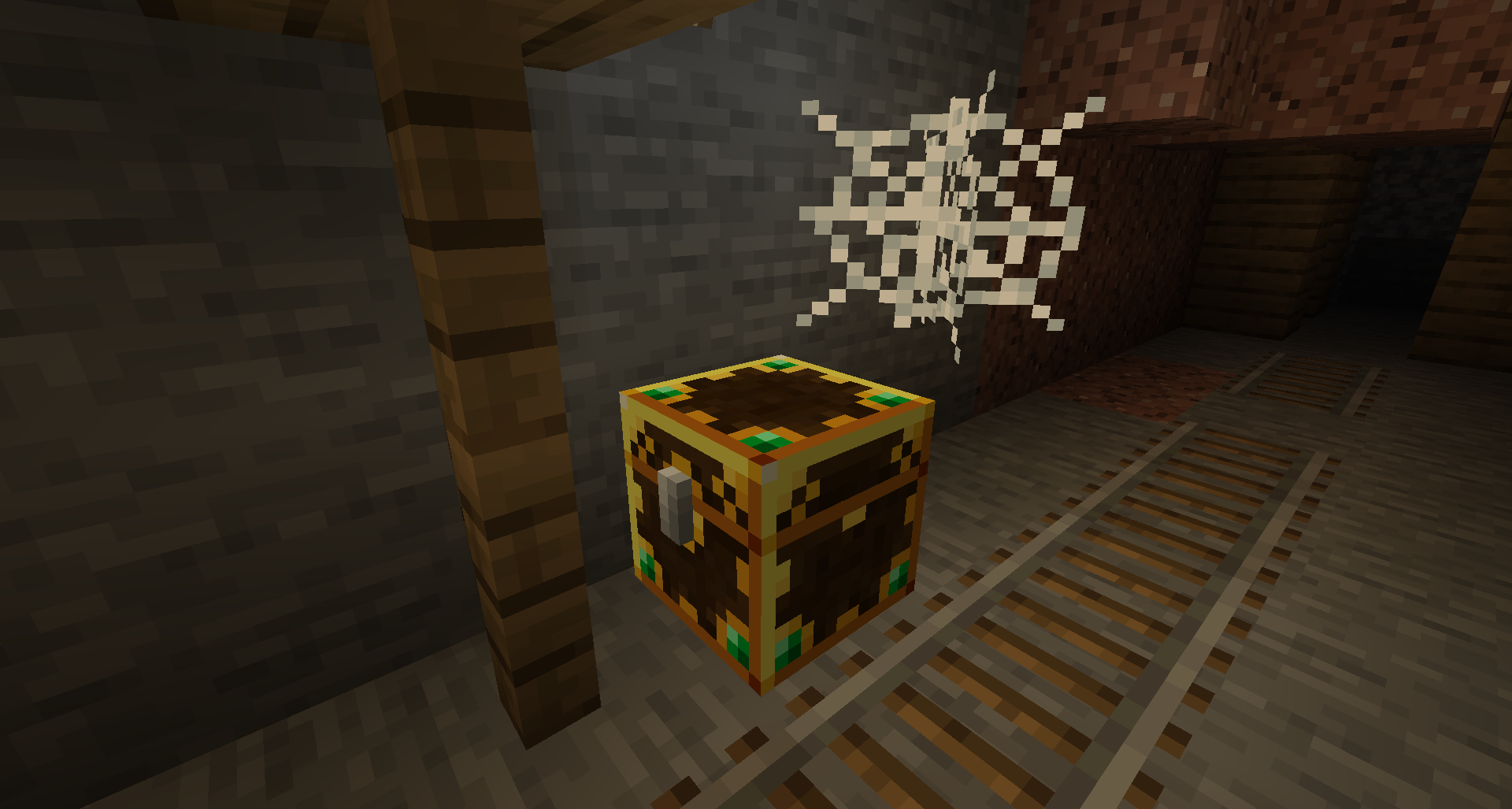 Mineshaft lootr chest!
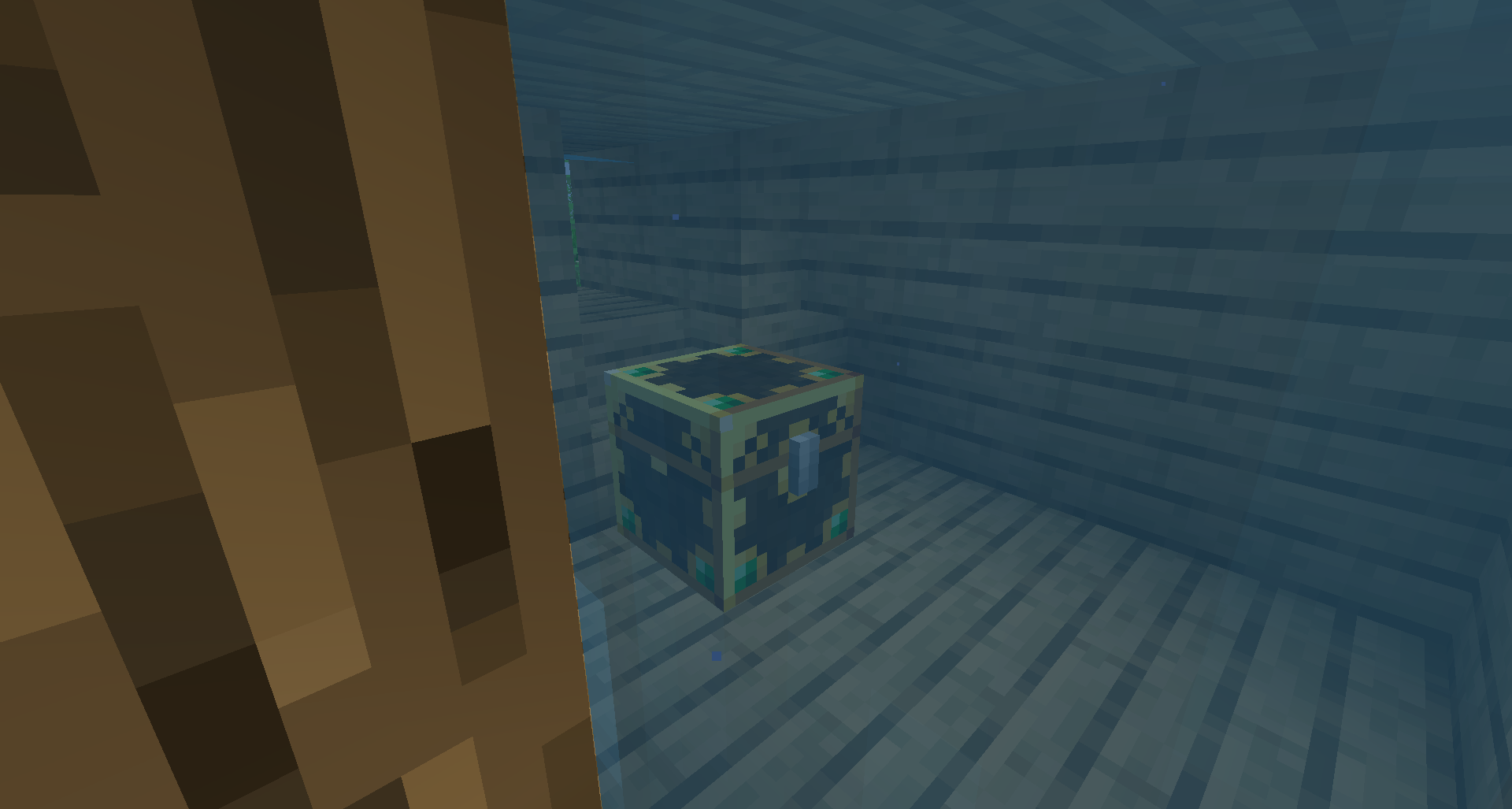 An underwater underwater Lootr chest!
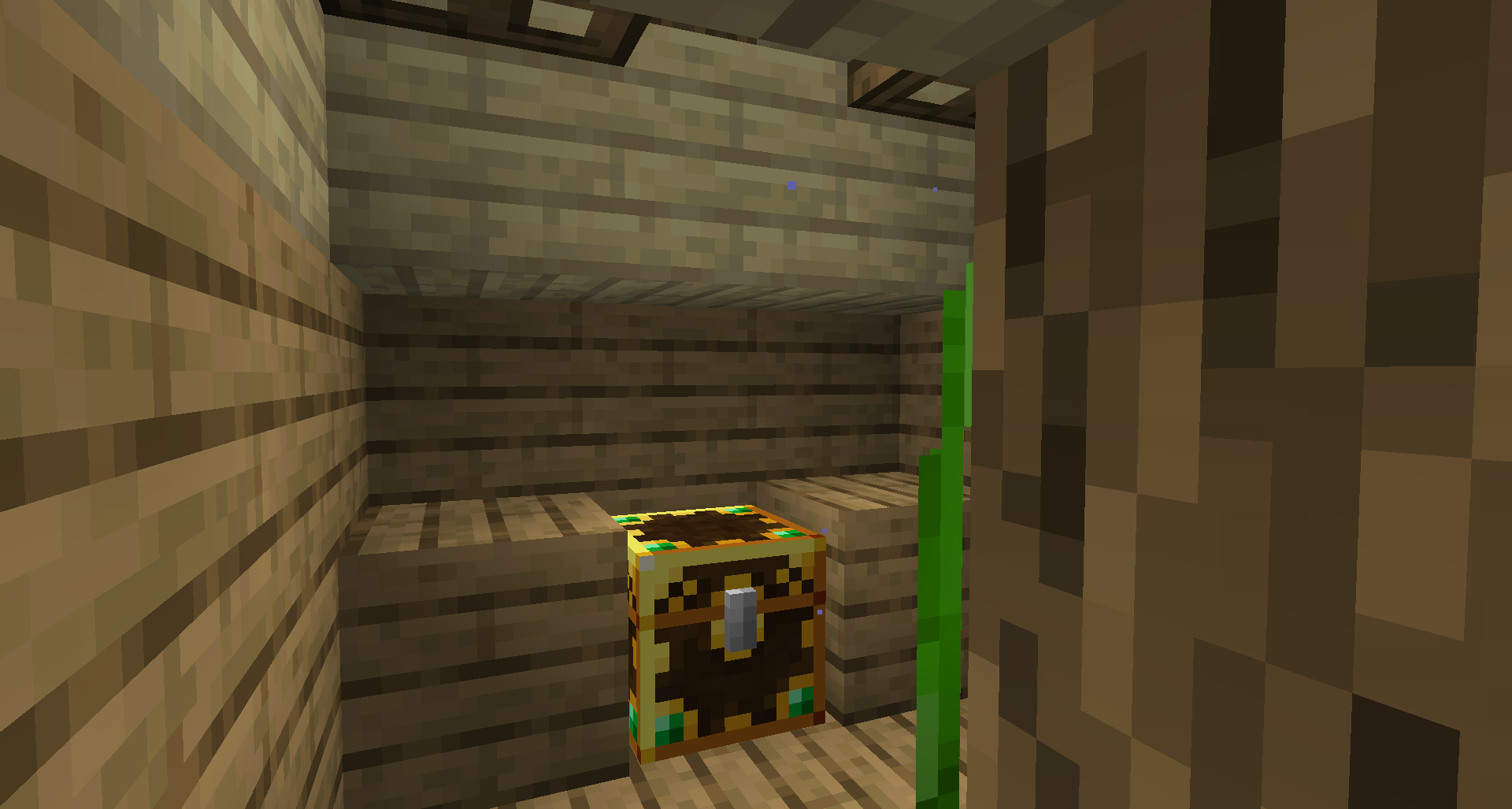 Underwater lootr chest!
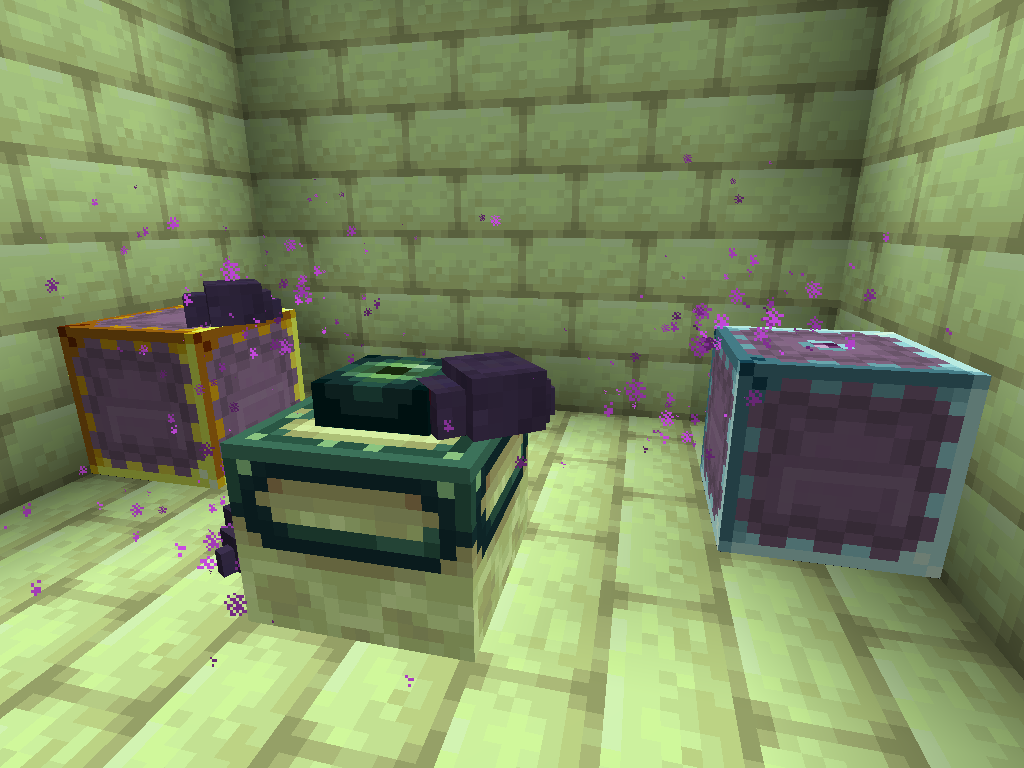 Loot Shulker
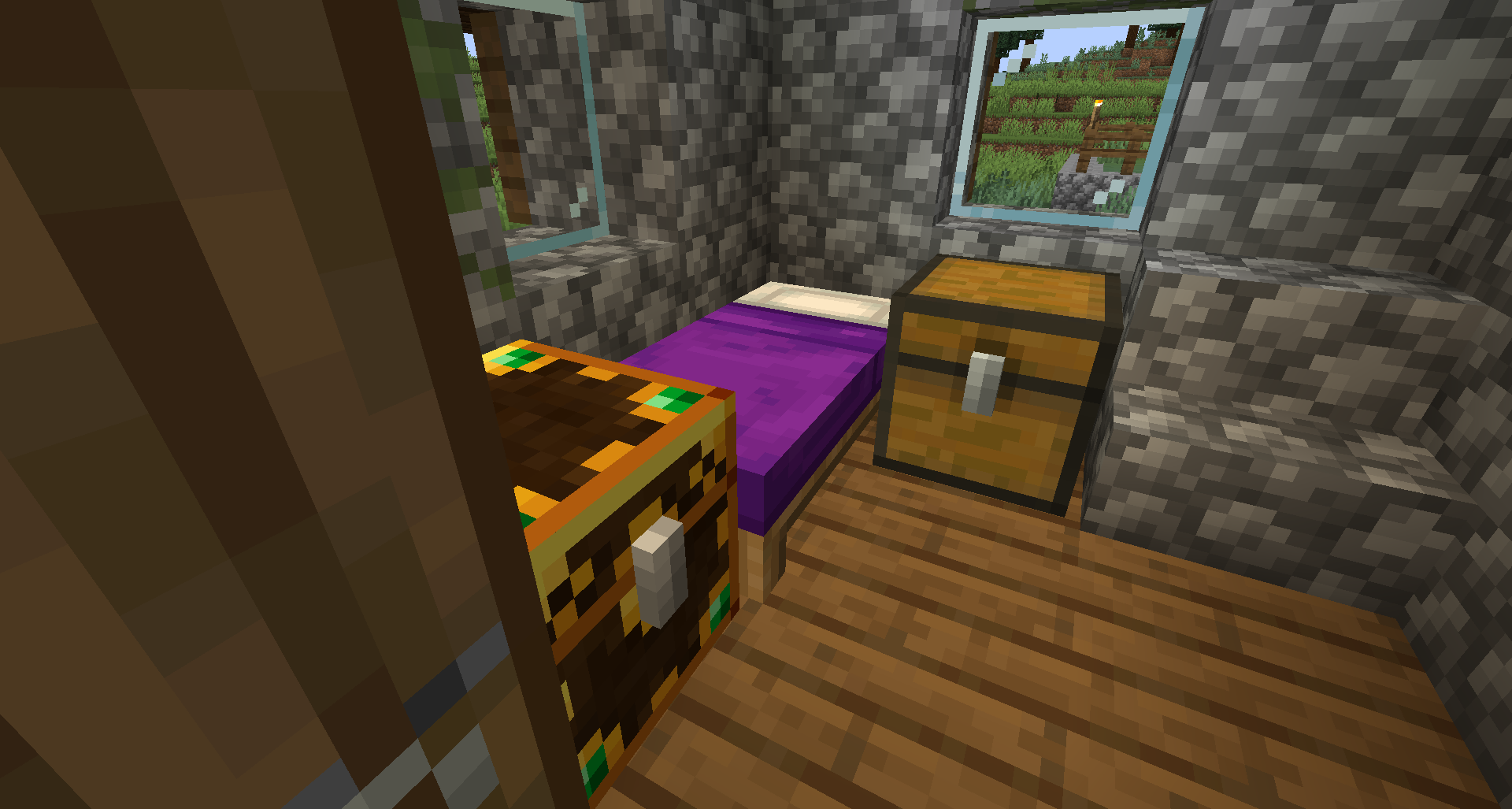 Lootr Chest with nearby Normal Chest
Bilder: Lootr auf Modrinth, vom Projektteam veröffentlicht.
Einrichtung
Lootr auf dem Server installieren
Server und Spieler brauchen denselben Loader und dieselbe Minecraft-Version. Sichere die Welt, bevor du Mods hinzufügst oder aktualisierst.
- 01
Konfigurieren
4 GB RAM sind vorausgewählt. Laufzeit und Add-ons wählst du selbst, bezahlt wird per Kreditkarte oder PayPal.
- 02
Loader einstellen
Stell im Panel die Serversoftware auf Fabric oder Forge oder NeoForge und wähl die passende Minecraft-Version, zum Beispiel 26.3.
- 03
Mod installieren
Such im Mod-Browser nach „Lootr“ und installiere die Version für deinen Loader. Alternativ lädst du die .jar per SFTP in den Ordner mods. Erforderliche Abhängigkeiten stehen auf der Projektseite.
- 04
Verbinden
Alle Spieler installieren Lootr in derselben Version lokal und verbinden sich über die Serveradresse aus dem Panel.
- Auf dem Server
- Erforderlich
- Auf dem Client
- Erforderlich
- Loader
- Fabric, Forge, NeoForge
- Minecraft
- 26.3, 26.2, 26.1.2 +30 weitere
- Lizenz
- MIT License
Das Panel
Mods installieren, Fehler finden.
Echte Screenshots aus dem Mado Panel. Beides ist bei jedem Minecraft Server enthalten.
Mod-Browser
Modrinth und CurseForge direkt im Panel.
Der Browser filtert nach deiner Minecraft-Version. Mods installierst du mit einem Klick, ohne .jar-Dateien hochzuladen.

KI-Crash-Analyse
Wenn ein Mod crasht, liest die Analyse das Log.
Mods scheitern oft an einer falschen Loader-Version, Java-Version oder fehlenden Abhängigkeit. Die Analyse nennt eine wahrscheinliche Ursache und einen Lösungsvorschlag.

Versionen
Veröffentlichte Versionen
Nimm die Datei, die zu Loader und Minecraft-Version deines Servers passt. Server und Spieler brauchen dieselbe Version.
Lootr · Modrinth- lootr-fabric-26.2-1.24.41.12428. September 2026Minecraft 26.2 · Fabric
- lootr-neoforge-26.2-1.24.41.12428. September 2026Minecraft 26.2 · NeoForge
- lootr-neoforge-26.3-1.25.42.12427. September 2026Minecraft 26.3 · NeoForge
- lootr-fabric-26.3-1.25.42.12427. September 2026Minecraft 26.3 · Fabric
- lootr-fabric-26.1.2-1.23.38.12326. September 2026Minecraft 26.1.2 · Fabric
Originalbeschreibung des Projektautors
Lootr is required on both servers and clients.
What does it do? Each container that has a loot table (supporting chests, trapped chests, barrels, shulkers and minecarts) creates a unique inventory for each player who opens it! These containers also have a distinct appearance, and their colour changes from gold to blue if a player has already opened the container.
How does this help? There's no longer a race to be the first to discover structures, and you will never open a loot chest and find someone's left-over trash. Most importantly, it encourages players to explore existing structures, rather than generating new chunks, thus reducing world size!
What versions is it available for? For Fabric, it's available for all recent releases since 1.18 and is actively developed for these. For Forge, it's available for 1.12.2, 1.16.5, 1.18, 1.19 and 1.20!
Frequently Asked Questions
Q. How do I get support?
A. You can check out my Discord (linked below) or alternatively create an issue on our GitHub, which can be found by clicking on "Issues" above.
Q. What versions does Lootr support?
A. Currently, Lootr for Forge supports the following versions: 1.18, 1.19/1.19.1/1.19.2, 1.19.3. Please check the "All Files" page if you cannot find a download for the version of Minecraft you are playing.
Q. Is there a server-only version? Can I connect without installing it on the client?
A. No, Lootr is currently required on both the client and the server. If you have experience with plug-in development and are willing to help design a server-only version, please reach out on Discord (link found below).
Q. How do I change what loot is generated with Lootr? How do I include loot from other mods in Lootr containers?
A. This is beyond the scope of the Lootr mod, which simply changes the containers. In all other respects, loot is generated in exactly the same way as Vanilla chests generate it. Modifying loot tables is generally done via data packs, although various mods exist for various versions of Minecraft which do this. I recommend asking in your favourite modded Minecraft Discord or forum!
Q. What about dungeon mods? How do I prevent players from going in and looting everything after it has already been cleared?
A. There are a number of options that help with this:
- Specific loot tables can be blacklisted, which means that those chests will never be converted. You can also specify simply all loot tables of a certain mod. Likewise, specific dimensions can be blacklisted.
- Alternatively, you can specify for certain containers (or all containers), determined by their loot table, to "decay". This means that a configurable time after they are first opened, the next time someone attempts to open the container, the block will be destroyed. There also exists the opposite, a system whereby chests will "refresh" (or re-generate their contents) after the configured period of time has elapsed.
Q. How do I prevent players from simply breaking containers?
A. By default, players who attempt to break a container will be given a warning message and a reminder that all containers are available per-player. Players can still break these containers by doing so while sneaking, unless this option is disabled in the configuration.
Q. I don't like the visual appearance of the containers. How can I change this?
A. There is a client-side option that forces containers to use the default Vanilla skin. However, this does mean there is no visual change to indicate if a container has been opened before.
Q. Can I add Lootr to a pre-existing world and have containers be converted?
A. Yes! With one disclaimer: loot containers which were already opened will not be converted. The generation of loot in Minecraft, by default, removes the associated loot table, and there is no way for Lootr to find this information.
Q. The container from <random mod> isn't converting!
A. If the container contains items (or always contains the same items), it is possible that the mod is manually generating loot for it. In this case, there is no way for Lootr to determine a loot table and convert chests. I recommend asking the author of the mod to consider switching to a loot table instead to maintain compatibility! If the container is empty, it is possible that it is merely included for the aesthetic. Otherwise, if you believe there's an issue with conversion, please open an issue on our GitHub tracker or post on Discord. Additional methods for converting containers exist for 1.12.2.
Please note that the "axe chest" in the Vanilla Woodland Mansion does not have an associated loot table and is never converted.
Q. I no longer want Lootr. What happens if I remove it?
A. Unfortunately, removing the mod will also remove all Lootr containers. There is currently no way to undo the conversion process. This means that every Lootr converted container will be removed from your world.
Q. I want to create a "starter" chest with some items in it for everyone in my world, how do I go about this? How do I create my own Lootr container?
A. Lootr also contains "custom" inventories which use the same visual appearance as a chest. Simply create a Vanilla chest, fill it with the items you want available and then, while standing on it, execute the /lootr custom command (this requires operator privileges).
Q. What else does the /lootr command do?
A. For a full explanation of the command, please check out the Lootr Command page on our GitHub Wiki.
Q. How do I use Lootr in a mod pack, or how do I natively use Lootr in my Mod?
A. For a full explanation of Lootr's features for mod packs, as well as the Lootr API, please check out the Lootr for Developers page on our GitHub Wiki.
Q. What do all the configuration options mean?
A. For a full explanation of Lootr's configuration, please check out the Lootr Configuration page on our GitHub Wiki.
Q. Is there a video I can watch?
A. There sure is! Vallen from Mischief of Mice has graciously created this bit-by-bit video that covers the rough basics of Lootr, although this is from an earlier version of the mod and does not cover all recent additions:
Patreon & Discord
You can support me on Patreon!
All support for this mod is available on my Discord. You can also keep up with what I'm doing and get notifications streams! For all other support, please click on "Issues" at the top of this page.
Lootr Server crasht beim Start – was tun?
Häufige Ursachen: Loader- oder Minecraft-Version passen nicht zur Mod-Datei, eine Abhängigkeit fehlt oder der RAM reicht nicht. Such im Log (latest.log) nach „OutOfMemoryError“, „Mixin“ oder fehlenden Mods. Bei Mado wertet die KI-Crash-Analyse das Log aus und schlägt eine Ursache vor. Loader und Version änderst du im Panel.
Mit welchem Loader läuft Lootr?
Laut Modrinth unterstützt Lootr Fabric, Forge, NeoForge für Minecraft 26.3, 26.2, 26.1.2. Forge- und Fabric-Dateien sind nicht untereinander austauschbar: Wähl einen Loader für Server und Clients.
Wie viel RAM braucht ein Server mit Lootr?
Als Orientierung 3–4 GB für einen Server mit dieser Mod. Das ist eine Schätzung, keine gemessene Mindestanforderung. Weitere Mods, viele Spieler und große Sichtweiten brauchen mehr. Ob eine Mod die Tick-Zeit belastet, siehst du mit dem spark-Profiler.
Ähnliche Mods
Beliebte Mods aus derselben Kategorie
 Server-fähig

FerriteCore
von malte0811
Memory usage optimizations
 Nur Client

Mod Menu
von Prospector
Adds a mod menu to view the list of mods you have installed.
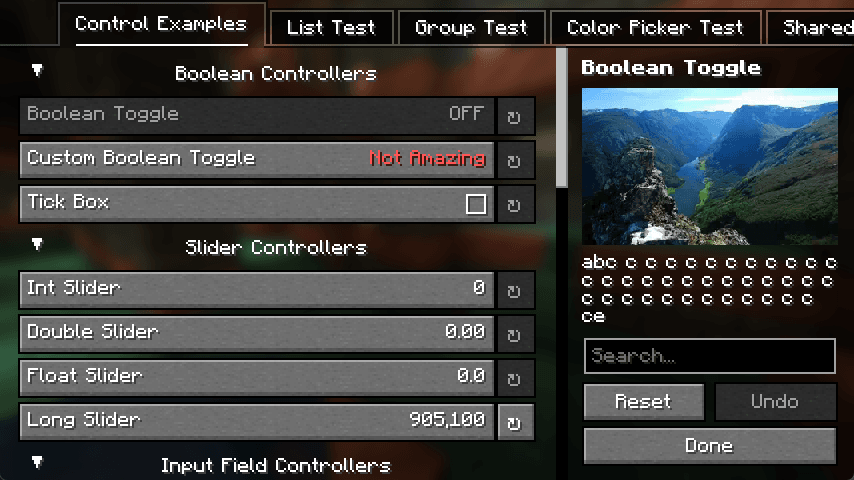 Server-fähig

YetAnotherConfigLib (YACL)
von isxander
A builder-based configuration library for Minecraft!
 Server-fähig

Xaero's Minimap
von thexaero
Displays a map of the nearby world terrain, players, mobs, entities in the corner of your screen. Lets you create waypoints which help you find the locations you've marked.
Bereit für deinen Server mit Lootr?
4 GB RAM ab 8,00 € im Monat. 35 % auf den 1. Monat mit MADO35.