Lost Cursor Fix
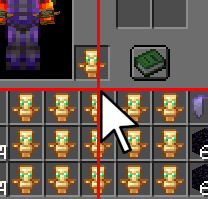
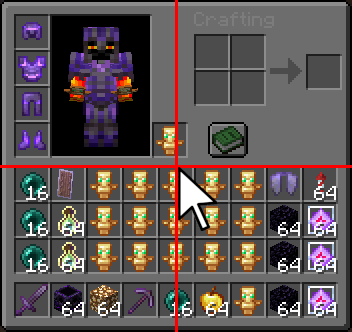
Fixes Minecraft's inconsistent inventory cursor position by automatically centering the mouse whenever an inventory screen is opened.
Screenshots
Über diese Mod

🎯 Lost Cursor Fix
Stop losing your mouse cursor.
Ever opened a chest or your inventory and had to search for your cursor first?
Vanilla Minecraft often places the mouse inconsistently when opening GUI screens — especially inventories, chests, furnaces, and other containers.
Lost Cursor Fix solves this by automatically centering your cursor every time a handled screen opens. Clean, simple, and seamless.
✨ Features
🎯 Perfect Cursor Centering
Automatically moves the mouse cursor to the exact center of the screen whenever an inventory GUI opens.
⚡ Easy Toggle Commands
Enable or disable the mod instantly with simple chat commands — no config menu needed.
🛠 Commands
| Command | Description |
|---|---|
/lcf toggle |
Toggle the mod on or off |
/lcf on |
Enable Lost Cursor Fix |
/lcf off |
Disable Lost Cursor Fix |
/lcf report |
Get the Discord support link |
Aliases:
/lostcursorfix toggle/lostcursorfix on/lostcursorfix off
📦 Compatibility
✅ Supported Versions
- Minecraft
1.21→1.21.11
🧪 Experimental Support
- Compatible with Fabric
26.x - Works with special/April Fools experimental releases
💻 Environment
- Client-side only
- Does not need to be installed on servers
💬 Support
Join our Discord for support, bug reports, or suggestions:
🌐 https://discord.gg/mP23dpVQ6V
🇩🇪 Lost Cursor Fix (Deutsch)
Schluss mit der Suche nach dem Mauszeiger.
Du öffnest eine Kiste oder dein Inventar — und dein Cursor ist plötzlich irgendwo am Bildschirmrand?
Minecraft positioniert den Mauszeiger in GUI-Menüs oft unzuverlässig und inkonsistent.
Lost Cursor Fix behebt dieses Problem, indem der Mauszeiger beim Öffnen eines Inventars automatisch exakt in die Bildschirmmitte gesetzt wird.
✨ Funktionen
🎯 Perfekte Zentrierung
Setzt den Mauszeiger automatisch in die Mitte des Bildschirms, sobald ein Inventar geöffnet wird.
⚡ Einfache Steuerung
Aktiviere oder deaktiviere die Mod jederzeit über praktische Chat-Befehle.
🛠 Befehle
| Befehl | Beschreibung |
|---|---|
/lcf toggle |
Mod ein-/ausschalten |
/lcf on |
Mod aktivieren |
/lcf off |
Mod deaktivieren |
/lcf report |
Discord-Supportlink anzeigen |
📦 Kompatibilität
✅ Unterstützte Versionen
- Minecraft
1.21bis1.21.11
🧪 Experimentelle Unterstützung
- Kompatibel mit Fabric
26.x - Unterstützt experimentelle/April-Fools-Versionen
💻 Installation
- Rein clientseitig
- Keine Serverinstallation erforderlich
💬 Support
Trete unserem Discord bei für Hilfe, Fehlerberichte oder Vorschläge:
🌐 https://discord.gg/mP23dpVQ6V
❓ Can I use this mod in a modpack? 📦
Of course! Please feel free to include this mod in your modpacks! 💜✨
You may:
- ✅ Use this mod in public and private modpacks
- ✅ Upload modpacks containing this mod to Modrinth, CurseForge, etc.
- ✅ Use it on servers and with friends
Just please:
- ❌ Do not reupload the mod itself
- ❌ Do not claim the mod as your own
Have fun! 🌟
Verfügbare Versionen
Lost Cursor Fix auf deinem Client installieren
Mod-Loader lokal installieren
Installiere fabric für deine lokale Minecraft-Version.
Passende Datei herunterladen
Wähle die Lost Cursor Fix-Datei für fabric und Minecraft 26.2.
Mod installieren
Lege die .jar-Datei in deinem lokalen .minecraft/mods-Ordner ab und starte Minecraft neu. Eine Installation auf dem Server ist nicht nötig.
Kompatibilität
Mod-Loader
Minecraft-Versionen
26.2, 26.1.2, 26.1.1 (+13 weitere)
Server-seitig
✗ Nicht unterstütztEmpfohlener RAM
4 GB(min. 3 GB)Häufige Fragen
Muss Lost Cursor Fix auf dem Minecraft Server installiert werden?
Nein. Modrinth kennzeichnet Lost Cursor Fix serverseitig als nicht unterstützt. Installiere die Mod nur im lokalen Minecraft-Mods-Ordner. Dein Server kann unverändert bleiben, sofern die Mod-Seite keine zusätzliche Abhängigkeit nennt.
Welche Version und welchen Loader braucht Lost Cursor Fix?
Nutze eine Datei für fabric und exakt deine Minecraft-Version. Unterstützte Versionen sind unter anderem 26.2, 26.1.2, 26.1.1. Loader-Dateien sind nicht untereinander austauschbar.
Lost Cursor Fix funktioniert nicht – was kann ich prüfen?
Prüfe zuerst Minecraft-Version, Loader-Version und erforderliche Abhängigkeiten. Lege die .jar-Datei im lokalen .minecraft/mods-Ordner ab und entferne ältere Duplikate. Da die Mod clientseitig ist, löst mehr Server-RAM dieses Problem nicht.
Ähnliche Mods






Minecraft Server für deine Gruppe
Lost Cursor Fix bleibt auf deinem Client. Hoste dazu eine kompatible Welt für deine Mitspieler.