
Minions
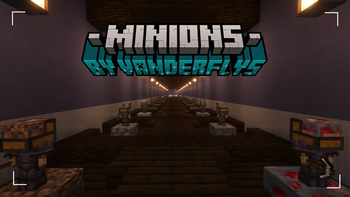
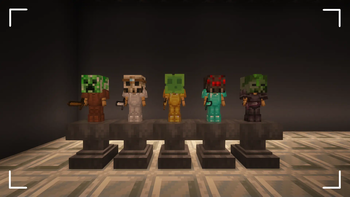
Datapack that adds Minions to Minecraft while retaining the vanilla gameplay experience.
Screenshots
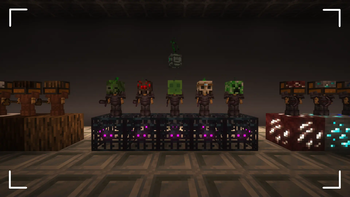
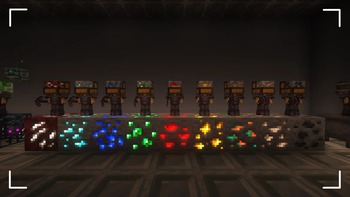
Über diese Mod





⚠ ATTENTION ⚠
As of September 27, 2025, TimeLib, the essential datapack/mod used for Minion, has been archived because Minecraft has removed the ability to obtain real-time timestamps. This means that Minions will no longer receive updates for newer versions of the game. However, the project itself is not fully archived; I will continue to address bugs for previous releases. The latest working release is for Minecraft version 1.21.8.
📖 Description
Datapack that adds Minions to Minecraft while retaining the vanilla gameplay experience.
Explore the seamless functionality in both single-player and multiplayer modes.
Has included resource-pack for invisible menu's.
⭐ Features
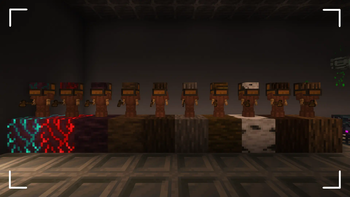
- Minions that gather resources for you.
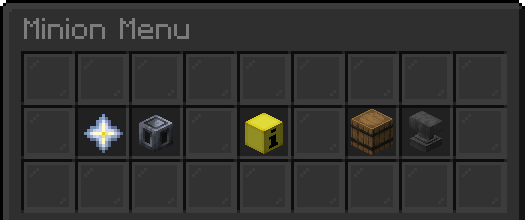
- A fully interactive GUI menu.
- Minion Upgrade Items for storage and speed (includes external buff items).
- Minion Tier Upgrades.
- Offline resource calculations.
- Multiplayer compatible.
- 10 Minions per player.
⚡️IMPORTANT REMINDER
You need permission to use commands to be able to install this datapack!
This means that commands must be turned on in single-player and OP in multiplayer.
TimeLib, the library that Minions v3 uses, requires command blocks to be turned on when used for multiplayer servers.
⚙️ Installation
After installing it you need to restart your world with /reload and press the install button in the chat.
⛏️ How to obtain Minions
Minions are overpowered since they obtain resources for you while you don't have to do anything.
The Minions are specifically designed for mid to late-game use, requiring a significant amount of costly materials to craft. After defeating a Wither, you gain the ability to craft Minions and all the recipes for both the minions and their upgrade items will be displayed in the recipe book.
🔍 Minion Interactions
Look at the desired minion you want to interact with and follow it with a right-click to open its menu. The menu has the following items that each have their own function such as:
- Upgrade Module:
Place an Upgrade Module item in this specific slot to buff the minion's speed.
This Upgrade Module item can be removed by clicking it again. - Tier Upgrade:
Click to upgrade the minion's tier to the next level.
This requires the correct upgrade material, which is shown when hovering at this item. - Minion Information:
Displays the minion's speed, storage, and if it is placed on the correct block.
Click to remove this minion and convert it back into an item. - Minion Storage:
Displays how many items the minion has collected. Click to collect the items. - Storage Upgrade:
Place a Storage Upgrade item in this specific slot to increase the minion's storage.
This Storage Upgrade item can be removed by clicking it again.
🧮 How to upgrade Minions
Each minion can be upgraded by their respective upgrade items.
These upgrade items can be crafted from the drops of the minion.
They can also be found in the recipe book in the crafting table.
The recipe pattern is either 3x3 or the chest pattern.
The upgrade item requirement amount follows the following pattern;
T2: 16x, T3: 32x, T4: 64x and T5: 128x.
Verfügbare Versionen
Minions auf dem Server installieren
Server bestellen
Bestelle einen Minecraft Java Server mit mindestens 3 GB RAM (4 GB empfohlen).
datapack Loader setzen
Wähle im Panel unter "Egg" den datapack-Loader und die passende Minecraft-Version (1.21.8).
Mod installieren
Öffne den Mod-Browser im Dashboard und suche nach "Minions". Klicke "Installieren" – fertig! Alternativ: Lade die .jar via SFTP in den /mods Ordner.
Kompatibilität
Mod-Loader
Minecraft-Versionen
1.21.8, 1.21.7, 1.21.6 (+8 weitere)
Server-seitig
✓ ErforderlichEmpfohlener RAM
4 GB(min. 3 GB)Häufige Fragen
Minions Server crasht beim Start – was tun?
Häufigste Ursache: falsche datapack-Version oder zu wenig RAM. Prüfe im Server-Log (latest.log), ob ein "OutOfMemoryError" oder "Mixin"-Fehler auftritt. Bei Mado Hosting: Stelle sicher, dass mindestens 3 GB RAM zugewiesen sind und der Loader zur Mod-Version passt (1.21.8). Über das Panel kannst du den Loader mit einem Klick wechseln.
Ist Minions mit datapack und fabric und forge und neoforge und quilt kompatibel?
Minions unterstützt offiziell datapack, fabric, forge, neoforge, quilt für Minecraft 1.21.8, 1.21.7, 1.21.6. Achtung: Forge- und Fabric-Mods sind NICHT untereinander kompatibel – wähle einen Loader und bleibe dabei. Im Mado Dashboard werden inkompatible Loader-Kombinationen automatisch erkannt.
Server laggt mit Minions – wie optimiere ich die Performance?
Empfohlener RAM: 4 GB (+1 GB pro 8 Spieler). Prüfe mit /spark profiler, ob Minions den meisten Tick-Time verbraucht. Häufige Fixes: Server-View-Distance auf 8-10 reduzieren, bei Forge "performant" oder "starlight" als Zusatz-Mod installieren. Bei Mado Hosting läuft dein Server auf NVMe-SSDs mit dedizierten CPU-Kernen für minimale Latenz.
Ähnliche Mods






Modded Server mieten
Installiere Minions mit nur einem Klick auf deinem Server.