

Modrinth · Forge
MixinBooter auf deinem Minecraft Server
MixinBooter läuft auf Minecraft Servern mit Forge. Bestell deinen Server, stell den Loader im Panel ein und installiere die Mod mit einem Klick im Mod-Browser.
The Mixin Library for 1.8 - 1.12.2.
- Downloads
- 2.1M
- Autor
- Cleanroom
- Loader
- Forge
- Minecraft
- 1.10 – 1.9.4
- Aktualisiert
- –
Einrichtung
MixinBooter auf dem Server installieren
Server und Spieler brauchen denselben Loader und dieselbe Minecraft-Version. Sichere die Welt, bevor du Mods hinzufügst oder aktualisierst.
- 01
Konfigurieren
4 GB RAM sind vorausgewählt. Laufzeit und Add-ons wählst du selbst, bezahlt wird per Kreditkarte oder PayPal.
- 02
Loader einstellen
Stell im Panel die Serversoftware auf Forge und wähl die passende Minecraft-Version, zum Beispiel 1.9.4.
- 03
Mod installieren
Such im Mod-Browser nach „MixinBooter“ und installiere die Version für deinen Loader. Alternativ lädst du die .jar per SFTP in den Ordner mods. Erforderliche Abhängigkeiten stehen auf der Projektseite.
- 04
Verbinden
Alle Spieler installieren MixinBooter in derselben Version lokal und verbinden sich über die Serveradresse aus dem Panel.
- Auf dem Server
- Erforderlich
- Auf dem Client
- Erforderlich
- Loader
- Forge
- Minecraft
- 1.9.4, 1.9.3, 1.9.2 +21 weitere
- Lizenz
- GNU Lesser General Public License v2.1 only
Das Panel
Mods installieren, Fehler finden.
Echte Screenshots aus dem Mado Panel. Beides ist bei jedem Minecraft Server enthalten.
Mod-Browser
Modrinth und CurseForge direkt im Panel.
Der Browser filtert nach deiner Minecraft-Version. Mods installierst du mit einem Klick, ohne .jar-Dateien hochzuladen.

KI-Crash-Analyse
Wenn ein Mod crasht, liest die Analyse das Log.
Mods scheitern oft an einer falschen Loader-Version, Java-Version oder fehlenden Abhängigkeit. Die Analyse nennt eine wahrscheinliche Ursache und einen Lösungsvorschlag.

Versionen
Veröffentlichte Versionen
Nimm die Datei, die zu Loader und Minecraft-Version deines Servers passt. Server und Spieler brauchen dieselbe Version.
MixinBooter · ModrinthOriginalbeschreibung des Projektautors
MixinBooter
Allows any mixins that work on mods to work effortlessly on 1.8 - 1.12.2
Current Mixin Version: CleanMix 0.2.9 by CleanroomMC, a fork of SpongePowered/Fabric Mixin (0.8.7)
Current MixinExtra Version: 0.5.4
Pseudo-Changelog:
As of 4.2, MixinBooter's API has changed and all mods that uses mixins are encouraged to depend on MixinBooter, even those that mixin into vanilla/forge/library classes. To avoid mixin version mismatches with mods crashing trying to implement modded mixins (looking at you VanillaFix). Thanks to @embeddedt recommending and helping me introduce this change!
As of 5.0, MixinExtras by @LlamaLad7 is shaded. Available for developers to use.
As of 8.0, MixinBooter will now work from 1.8 - 1.12.2. One single build works with all these versions! (TODO: LiteLoader support?)
As of 8.4, MixinBooter actively attempts to be compatible with SpongeForge
As of 9.2, MixinBooter reinstates the older MixinLoader annotation for 1.8.x usages.
As of 10.0, MixinBooter follows Mixin 0.8.7
As of 11.0, MixinBooter is built on CleanMix. As an effort to create an unified backend with Cleanroom.
- No longer would you need to declare dependencies for the annotation processor yourself.
- Also adds a config file (
config/mixinbooter.cfg) to blacklist mixin configs and toggle debug options - Dedicated
logs/mixinbooter.logmixin log. With ability to trace class-loading for precise debugging. - Allows traditional
MixinConfig+MixinConnectormanifest attribute entries to be fully involved in the ecosystem - Mod discovery for mixin owners, better
isModLoadedchecks - Suppresses Forge's corrupt zip warnings
- Phased out mixin "phases"
For Developers ~ Getting Started:
- Add CleanroomMC's repository and depend on MixinBooter's maven entry:
repositories {
    maven {
        url 'https://maven.cleanroommc.com'
    }
}

dependencies {
    def mixin = 'zone.rong:mixinbooter:11.0'

    implementation (mixin) {
        transitive = false
    }
    annotationProcessor mixin

    // RetroFuturaGradle for refmap generation:
    modUtils.enableMixins(mixin)
    // modUtils.enableMixins(mixin, 'mod_id.mixins.refmap.json') << add refmap name as 2nd arg (optional)
}
- Pick how to register your mixin configurations. MixinBooter supports lots of approaches:
(As of 11.0, early/late divide is no longer present, therefore IEarly/ILateMixinLoaders are deprecated)
MixinConfigsmanifest attribute: no loader class needed. Add a space-separated list of your mixin configuration names to your jar's manifest. MixinBooter reads it straight from the jar's manifest and registers them.MixinConnectormanifest attribute: register configs programmatically. Point it at a class implementingorg.spongepowered.asm.mixin.connect.IMixinConnector, itsconnect()is called during boot, where you callMixins.addConfiguration(...)yourself.
Both manifest attributes are set on your jar task:
jar {
    manifest {
        attributes(
                'MixinConfigs': 'mixins.mymod.json',
                'MixinConnector': 'com.example.mymod.MyMixinConnector'
        )
    }
}
public class MyMixinConnector implements IMixinConnector {

    @Override
    public void connect() {
        // Check if mod is loaded before registering?
        // Possible with zone.rong.mixinbooter.service.ModDiscoverer.isModPresent(String modId)
        Mixins.addConfiguration("mixins.mymod.json");
    }

}
MixinBooter Server crasht beim Start – was tun?
Häufige Ursachen: Loader- oder Minecraft-Version passen nicht zur Mod-Datei, eine Abhängigkeit fehlt oder der RAM reicht nicht. Such im Log (latest.log) nach „OutOfMemoryError“, „Mixin“ oder fehlenden Mods. Bei Mado wertet die KI-Crash-Analyse das Log aus und schlägt eine Ursache vor. Loader und Version änderst du im Panel.
Mit welchem Loader läuft MixinBooter?
Laut Modrinth unterstützt MixinBooter Forge für Minecraft 1.9.4, 1.9.3, 1.9.2.
Wie viel RAM braucht ein Server mit MixinBooter?
Als Orientierung 3–4 GB für einen Server mit dieser Mod. Das ist eine Schätzung, keine gemessene Mindestanforderung. Weitere Mods, viele Spieler und große Sichtweiten brauchen mehr. Ob eine Mod die Tick-Zeit belastet, siehst du mit dem spark-Profiler.
Ähnliche Mods
Beliebte Mods aus derselben Kategorie
 Server-fähig

Fabric API
von modmuss50
Lightweight and modular API providing common hooks and intercompatibility measures utilized by mods using the Fabric toolchain.
 Server-fähig

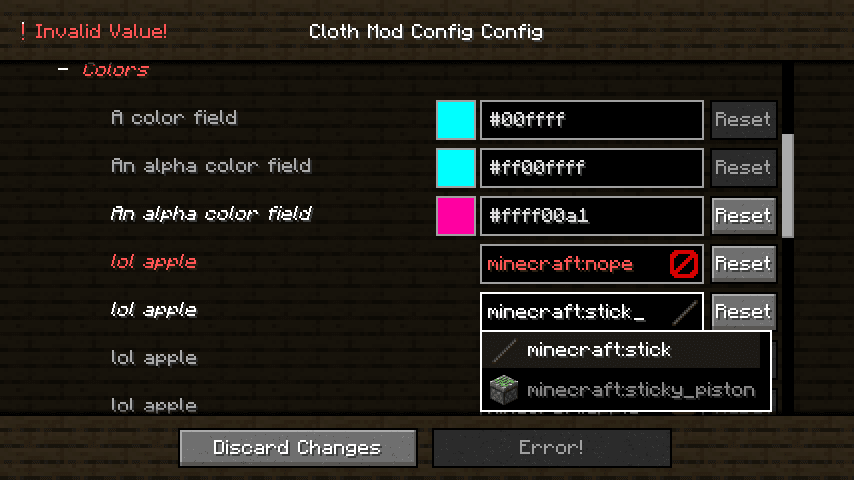
Cloth Config API
von shedaniel
Configuration Library for Minecraft Mods
 Server-fähig

YetAnotherConfigLib (YACL)
von isxander
A builder-based configuration library for Minecraft!
 Server-fähig

Fabric Language Kotlin
von modmuss50
This is a mod that enables usage of the Kotlin programming language for Fabric mods.
Bereit für deinen Server mit MixinBooter?
4 GB RAM ab 8,00 € im Monat. 35 % auf den 1. Monat mit MADO35.