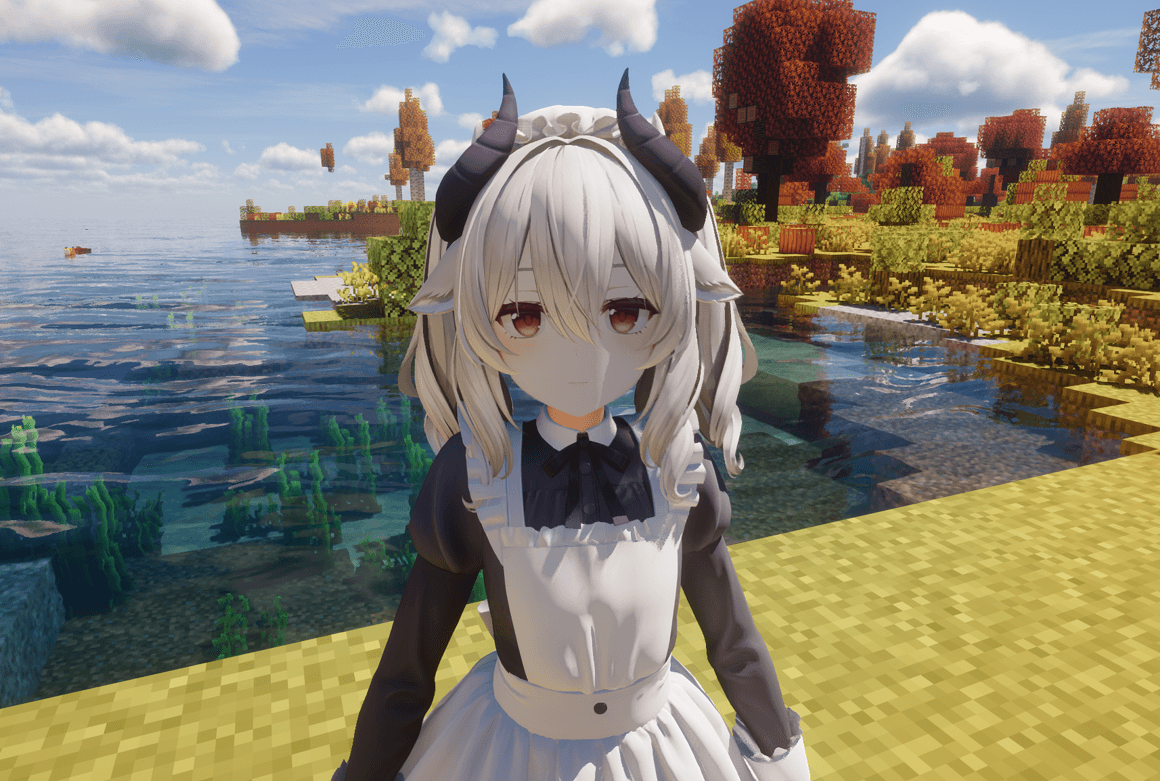

Modrinth · Fabric, Forge, NeoForge
MmdSkin auf deinem Minecraft Server
MmdSkin läuft auf Minecraft Servern mit Fabric oder Forge oder NeoForge. Bestell deinen Server, stell den Loader im Panel ein und installiere die Mod mit einem Klick im Mod-Browser.
A mod that replaces Minecraft entity rendering with MMD models
- Downloads
- 243.0K
- Autor
- shiroha
- Loader
- Fabric, Forge, NeoForge
- Minecraft
- 1.20.1 – 1.21.4
- Aktualisiert
- –
Screenshots
So sieht MmdSkin aus
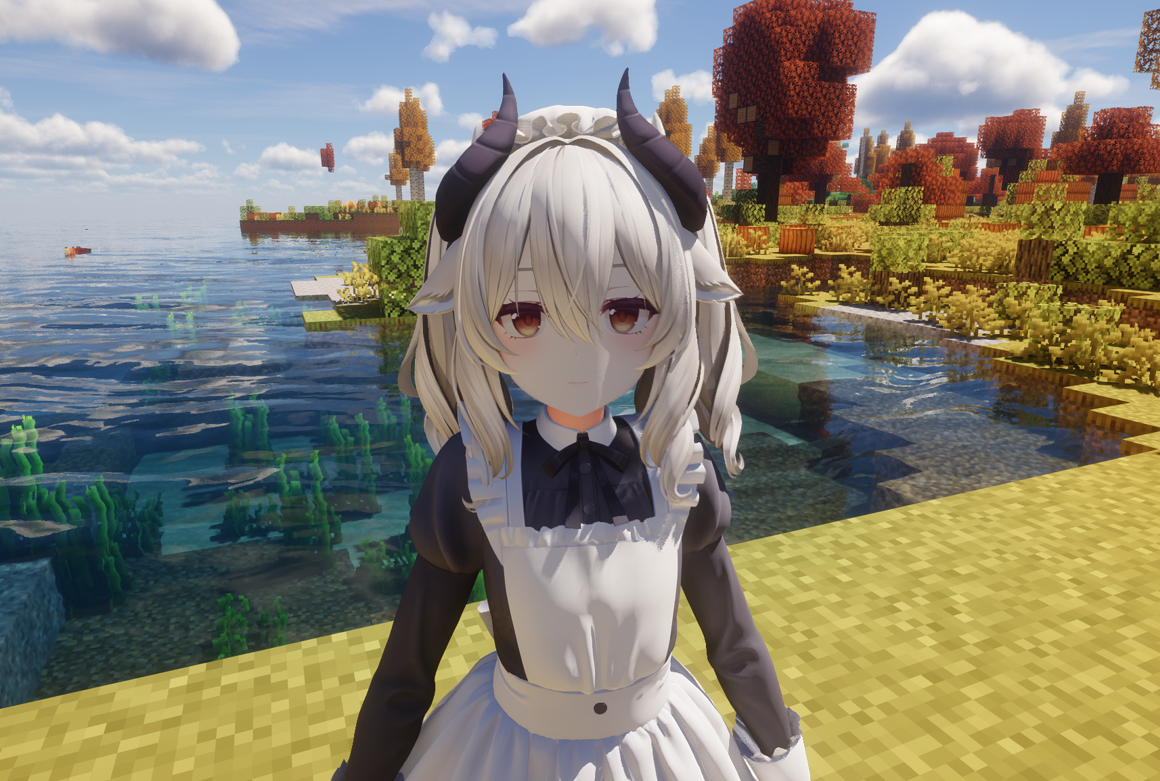
Bilder: MmdSkin auf Modrinth, vom Projektteam veröffentlicht.
Einrichtung
MmdSkin auf dem Server installieren
Server und Spieler brauchen denselben Loader und dieselbe Minecraft-Version. Sichere die Welt, bevor du Mods hinzufügst oder aktualisierst.
- 01
Konfigurieren
4 GB RAM sind vorausgewählt. Laufzeit und Add-ons wählst du selbst, bezahlt wird per Kreditkarte oder PayPal.
- 02
Loader einstellen
Stell im Panel die Serversoftware auf Fabric oder Forge oder NeoForge und wähl die passende Minecraft-Version, zum Beispiel 1.21.4.
- 03
Mod installieren
Such im Mod-Browser nach „MmdSkin“ und installiere die Version für deinen Loader. Alternativ lädst du die .jar per SFTP in den Ordner mods. Erforderliche Abhängigkeiten stehen auf der Projektseite.
- 04
Verbinden
Alle Spieler installieren MmdSkin in derselben Version lokal und verbinden sich über die Serveradresse aus dem Panel.
- Auf dem Server
- Erforderlich
- Auf dem Client
- Erforderlich
- Loader
- Fabric, Forge, NeoForge
- Minecraft
- 1.21.4, 1.21.3, 1.21.2 +2 weitere
- Lizenz
- MIT License
Das Panel
Mods installieren, Fehler finden.
Echte Screenshots aus dem Mado Panel. Beides ist bei jedem Minecraft Server enthalten.
Mod-Browser
Modrinth und CurseForge direkt im Panel.
Der Browser filtert nach deiner Minecraft-Version. Mods installierst du mit einem Klick, ohne .jar-Dateien hochzuladen.

KI-Crash-Analyse
Wenn ein Mod crasht, liest die Analyse das Log.
Mods scheitern oft an einer falschen Loader-Version, Java-Version oder fehlenden Abhängigkeit. Die Analyse nennt eine wahrscheinliche Ursache und einen Lösungsvorschlag.

Versionen
Veröffentlichte Versionen
Nimm die Datei, die zu Loader und Minecraft-Version deines Servers passt. Server und Spieler brauchen dieselbe Version.
MmdSkin · Modrinth- MmdSkin 1.0.5-1.21.1-217. Mai 2026Minecraft 1.21.1 · NeoForge
- MmdSkin 1.0.5-1.21.1-217. Mai 2026Minecraft 1.21.1 · Fabric
- MmdSkin 1.0.5-1.20.116. Mai 2026Minecraft 1.20.1 · Fabric
- MmdSkin 1.0.5-1.20.116. Mai 2026Minecraft 1.20.1 · Forge
Originalbeschreibung des Projektautors
MMD Skin - Bring MMD Models to Minecraft
MMD Skin is a Minecraft mod that allows you to replace the player skin with MMD (MikuMikuDance) models, complete with real-time physics simulation for hair, clothes, and accessories.
✨ Features
- PMX/PMD Model Support - Load and render MMD models in Minecraft
- VMD Animation Playback - Play skeletal and morph animations
- Real-time Physics - Hair, skirts, and accessories react naturally to movement
- GPU Skinning - High-performance vertex skinning via Compute Shader
- Toon Rendering - Cel-shading effects with customizable parameters
- Multi-layer Animation - Blend multiple animations simultaneously
- TouhouLittleMaid Integration - Apply MMD models to maids
📦 Installation
- Install Fabric Loader or Forge for Minecraft 1.20.1
- Download the mod
.jarfile and place it in.minecraft/mods/ - Launch the game - the mod will create the
3d-skinresource directory automatically - Add your own models and animations to the corresponding folders
📁 Directory Structure
The mod uses .minecraft/3d-skin/ as the resource root:
.minecraft/
└── 3d-skin/
    ├── EntityPlayer/      # Player models
    │   ├── ModelA/        # Each subfolder = one model
    │   │   ├── model.pmx  # Model file (.pmx/.pmd)
    │   │   ├── *.png      # Textures
    │   │   ├── dance.vmd  # Model-specific animation (optional)
    │   │   └── smile.vpd  # Model-specific morph (optional)
    │   └── ModelB/
    │       └── ...
    ├── DefaultAnim/       # System preset animations
    ├── CustomAnim/        # User custom animations
    ├── DefaultMorph/      # System preset morphs
    └── CustomMorph/       # User custom morphs
EntityPlayer/ - Player Models
Store your MMD models here. Each model must be in its own subfolder.
| File Type | Extension | Description |
|---|---|---|
| Model | .pmx / .pmd |
Required, PMX takes priority |
| Texture | .png / .jpg / .bmp / .tga |
Referenced by model |
| Animation | .vmd |
Optional, model-specific |
| Morph | .vpd |
Optional, model-specific |
Model Detection Rules:
- Scans each subfolder for
.pmxor.pmdfiles - If multiple model files exist,
model.pmxormodel.pmdis prioritized - Otherwise, the first file alphabetically is selected
DefaultAnim/ - System Preset Animations
Contains built-in animations that map to player states:
| Animation | Trigger |
|---|---|
idle.vmd |
Standing still |
walk.vmd |
Walking |
sprint.vmd |
Sprinting |
sneak.vmd |
Sneaking |
swim.vmd |
Swimming |
crawl.vmd |
Crawling |
sleep.vmd |
Sleeping |
die.vmd |
Death |
elytraFly.vmd |
Elytra flight |
onClimbable.vmd |
Climbing (idle) |
onClimbableUp.vmd |
Climbing up |
onClimbableDown.vmd |
Climbing down |
onHorse.vmd |
Riding |
swingLeft.vmd |
Left hand swing |
swingRight.vmd |
Right hand swing |
You can replace these files to customize base animations.
CustomAnim/ - User Custom Animations
Place your .vmd animation files here. They can be triggered manually via the action wheel.
Animation Priority
When loading animations, the mod searches in this order:
- Model-specific folder (
EntityPlayer/ModelName/*.vmd) - Highest priority - Custom animation folder (
CustomAnim/*.vmd) - Default animation folder (
DefaultAnim/*.vmd) - Lowest priority
This allows you to create model-specific animations that override general ones.
🎮 Controls
Main Config Wheel (Hold Alt)
Hold Alt to open the main configuration wheel:
| Option | Function |
|---|---|
| 🎭 Model Switch | Open model selector to change player model |
| 🎬 Action Select | Open action wheel to play custom animations |
| 😊 Morph Select | Open morph wheel to apply expressions |
| 👕 Material Control | Toggle visibility of model parts |
| ⚙ Mod Settings | Open mod configuration screen |
Maid Config Wheel (Press B on maid)
If TouhouLittleMaid is installed, aim at a maid and press B to open maid-specific options.
Tip: Keybinds can be customized in Options → Controls → MMD Skin category.
⚙ Settings
Access mod settings via the config wheel or Mod Menu. Available options:
Rendering
- OpenGL Lighting - Enable/disable lighting
- MMD Shader - Use MMD-style shading
Performance
- Model Pool Max - Maximum cached models (10-500)
- GPU Skinning - Use Compute Shader for vertex skinning (requires OpenGL 4.3+)
- GPU Morph - Use Compute Shader for morph calculations
- Max Bones - Maximum bone count (512-4096)
Toon Rendering
- Enable Toon - Enable cel-shading
- Toon Levels - Number of shade levels (2-5)
- Rim Light - Edge highlighting
- Shadow Color - Custom shadow tint
- Specular - Highlight settings
- Outline - Model outline (width & color)
⚠️ Note: Toon Rendering and GPU Skinning are currently incompatible with shader mods (Iris/Optifine). Disable these features when using shaders.
🔧 Tips
- Model not showing? Check that your model folder contains a valid
.pmxor.pmdfile - Textures missing? Ensure texture files are in the same folder as the model
- Animation not playing? Verify the
.vmdfile is compatible with your model's bone structure - Performance issues? Try enabling GPU features on older hardware
📝 Supported Formats
| Format | Extension | Description |
|---|---|---|
| PMX | .pmx |
MikuMikuDance model (recommended) |
| PMD | .pmd |
Legacy MMD model |
| VMD | .vmd |
MikuMikuDance motion data |
| VPD | .vpd |
Vocaloid Pose Data (morphs) |
💡 FAQ
Q: Can I use any MMD model?
A: Most PMX/PMD models should work. Very high-poly models may impact performance.
Q: Do physics work with all models?
A: Physics simulation depends on the model having properly configured rigid bodies and joints.
Q: Can other players see my model?
A: Yes, if they also have the mod installed and the same model files.
Q: Is this compatible with shader mods?
A: Basic rendering is compatible with Iris/Optifine, but Toon Rendering and GPU Skinning do not currently support shaders. Disable these features in settings when using shader packs.
🙏 Credits
This mod is based on the following projects:
- KAIMyEntity by kjkjkAIStudio - Original Minecraft MMD mod
- KAIMyEntity-C by Gengorou-C - Direct predecessor of this project
Thanks to the original authors for their open-source contributions!
🎨 Where to Get Models
You can find MMD models on these websites (please respect the model authors' terms of use):
Enjoy your MMD experience in Minecraft!
MmdSkin Server crasht beim Start – was tun?
Häufige Ursachen: Loader- oder Minecraft-Version passen nicht zur Mod-Datei, eine Abhängigkeit fehlt oder der RAM reicht nicht. Such im Log (latest.log) nach „OutOfMemoryError“, „Mixin“ oder fehlenden Mods. Bei Mado wertet die KI-Crash-Analyse das Log aus und schlägt eine Ursache vor. Loader und Version änderst du im Panel.
Mit welchem Loader läuft MmdSkin?
Laut Modrinth unterstützt MmdSkin Fabric, Forge, NeoForge für Minecraft 1.21.4, 1.21.3, 1.21.2. Forge- und Fabric-Dateien sind nicht untereinander austauschbar: Wähl einen Loader für Server und Clients.
Wie viel RAM braucht ein Server mit MmdSkin?
Als Orientierung 3–4 GB für einen Server mit dieser Mod. Das ist eine Schätzung, keine gemessene Mindestanforderung. Weitere Mods, viele Spieler und große Sichtweiten brauchen mehr. Ob eine Mod die Tick-Zeit belastet, siehst du mit dem spark-Profiler.
Ähnliche Mods
Beliebte Mods aus derselben Kategorie
 Nur Client

Sodium Extra
von FlashyReese
A Sodium addon that adds features that shouldn't be in Sodium.
 Server-fähig

VeinMiner
von Miraculixx
Mine the whole vein on mining a single ore/block. Make the tedious mining experience to something satisfying and fun! FTB Ultimine alternative
 Nur Client

Remove Reloading Screen
von dima_dencep
Makes resource packs load in the background, allowing you to do other things while waiting!
 Server-fähig

Sinytra Connector
von Su5eD
Lets you play Fabric mods on NeoForge
Bereit für deinen Server mit MmdSkin?
4 GB RAM ab 8,00 € im Monat. 35 % auf den 1. Monat mit MADO35.