
ModContours
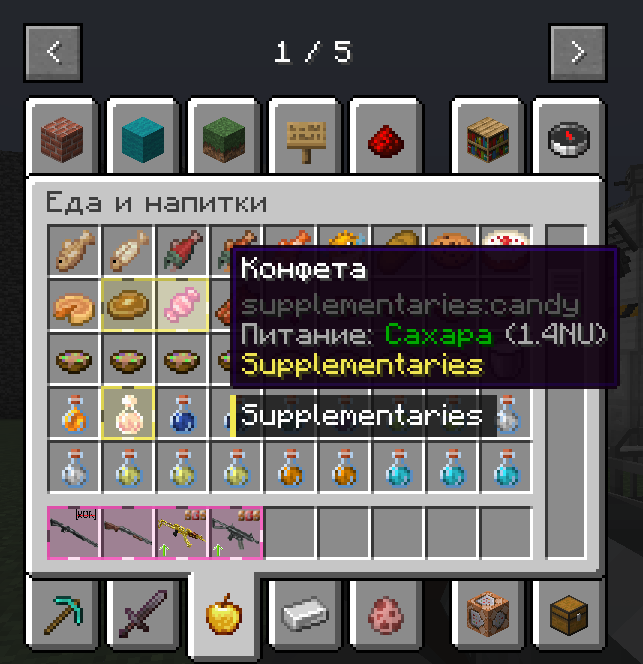
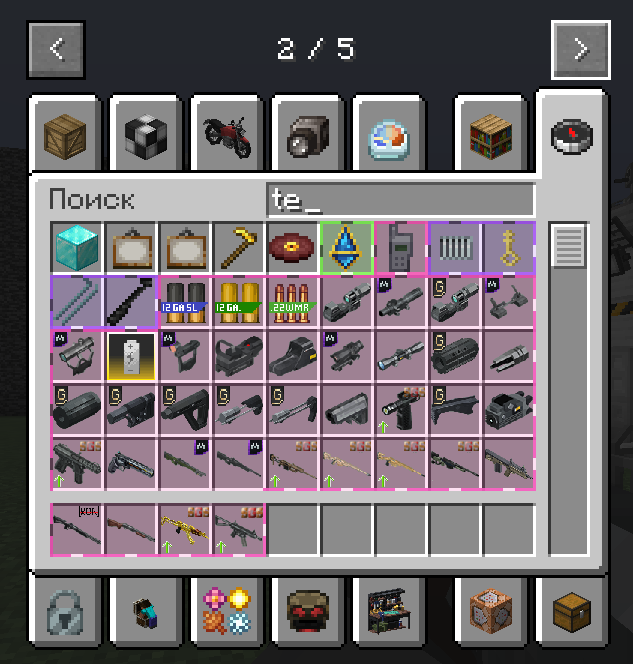
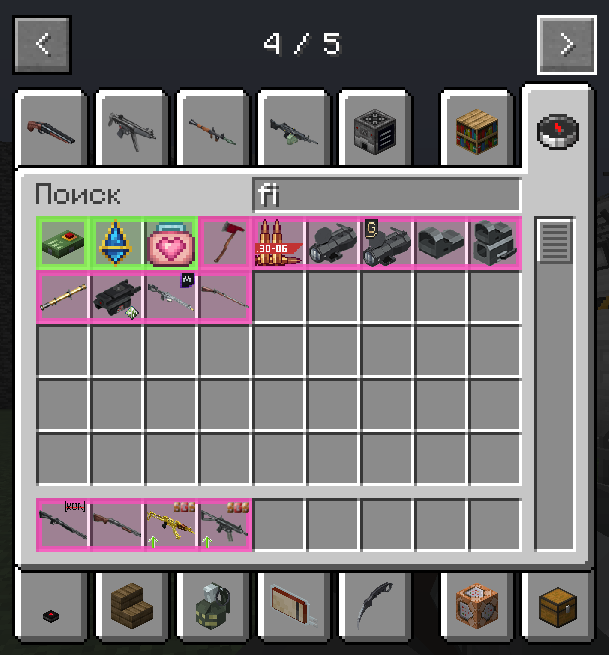
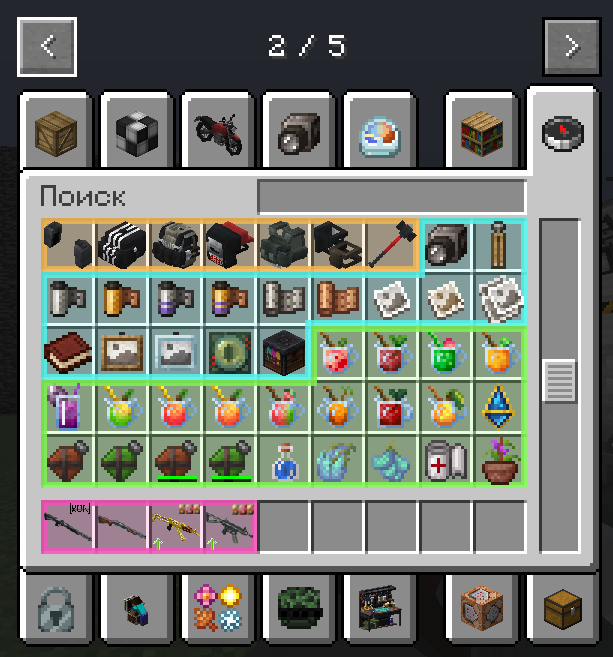
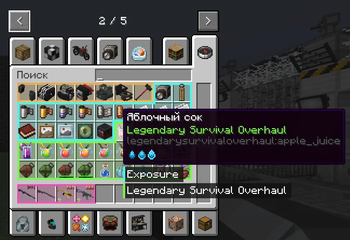
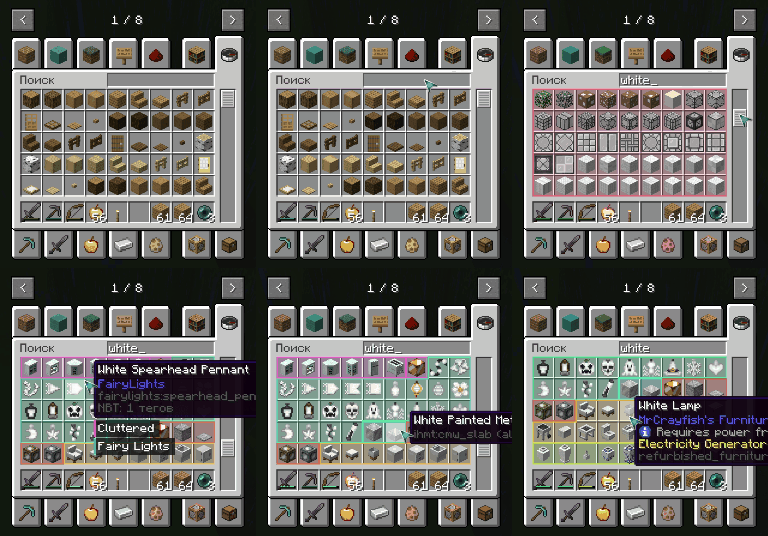
Mod Contours is a client-side mod for Minecraft Forge that helps organize your inventory by visually grouping items from the same mod using dynamic colored outlines.
Screenshots
Über diese Mod
🎨 Mod Contours

Mod Contours is a client-side mod for Minecraft Forge that helps organize your inventory by visually grouping items from the same mod using dynamic colored outlines. If you're tired of getting lost in an inventory filled with hundreds of items from different mods, Mod Contours is made for you!
✨ Showcase

🚀 Features
- Dynamic Outlines: Items from the same mod are automatically grouped together with a shared colored outline.
- Smart Detection: The mod automatically identifies which mod each item belongs to.
- High Performance: Designed with minimal impact on game performance.
- Fully Configurable: Customize outline thickness, fill transparency, and outline style through the configuration file.
- Multilingual: The interface and documentation are available in multiple languages.
📦 Installation
Make sure you have Minecraft Forge installed: https://files.minecraftforge.net/net/minecraftforge/forge/
Download the latest version of the mod:
- GitHub Releases: https://github.com/mrdiovkrad/ModContours/releases
- Modrinth: https://modrinth.com/mod/modcontours
- CurseForge: https://www.curseforge.com/minecraft/mc-mods/modcontours (Coming Soon)
Place the downloaded
.jarfile into themodsfolder in your Minecraft directory.Launch the game and enjoy!
⚙️ Configuration
All mod settings can be changed through the in-game mod configuration menu. You can customize:
- Outline thickness
- Fill transparency
- Outline style
- And many other settings for the perfect appearance!
🌍 Supported Languages
- English
- Russian
- German
- Spanish
- French
- Chinese (Simplified)
- Japanese
- Portuguese (Brazil)
- Polish
- Korean
Developed by APPLYOK | Author: MrDioVkrad
Verfügbare Versionen
ModContours auf dem Server installieren
Server bestellen
Bestelle einen Minecraft Java Server mit mindestens 3 GB RAM (4 GB empfohlen).
forge Loader setzen
Wähle im Panel unter "Egg" den forge-Loader und die passende Minecraft-Version (1.20.1).
Mod installieren
Öffne den Mod-Browser im Dashboard und suche nach "ModContours". Klicke "Installieren" – fertig! Alternativ: Lade die .jar via SFTP in den /mods Ordner.
Kompatibilität
Mod-Loader
Minecraft-Versionen
1.20.1
Server-seitig
✗ Nicht unterstütztEmpfohlener RAM
4 GB(min. 3 GB)Häufige Fragen
ModContours Server crasht beim Start – was tun?
Häufigste Ursache: falsche forge-Version oder zu wenig RAM. Prüfe im Server-Log (latest.log), ob ein "OutOfMemoryError" oder "Mixin"-Fehler auftritt. Bei Mado Hosting: Stelle sicher, dass mindestens 3 GB RAM zugewiesen sind und der Loader zur Mod-Version passt (1.20.1). Über das Panel kannst du den Loader mit einem Klick wechseln.
Ist ModContours mit forge kompatibel?
ModContours unterstützt offiziell forge für Minecraft 1.20.1. Im Mado Dashboard werden inkompatible Loader-Kombinationen automatisch erkannt.
Server laggt mit ModContours – wie optimiere ich die Performance?
Empfohlener RAM: 4 GB (+1 GB pro 8 Spieler). Prüfe mit /spark profiler, ob ModContours den meisten Tick-Time verbraucht. Häufige Fixes: Server-View-Distance auf 8-10 reduzieren, bei Forge "performant" oder "starlight" als Zusatz-Mod installieren. Bei Mado Hosting läuft dein Server auf NVMe-SSDs mit dedizierten CPU-Kernen für minimale Latenz.
Ähnliche Mods

![[ETF] Entity Texture Features](https://cdn.modrinth.com/data/BVzZfTc1/af683d206d50b05258d865b0d6e4aa2f2cee12f2_96.webp)
![[EMF] Entity Model Features](https://cdn.modrinth.com/data/4I1XuqiY/6e5bbd0d06b1741bfdab6c0cfab6de8fdaf0064c_96.webp)



Modded Server mieten
Installiere ModContours mit nur einem Klick auf deinem Server.