Modonomicon
Modonomicon is an in-game documentation mod inspired by Thaumcraft's Thaumonomicon and Patchouli, and aims to provide the best of both, with some unique flavors.
Screenshots
Über diese Mod
Modonomicon
Thaumonomicon-Style In-Game Documentation
Modonomicon is an in-game documentation mod inspired by Thaumcraft's Thaumonomicon and Patchouli, and aims to provide the best of both, with some unique flavors.
Some of the most interesting features are:
- Fully data-driven, all books are created via datapack (that means both Modpacks and Mods can add books).
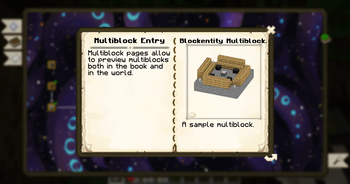
- Patchouli-like Multiblocks (but fully data driven)
- Made to be extensible, mods can add new features, such as recipe pages for mod-specific crafting methods.
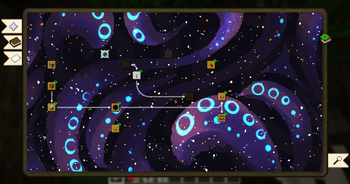
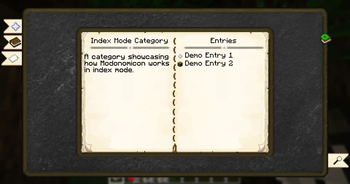
- "Quest/Advancement"-style 2D view to navigate the content, as seen in the Thaumonomicon.
- Extensible condition system to unlock entries.
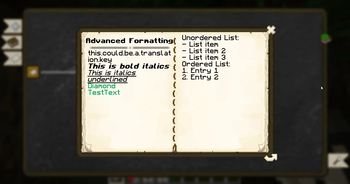
- Easy styling of content with (extended) Markdown syntax.
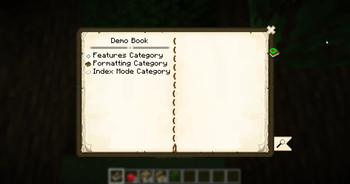
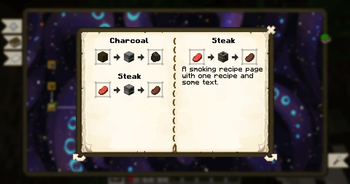
- Various page types to display text, recipes, images, items and more.
Visit the Documentation to get started!
License & Use in Modpacks
Modonomicon is licensed under the MIT License (Source Code) and CC-BY-4.0 (Assets). See https://github.com/klikli-dev/modonomicon#licensing for detailed information.
Use in modpacks is allowed without restrictions, as long as the conditions of the MIT and CC-BY-4.0 license are fulfilled. You can consider these requirements fulfilled by linking to this page in your modpack.
If you create the modpack on curseforge a link will be automatically created in the files sections, you do not need to add a manual link.
Feedback, Bug reports or Questions?
Join our Discord!

Alternative link: https://discord.gg/trE4SHRXvb
Verfügbare Versionen
Modonomicon auf dem Server installieren
Server bestellen
Bestelle einen Minecraft Java Server mit mindestens 3 GB RAM (4 GB empfohlen).
fabric Loader setzen
Wähle im Panel unter "Egg" den fabric-Loader und die passende Minecraft-Version (26.3).
Mod installieren
Öffne den Mod-Browser im Dashboard und suche nach "Modonomicon". Klicke "Installieren" – fertig! Alternativ: Lade die .jar via SFTP in den /mods Ordner.
Kompatibilität
Mod-Loader
Minecraft-Versionen
26.3, 26.2, 26.1.2 (+20 weitere)
Server-seitig
✓ ErforderlichEmpfohlener RAM
4 GB(min. 3 GB)Häufige Fragen
Modonomicon Server crasht beim Start – was tun?
Häufigste Ursache: falsche fabric-Version oder zu wenig RAM. Prüfe im Server-Log (latest.log), ob ein "OutOfMemoryError" oder "Mixin"-Fehler auftritt. Bei Mado Hosting: Stelle sicher, dass mindestens 3 GB RAM zugewiesen sind und der Loader zur Mod-Version passt (26.3). Über das Panel kannst du den Loader mit einem Klick wechseln.
Ist Modonomicon mit fabric und forge und neoforge kompatibel?
Modonomicon unterstützt offiziell fabric, forge, neoforge für Minecraft 26.3, 26.2, 26.1.2. Achtung: Forge- und Fabric-Mods sind NICHT untereinander kompatibel – wähle einen Loader und bleibe dabei. Im Mado Dashboard werden inkompatible Loader-Kombinationen automatisch erkannt.
Server laggt mit Modonomicon – wie optimiere ich die Performance?
Empfohlener RAM: 4 GB (+1 GB pro 8 Spieler). Prüfe mit /spark profiler, ob Modonomicon den meisten Tick-Time verbraucht. Häufige Fixes: Server-View-Distance auf 8-10 reduzieren, bei Forge "performant" oder "starlight" als Zusatz-Mod installieren. Bei Mado Hosting läuft dein Server auf NVMe-SSDs mit dedizierten CPU-Kernen für minimale Latenz.
Ähnliche Mods






Modded Server mieten
Installiere Modonomicon mit nur einem Klick auf deinem Server.
Details
- Lizenz
- MIT License, Creative Commons Attribution 4.0 International
- Server-seitig
- Erforderlich