
More Music
Make Minecraft's music play the whole time
Screenshots
Über diese Mod
More Music
Have you ever felt that Minecraft's music doesn't play often enough? This mod makes the music play the whole time*.
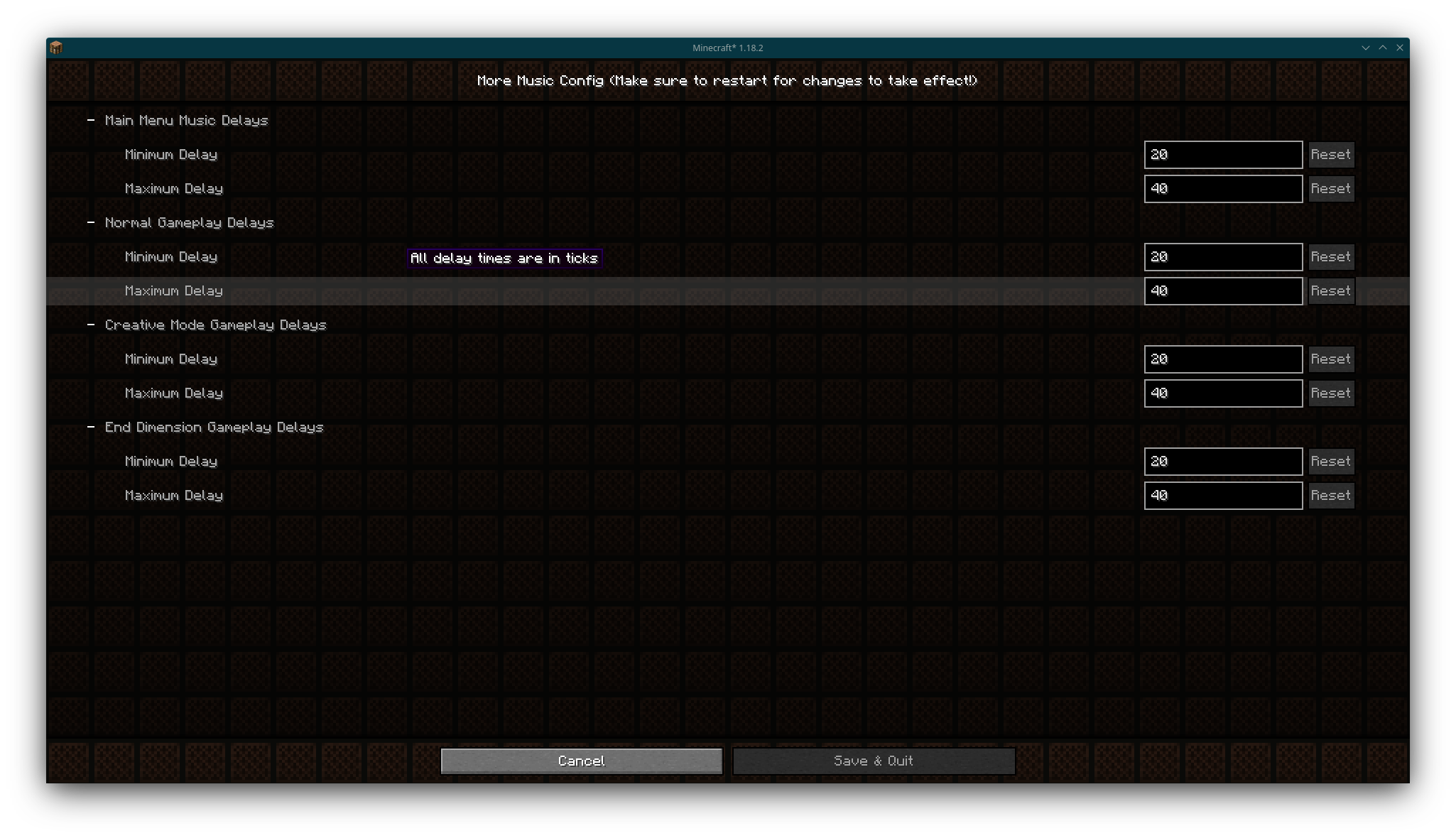
It also supports configuring the delays between songs, so you can make music play less often if you really hate it for some reason.
Minimum and maximum delays (in ticks) between songs for the main menu, normal gameplay, creative mode and the End** can be configured individually.
Requires Fabric API (or QFAPI on Quilt) and Cloth Config API 11.1 or later, and you probably also want Mod Menu to change the config.
*There is a delay of 1-2 seconds (20-40 ticks) between songs by default to make the transition less jarring, but you can always change it in the config if you really want.
**Excluding the dragon fight, which has a delay of zero by default.
Verfügbare Versionen
More Music auf deinem Client installieren
Mod-Loader lokal installieren
Installiere fabric für deine lokale Minecraft-Version.
Passende Datei herunterladen
Wähle die More Music-Datei für fabric und Minecraft 1.20.2.
Mod installieren
Lege die .jar-Datei in deinem lokalen .minecraft/mods-Ordner ab und starte Minecraft neu. Eine Installation auf dem Server ist nicht nötig.
Kompatibilität
Mod-Loader
Minecraft-Versionen
1.20.2, 1.20.1, 1.19.2 (+3 weitere)
Server-seitig
✗ Nicht unterstütztEmpfohlener RAM
4 GB(min. 3 GB)Häufige Fragen
Muss More Music auf dem Minecraft Server installiert werden?
Nein. Modrinth kennzeichnet More Music serverseitig als nicht unterstützt. Installiere die Mod nur im lokalen Minecraft-Mods-Ordner. Dein Server kann unverändert bleiben, sofern die Mod-Seite keine zusätzliche Abhängigkeit nennt.
Welche Version und welchen Loader braucht More Music?
Nutze eine Datei für fabric, quilt und exakt deine Minecraft-Version. Unterstützte Versionen sind unter anderem 1.20.2, 1.20.1, 1.19.2. Loader-Dateien sind nicht untereinander austauschbar.
More Music funktioniert nicht – was kann ich prüfen?
Prüfe zuerst Minecraft-Version, Loader-Version und erforderliche Abhängigkeiten. Lege die .jar-Datei im lokalen .minecraft/mods-Ordner ab und entferne ältere Duplikate. Da die Mod clientseitig ist, löst mehr Server-RAM dieses Problem nicht.
Ähnliche Mods




![[ETF] Entity Texture Features](https://cdn.modrinth.com/data/BVzZfTc1/af683d206d50b05258d865b0d6e4aa2f2cee12f2_96.webp)

Minecraft Server für deine Gruppe
More Music bleibt auf deinem Client. Hoste dazu eine kompatible Welt für deine Mitspieler.