
Morphy
Morphy a Morph mod Transform into mobs and blocks inside Minecraft. Become mobs or blocks and truly become one of them. Compatible with modded entities and content.
Screenshots
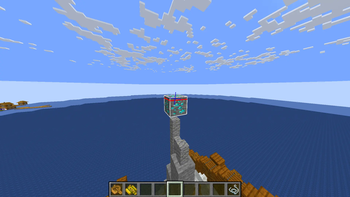
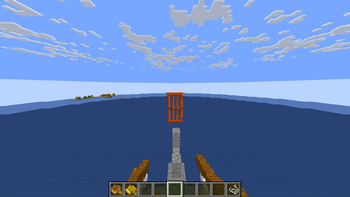
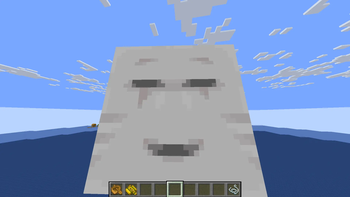
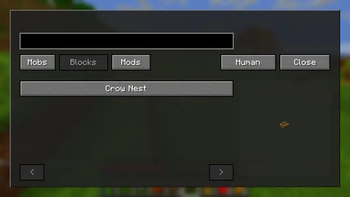
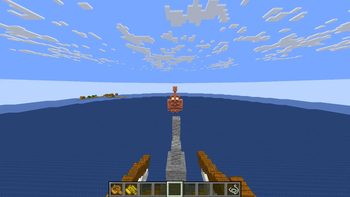
Über diese Mod
Morphy — Transform into Mobs and Blocks in Minecraft
Become almost any mob or block in Minecraft with a simple and intuitive morph system.
Become mobs with synchronized models, size and hitboxes.
Wiki
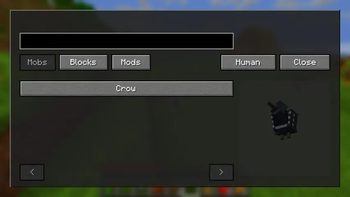
Morph Menu
Browse and search all available morphs through an in-game GUI with live previews.
Controls
M → Open Morph Menu
Commands
/ morph menu
/ morph menu mobs
/ morph menu blocks
/ morph set
/ morph set
/ morph clear
/ morph clear [targets]
/ morph normal
Target Selectors
@a → All players
player → Specific player
team
Permissions
Server commands require OP permissions.
Singleplayer works normally with cheats enabled.
💻 Credits
Created and maintained by @SunnyAim_
© All Rights Reserved.
Verfügbare Versionen
Morphy auf dem Server installieren
Server bestellen
Bestelle einen Minecraft Java Server mit mindestens 3 GB RAM (4 GB empfohlen).
fabric Loader setzen
Wähle im Panel unter "Egg" den fabric-Loader und die passende Minecraft-Version (1.21.11).
Mod installieren
Öffne den Mod-Browser im Dashboard und suche nach "Morphy". Klicke "Installieren" – fertig! Alternativ: Lade die .jar via SFTP in den /mods Ordner.
Kompatibilität
Mod-Loader
Minecraft-Versionen
1.21.11, 1.20.1
Server-seitig
✓ ErforderlichEmpfohlener RAM
4 GB(min. 3 GB)Häufige Fragen
Morphy Server crasht beim Start – was tun?
Häufigste Ursache: falsche fabric-Version oder zu wenig RAM. Prüfe im Server-Log (latest.log), ob ein "OutOfMemoryError" oder "Mixin"-Fehler auftritt. Bei Mado Hosting: Stelle sicher, dass mindestens 3 GB RAM zugewiesen sind und der Loader zur Mod-Version passt (1.21.11). Über das Panel kannst du den Loader mit einem Klick wechseln.
Ist Morphy mit fabric und forge und neoforge kompatibel?
Morphy unterstützt offiziell fabric, forge, neoforge für Minecraft 1.21.11, 1.20.1. Achtung: Forge- und Fabric-Mods sind NICHT untereinander kompatibel – wähle einen Loader und bleibe dabei. Im Mado Dashboard werden inkompatible Loader-Kombinationen automatisch erkannt.
Server laggt mit Morphy – wie optimiere ich die Performance?
Empfohlener RAM: 4 GB (+1 GB pro 8 Spieler). Prüfe mit /spark profiler, ob Morphy den meisten Tick-Time verbraucht. Häufige Fixes: Server-View-Distance auf 8-10 reduzieren, bei Forge "performant" oder "starlight" als Zusatz-Mod installieren. Bei Mado Hosting läuft dein Server auf NVMe-SSDs mit dedizierten CPU-Kernen für minimale Latenz.
Ähnliche Mods






Modded Server mieten
Installiere Morphy mit nur einem Klick auf deinem Server.