
Movable Spawners
Spawners made movable in survival
Über diese Mod
[This Project has been archived]
Have you ever wanted to move spawners in survival?
Well now with this one simple datapack you can!
Just Pick your Difficulty [Easy, Normal, Hard]
And you are good to go and move all the spawners you want!
PS. We do not reimburse any spawner lost to user carelessness
!WARNING!
The [NORMAL] and [HARD] mode have a custom method of moving spawner. There is current no in game indicator of how to do it so please look at the spoilers on how to do it!.
Custom Mechanics for [NORMAL] and [HARD] mode :
[NORMAL MODE] Only - Amethyst buds can be mined with a silk touch pickaxe
[HARD MODE] Only - Amethyst buds can be picked up whit a 3x3x3 Structure
Sparkling Diamond - Obtained by naming a Charged creeper Peter Then killing it
Spawner structures - Build a 3x3x3 or 5x5x5 (depending no difficulty) Structure and throw the Sparkling Diamond on top middle block.
The Packs difficulty's :
[EASY MODE]
Requirements :
- Silk touch pickaxe
Method :
- Just mine the Spawner
Example :

[NORMAL MODE]
Requirements :
- Silk touch pickaxe
- 8 Amethyst Buds
- 6 Tinted Glass
- 12 Iron Blocks
- 1 Sparkling Diamond
Method :
- You need to build a 3x3x3 structure then throw the Sparkling Diamond on top middle block.
Example :
- Layer 1
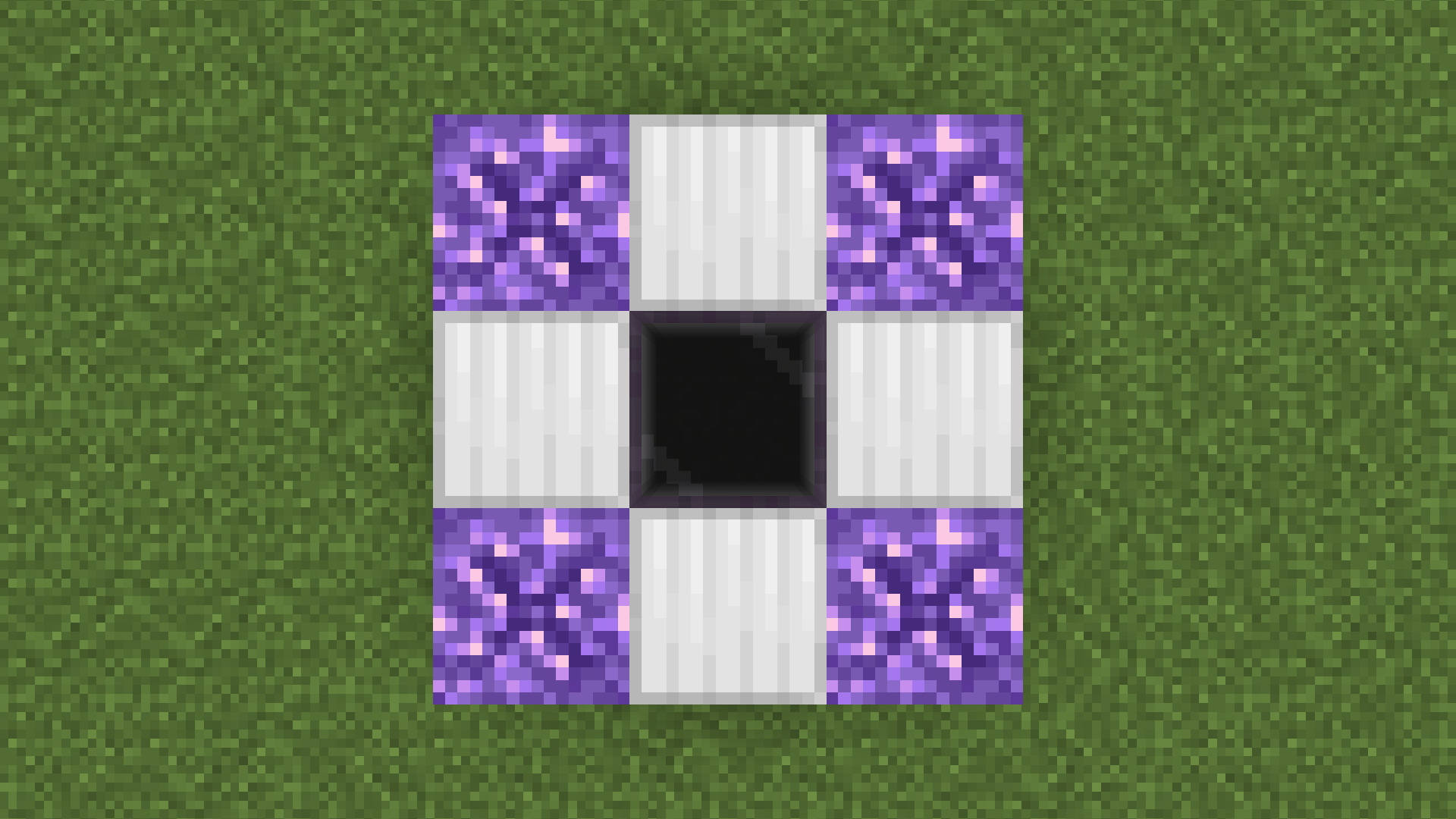
- Layer 2
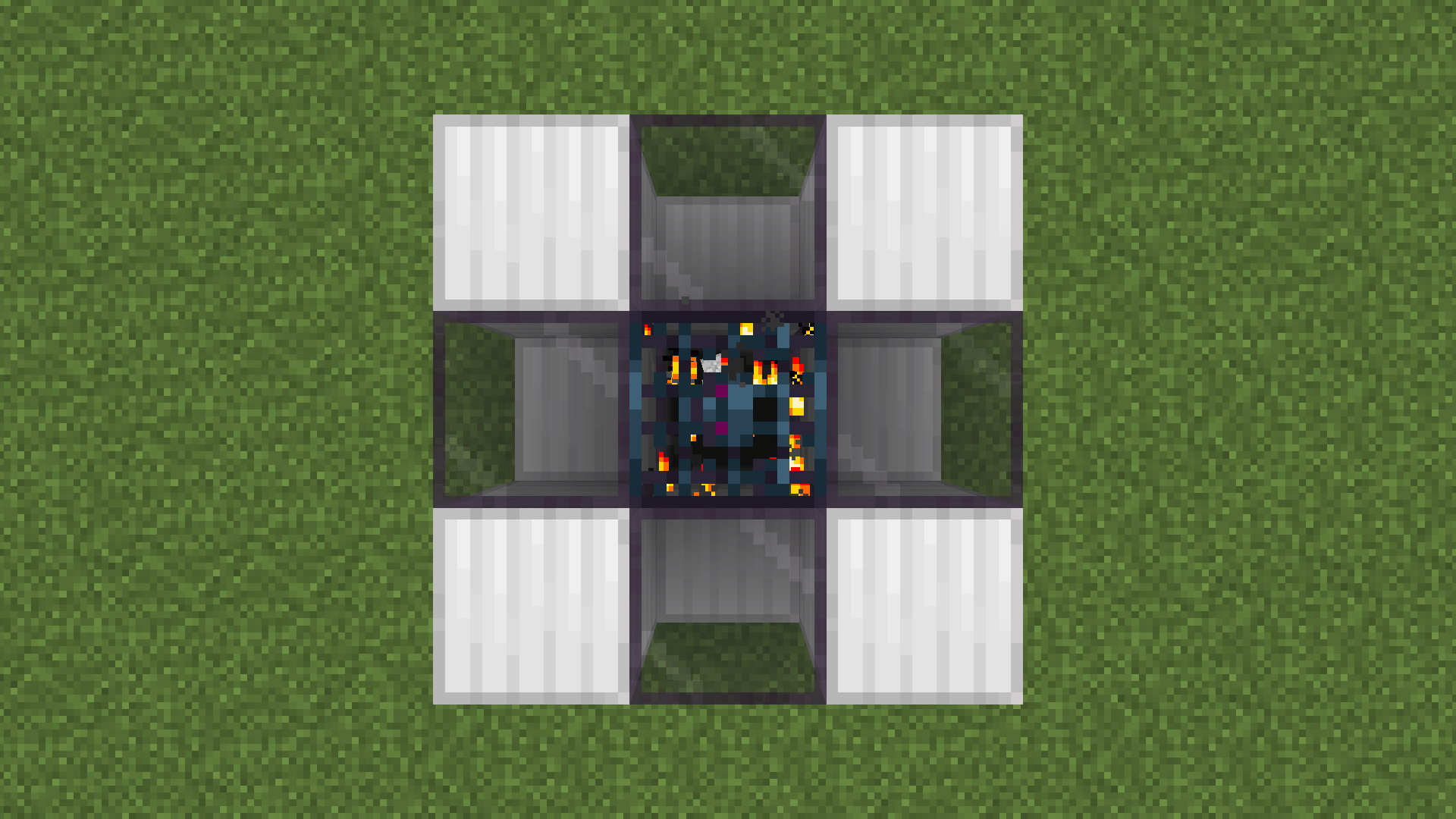
- Layer 3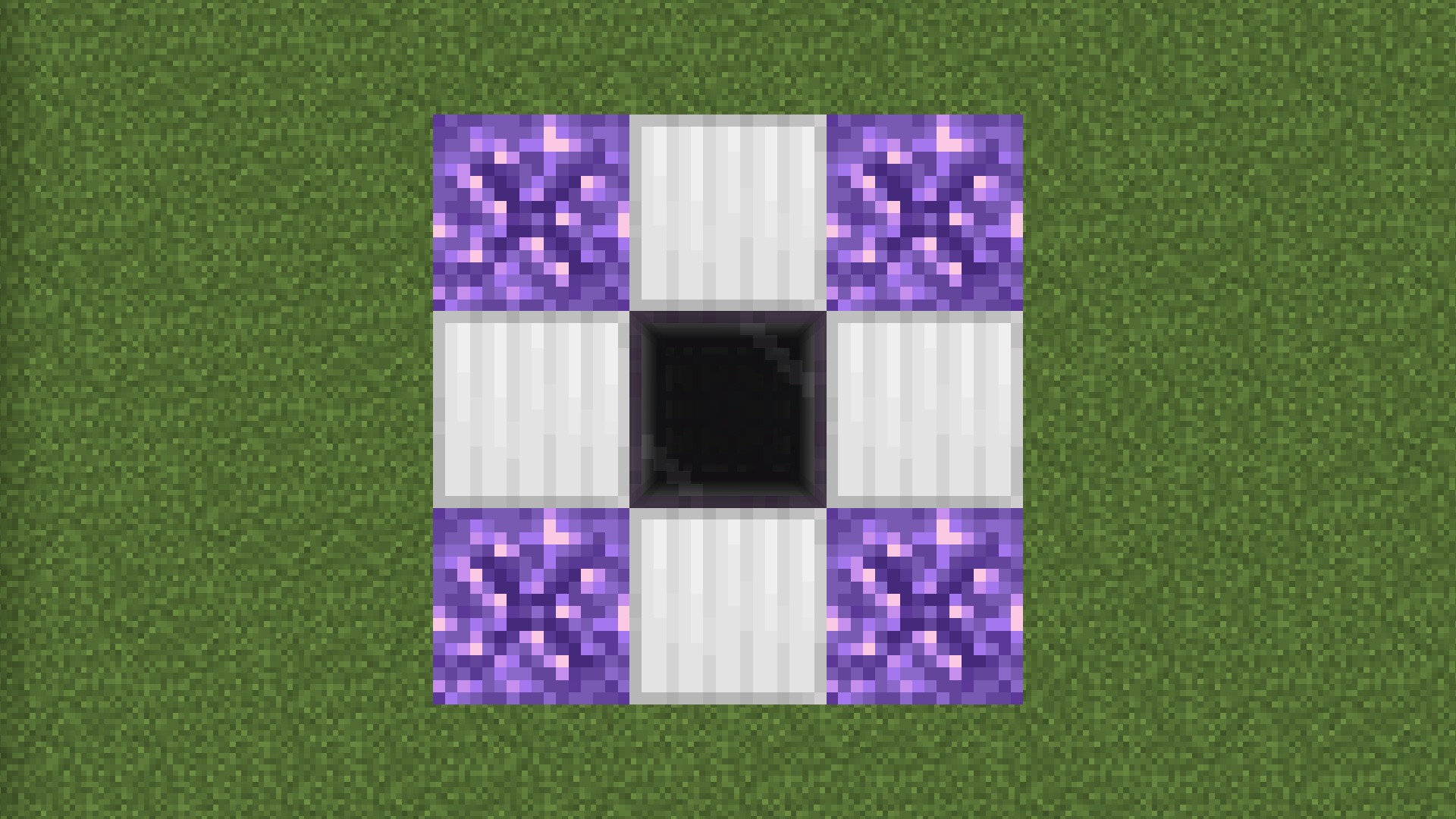
[HARD MODE]
Requirements :
- 8 Amethyst Buds:
Total Item Count :
- 96 Iron Blocks
- 64 Gold Blocks
- 48 Tinted Glass
- 8 Sparkling Diamonds
Requirements :
- 8 Gold Blocks
- 6 Tinted Glass
- 12 Iron Blocks
- 1 Sparkling Diamond
Method :
- You need to build a 3x3x3 structure then throw the Sparkling Diamond on top middle block.
Example :
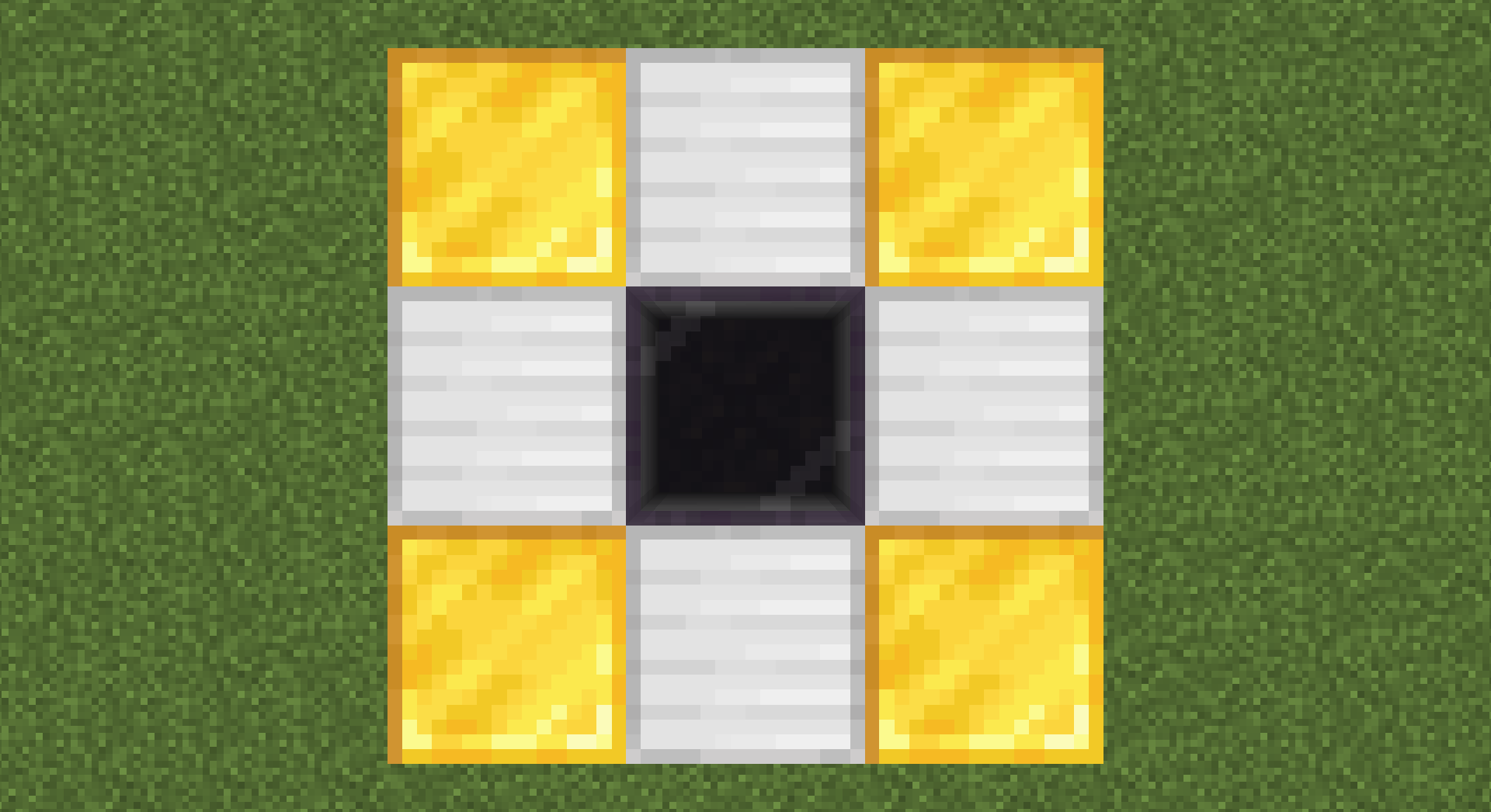
- Layer 1
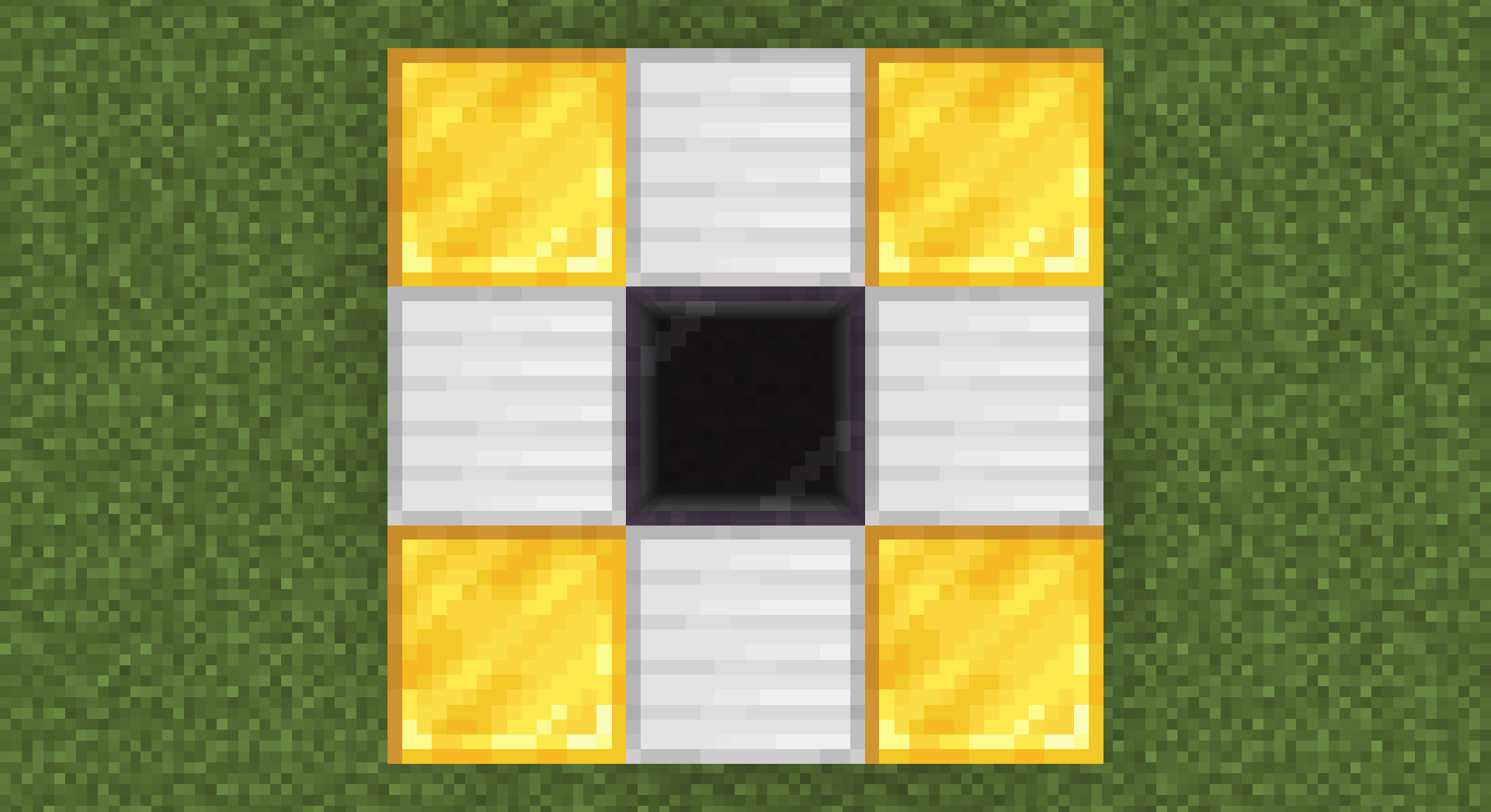
- Layer 2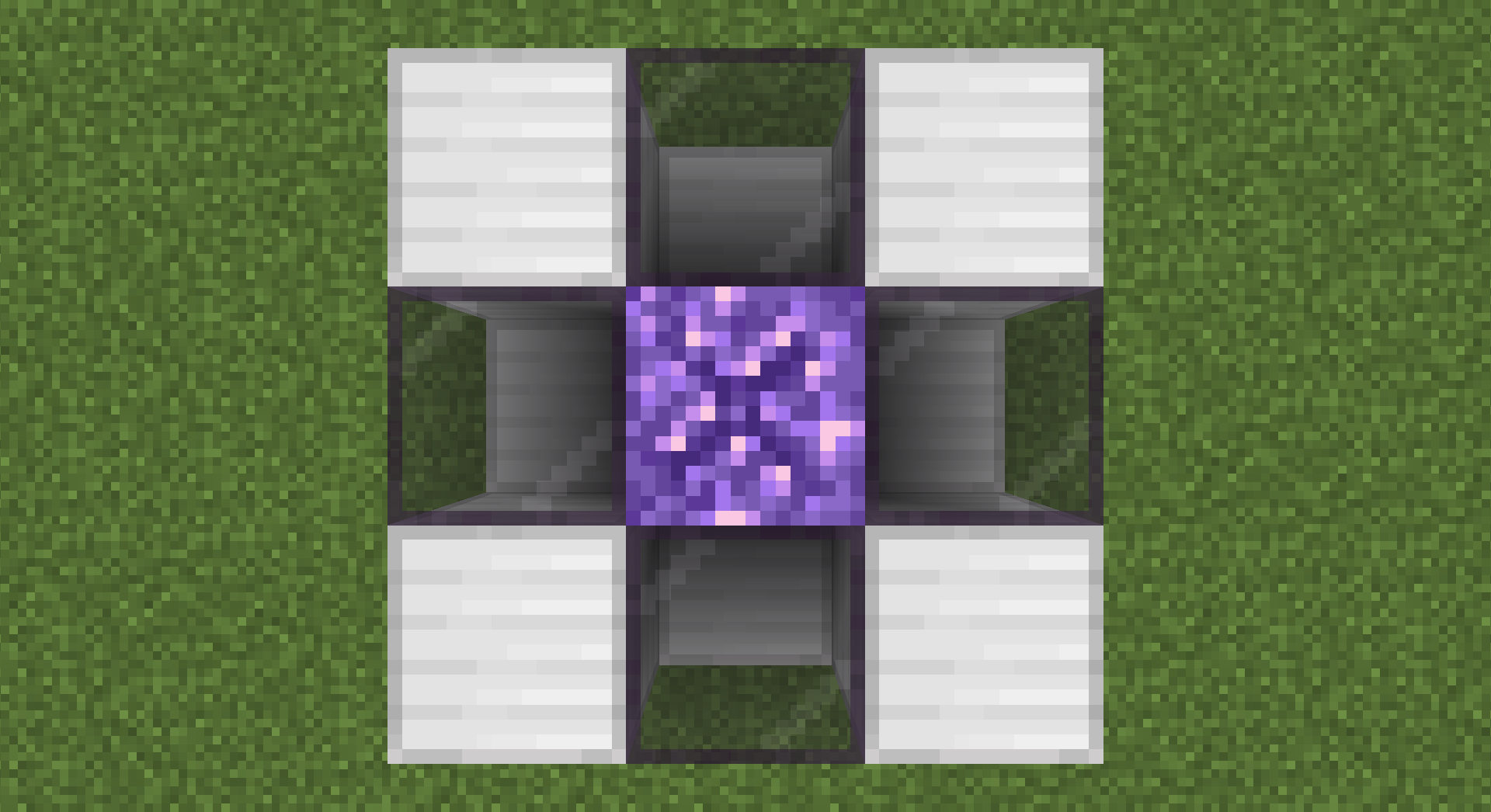
- Layer 3
- 66 Tinted Glass
- 24 Iron Blocks
- 8 Diamond Blocks
- 8 Netherite Blocks
- 8 Obsidian
- 4 Black Concrete
- 1 Sparkling Diamond
Method :
- You need to build a 5x5x5 structure then throw the Sparkling Diamond on top middle block.
Example :
- Layer 1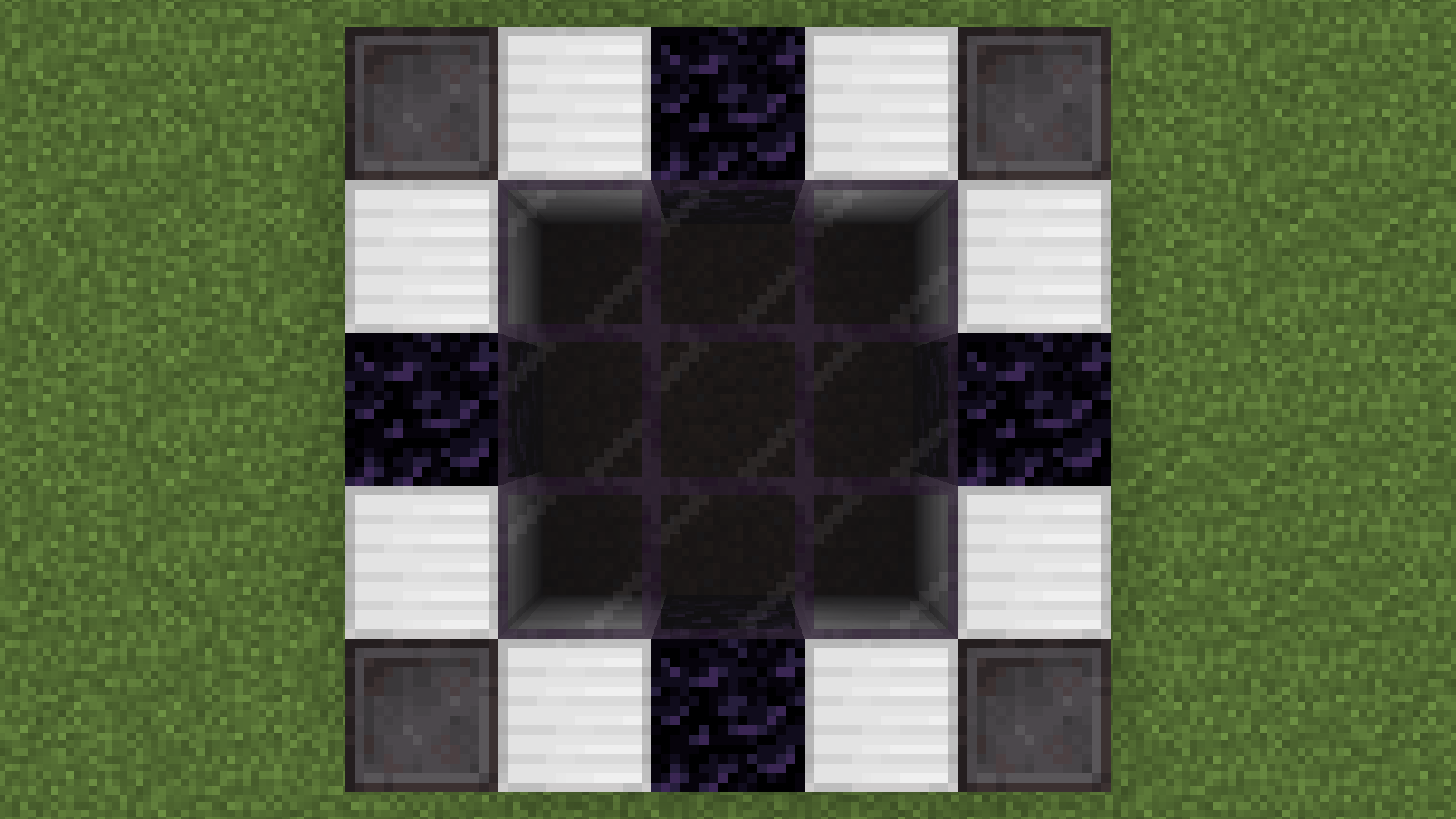
- Layer 2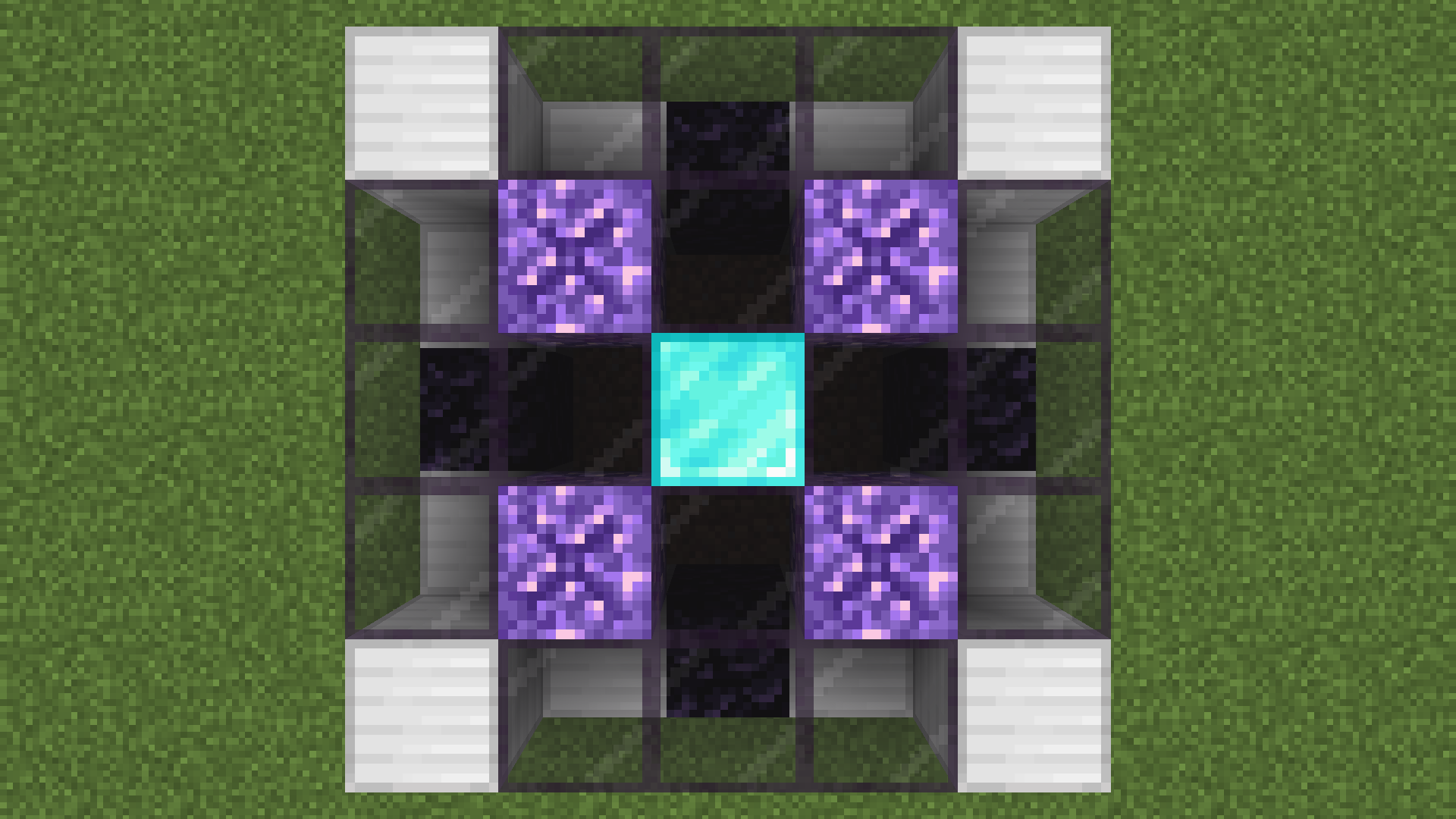
- Layer 3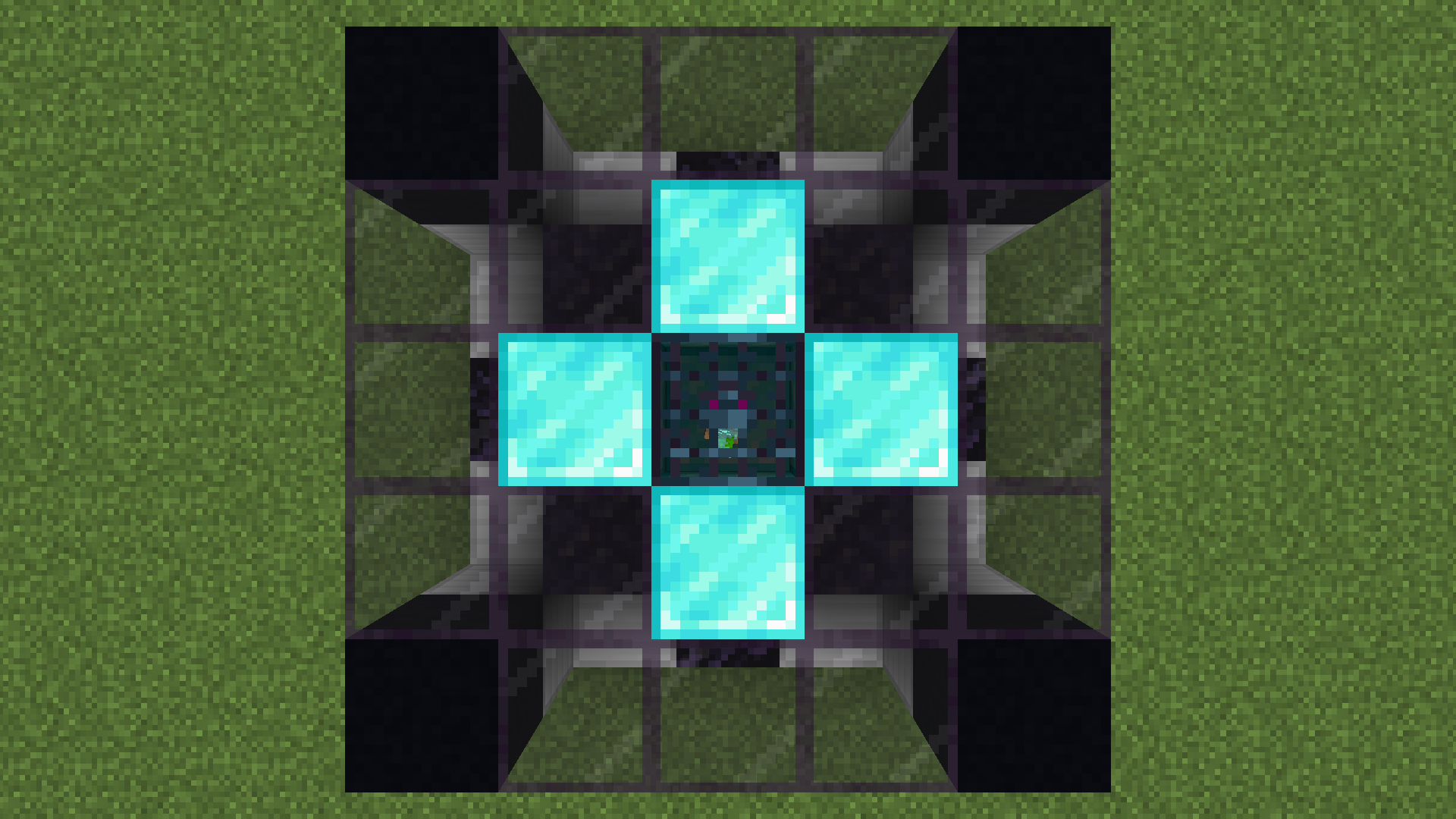
- Layer 4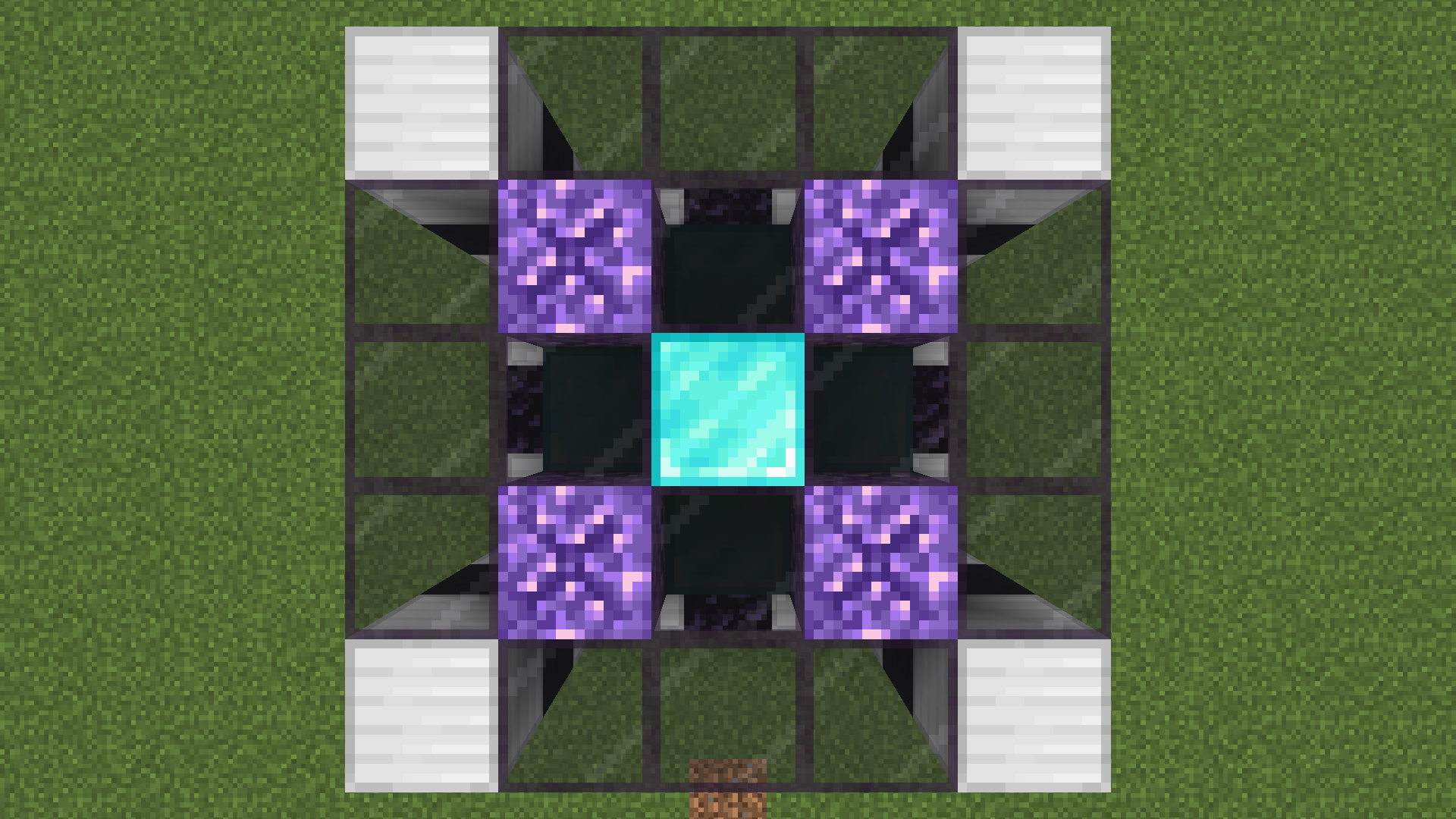
- Layer 5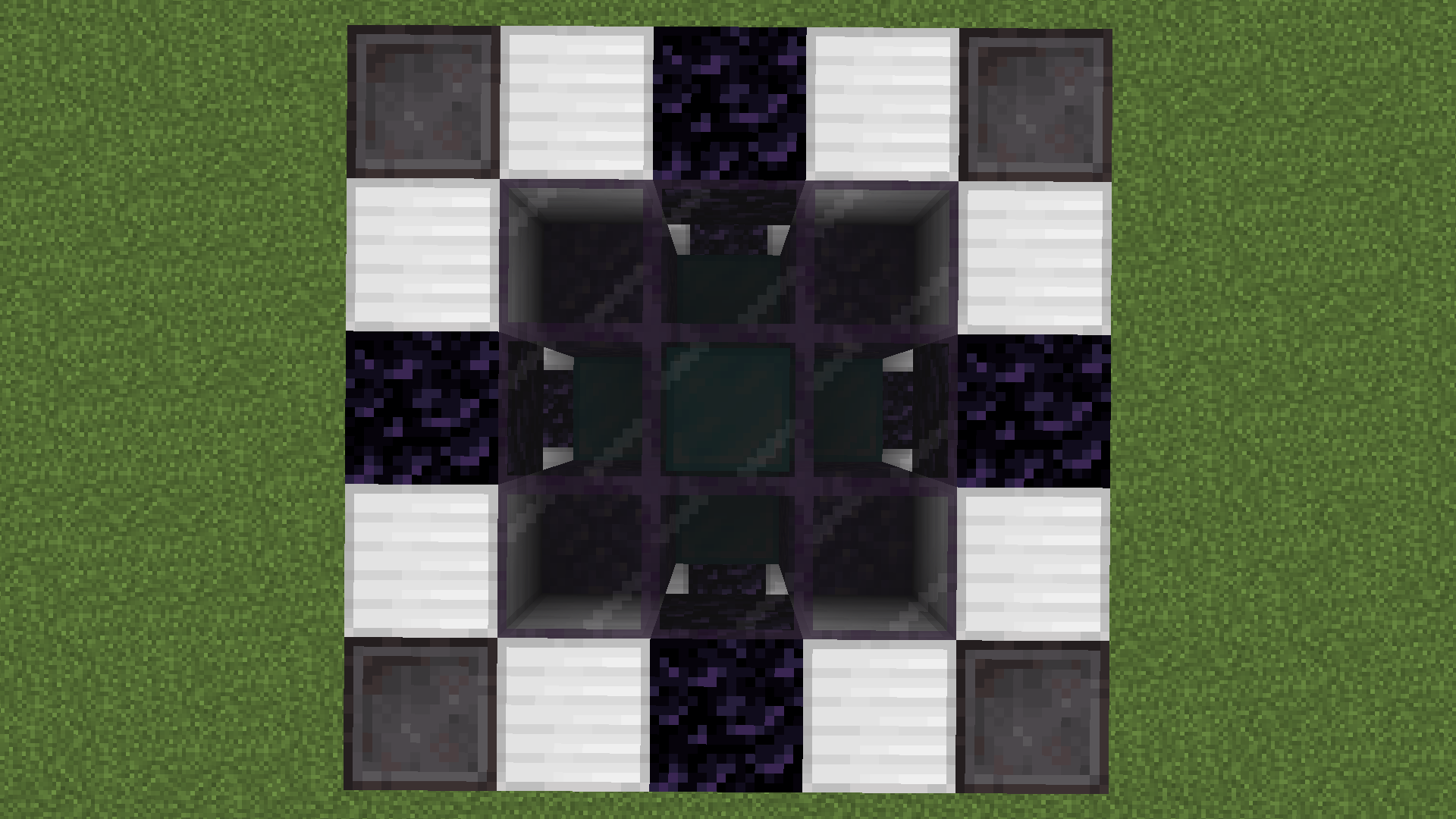
 Click on the banner or here to support me and my projects! :)

Verfügbare Versionen
Movable Spawners auf dem Server installieren
Server bestellen
Bestelle einen Minecraft Java Server mit mindestens 3 GB RAM (4 GB empfohlen).
datapack Loader setzen
Wähle im Panel unter "Egg" den datapack-Loader und die passende Minecraft-Version (1.20.4).
Mod installieren
Öffne den Mod-Browser im Dashboard und suche nach "Movable Spawners". Klicke "Installieren" – fertig! Alternativ: Lade die .jar via SFTP in den /mods Ordner.
Kompatibilität
Mod-Loader
Minecraft-Versionen
1.20.4, 1.20.3, 1.20.2 (+2 weitere)
Server-seitig
✓ ErforderlichEmpfohlener RAM
4 GB(min. 3 GB)Häufige Fragen
Movable Spawners Server crasht beim Start – was tun?
Häufigste Ursache: falsche datapack-Version oder zu wenig RAM. Prüfe im Server-Log (latest.log), ob ein "OutOfMemoryError" oder "Mixin"-Fehler auftritt. Bei Mado Hosting: Stelle sicher, dass mindestens 3 GB RAM zugewiesen sind und der Loader zur Mod-Version passt (1.20.4). Über das Panel kannst du den Loader mit einem Klick wechseln.
Ist Movable Spawners mit datapack und fabric und forge und neoforge und quilt kompatibel?
Movable Spawners unterstützt offiziell datapack, fabric, forge, neoforge, quilt für Minecraft 1.20.4, 1.20.3, 1.20.2. Achtung: Forge- und Fabric-Mods sind NICHT untereinander kompatibel – wähle einen Loader und bleibe dabei. Im Mado Dashboard werden inkompatible Loader-Kombinationen automatisch erkannt.
Server laggt mit Movable Spawners – wie optimiere ich die Performance?
Empfohlener RAM: 4 GB (+1 GB pro 8 Spieler). Prüfe mit /spark profiler, ob Movable Spawners den meisten Tick-Time verbraucht. Häufige Fixes: Server-View-Distance auf 8-10 reduzieren, bei Forge "performant" oder "starlight" als Zusatz-Mod installieren. Bei Mado Hosting läuft dein Server auf NVMe-SSDs mit dedizierten CPU-Kernen für minimale Latenz.
Ähnliche Mods






Modded Server mieten
Installiere Movable Spawners mit nur einem Klick auf deinem Server.