
Music Notification
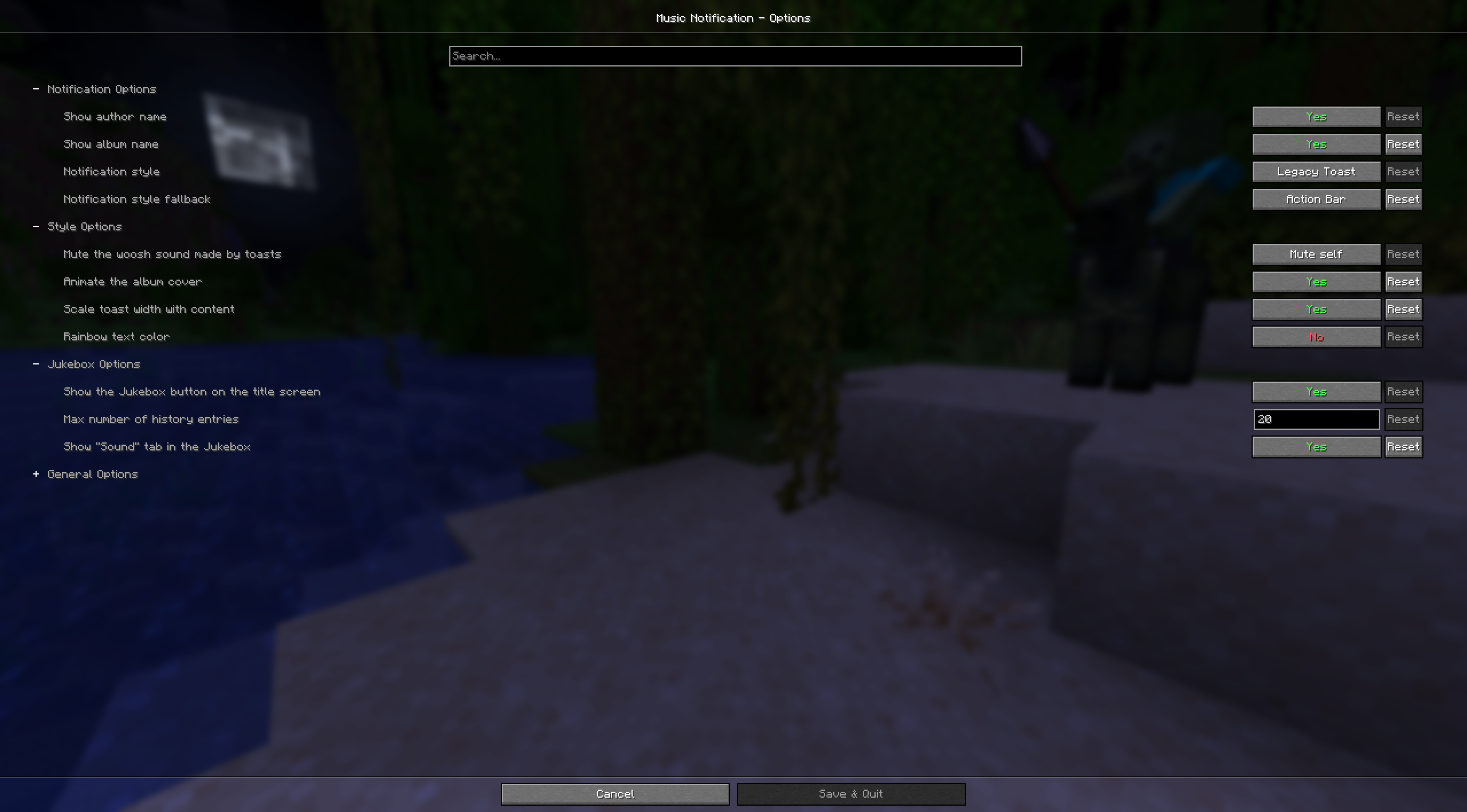
Configure visual notifications when music is played in-game
Screenshots



Über diese Mod
Music Notification
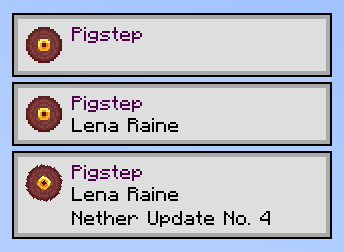
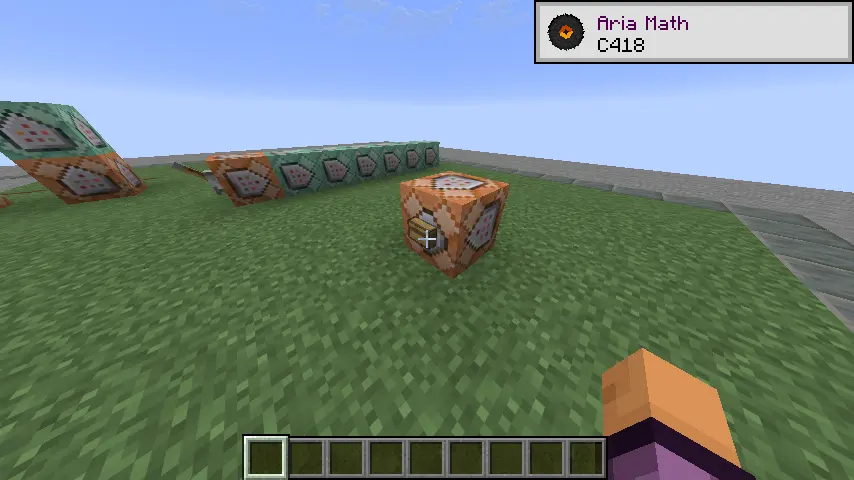
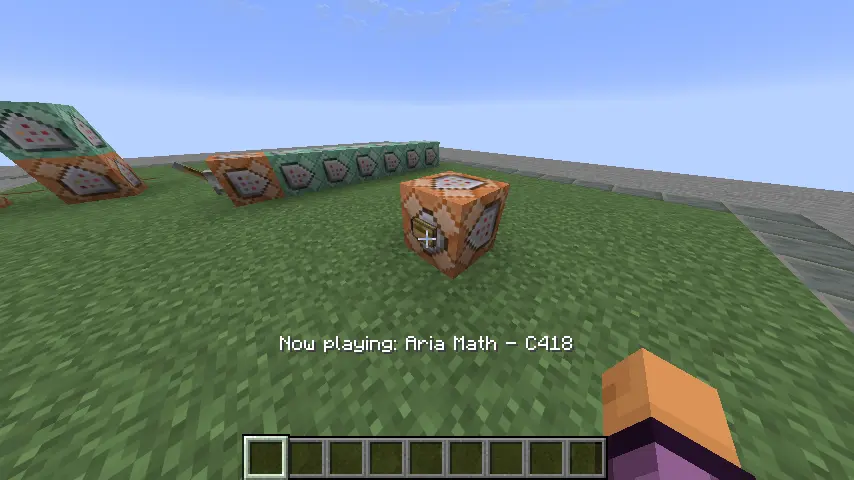
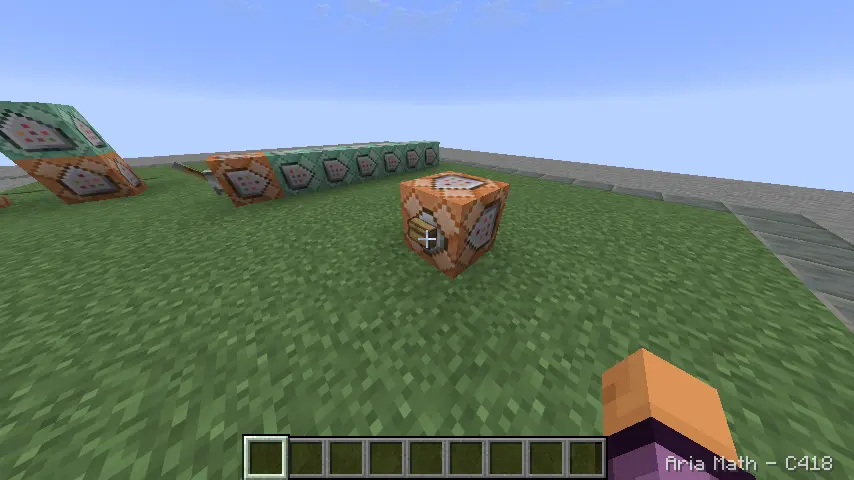
Adds a toast notification when music is played in the game with the track’s name, author, and album name.
Require: Cloth Config API
If you have any issues, feel free to open a issue in GitHub
📷 In game screenshots
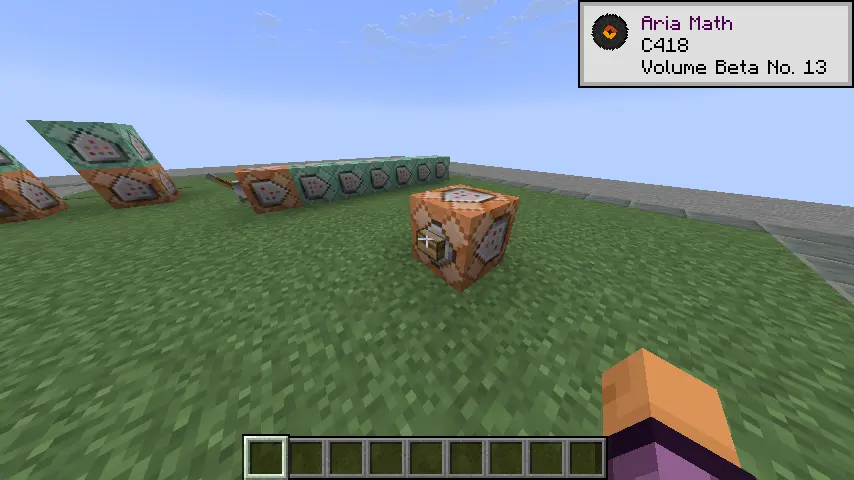
|
|

|

|
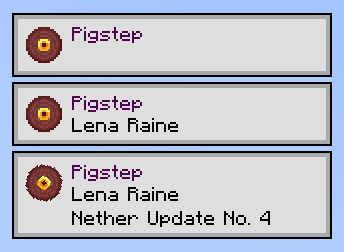
🎀 Notification Style
|
|
|
⚙ Settings
Video Preview
Customization
To add support for custom music or customize existing tracks you need to add a file named musics.json inside custom resource pack under the namespace musicnotification.
JSON Schema can be found here: DOCS.md
If you have any question, feel free to fill an issue.
Contributor
Discs icon are made by carotteatomique
Mod icon was made by akairoo
Simplified Chinese translation by Chiloven945
Verfügbare Versionen
Music Notification auf deinem Client installieren
Mod-Loader lokal installieren
Installiere fabric für deine lokale Minecraft-Version.
Passende Datei herunterladen
Wähle die Music Notification-Datei für fabric und Minecraft 26.3.
Mod installieren
Lege die .jar-Datei in deinem lokalen .minecraft/mods-Ordner ab und starte Minecraft neu. Eine Installation auf dem Server ist nicht nötig.
Kompatibilität
Mod-Loader
Minecraft-Versionen
26.3, 26.2, 26.1.2 (+23 weitere)
Server-seitig
✗ Nicht unterstütztEmpfohlener RAM
4 GB(min. 3 GB)Häufige Fragen
Muss Music Notification auf dem Minecraft Server installiert werden?
Nein. Modrinth kennzeichnet Music Notification serverseitig als nicht unterstützt. Installiere die Mod nur im lokalen Minecraft-Mods-Ordner. Dein Server kann unverändert bleiben, sofern die Mod-Seite keine zusätzliche Abhängigkeit nennt.
Welche Version und welchen Loader braucht Music Notification?
Nutze eine Datei für fabric, neoforge und exakt deine Minecraft-Version. Unterstützte Versionen sind unter anderem 26.3, 26.2, 26.1.2. Loader-Dateien sind nicht untereinander austauschbar.
Music Notification funktioniert nicht – was kann ich prüfen?
Prüfe zuerst Minecraft-Version, Loader-Version und erforderliche Abhängigkeiten. Lege die .jar-Datei im lokalen .minecraft/mods-Ordner ab und entferne ältere Duplikate. Da die Mod clientseitig ist, löst mehr Server-RAM dieses Problem nicht.
Ähnliche Mods




![[ETF] Entity Texture Features](https://cdn.modrinth.com/data/BVzZfTc1/af683d206d50b05258d865b0d6e4aa2f2cee12f2_96.webp)

Minecraft Server für deine Gruppe
Music Notification bleibt auf deinem Client. Hoste dazu eine kompatible Welt für deine Mitspieler.
Details
- Lizenz
- GNU Lesser General Public License v3.0 only
- Server-seitig
- Nicht unterstützt