
Mutationcraft
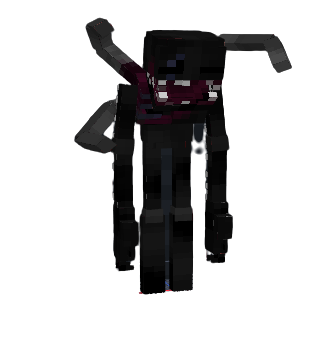
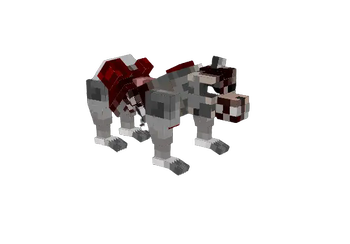
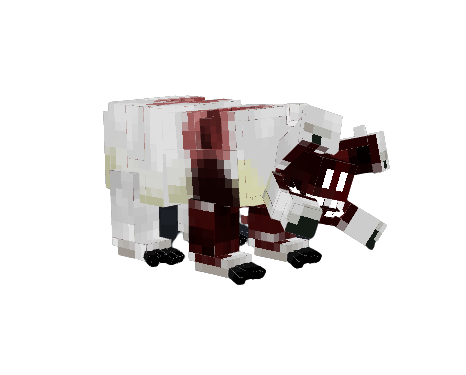
This mod adds new parasite mutant creatures into the game
Screenshots
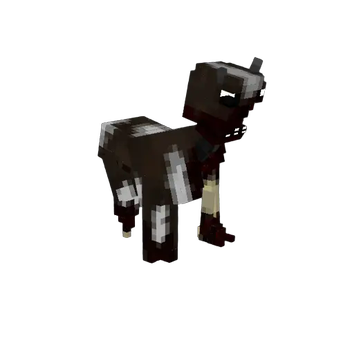
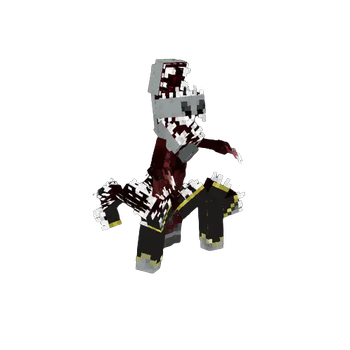
Über diese Mod
Note: Some of the assets are from the last days resource pack and the Some Items resource pack
Embark on an extraordinary journey through the world of Minecraft with the Mutationcraft mod. This immersive modification injects the game with a thrilling assortment of mutants and a collection of powerful weapons. Brace yourself for a fresh and exhilarating survival experience as you confront these extraordinary beings and wield an array of deadly tools to shape your destiny!
The necroptor mob can be very dangerous as he will infect other friendly mobs and also go for the non-friendly mobs such as zombies,spiders and more. So just don't let him get close to any farm...
Also, the mod is split into classes, each represent their level of power. Some of the mobs actually have special abilities such as invisibility,morphing creatures and more!
The mod has weapons and armors to defeat these powerful enemies.They even have weaknesses, the ones we are aware of are that they are weaker when exposed to fire and also they have a low durability against the impaling enchantment on the trident.
Note: The mod is not finished yet and we have a lot more to come for the future such as more evolving species and phases and more powerful enemies and mechanisms!
To play this mod, you'll need the forge installer for the specific version you're playing and the geckolib mod for that same version.
I also recommend installing Just Enough Items, Better Combat and Sound Physics Remastered for a more enjoyable experience!
Verfügbare Versionen
Mutationcraft auf dem Server installieren
Server bestellen
Bestelle einen Minecraft Java Server mit mindestens 3 GB RAM (4 GB empfohlen).
forge Loader setzen
Wähle im Panel unter "Egg" den forge-Loader und die passende Minecraft-Version (1.19.4).
Mod installieren
Öffne den Mod-Browser im Dashboard und suche nach "Mutationcraft". Klicke "Installieren" – fertig! Alternativ: Lade die .jar via SFTP in den /mods Ordner.
Kompatibilität
Mod-Loader
Minecraft-Versionen
1.19.4, 1.19.2, 1.18.2
Server-seitig
✓ ErforderlichEmpfohlener RAM
4 GB(min. 3 GB)Häufige Fragen
Mutationcraft Server crasht beim Start – was tun?
Häufigste Ursache: falsche forge-Version oder zu wenig RAM. Prüfe im Server-Log (latest.log), ob ein "OutOfMemoryError" oder "Mixin"-Fehler auftritt. Bei Mado Hosting: Stelle sicher, dass mindestens 3 GB RAM zugewiesen sind und der Loader zur Mod-Version passt (1.19.4). Über das Panel kannst du den Loader mit einem Klick wechseln.
Ist Mutationcraft mit forge kompatibel?
Mutationcraft unterstützt offiziell forge für Minecraft 1.19.4, 1.19.2, 1.18.2. Im Mado Dashboard werden inkompatible Loader-Kombinationen automatisch erkannt.
Server laggt mit Mutationcraft – wie optimiere ich die Performance?
Empfohlener RAM: 4 GB (+1 GB pro 8 Spieler). Prüfe mit /spark profiler, ob Mutationcraft den meisten Tick-Time verbraucht. Häufige Fixes: Server-View-Distance auf 8-10 reduzieren, bei Forge "performant" oder "starlight" als Zusatz-Mod installieren. Bei Mado Hosting läuft dein Server auf NVMe-SSDs mit dedizierten CPU-Kernen für minimale Latenz.
Ähnliche Mods





Modded Server mieten
Installiere Mutationcraft mit nur einem Klick auf deinem Server.