
Natural Motion Blur
A motion blur mod that tries to mimic human vision motion blur by blending frames together, reducing stroboscopic effects and making motion appear more fluent.
Screenshots

Über diese Mod
Natural Motion Blur
This mod aims to mimic the way human vision motion blur works by blending frames together, reducing stroboscopic effects and making motion appear more fluent.
It is recommended to use the default strength value (1).
The config GUI can be accessed via these commands: /motionblur /mb

Feature List
- Blur Toggle - Including adjustable Keybind
- Refresh Rate Scaling - Adjusts blur strength based on FPS and refresh rate
- Blur Strength Adjustment
- Multiple Blur Methods
- Velocity Based (Default)
- Frame Blending
- Hybrid Blending
- Accumulation Max
- Accumulation Mix
- OBS Recording Output
OBS Recording Output
Since version 1.4.0 of the mod you now have the ability to directly output a frame blended game in OBS via a spout sender. This is a good option for people who can't or don't want to record in 240 FPS or more to create smooth gameplay videos. You can now simply use this option and record at a normal FPS rate.
To set this up follow these instructions:
- Download the Spout2 Plugin Installer from https://github.com/Off-World-Live/obs-spout2-plugin
- Run the installer, then enable the plugin via OBS > Tools > Plugin Manager
- In OBS, add a new Source and select "Spout2 Capture"
- Enable the in-game option
Instructions can also be viewed in the in-game GUI.
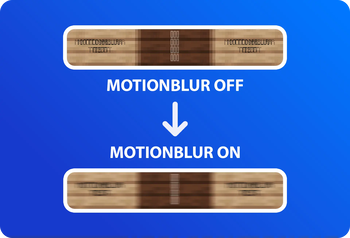
Motionblur Examples

This mod was made with the help of IMS, What42Pizza and Romain H.
Verfügbare Versionen
Natural Motion Blur auf deinem Client installieren
Mod-Loader lokal installieren
Installiere fabric für deine lokale Minecraft-Version.
Passende Datei herunterladen
Wähle die Natural Motion Blur-Datei für fabric und Minecraft 26.3.
Mod installieren
Lege die .jar-Datei in deinem lokalen .minecraft/mods-Ordner ab und starte Minecraft neu. Eine Installation auf dem Server ist nicht nötig.
Kompatibilität
Mod-Loader
Minecraft-Versionen
26.3, 26.2, 26.1.2 (+19 weitere)
Server-seitig
✗ Nicht unterstütztEmpfohlener RAM
4 GB(min. 3 GB)Häufige Fragen
Muss Natural Motion Blur auf dem Minecraft Server installiert werden?
Nein. Modrinth kennzeichnet Natural Motion Blur serverseitig als nicht unterstützt. Installiere die Mod nur im lokalen Minecraft-Mods-Ordner. Dein Server kann unverändert bleiben, sofern die Mod-Seite keine zusätzliche Abhängigkeit nennt.
Welche Version und welchen Loader braucht Natural Motion Blur?
Nutze eine Datei für fabric und exakt deine Minecraft-Version. Unterstützte Versionen sind unter anderem 26.3, 26.2, 26.1.2. Loader-Dateien sind nicht untereinander austauschbar.
Natural Motion Blur funktioniert nicht – was kann ich prüfen?
Prüfe zuerst Minecraft-Version, Loader-Version und erforderliche Abhängigkeiten. Lege die .jar-Datei im lokalen .minecraft/mods-Ordner ab und entferne ältere Duplikate. Da die Mod clientseitig ist, löst mehr Server-RAM dieses Problem nicht.
Ähnliche Mods




![[ETF] Entity Texture Features](https://cdn.modrinth.com/data/BVzZfTc1/af683d206d50b05258d865b0d6e4aa2f2cee12f2_96.webp)

Minecraft Server für deine Gruppe
Natural Motion Blur bleibt auf deinem Client. Hoste dazu eine kompatible Welt für deine Mitspieler.
Details
- Lizenz
- GNU Lesser General Public License v3.0 only
- Server-seitig
- Nicht unterstützt