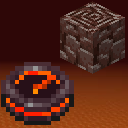
Netherite Compass
This mod adds the Netherite Compass to your game which helps you track down Ancient Debris blocks in you world.
Screenshots
Über diese Mod
About the mod
This mod adds the Netherite Compass to your game which helps you track down Ancient Debris blocks in you world.
Behaviour:
Tracking:
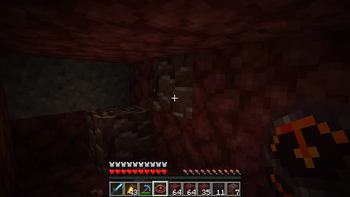
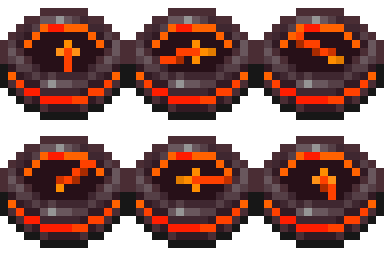
The Netherite Compass will point to the nearest Ancient Debris in you 3x3 chunk area. If it finds an Ancient Debris block it will lock onto it and will point to it (even if you move and another Ancient Debris is closer) until the block is broken.
Locating:
If the compass didn't managed to find Ancient Debris in your nearby are it will start spinning. This means its continuously looking for them while you have it on you.
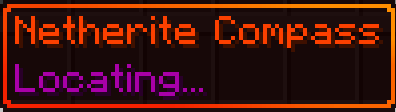
Changing Dimensions:
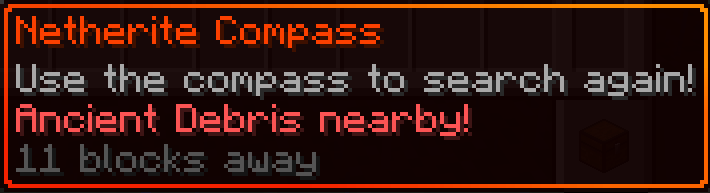
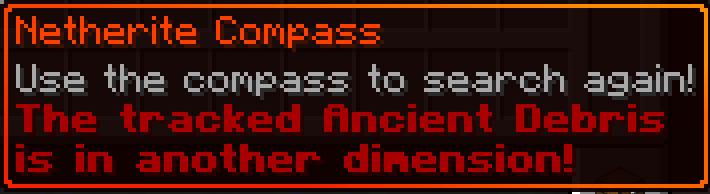
If you go to another dimension and your compass is locked onto an Ancient Debris, it will warn you in its description that the Ancient Debris is in another dimension. It will start wobbling around like the default compass when it can't find its target.
Using the compass:
When you right click the compass it will try to search for a new target if it already had one. This action will give you a five second cooldown before you can use it again (just like the ender pearl when thrown).
Droped and Item frames
The compass will not change its state if its droped or in an Item frame. For example, if its in the "Locating..." state and you put into an Item frame it will not lock onto an Ancient Debris if you place one nearby, like it would if you had it in your inventory.
Crafting
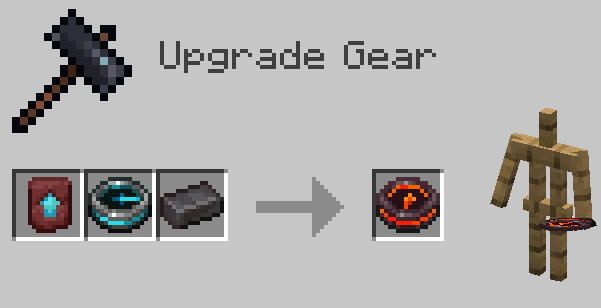
In order to obtain the Netherite Compass the player have to put three items into the Smithing Table:
- Netherite Upgrade Smithing Template
- Recovery Compass
- Netherite Ingot
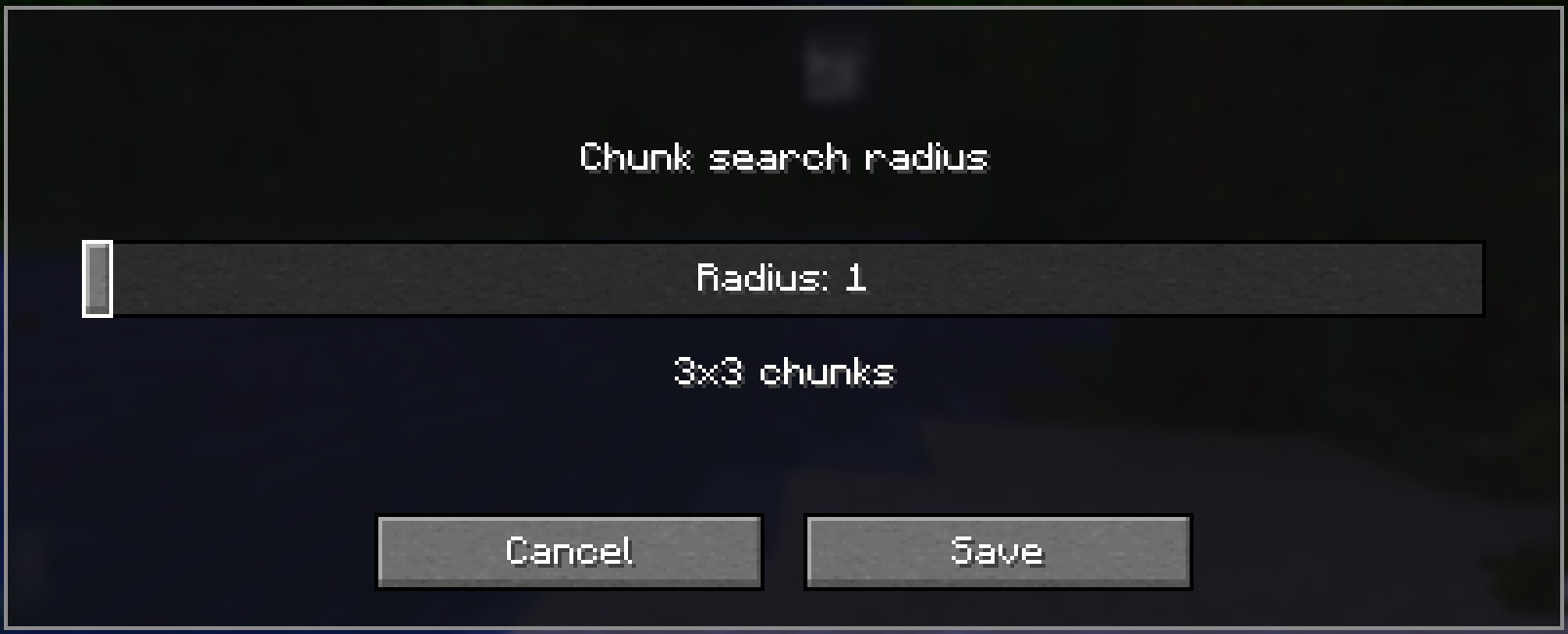
Configuring search radius with Modmenu
This mod integrates with Mod Menu to provide an in-game configuration screen. You can adjust the chunk search radius to balance between performance and search range.
Note: Larger search radii will scan more chunks, which may impact performance on slower systems. The default value of radius 1 -> 3x3 chunks should be more than enough for vanilla worlds.
Verfügbare Versionen
Netherite Compass auf dem Server installieren
Server bestellen
Bestelle einen Minecraft Java Server mit mindestens 3 GB RAM (4 GB empfohlen).
fabric Loader setzen
Wähle im Panel unter "Egg" den fabric-Loader und die passende Minecraft-Version (26.3).
Mod installieren
Öffne den Mod-Browser im Dashboard und suche nach "Netherite Compass". Klicke "Installieren" – fertig! Alternativ: Lade die .jar via SFTP in den /mods Ordner.
Kompatibilität
Mod-Loader
Minecraft-Versionen
26.3, 26.2, 26.1.2 (+17 weitere)
Server-seitig
✓ ErforderlichEmpfohlener RAM
4 GB(min. 3 GB)Häufige Fragen
Netherite Compass Server crasht beim Start – was tun?
Häufigste Ursache: falsche fabric-Version oder zu wenig RAM. Prüfe im Server-Log (latest.log), ob ein "OutOfMemoryError" oder "Mixin"-Fehler auftritt. Bei Mado Hosting: Stelle sicher, dass mindestens 3 GB RAM zugewiesen sind und der Loader zur Mod-Version passt (26.3). Über das Panel kannst du den Loader mit einem Klick wechseln.
Ist Netherite Compass mit fabric und forge kompatibel?
Netherite Compass unterstützt offiziell fabric, forge für Minecraft 26.3, 26.2, 26.1.2. Achtung: Forge- und Fabric-Mods sind NICHT untereinander kompatibel – wähle einen Loader und bleibe dabei. Im Mado Dashboard werden inkompatible Loader-Kombinationen automatisch erkannt.
Server laggt mit Netherite Compass – wie optimiere ich die Performance?
Empfohlener RAM: 4 GB (+1 GB pro 8 Spieler). Prüfe mit /spark profiler, ob Netherite Compass den meisten Tick-Time verbraucht. Häufige Fixes: Server-View-Distance auf 8-10 reduzieren, bei Forge "performant" oder "starlight" als Zusatz-Mod installieren. Bei Mado Hosting läuft dein Server auf NVMe-SSDs mit dedizierten CPU-Kernen für minimale Latenz.
Ähnliche Mods




Modded Server mieten
Installiere Netherite Compass mit nur einem Klick auf deinem Server.