
No Tutorial
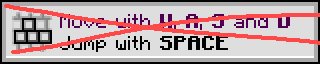
This mod will disable the annoying tutorial pop-ups. This allows the user to have a more enjoyable experience.
Screenshots
Über diese Mod
No Tutorial
QOL. Client-Sided. Pop-Up Blocking
Say goodbye to annoying tutorial pop-ups and hello to uninterrupted gameplay! No Tutorial instantly disables all the in-game tutorial messages that interrupt your flow, letting you explore, build , and play without distractions.
💎 Why No Tutorial?
Client-Sided — Only affects your game; works anywhere without affecting others.
Performance Friendly — Lightweight and invisible, so your game stays smooth.
Instant Freedom — Suppresses all tutorial toasts automatically, keeping your screen clean and gameplay seamless.
Perfect For: exploring, building, survival runs, or just enjoying Minecraft without forced interruptions.
Verfügbare Versionen
No Tutorial auf deinem Client installieren
Mod-Loader lokal installieren
Installiere fabric für deine lokale Minecraft-Version.
Passende Datei herunterladen
Wähle die No Tutorial-Datei für fabric und Minecraft 1.21.11.
Mod installieren
Lege die .jar-Datei in deinem lokalen .minecraft/mods-Ordner ab und starte Minecraft neu. Eine Installation auf dem Server ist nicht nötig.
Kompatibilität
Mod-Loader
Minecraft-Versionen
1.21.11, 1.21.10, 1.21.9 (+24 weitere)
Server-seitig
✗ Nicht unterstütztEmpfohlener RAM
4 GB(min. 3 GB)Häufige Fragen
Muss No Tutorial auf dem Minecraft Server installiert werden?
Nein. Modrinth kennzeichnet No Tutorial serverseitig als nicht unterstützt. Installiere die Mod nur im lokalen Minecraft-Mods-Ordner. Dein Server kann unverändert bleiben, sofern die Mod-Seite keine zusätzliche Abhängigkeit nennt.
Welche Version und welchen Loader braucht No Tutorial?
Nutze eine Datei für fabric und exakt deine Minecraft-Version. Unterstützte Versionen sind unter anderem 1.21.11, 1.21.10, 1.21.9. Loader-Dateien sind nicht untereinander austauschbar.
No Tutorial funktioniert nicht – was kann ich prüfen?
Prüfe zuerst Minecraft-Version, Loader-Version und erforderliche Abhängigkeiten. Lege die .jar-Datei im lokalen .minecraft/mods-Ordner ab und entferne ältere Duplikate. Da die Mod clientseitig ist, löst mehr Server-RAM dieses Problem nicht.
Ähnliche Mods






Minecraft Server für deine Gruppe
No Tutorial bleibt auf deinem Client. Hoste dazu eine kompatible Welt für deine Mitspieler.