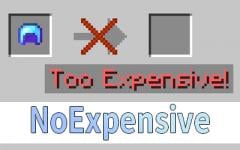
NoExpensive
The anvil has no expensive restrictions and compatible to any enchantment.
Über diese Mod
NoExpensive
NoExpensive is a Minecraft mod that removes the anvil's expensive restrictions and allows compatibility between any
enchantments. It is designed to be lightweight, highly compatible, and easy to configure for both modern and legacy
Minecraft versions.
Features
- Removes the "Too Expensive!" anvil restriction
- Allows any enchantment combinations (including normally incompatible ones)
- Configurable maximum repair cost
- Custom enchantment compatibility rules
- Supports both modern and legacy Minecraft versions
Configuration
This mod uses the MineConf for configuration.
Configs
| Config | Description |
|---|---|
| max_level | The maximum repair cost level (default: 39). Set to 0 for auto calculation. |
| combine_higher | Enable or disable combining higher-level enchantments (default: false). |
| compatibility | Allow two enchantments to be compatible. |
Default Compatibilities
- Mending and Infinity are compatible by default.
- Multishot and Piercing are compatible by default.
- Sharpness, Smite, and Bane of Arthropods are mutually compatible by default.
- Protection, Projectile Protection, Blast Protection, and Fire Protection are mutually compatible by
default.
Compatibility
- Supports a wide range of Minecraft versions (see folders for specific support).
- Designed for Fabric mod loader, but may work with others if compatible.
- For legacy versions (1.7.x and below), enchantment IDs are numbers, not strings.
Legacy Version Notes
- In 1.7.x and below, the compatibility config uses numeric enchantment IDs instead of string names due to how
enchantments are registered in those versions.
Support & Contributing
- For bug reports, feature requests, or questions, please open
an issue. - Contributions are welcome! Feel free to submit pull requests.
Enjoy a restriction-free anvil experience!
Verfügbare Versionen
NoExpensive auf dem Server installieren
Server bestellen
Bestelle einen Minecraft Java Server mit mindestens 3 GB RAM (4 GB empfohlen).
fabric Loader setzen
Wähle im Panel unter "Egg" den fabric-Loader und die passende Minecraft-Version (26.3).
Mod installieren
Öffne den Mod-Browser im Dashboard und suche nach "NoExpensive". Klicke "Installieren" – fertig! Alternativ: Lade die .jar via SFTP in den /mods Ordner.
Kompatibilität
Mod-Loader
Minecraft-Versionen
26.3, 26.2, 26.1.2 (+78 weitere)
Server-seitig
✓ ErforderlichEmpfohlener RAM
4 GB(min. 3 GB)Häufige Fragen
NoExpensive Server crasht beim Start – was tun?
Häufigste Ursache: falsche fabric-Version oder zu wenig RAM. Prüfe im Server-Log (latest.log), ob ein "OutOfMemoryError" oder "Mixin"-Fehler auftritt. Bei Mado Hosting: Stelle sicher, dass mindestens 3 GB RAM zugewiesen sind und der Loader zur Mod-Version passt (26.3). Über das Panel kannst du den Loader mit einem Klick wechseln.
Ist NoExpensive mit fabric und legacy-fabric kompatibel?
NoExpensive unterstützt offiziell fabric, legacy-fabric für Minecraft 26.3, 26.2, 26.1.2. Im Mado Dashboard werden inkompatible Loader-Kombinationen automatisch erkannt.
Server laggt mit NoExpensive – wie optimiere ich die Performance?
Empfohlener RAM: 4 GB (+1 GB pro 8 Spieler). Prüfe mit /spark profiler, ob NoExpensive den meisten Tick-Time verbraucht. Häufige Fixes: Server-View-Distance auf 8-10 reduzieren, bei Forge "performant" oder "starlight" als Zusatz-Mod installieren. Bei Mado Hosting läuft dein Server auf NVMe-SSDs mit dedizierten CPU-Kernen für minimale Latenz.
Ähnliche Mods




![[ETF] Entity Texture Features](https://cdn.modrinth.com/data/BVzZfTc1/af683d206d50b05258d865b0d6e4aa2f2cee12f2_96.webp)

Modded Server mieten
Installiere NoExpensive mit nur einem Klick auf deinem Server.