Vanilla Notebook
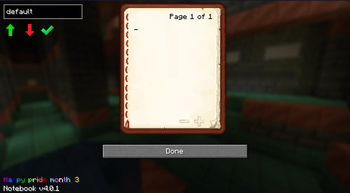
A small vanilla-styled mod that adds a notebook into your GUI.
Screenshots
Über diese Mod
About
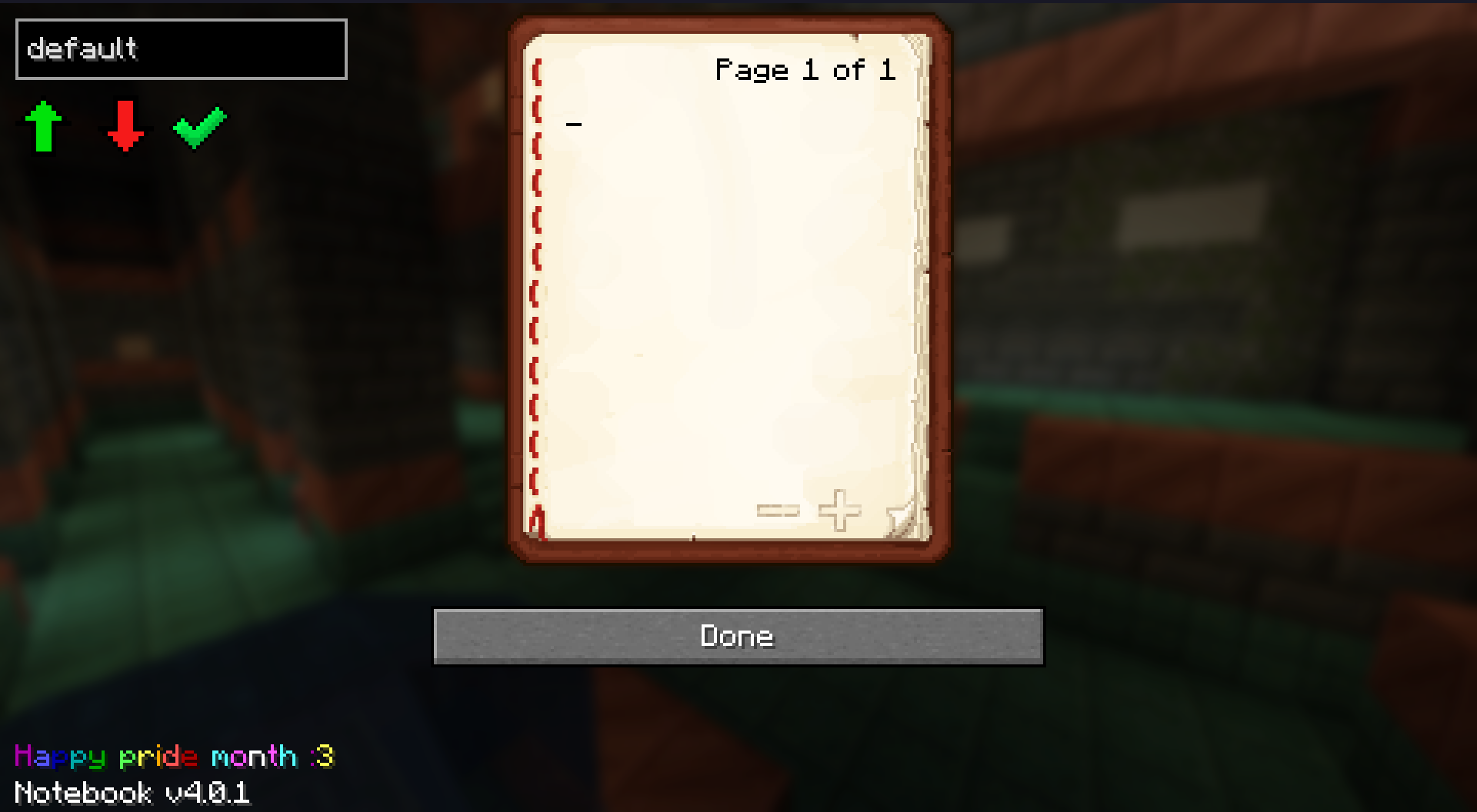
This is a small, vanilla-styled mod that adds a notebook to your GUI. You can use it to note down coordinates, or write notes.
It is simply just a book in your menus - with a couple added features.
This mod is client side; you do not need to install this on the server to use it - It is usable anywhere and supports NeoForge, Fabric and Quilt.
Note for version v5.1.0 and newer - The mod now depends on MLEM API which must be installed alongside Notebook. You can get it on modrinth or forgejo. (Coming soon, waiting on Modrinth review)
Links
Other info
The best official place to download this mod is here (modrinth), Forgejo and tangled.sh
You may use this mod in your own modpacks; with credit preferably, but not required (It'd also be awesome to see the modpacks you create! Feel free to send them to me).
If you want to suggest any features - or report bugs, check the issues page or you can come chat with me and other community members on my discord server
Other Projects

Verfügbare Versionen
Vanilla Notebook auf deinem Client installieren
Mod-Loader lokal installieren
Installiere fabric für deine lokale Minecraft-Version.
Passende Datei herunterladen
Wähle die Vanilla Notebook -Datei für fabric und Minecraft 26.2.
Mod installieren
Lege die .jar-Datei in deinem lokalen .minecraft/mods-Ordner ab und starte Minecraft neu. Eine Installation auf dem Server ist nicht nötig.
Kompatibilität
Mod-Loader
Minecraft-Versionen
26.2, 26.2-rc-2, 26.2-rc-1 (+46 weitere)
Server-seitig
✗ Nicht unterstütztEmpfohlener RAM
4 GB(min. 3 GB)Häufige Fragen
Muss Vanilla Notebook auf dem Minecraft Server installiert werden?
Nein. Modrinth kennzeichnet Vanilla Notebook serverseitig als nicht unterstützt. Installiere die Mod nur im lokalen Minecraft-Mods-Ordner. Dein Server kann unverändert bleiben, sofern die Mod-Seite keine zusätzliche Abhängigkeit nennt.
Welche Version und welchen Loader braucht Vanilla Notebook ?
Nutze eine Datei für fabric, forge, neoforge, quilt und exakt deine Minecraft-Version. Unterstützte Versionen sind unter anderem 26.2, 26.2-rc-2, 26.2-rc-1. Loader-Dateien sind nicht untereinander austauschbar.
Vanilla Notebook funktioniert nicht – was kann ich prüfen?
Prüfe zuerst Minecraft-Version, Loader-Version und erforderliche Abhängigkeiten. Lege die .jar-Datei im lokalen .minecraft/mods-Ordner ab und entferne ältere Duplikate. Da die Mod clientseitig ist, löst mehr Server-RAM dieses Problem nicht.
Ähnliche Mods






Minecraft Server für deine Gruppe
Vanilla Notebook bleibt auf deinem Client. Hoste dazu eine kompatible Welt für deine Mitspieler.