
Nyctophobia Dread
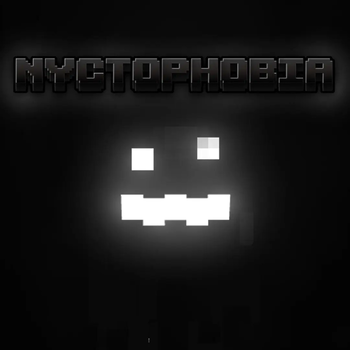
A datapack that adds a new horrifying creature to minecrafts caves and dark spaces
Screenshots
Über diese Mod
Nyctophobia
- This Datapack is Smithed Compatible!
Fear the dark, enter the caves, but be careful. Carry a light, it hunts in the dark.
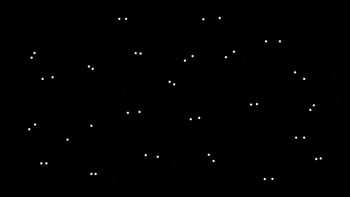
This data pack adds a mysterious new monster that will stalk you in the dark, stay too long and it will attack.
The creature will try its best to avoid you seeing its body, it will disappear when you get night vision, and when it enters light
As soon as you enter your world you will be plagued with TRUE darkness. Light level 0 is now pitch black, giving the creature a perfect home.
If you are using optifine or sodium, download the version of the resourcepack under the datapack with "[OPTIFINE]", attempting to load the default resourcepack with sodium or optifine will give you an error.
For the fullest experience, if you are using optifine, try setting the minimum light level in your shader to the lowest it can go to make dark areas pitch black.
Please do not ask for dynamic lights support as I have already decided im not adding it
Recommended Settings
Brightness - Low (Somewhere around 25 - 50)
📠 Commands
Set Difficulty:
/function nycto:difficulty/(difficulty)
Give Creature:
/function nycto:grue/give
💀 Difficulties
Easy - Creature takes longer to arrive
Normal (Recommended) - Creature takes normal time to arrive
Hard - Creature arrives sooner than normal. Give you slowness upon arrival
Credits
Programming and Models - HAK0TA538
Sound Design - At Dead of Night
Datapack based on Grue Mod
True Darkness Shader - Shock_Micro
Verfügbare Versionen
Nyctophobia Dread auf dem Server installieren
Server bestellen
Bestelle einen Minecraft Java Server mit mindestens 3 GB RAM (4 GB empfohlen).
datapack Loader setzen
Wähle im Panel unter "Egg" den datapack-Loader und die passende Minecraft-Version (1.21).
Mod installieren
Öffne den Mod-Browser im Dashboard und suche nach "Nyctophobia Dread". Klicke "Installieren" – fertig! Alternativ: Lade die .jar via SFTP in den /mods Ordner.
Kompatibilität
Mod-Loader
Minecraft-Versionen
1.21, 1.20.4, 1.20.3 (+30 weitere)
Server-seitig
✓ ErforderlichEmpfohlener RAM
4 GB(min. 3 GB)Häufige Fragen
Nyctophobia Dread Server crasht beim Start – was tun?
Häufigste Ursache: falsche datapack-Version oder zu wenig RAM. Prüfe im Server-Log (latest.log), ob ein "OutOfMemoryError" oder "Mixin"-Fehler auftritt. Bei Mado Hosting: Stelle sicher, dass mindestens 3 GB RAM zugewiesen sind und der Loader zur Mod-Version passt (1.21). Über das Panel kannst du den Loader mit einem Klick wechseln.
Ist Nyctophobia Dread mit datapack und fabric und forge und quilt kompatibel?
Nyctophobia Dread unterstützt offiziell datapack, fabric, forge, quilt für Minecraft 1.21, 1.20.4, 1.20.3. Achtung: Forge- und Fabric-Mods sind NICHT untereinander kompatibel – wähle einen Loader und bleibe dabei. Im Mado Dashboard werden inkompatible Loader-Kombinationen automatisch erkannt.
Server laggt mit Nyctophobia Dread – wie optimiere ich die Performance?
Empfohlener RAM: 4 GB (+1 GB pro 8 Spieler). Prüfe mit /spark profiler, ob Nyctophobia Dread den meisten Tick-Time verbraucht. Häufige Fixes: Server-View-Distance auf 8-10 reduzieren, bei Forge "performant" oder "starlight" als Zusatz-Mod installieren. Bei Mado Hosting läuft dein Server auf NVMe-SSDs mit dedizierten CPU-Kernen für minimale Latenz.
Ähnliche Mods
![[EMF] Entity Model Features](https://cdn.modrinth.com/data/4I1XuqiY/6e5bbd0d06b1741bfdab6c0cfab6de8fdaf0064c_96.webp)


Modded Server mieten
Installiere Nyctophobia Dread mit nur einem Klick auf deinem Server.