
Ocean World
Make the ocean lively, and more challenges for adventure.
Screenshots
Über diese Mod
Description
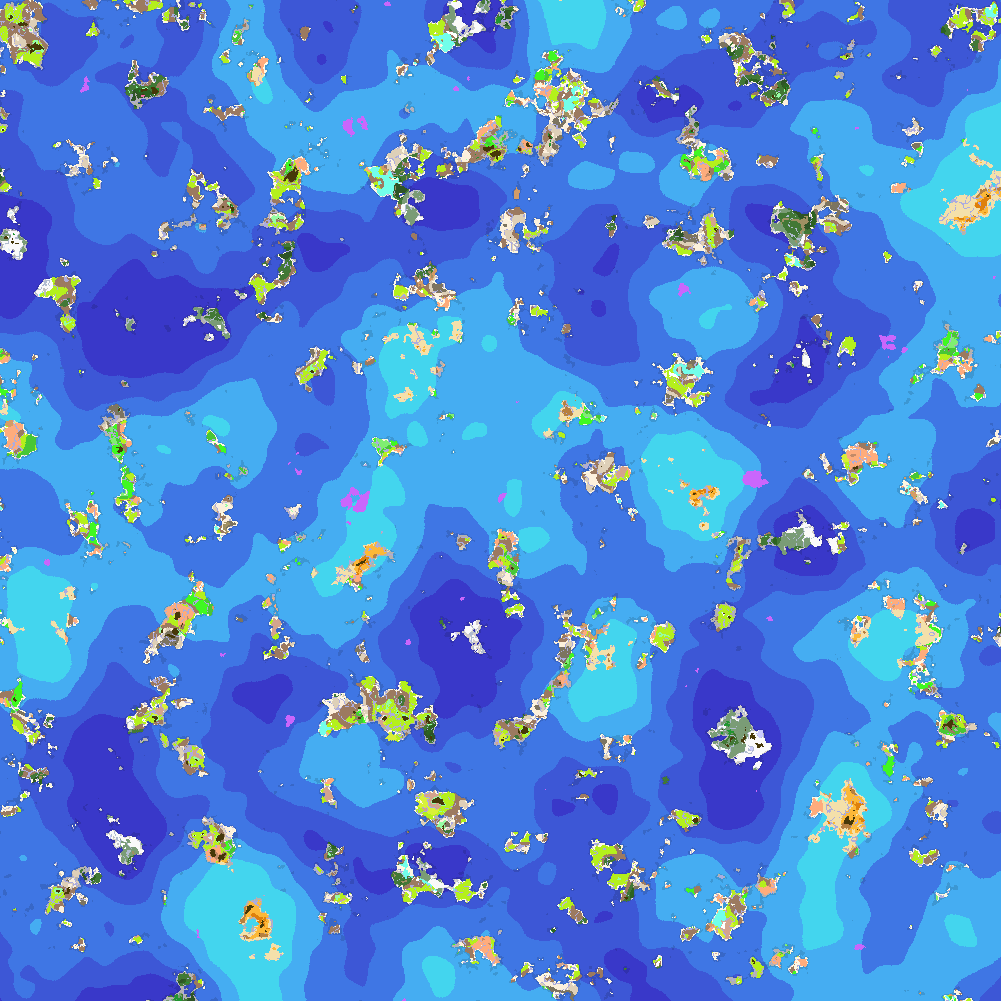
With COVID-2019, El Niño phenomenon, innumerable earthquake, volcanic eruption and especially sea level rise caused by global warming engulfing minecraft, the world generation has changed a lot.
With this mod, you can hardly find landmasses, but island and endless ocean, and even difficult to contact your friends and meet them.
But luckily, you can find a lot of monuments (not only ocean monuments) in ocean or deep ocean biomes instead, such as ocean altars, aristocrats residences, and can even find other illagers (illusioners for example) with ominous banner and trigger raids.
Also, more kinds of sedimentary rocks are added by this mod. How about decorating your house with peridotite, serpentine, black bricks and some other blocks?
Last but not least, you can modify the terrain and biome generation by editing the config file (config/oceanworld-config.json) and create your own world, for example, raising the weight of mushroom fields, or reducing the weight of peaks and mountains. Please read oceanworld-config-readme.md for more information.
Notice that after 1.19.3, this mod does not support modifying terrain generation. The related function is separated to another mod, Customize World Generation.
FAQ
Q: (1.18.2-1.19.2) I tried ocean world with some biome mods (for example, BYG and Emerald Craft), but find something wrong with world generation. How to fix it?
A: Install Ocean Blender as well. But I'm sorry to say that BOP is still not compatible with this even after installing Ocean Blender.
Q: I have no idea how to modify the config file. Can you give me some tips?
A: Use Oceanworld Config Generator to help you modify the config file!
Thanks for the contributors of translations:
| code | Language | contributor |
|---|---|---|
| ru_ru | Русский | grustno_kataem |
Verfügbare Versionen
Ocean World auf dem Server installieren
Server bestellen
Bestelle einen Minecraft Java Server mit mindestens 4 GB RAM (6 GB empfohlen).
forge Loader setzen
Wähle im Panel unter "Egg" den forge-Loader und die passende Minecraft-Version (1.20.1).
Mod installieren
Öffne den Mod-Browser im Dashboard und suche nach "Ocean World". Klicke "Installieren" – fertig! Alternativ: Lade die .jar via SFTP in den /mods Ordner.
Kompatibilität
Mod-Loader
Minecraft-Versionen
1.20.1, 1.20, 1.19.4 (+5 weitere)
Server-seitig
✓ ErforderlichEmpfohlener RAM
6 GB(min. 4 GB)Häufige Fragen
Ocean World Server crasht beim Start – was tun?
Häufigste Ursache: falsche forge-Version oder zu wenig RAM. Prüfe im Server-Log (latest.log), ob ein "OutOfMemoryError" oder "Mixin"-Fehler auftritt. Bei Mado Hosting: Stelle sicher, dass mindestens 4 GB RAM zugewiesen sind und der Loader zur Mod-Version passt (1.20.1). Über das Panel kannst du den Loader mit einem Klick wechseln.
Ist Ocean World mit forge kompatibel?
Ocean World unterstützt offiziell forge für Minecraft 1.20.1, 1.20, 1.19.4. Im Mado Dashboard werden inkompatible Loader-Kombinationen automatisch erkannt.
Server laggt mit Ocean World – wie optimiere ich die Performance?
Empfohlener RAM: 6 GB (+1 GB pro 5 Spieler). Prüfe mit /spark profiler, ob Ocean World den meisten Tick-Time verbraucht. Häufige Fixes: Server-View-Distance auf 8-10 reduzieren, bei Forge "performant" oder "starlight" als Zusatz-Mod installieren. Bei Mado Hosting läuft dein Server auf NVMe-SSDs mit dedizierten CPU-Kernen für minimale Latenz.
Ähnliche Mods




Modded Server mieten
Installiere Ocean World mit nur einem Klick auf deinem Server.