Optimized Cushions
Optimizing cushions on client and server
Screenshots
Über diese Mod
Optimized Cushions
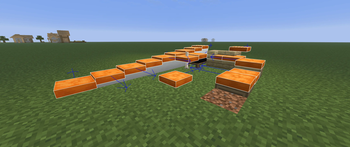
Vanilla 26.3 added cushions as entities. A cushion never moves, yet it costs the same as any other entity, both on the client and on the server.
This mod treats a cushion as what it is: a static thing. The client bakes it into the terrain so it renders like a block; the server drops the per-tick tracking and ticking overhead.
Gameplay is unchanged: sitting, breaking, picking, sounds, particles, drops and saves are all vanilla.
On versions without vanilla cushions the same cushions come from Cushion-Backport, which is required there. The optimizations are the same on every version.
To be honest: cushions are already a very light entity, especially server-side, so you will only see a difference if you have a LOT of them.
How it works
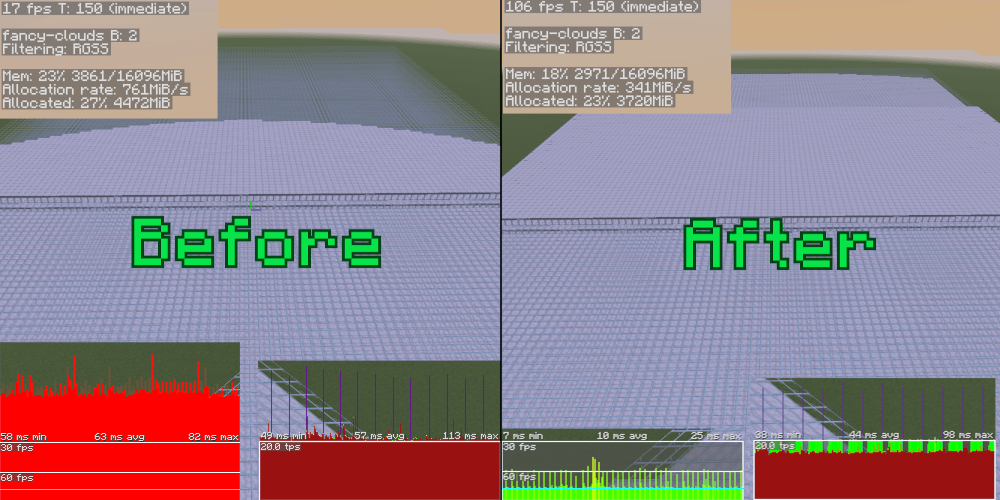
A cushion is rendered like any other block: baked straight into the chunk mesh and terrain is far cheaper to draw than entities.
On the server, cushions that have nobody sitting on them skip the entity tracker and tick-list and run through one lightweight loop instead. The moment someone sits down (or you /ride one) that cushion snaps back to the full vanilla path, so behavior stays exact.
Features
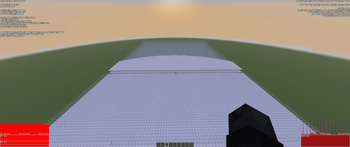
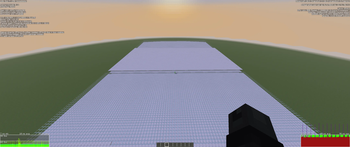
- More FPS — cushions are free to render once baked; the boost scales with how many are on screen.
- Less memory pressure — especially on the client.
- See them further — baked cushions are visible to full render distance, just like blocks, instead of the shorter vanilla entity range.
- Lighter servers — big tick-time savings on cushion-heavy worlds (tracker, movement re-checks, and ticking all trimmed).
- Nothing lost — every cushion interaction works exactly as in vanilla.
- Resource packs — cushion textures from your resource pack are picked up automatically.
Compatibility
If you encounter any incompatibility, please create an issue or send me a message on the Discord server. Thanks!
- Vanilla-safe — no protocol or save changes. The client half works on vanilla servers, and the server half serves vanilla clients.
- Sodium — supported: cushions are baked into Sodium chunk meshes just like on vanilla. The server optimizations work with or without it.
- Optimised Block Entities — Client side are automatically disabled when OBE is installed. The server optimizations still work.
- Cushions fall back to the vanilla renderer while glowing, on fire, or invisible, and name tags / F3+B hitboxes always render the vanilla way.
Trade-offs
A few small, deliberate differences from vanilla — none affect gameplay (drops, riding, sounds, damage and saves are identical):
- Client — because cushions are baked into terrain, a change (place, break, teleport, dye) shows up on the next section rebuild rather than instantly. Textures now mipmap at distance like blocks.
- Server — spawn/despawn for a moving player is checked on a ~1-block / 1-second grid instead of every packet, so a cushion at the far tracking edge can appear up to one block of walking later than vanilla. Support/fluid checks in unloaded-but-not-ticking chunks are deferred rather than frozen.
Links
Verfügbare Versionen
Optimized Cushions auf dem Server installieren
Server bestellen
Bestelle einen Minecraft Java Server mit mindestens 3 GB RAM (4 GB empfohlen).
fabric Loader setzen
Wähle im Panel unter "Egg" den fabric-Loader und die passende Minecraft-Version (26.3).
Mod installieren
Öffne den Mod-Browser im Dashboard und suche nach "Optimized Cushions". Klicke "Installieren" – fertig! Alternativ: Lade die .jar via SFTP in den /mods Ordner.
Kompatibilität
Mod-Loader
Minecraft-Versionen
26.3, 26.3-snapshot-3, 26.2 (+4 weitere)
Server-seitig
~ OptionalEmpfohlener RAM
4 GB(min. 3 GB)Häufige Fragen
Optimized Cushions Server crasht beim Start – was tun?
Häufigste Ursache: falsche fabric-Version oder zu wenig RAM. Prüfe im Server-Log (latest.log), ob ein "OutOfMemoryError" oder "Mixin"-Fehler auftritt. Bei Mado Hosting: Stelle sicher, dass mindestens 3 GB RAM zugewiesen sind und der Loader zur Mod-Version passt (26.3). Über das Panel kannst du den Loader mit einem Klick wechseln.
Ist Optimized Cushions mit fabric und neoforge kompatibel?
Optimized Cushions unterstützt offiziell fabric, neoforge für Minecraft 26.3, 26.3-snapshot-3, 26.2. Im Mado Dashboard werden inkompatible Loader-Kombinationen automatisch erkannt.
Server laggt mit Optimized Cushions – wie optimiere ich die Performance?
Empfohlener RAM: 4 GB (+1 GB pro 8 Spieler). Prüfe mit /spark profiler, ob Optimized Cushions den meisten Tick-Time verbraucht. Häufige Fixes: Server-View-Distance auf 8-10 reduzieren, bei Forge "performant" oder "starlight" als Zusatz-Mod installieren. Bei Mado Hosting läuft dein Server auf NVMe-SSDs mit dedizierten CPU-Kernen für minimale Latenz.
Ähnliche Mods


Modded Server mieten
Installiere Optimized Cushions mit nur einem Klick auf deinem Server.